
Healthcare Technology
Family Medicine Information System
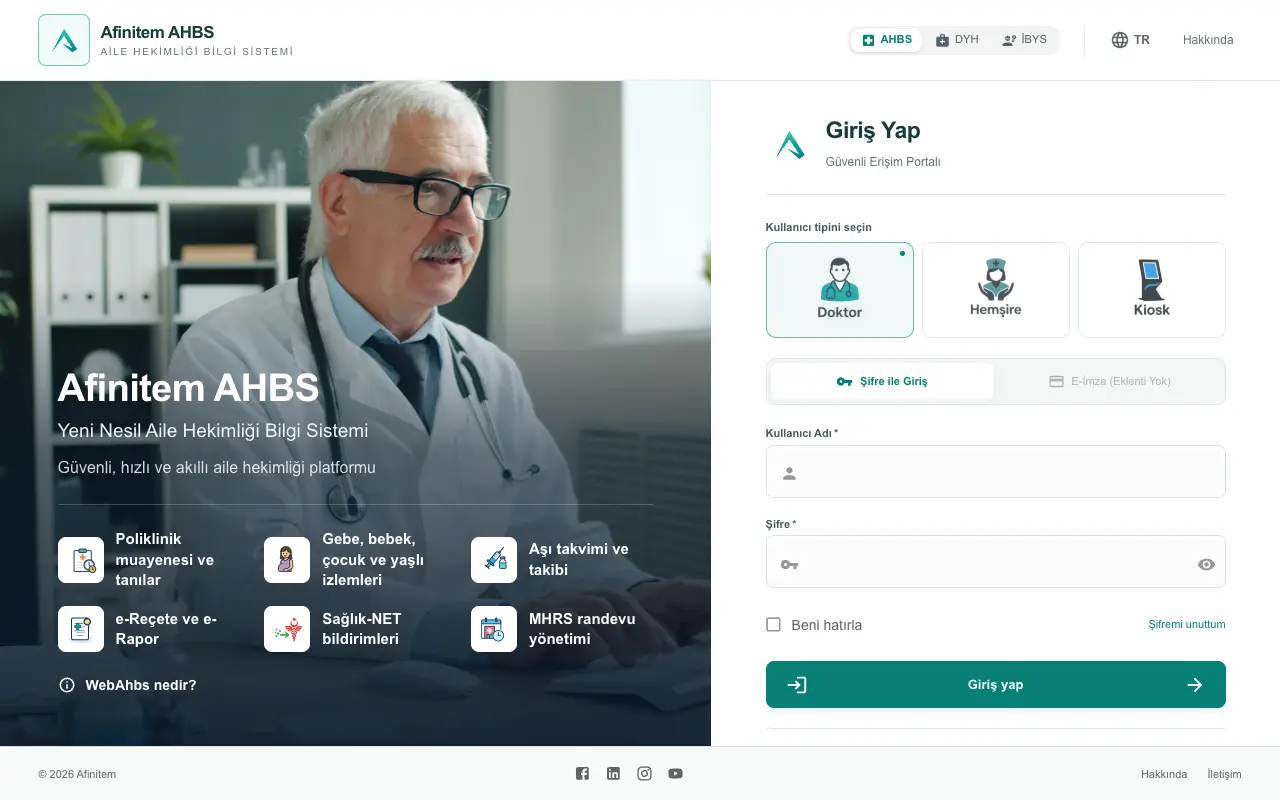
Information system for family medicine practices: examinations, prescriptions, vaccinations and mother-baby follow-ups on a single screen.
- Detailed screens
- 194
- Government system integrations
- 15+
- Platforms: Web, Mobile, Kiosk, Extension, Admin
- 5
- Artificial intelligence integration
- LLM
Healthcare Technology
Family Medicine Information System
WebAHBS is a next-generation, web-based and AI-powered Family Medicine Information System designed from scratch for primary healthcare in Türkiye. No installation is needed — open a browser and start working. It integrates with more than 15 government systems, and your data is protected on a central, secure infrastructure.
Family Medicine Information System
Key Features
-
Web-Based, Zero Install
Access from any device through the browser; no setup or updates to manage, with data stored centrally and securely in the cloud.
-
15+ Government System Integrations
Works integrated with MHRS, USS, SGK, SağlıkNET, SİNA, KETEM, HSBS, KPS, MELİS, ATS, OBS, e-Prescription and Teleradiology.
-
Examination Panel
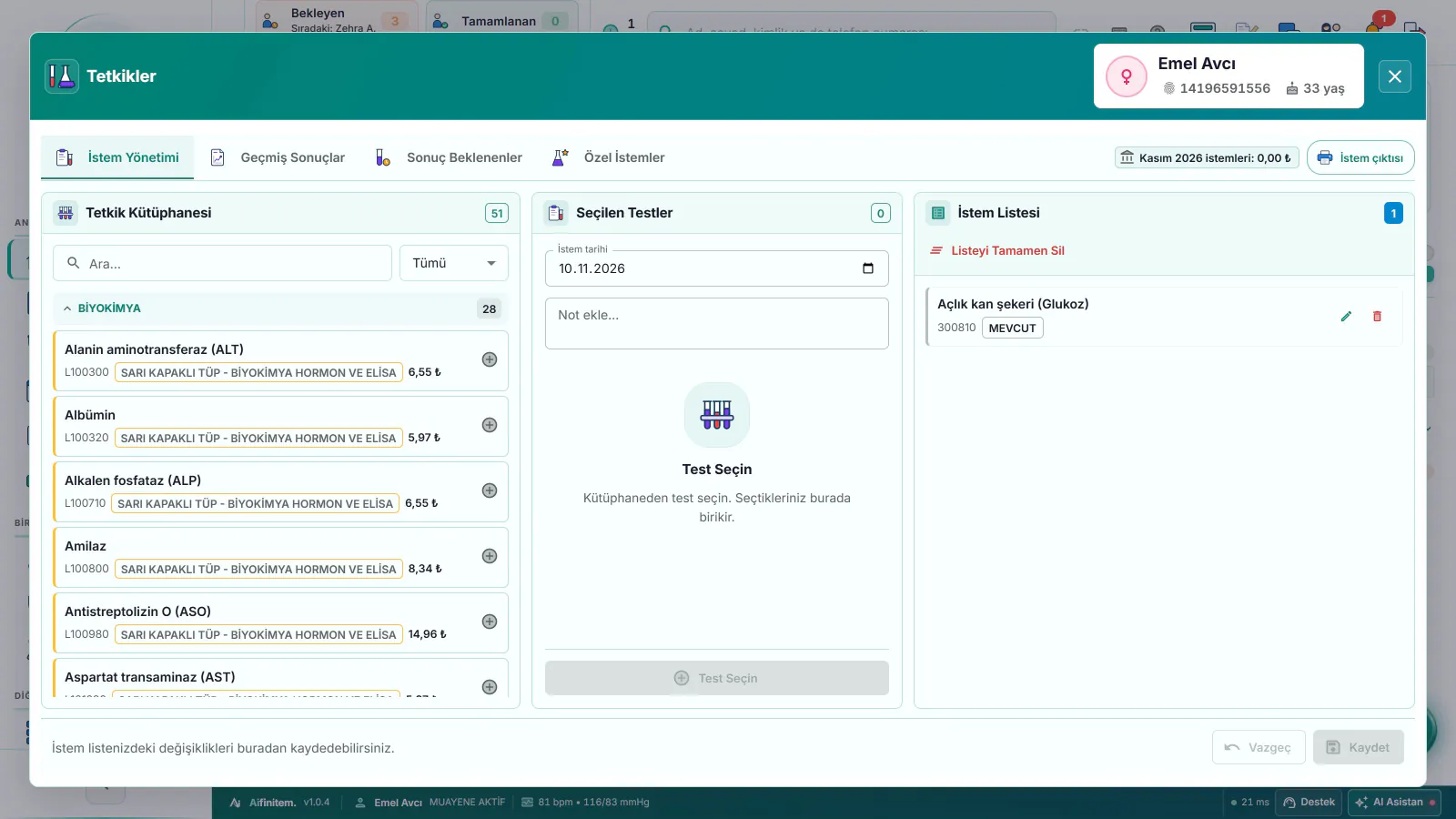
ICD diagnosis search, prescriptions, test orders, radiology viewing and hearing/color/vision tests gathered on a single screen.
-
SİNA / HYP / TTKT Follow-ups
Vaccination, infant, child, pregnancy and postpartum follow-ups; chronic disease tracking and cancer screenings managed with calendar and Gantt views.
-
MHRS Work Schedule
With drag-and-drop editing and templates, the weekly schedule is prepared in minutes and submitted to MHRS.
-
AI (LLM) Support
Pre-assessment from patient data, diagnosis and prescription suggestions, smart form filling — every suggestion is applied with physician approval.
-
One-Click Delegation
Temporary access is granted without sharing passwords; authority ends automatically when the delegation period expires.
-
Mobile App (Android + PWA)
Examinations, prescriptions, follow-ups and MHRS operations run from your pocket, anytime and anywhere.
-
Kiosk Patient Check-in
Patients check in with ID or face recognition and pick complaints on a body map; queue management runs automatically.
-
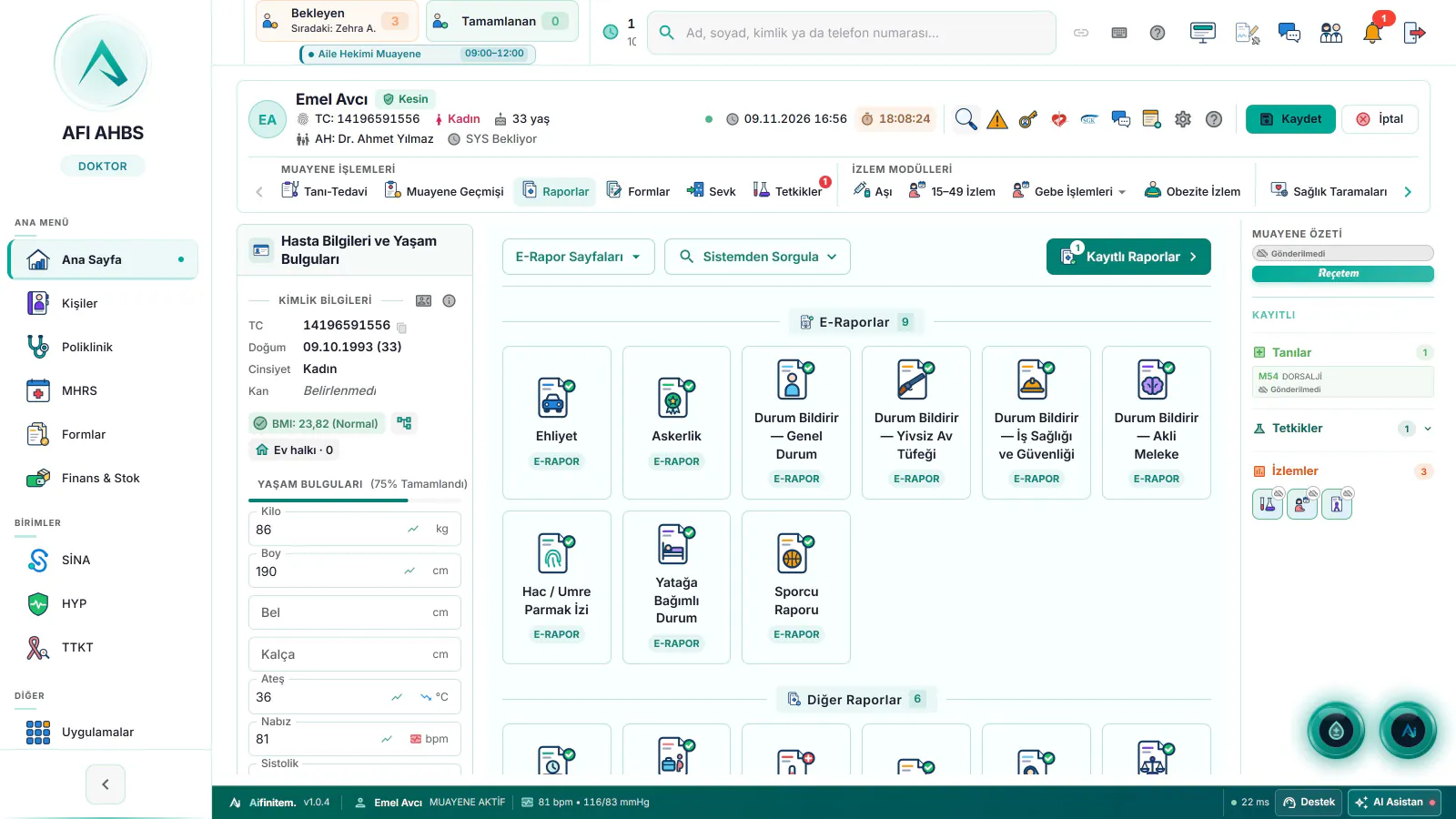
Forms, Reports & E-Signature
Official forms and reports are tailored per patient; the Chrome extension bridges government portals and documents are signed electronically.
-
Automatic Data Migration
The Converter tool migrates records from legacy family-medicine programs into the new system automatically.
-
Administration & Monitoring
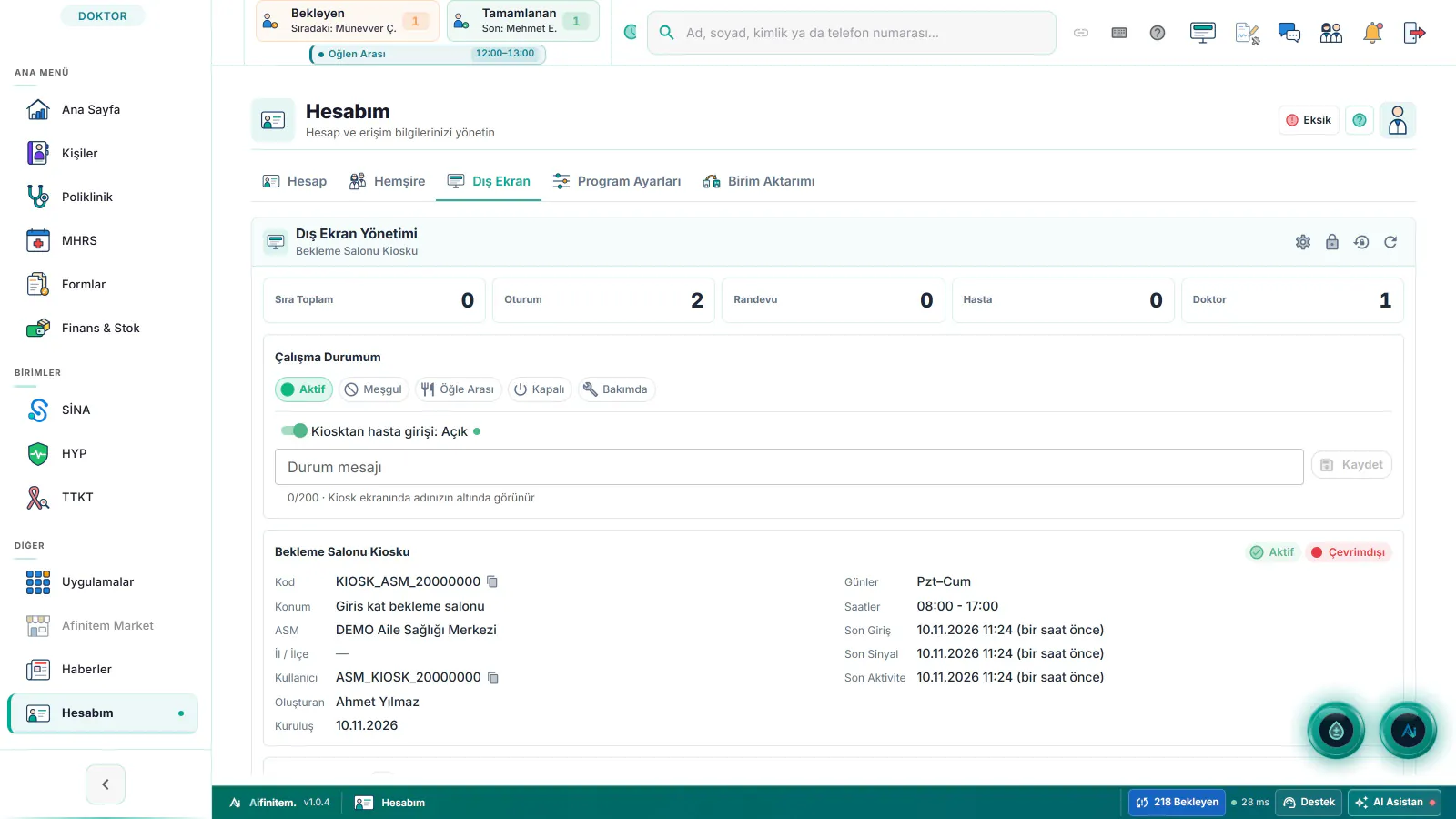
Admin panel, Provincial/District Health Directorate screens, patient portal and waiting-room display; automatic stock deduction and income-expense tracking.
LLM
AI Assistant in the Examination
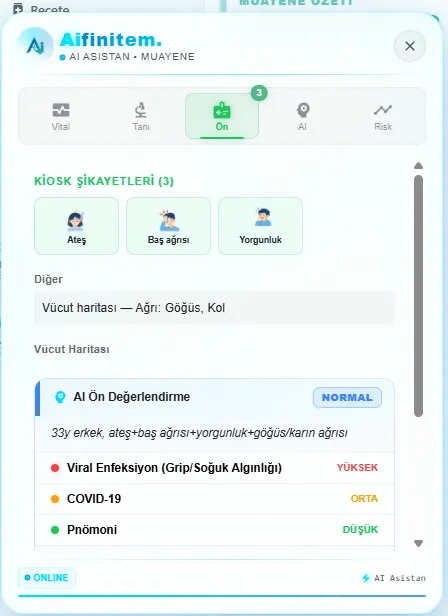
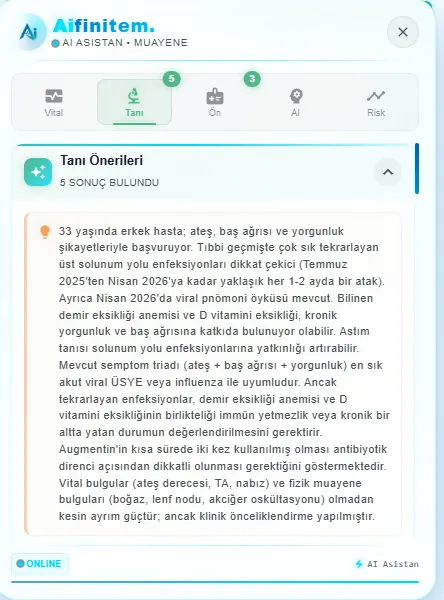
Complaints arriving from the kiosk or the examination are analyzed by the LLM; the physician sees a structured pre-assessment summary before admitting the patient.
Diagnosis and prescription suggestions are submitted for the physician's approval — AI does not replace the doctor, it stands beside the doctor.
Family Medicine Information System
Modules and screens
The system's modules and workflows, with screens from the product visual catalog.
Family Medicine Information System
AHBS
A web-based clinical information system that runs the entire workflow of family medicine units, from examination to Ministry notifications. Physicians and healthcare staff use the same application on desktop, tablet and phone.
- Examination, diagnosis, e-Prescription, e-Report and referral in a single flow
- Vaccination, infant-child, pregnancy, postpartum and chronic disease follow-ups
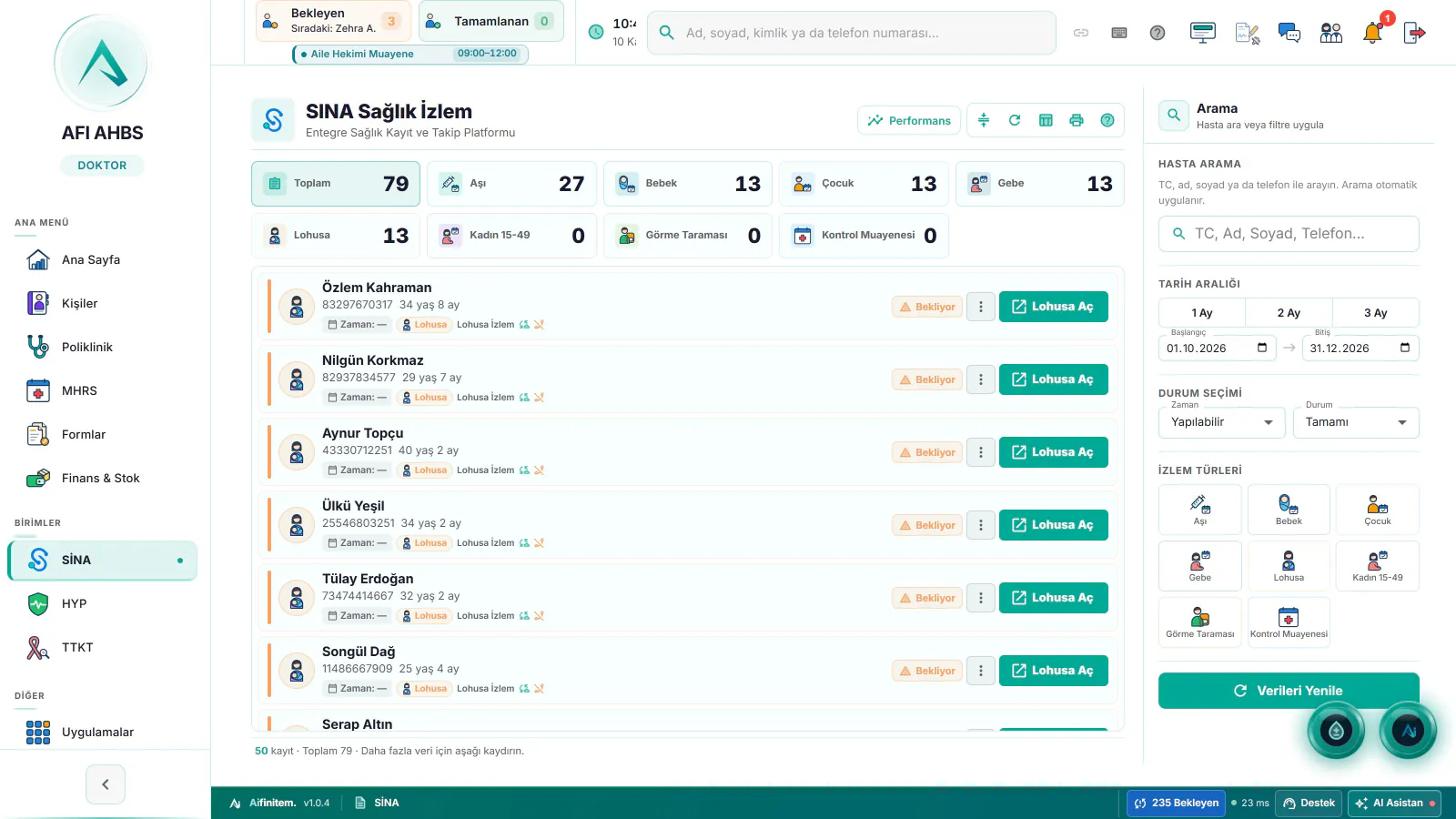
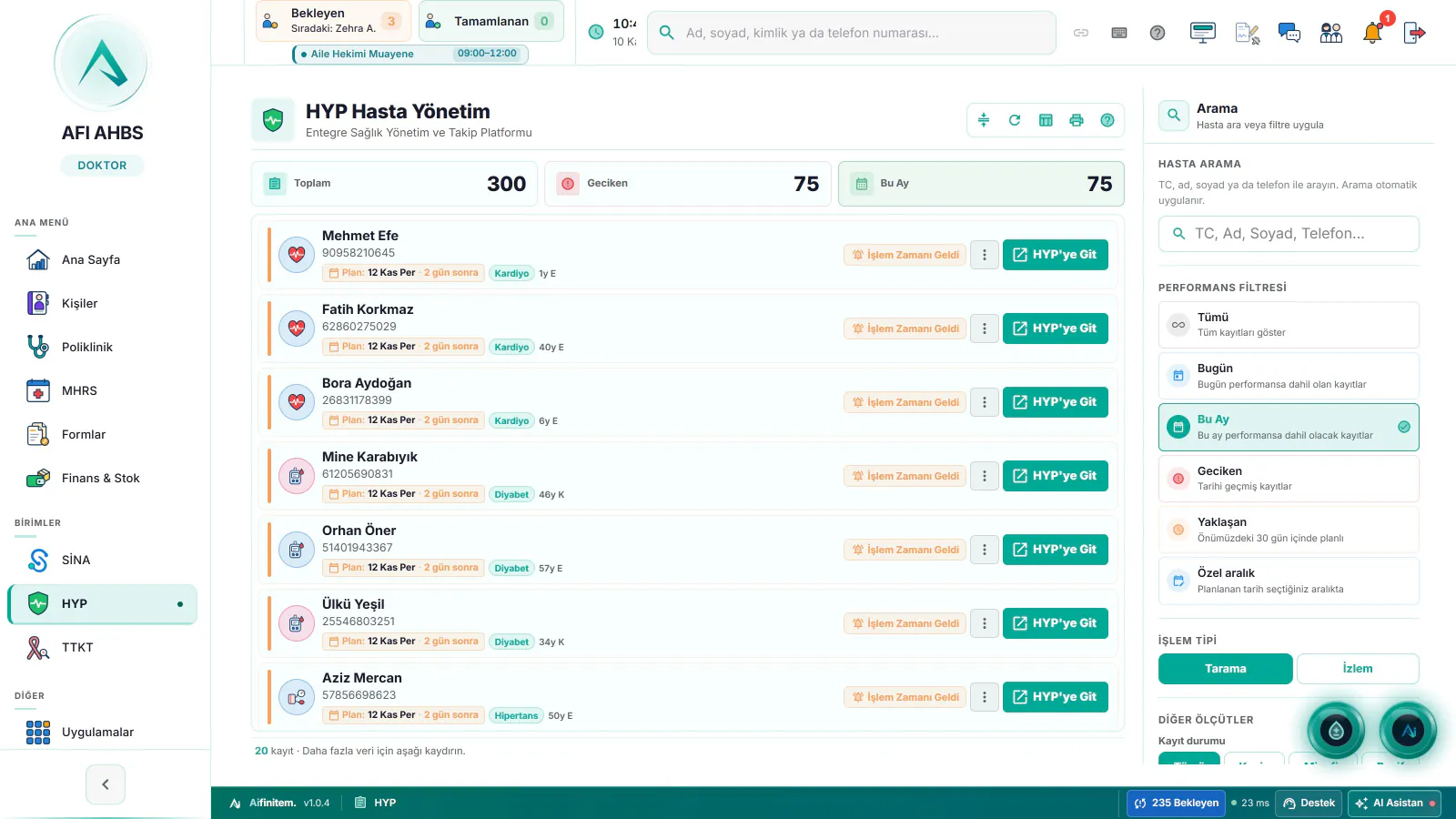
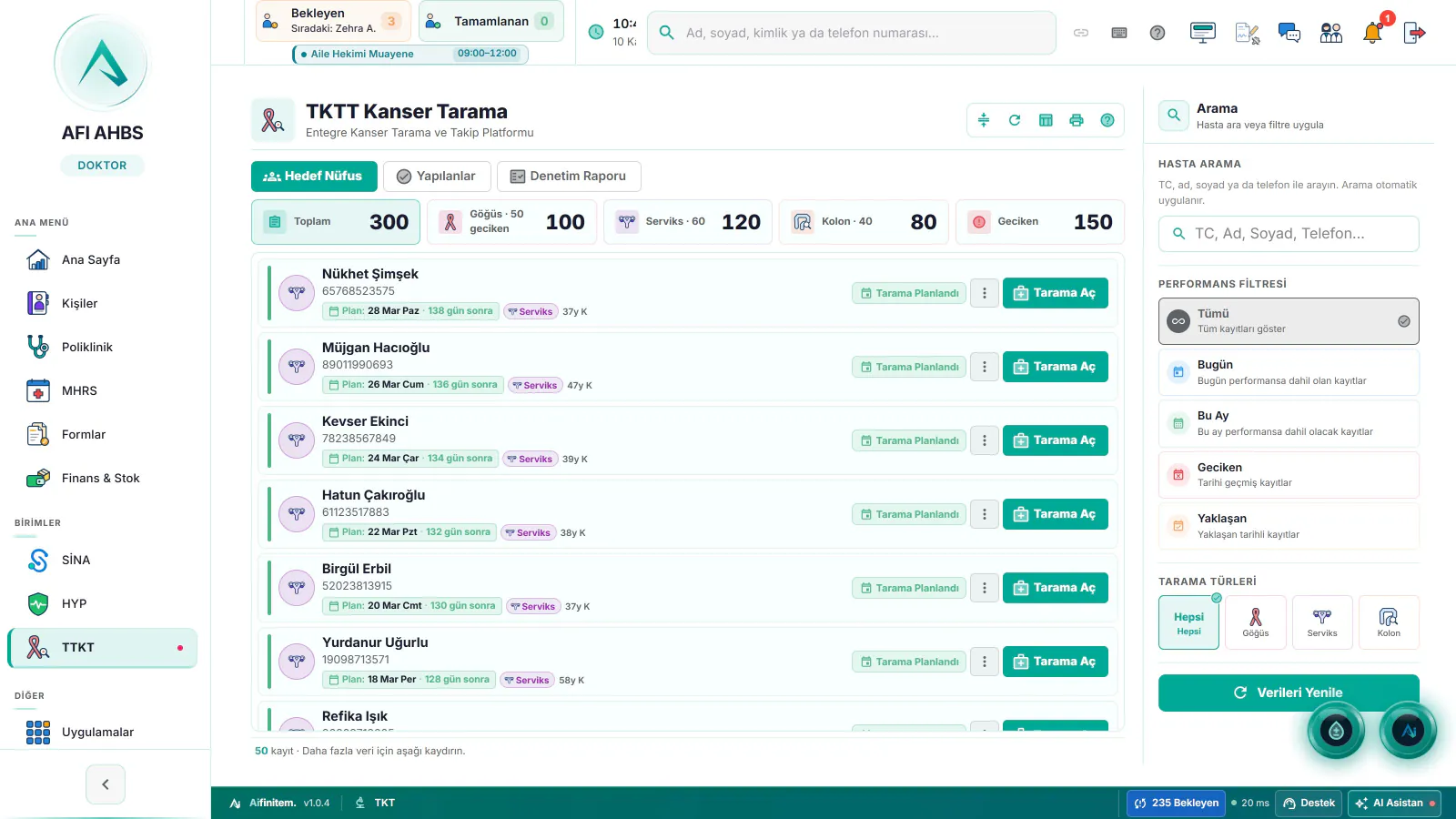
- SİNA, HYP and cancer screening (TTKT) performance tracking
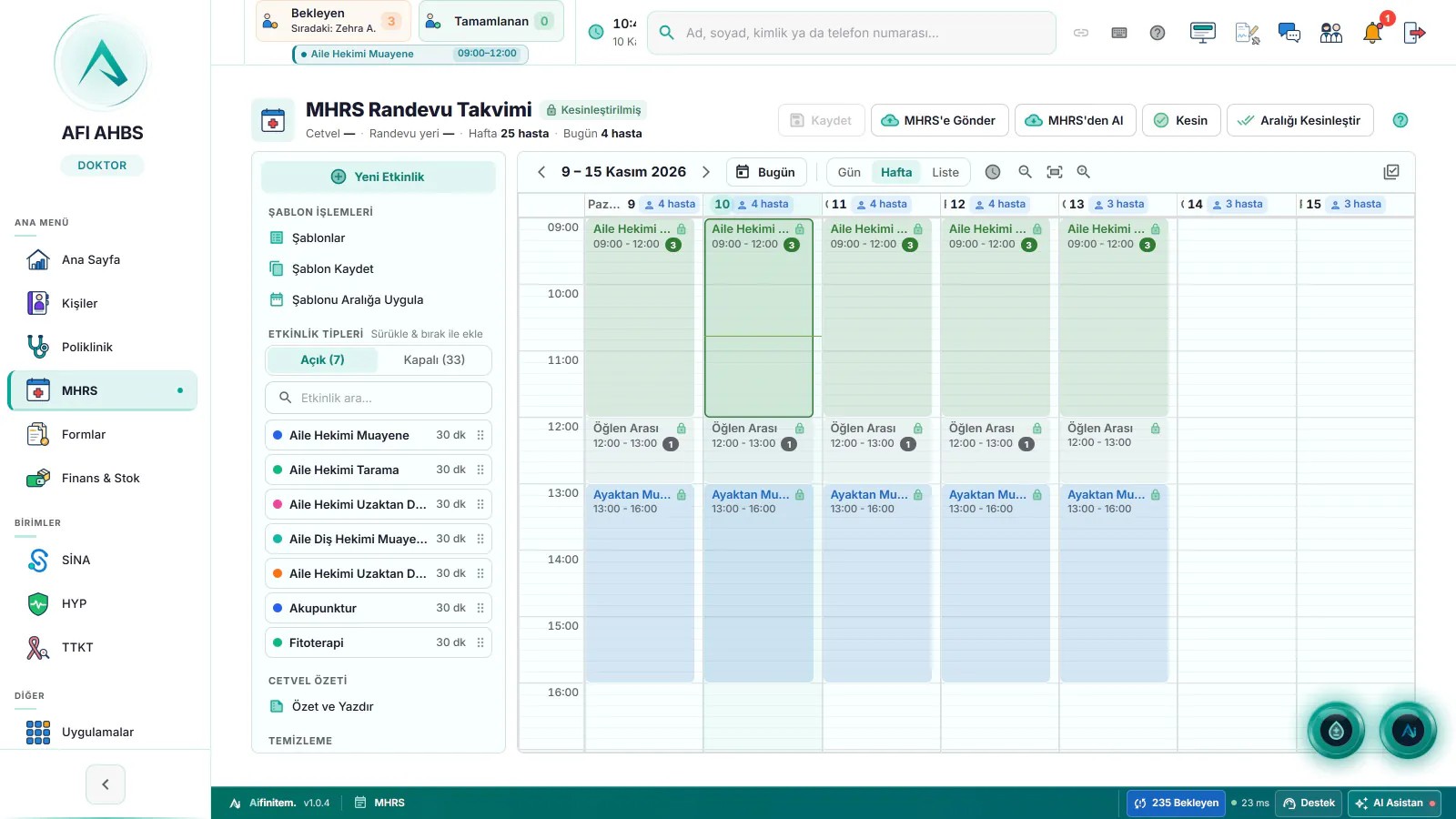
- MHRS work schedule, templates and appointments
- People, family relationships and household view
- Form Center, Finance & Stock, messaging
- Separate authorized sessions for physicians and nurses; delegation
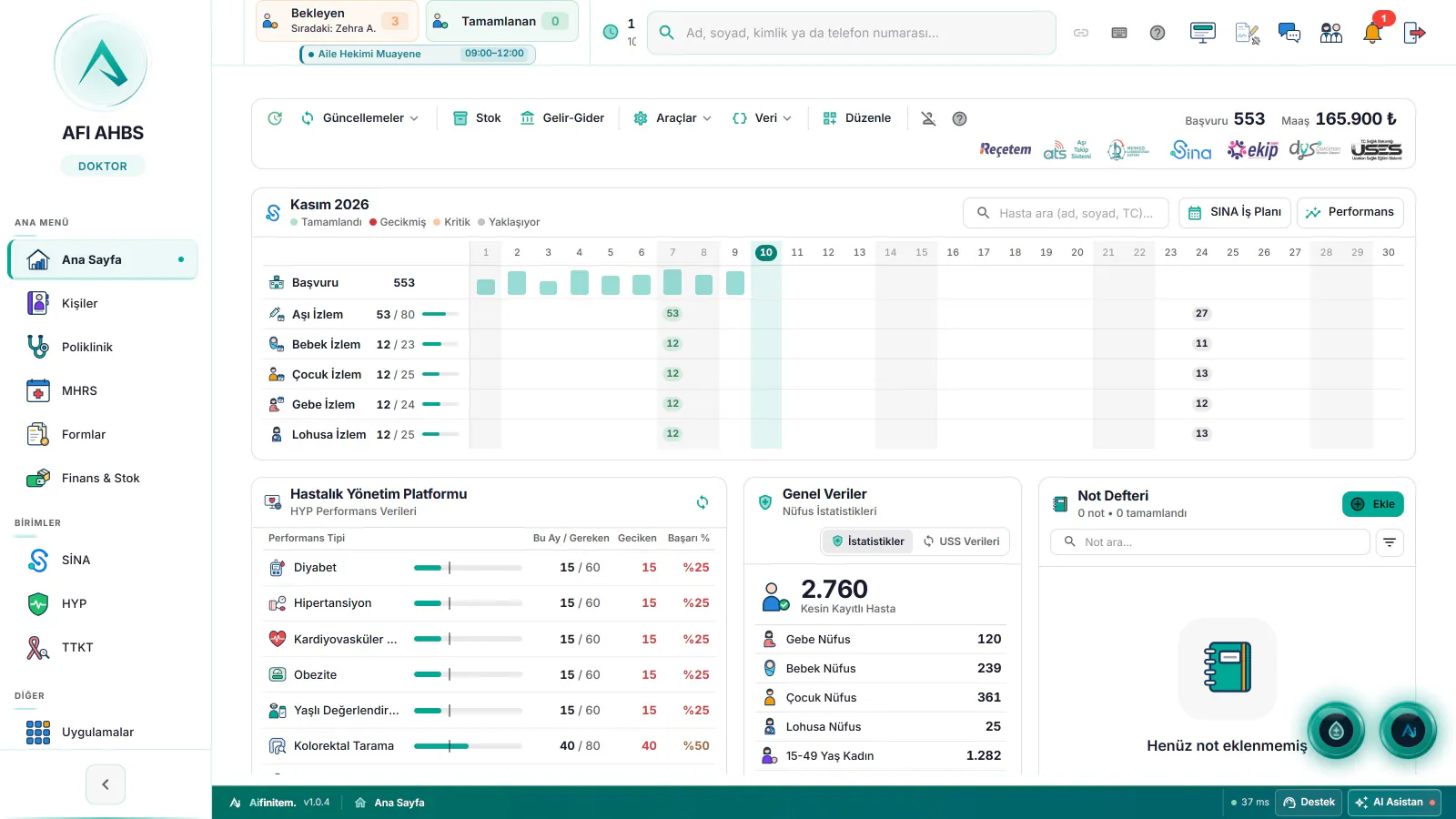
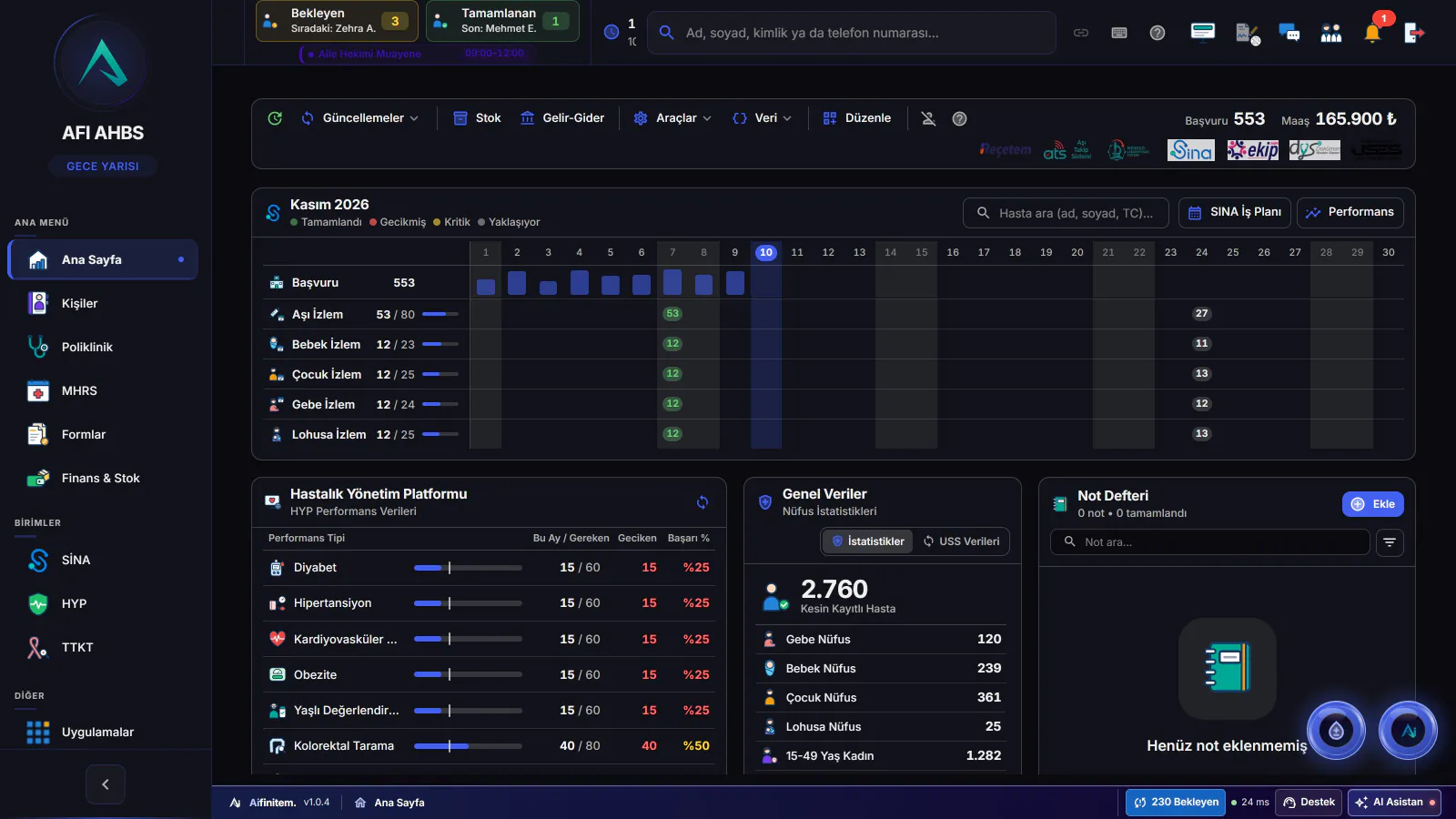
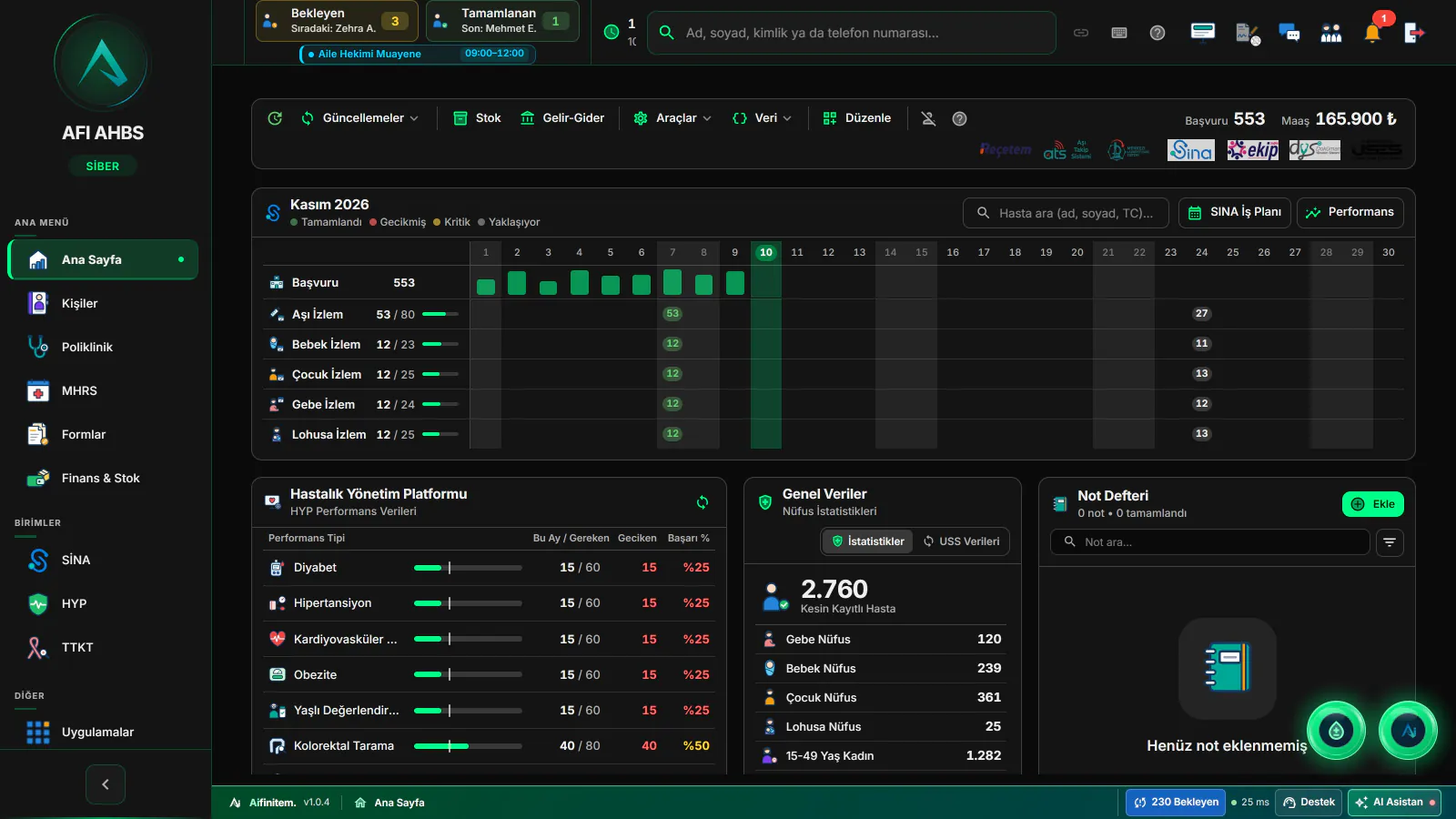
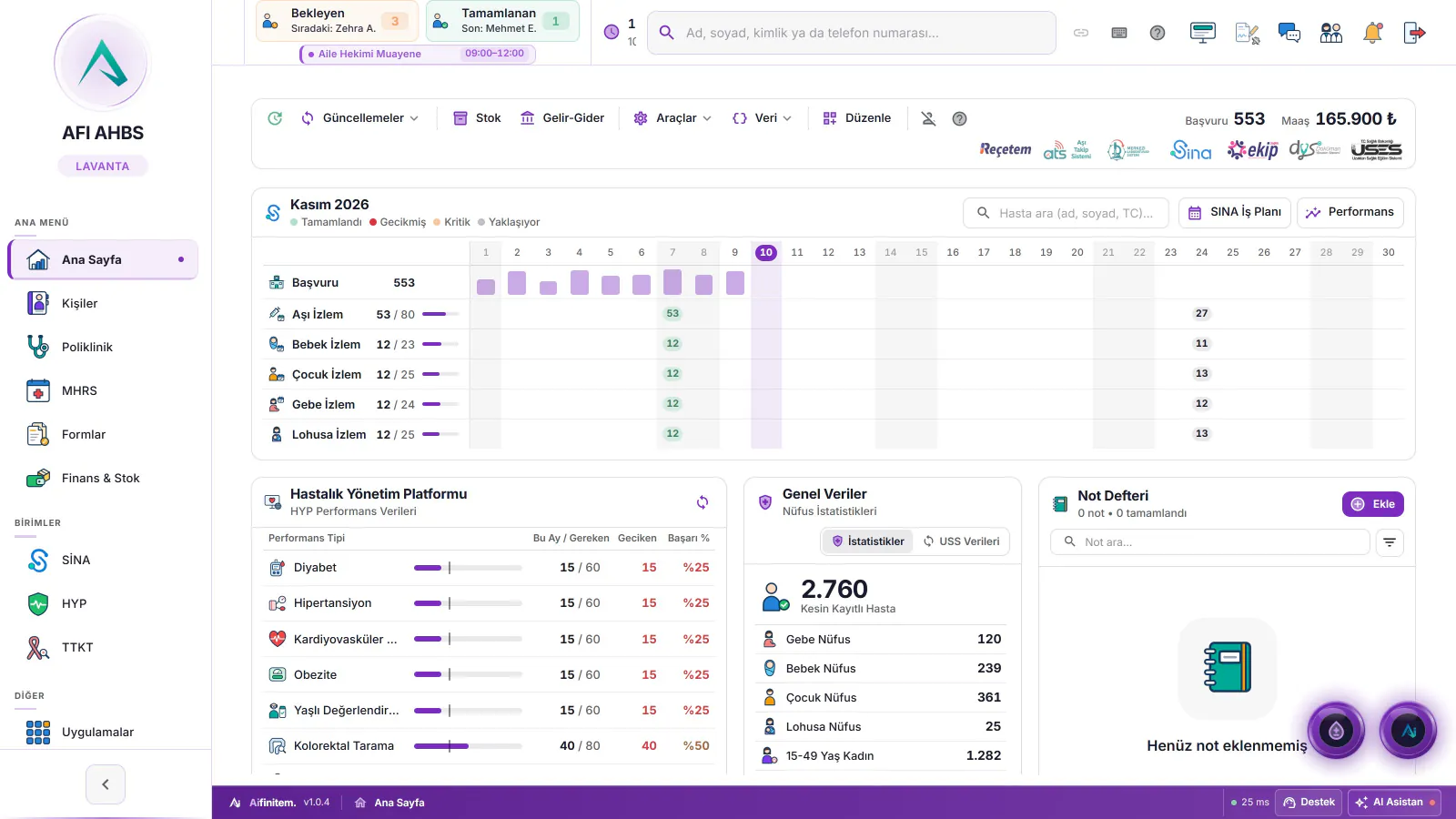
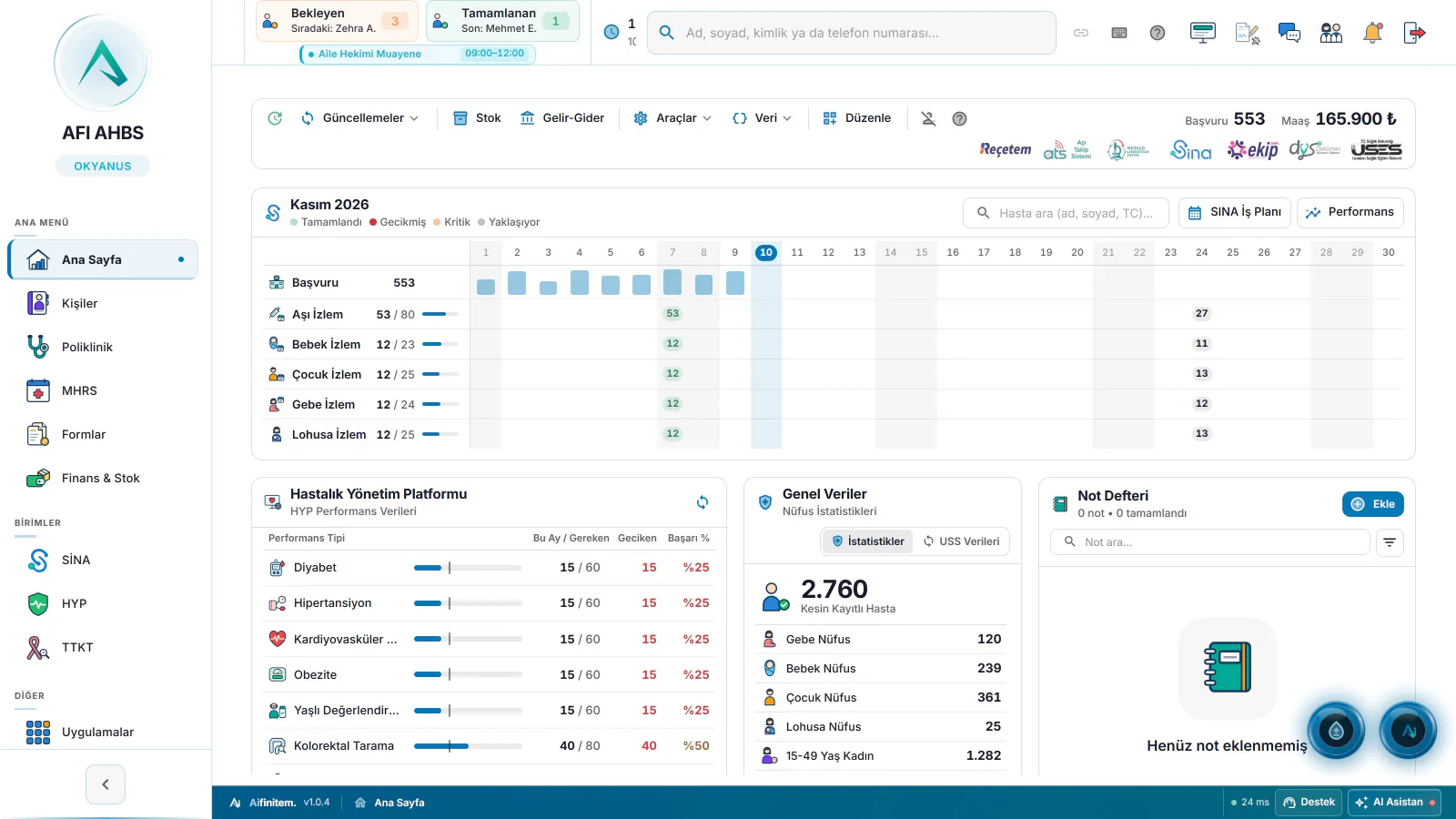
Physician home page
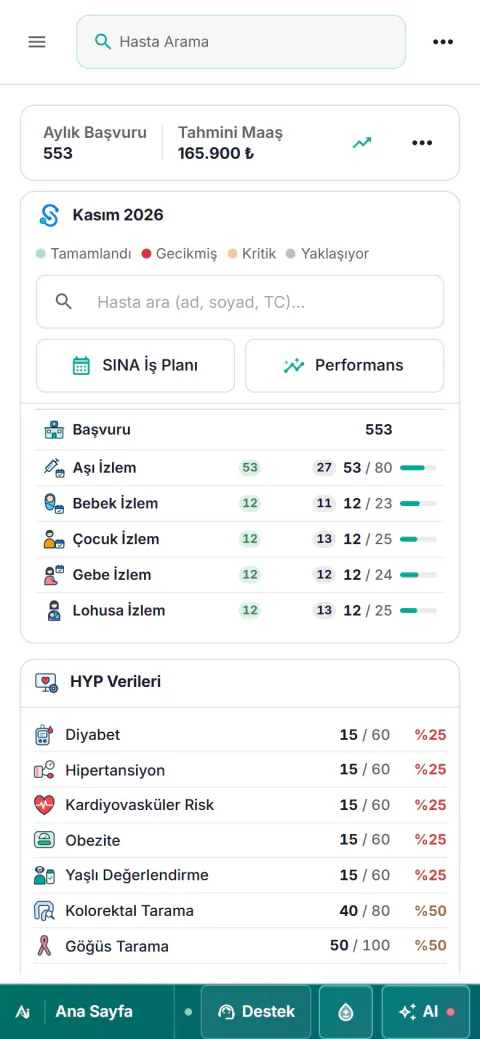
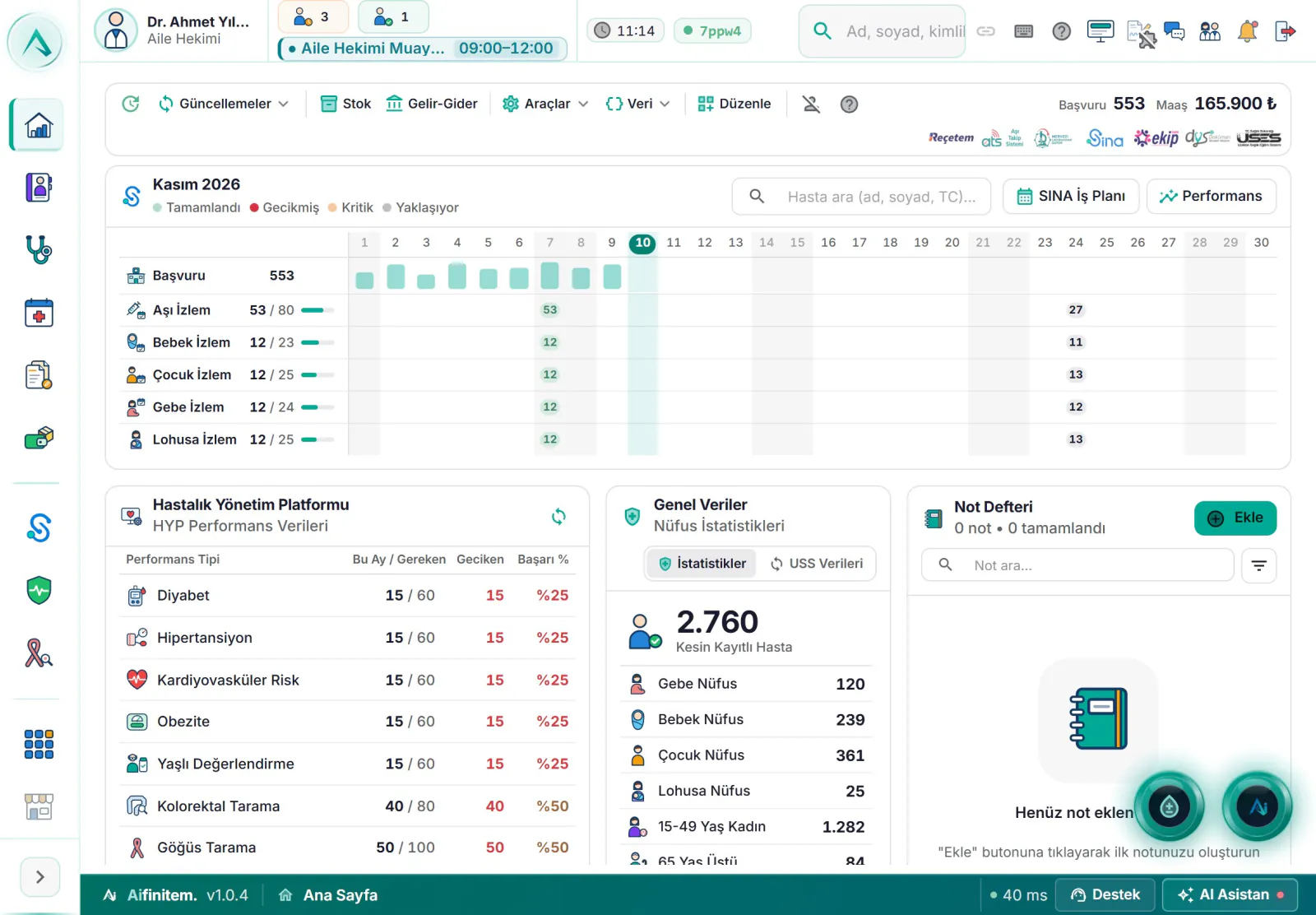
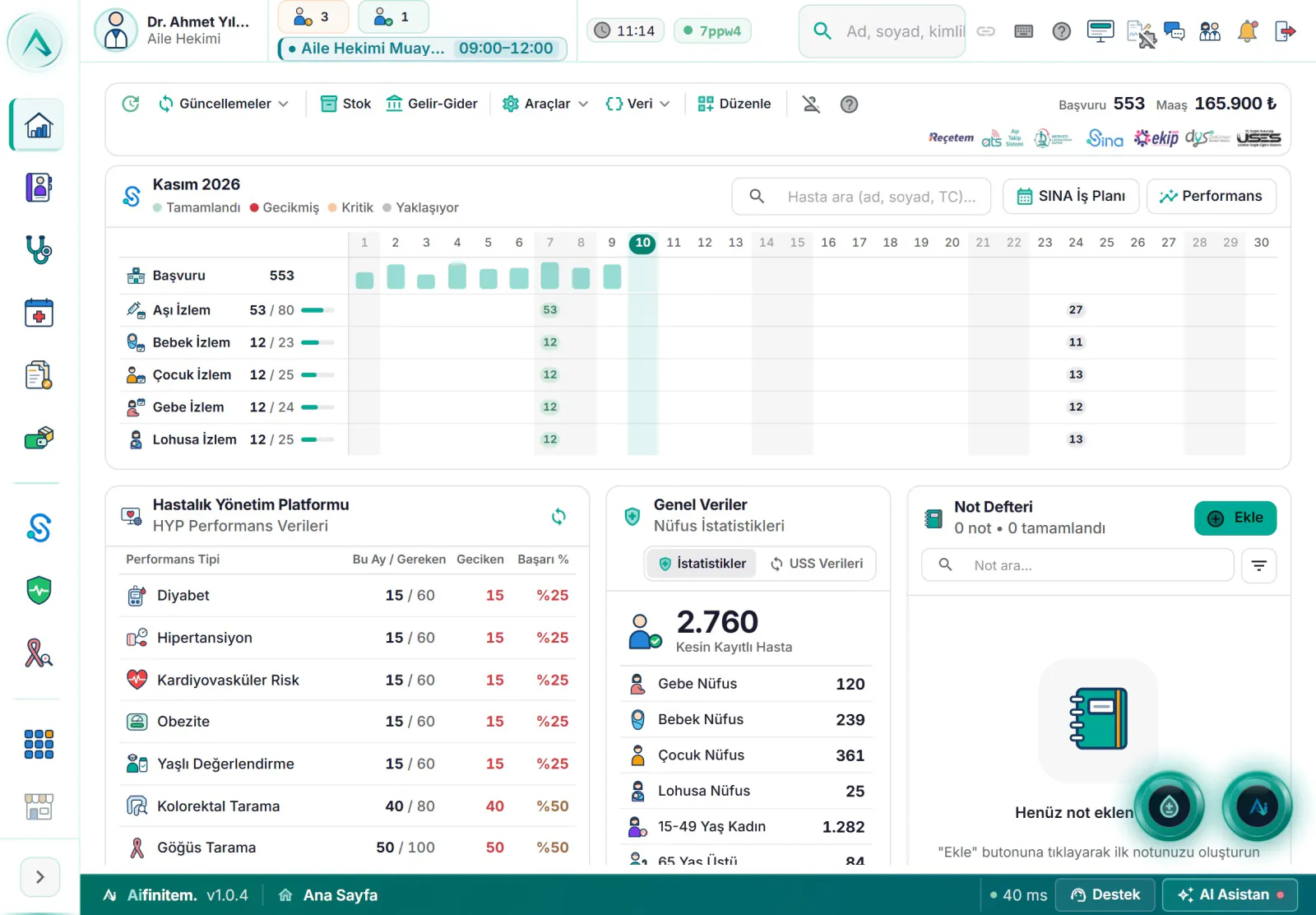
The month's follow-up chart, HYP performance, unit population and notebook on a single screen. The top bar shows waiting and completed patients, the MHRS block and patient search.
 (open full size)
Registered people
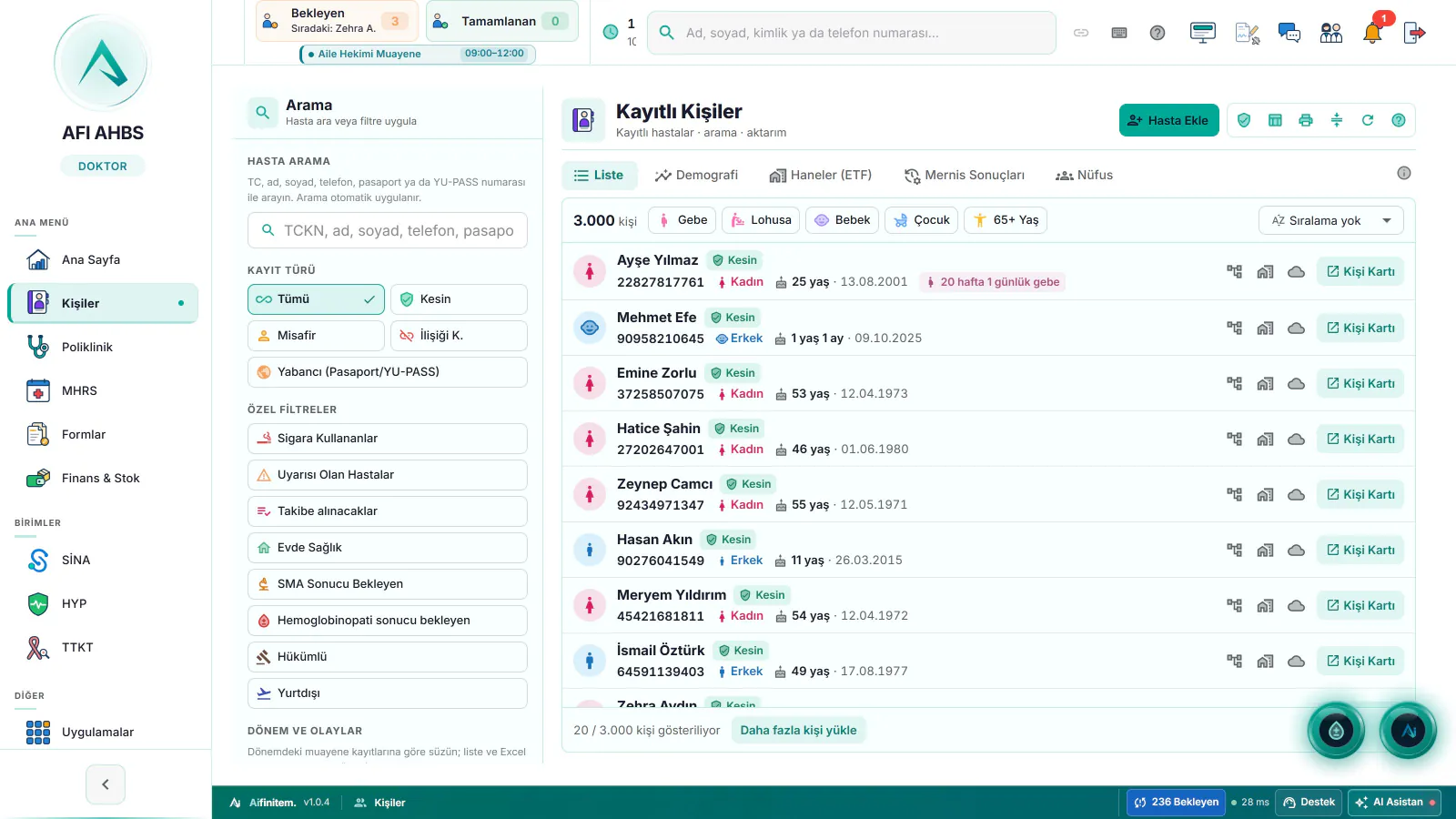
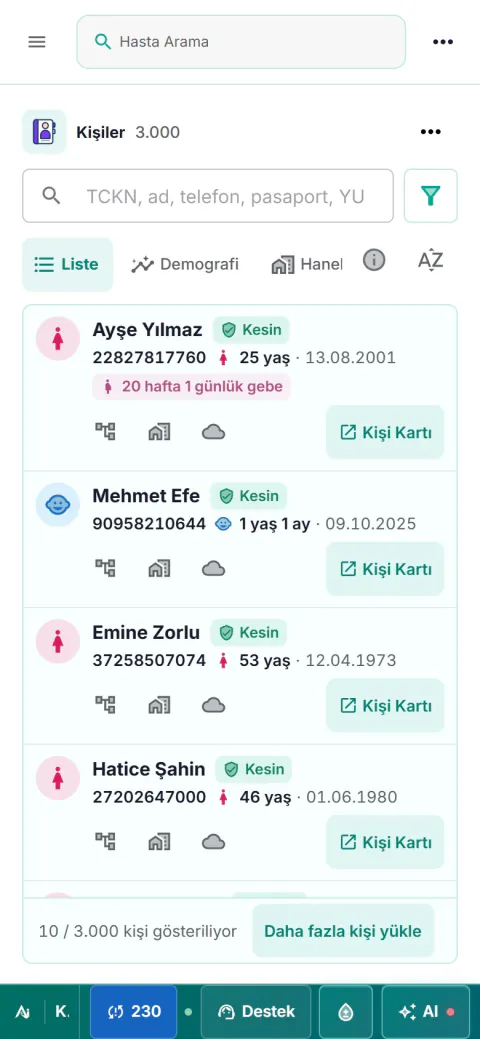
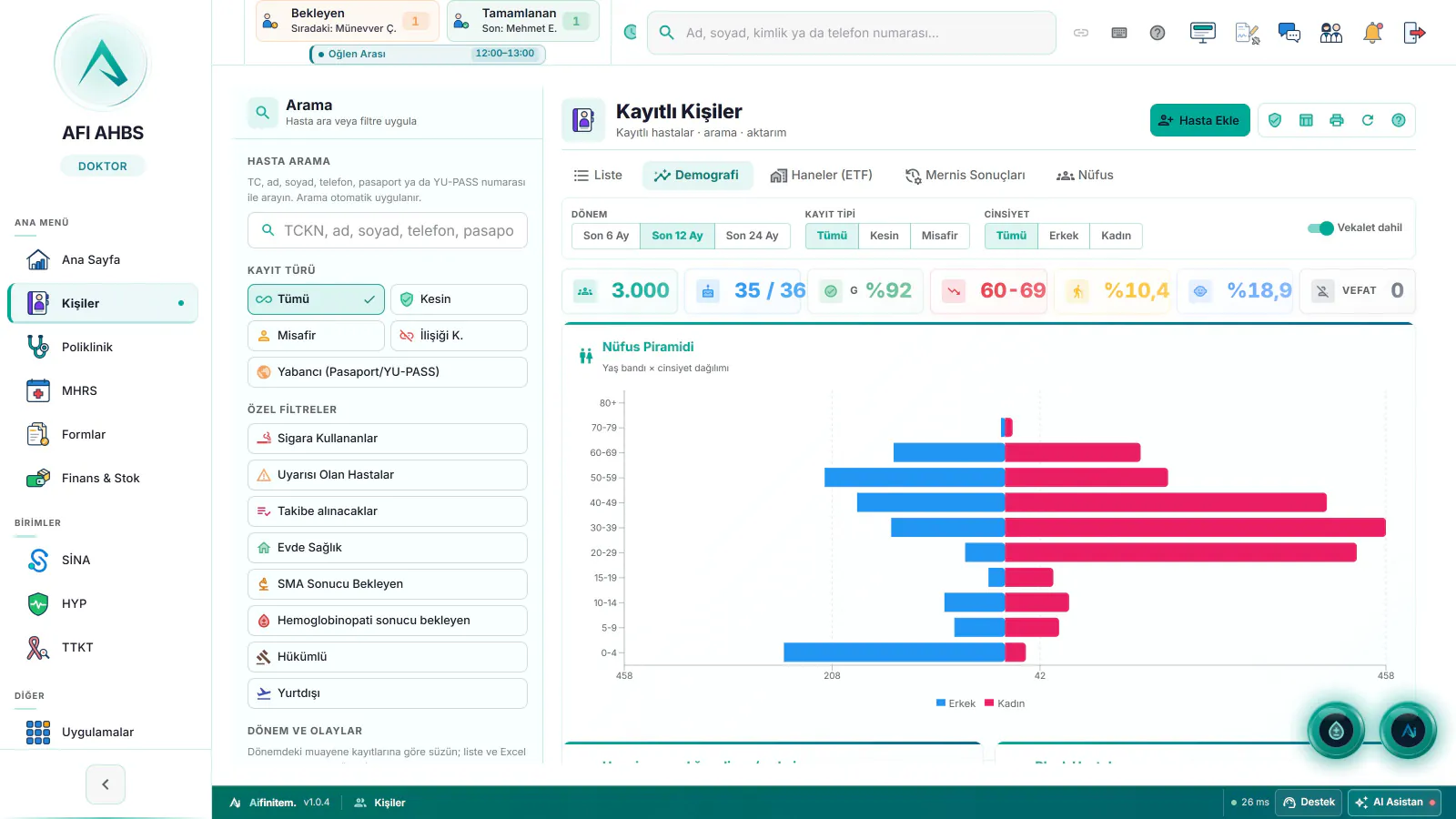
Registration type, special status and period filters; quick filters for pregnant and postpartum women, infants, children and people over 65. Demographics, household and population tabs on the same screen.
 (open full size)
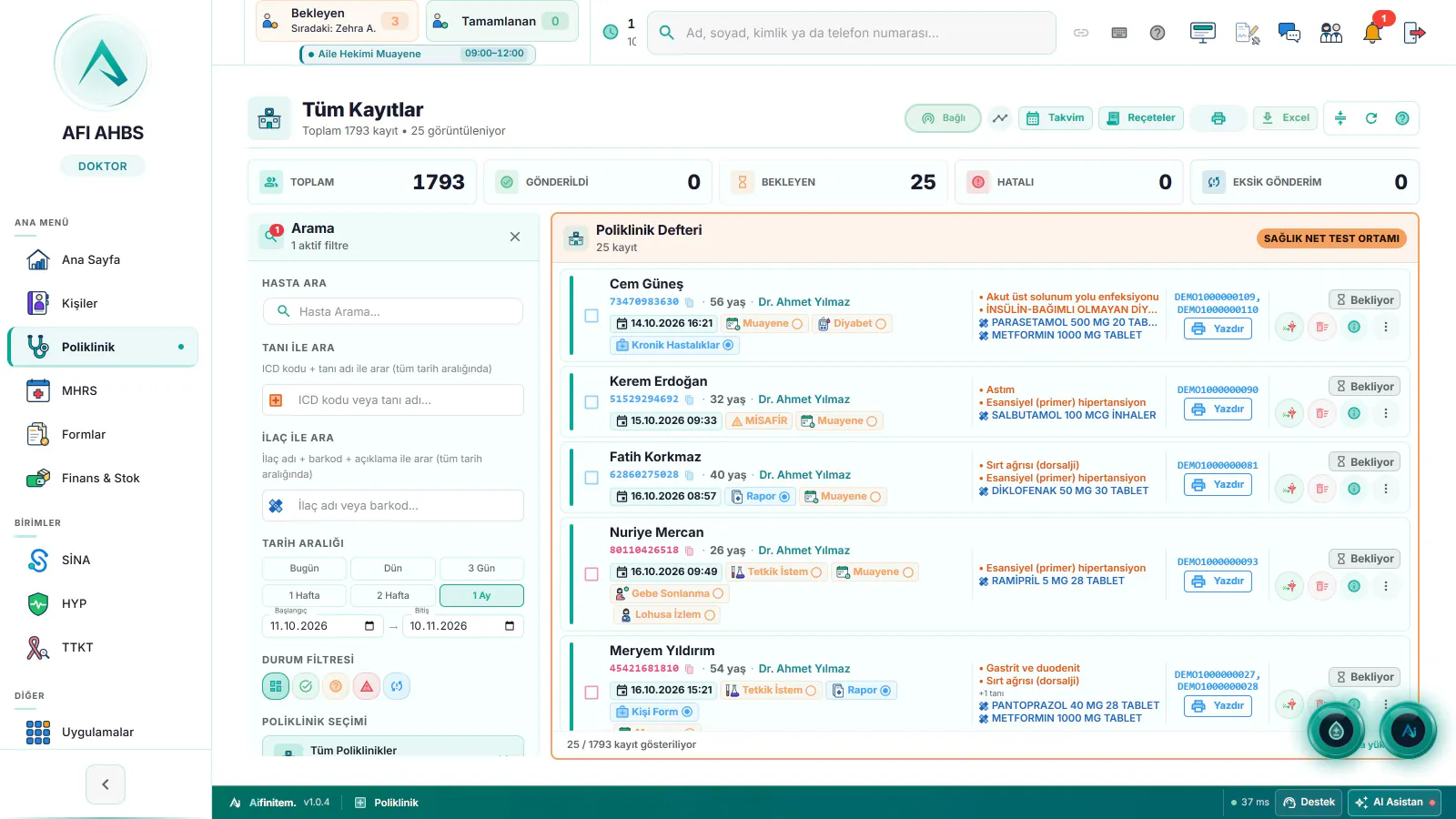
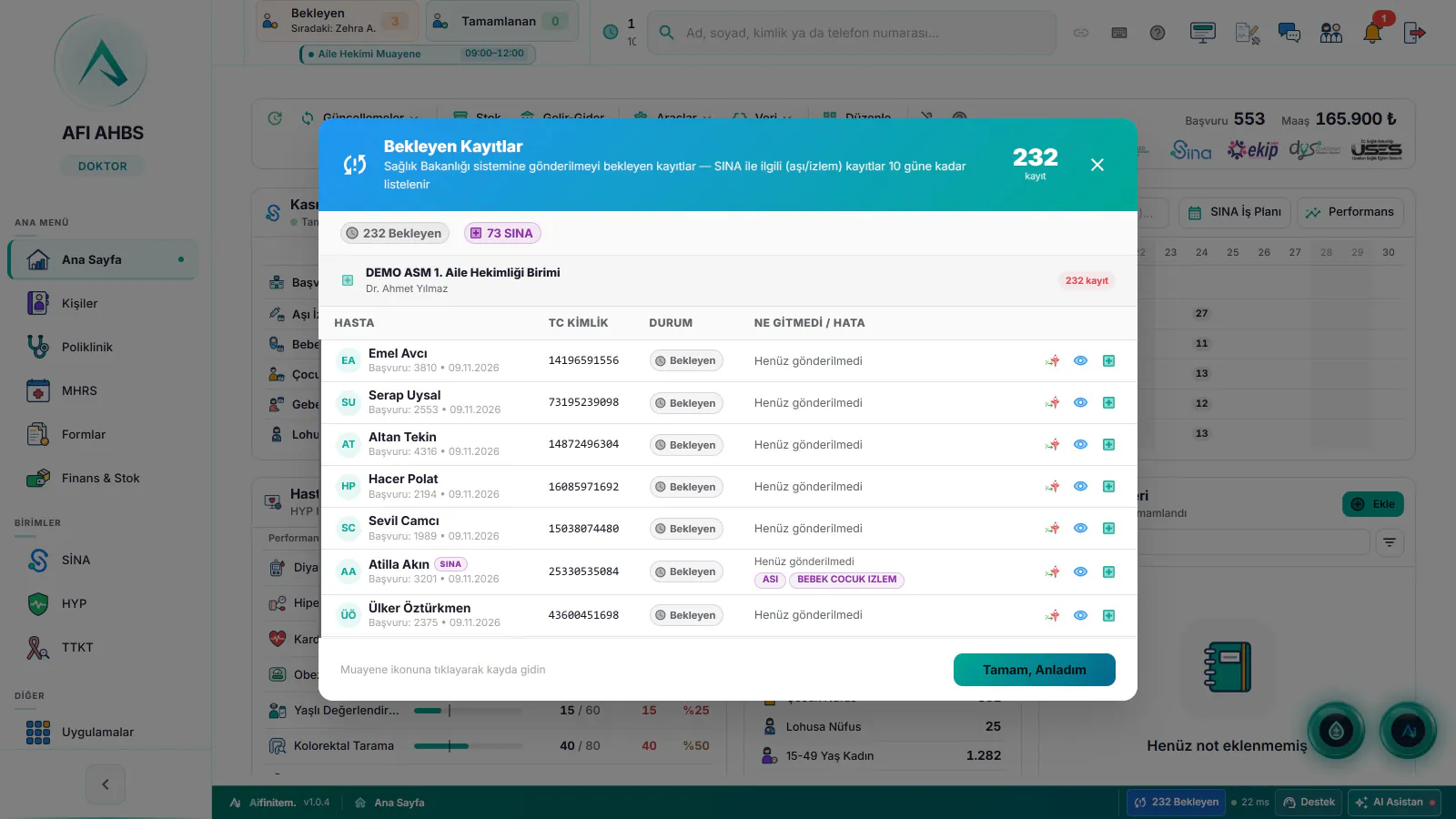
Outpatient register and Ministry submission
 (open full size)
 (open full size)
Examination
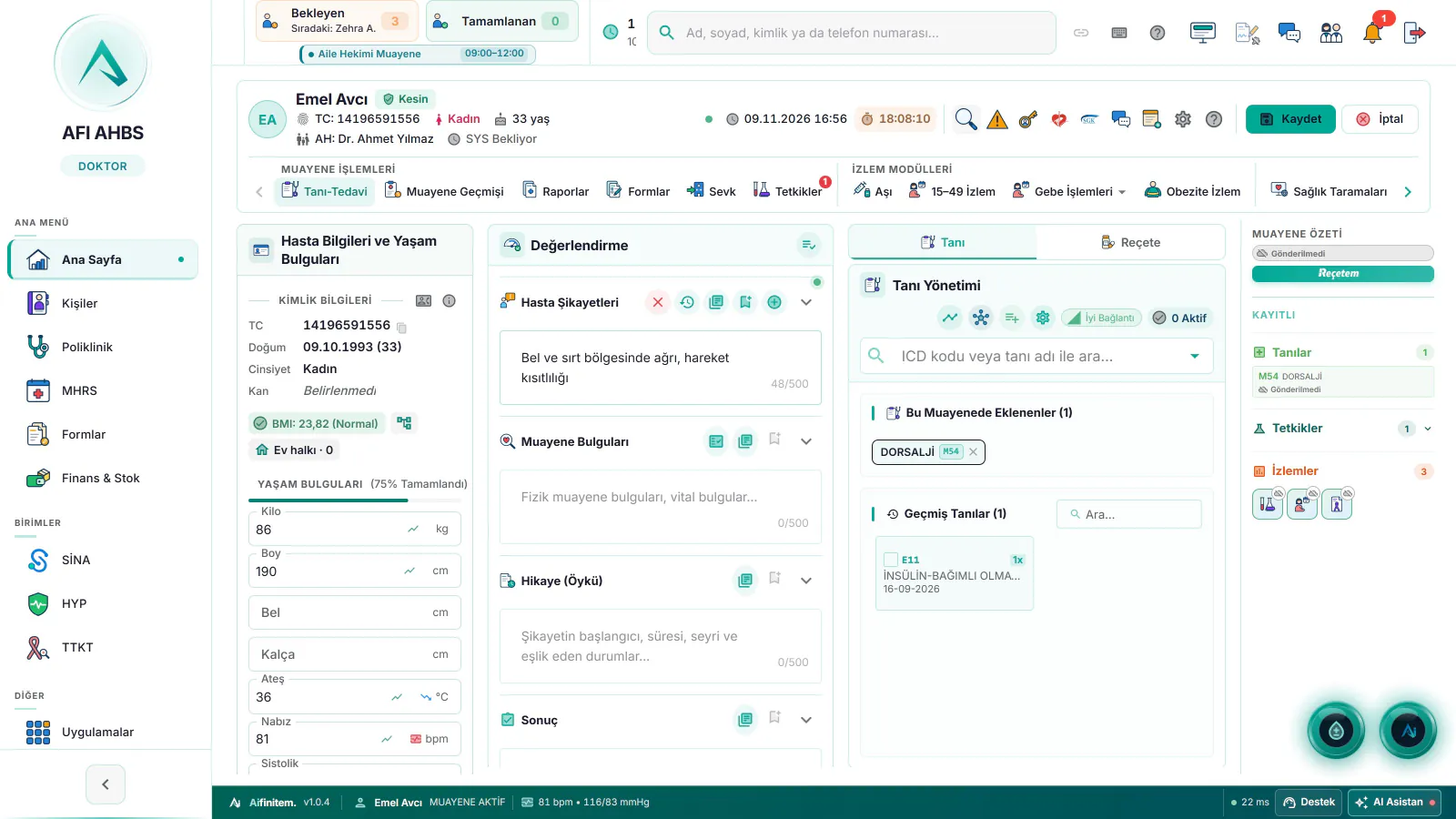
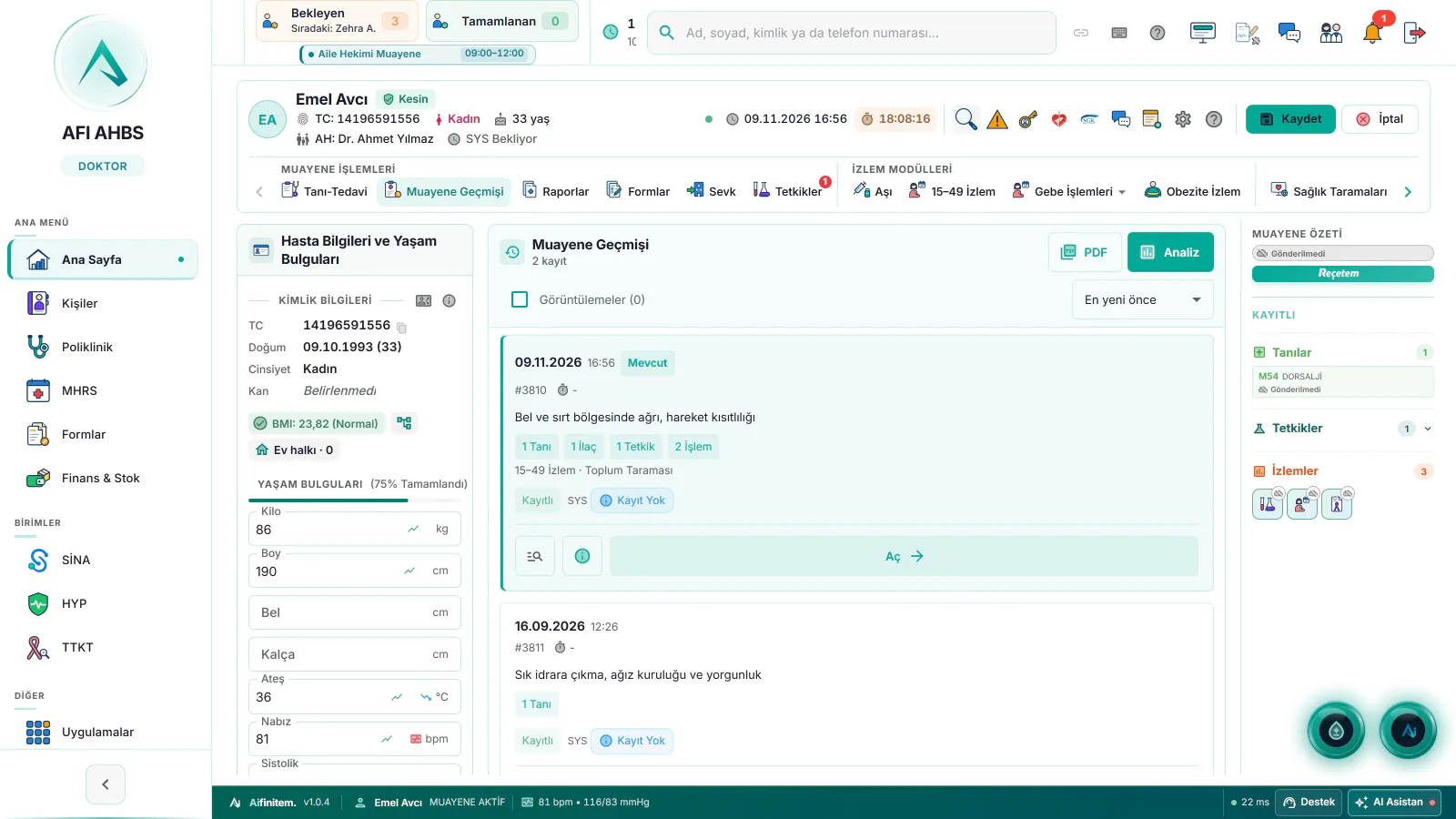
Patient banner, vital signs, complaint-findings-history, diagnosis and prescription on the same screen. Examination procedures and follow-up modules are filtered by the patient's age, sex and registration type.
 (open full size)
Examination history and reports
 (open full size)
 (open full size)
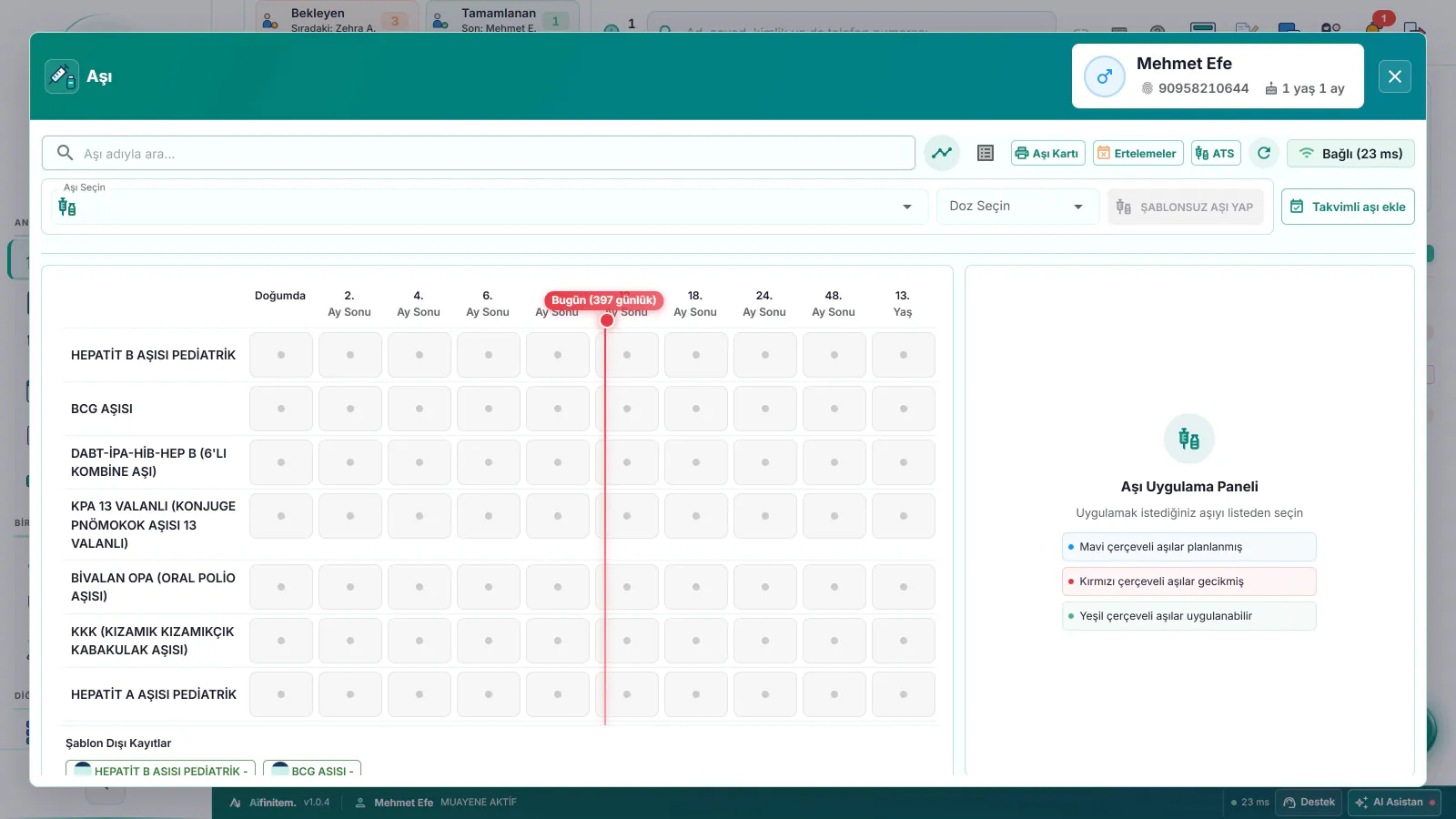
Tests and vaccination
 (open full size)
 (open full size)
Infant and child follow-up
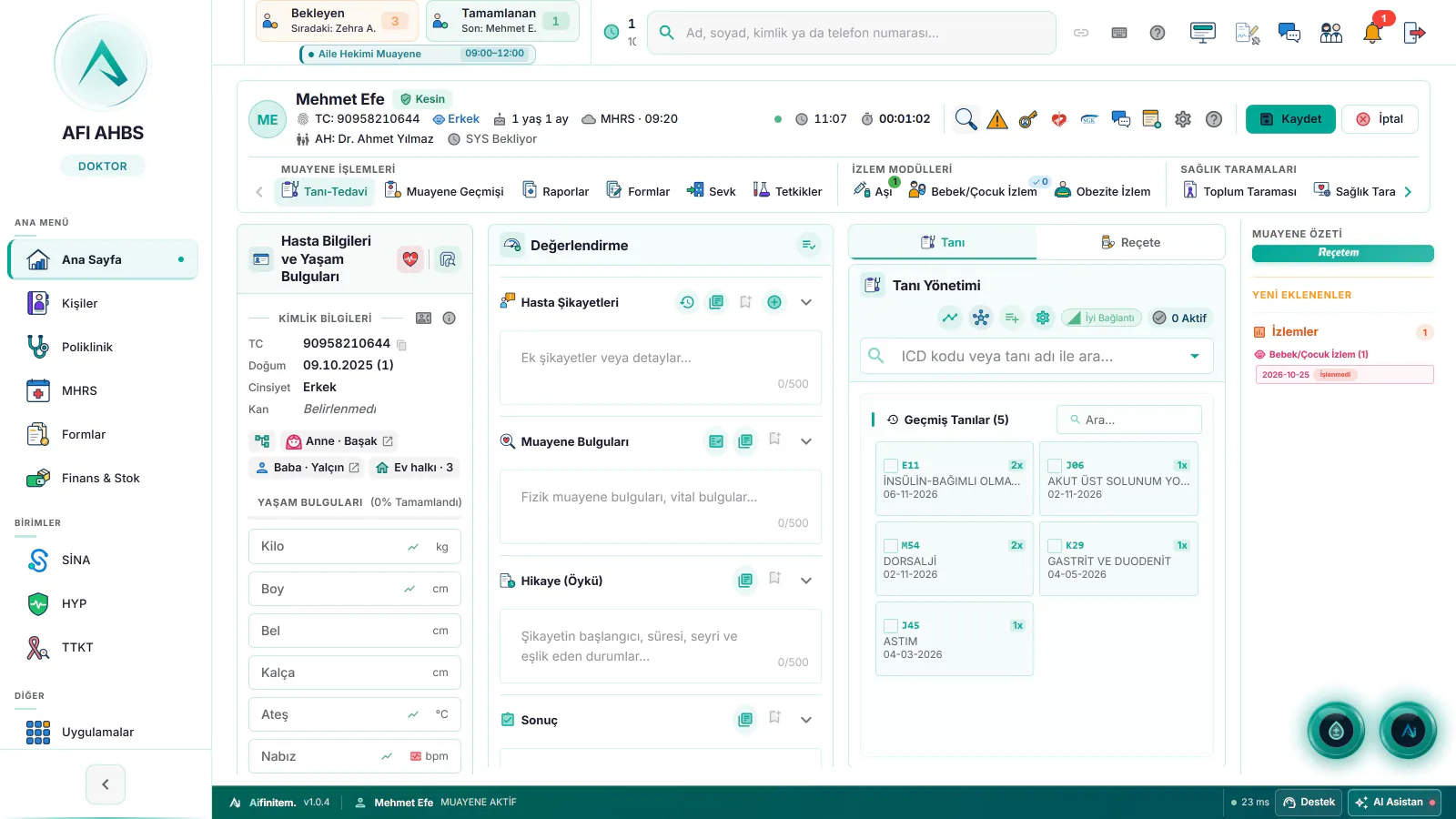 (open full size)
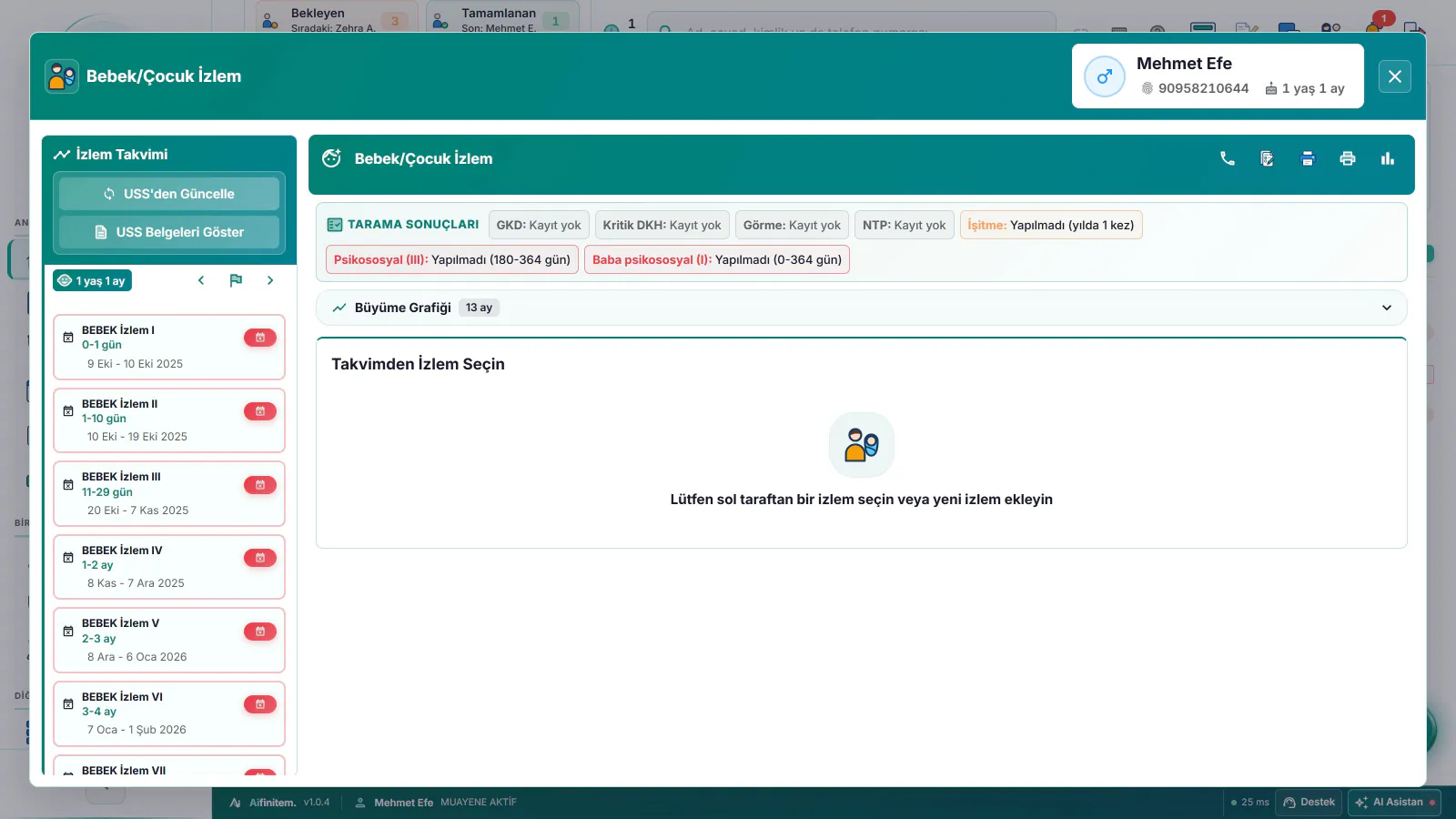 (open full size)
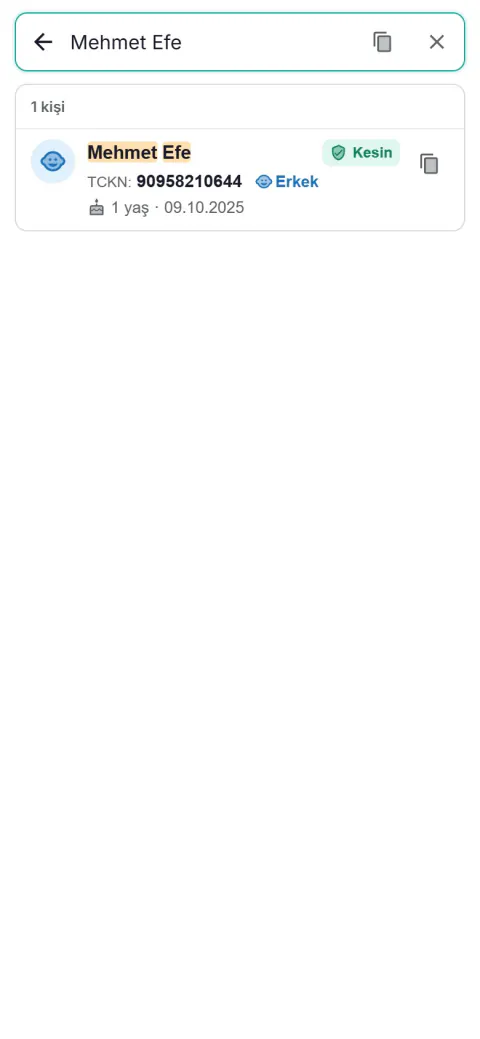
Referral and patient search
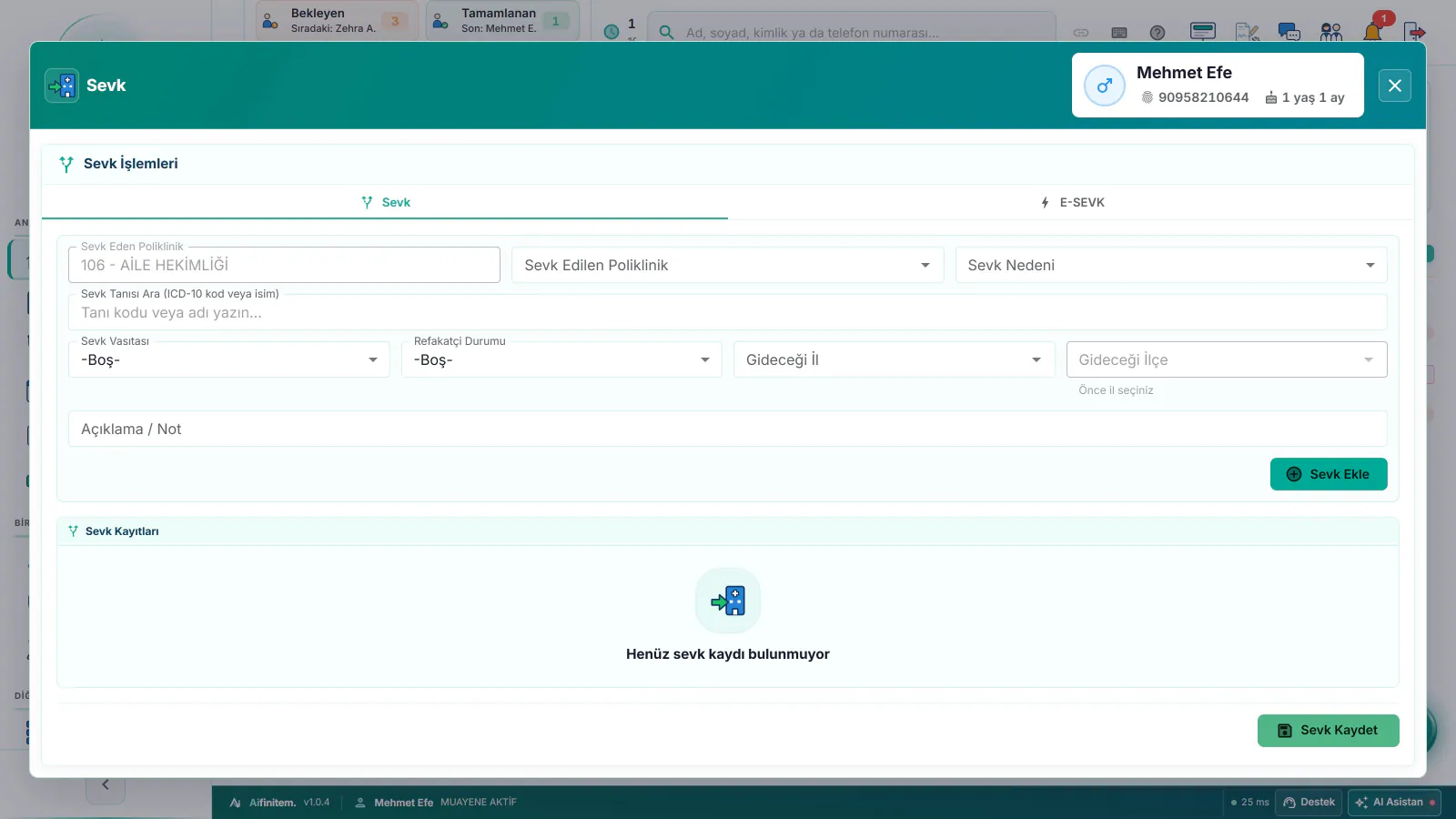 (open full size)
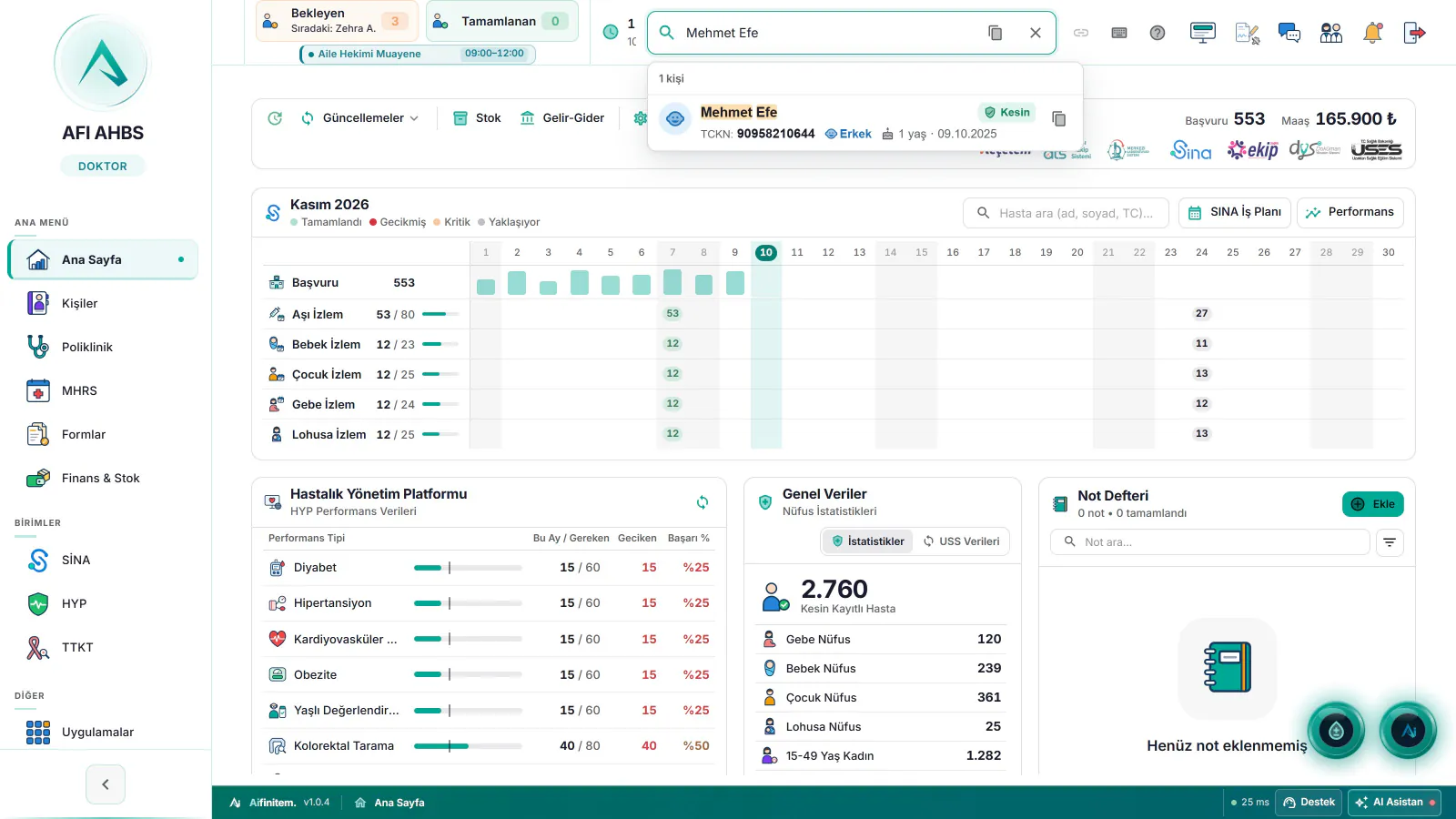 (open full size)
Performance modules
 (open full size)
 (open full size)
Screening and appointments
 (open full size)
 (open full size)
Form Center and Finance & Stock
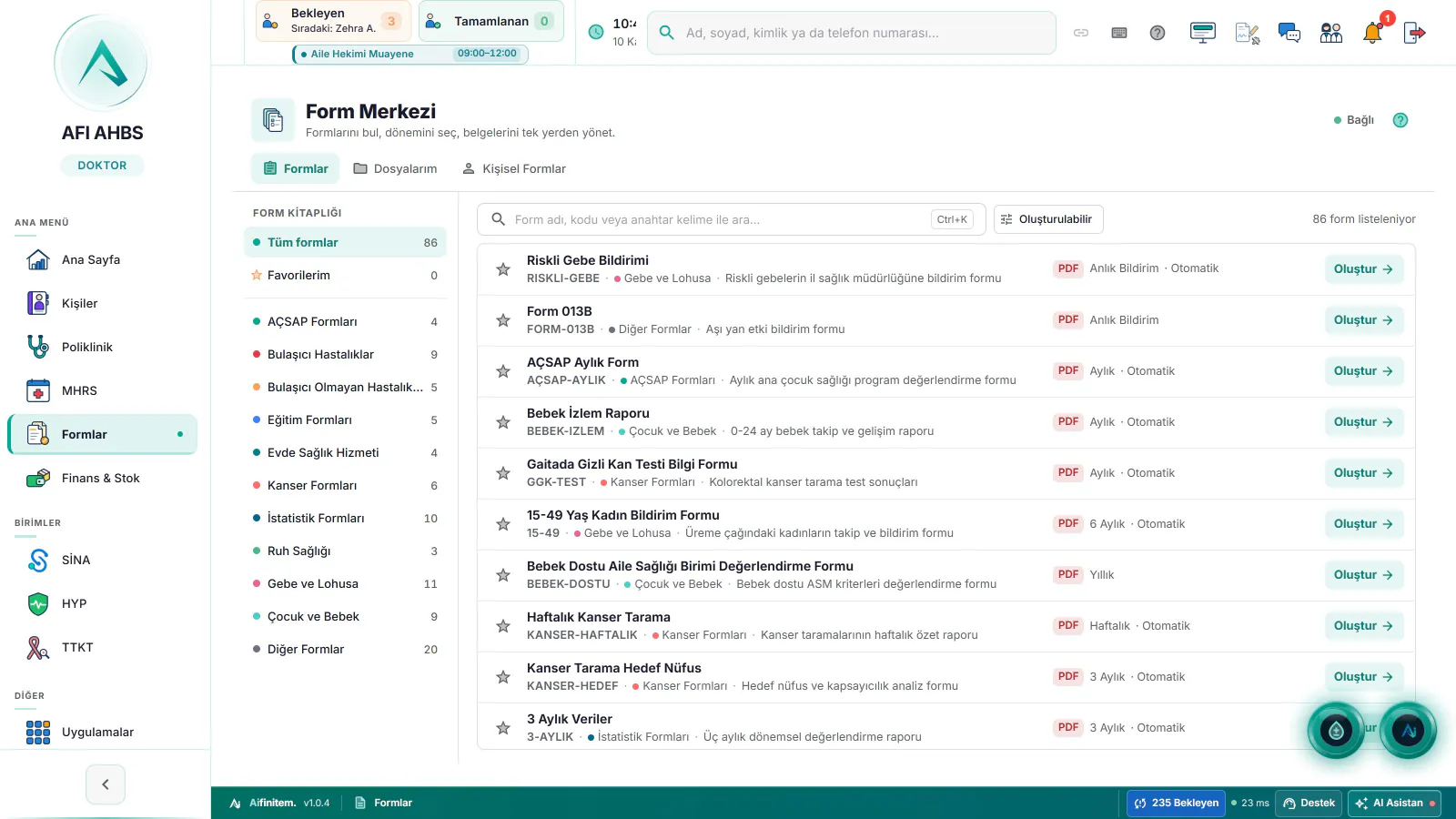 (open full size)
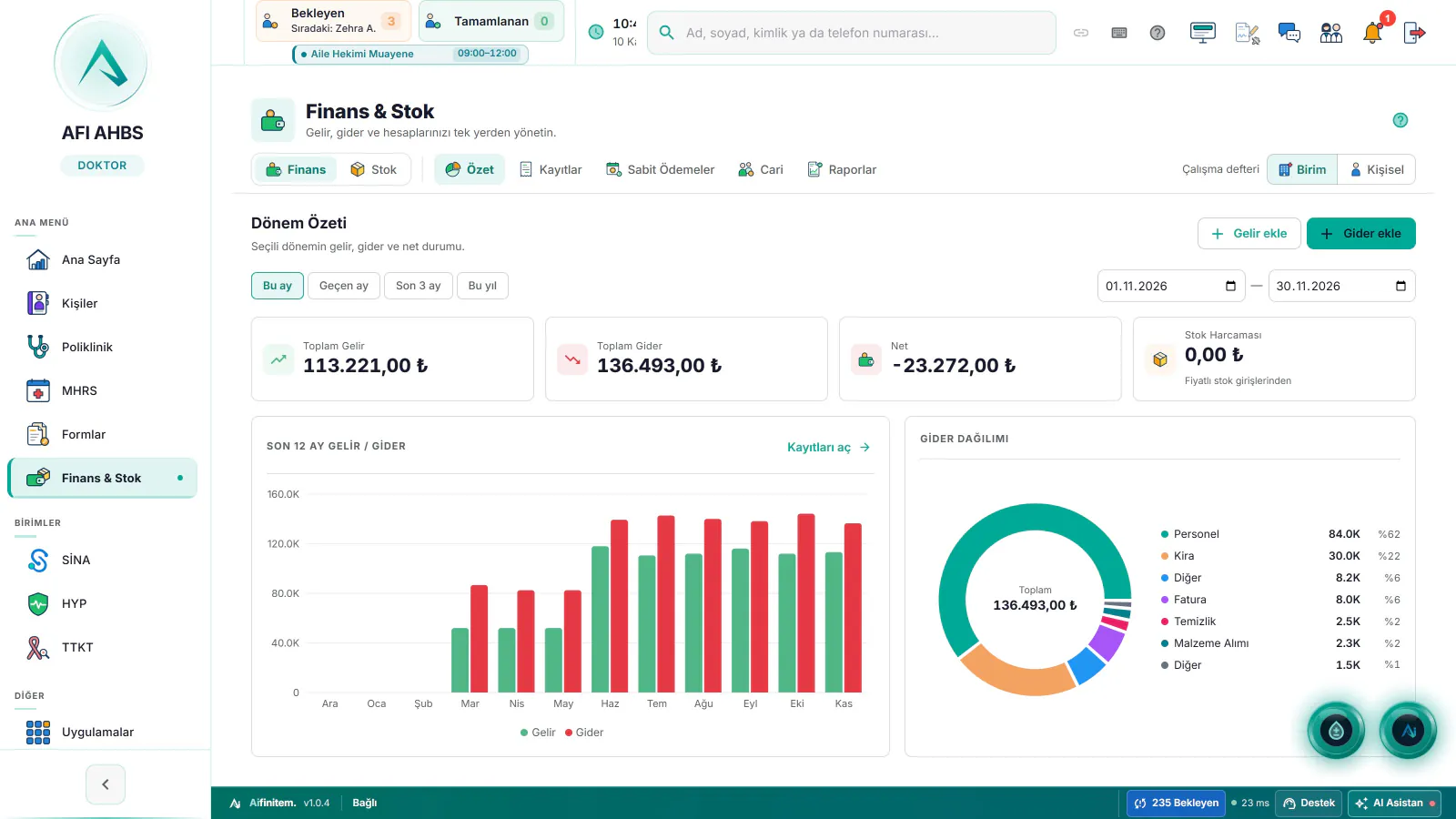 (open full size)
Nurse session and examination bubble
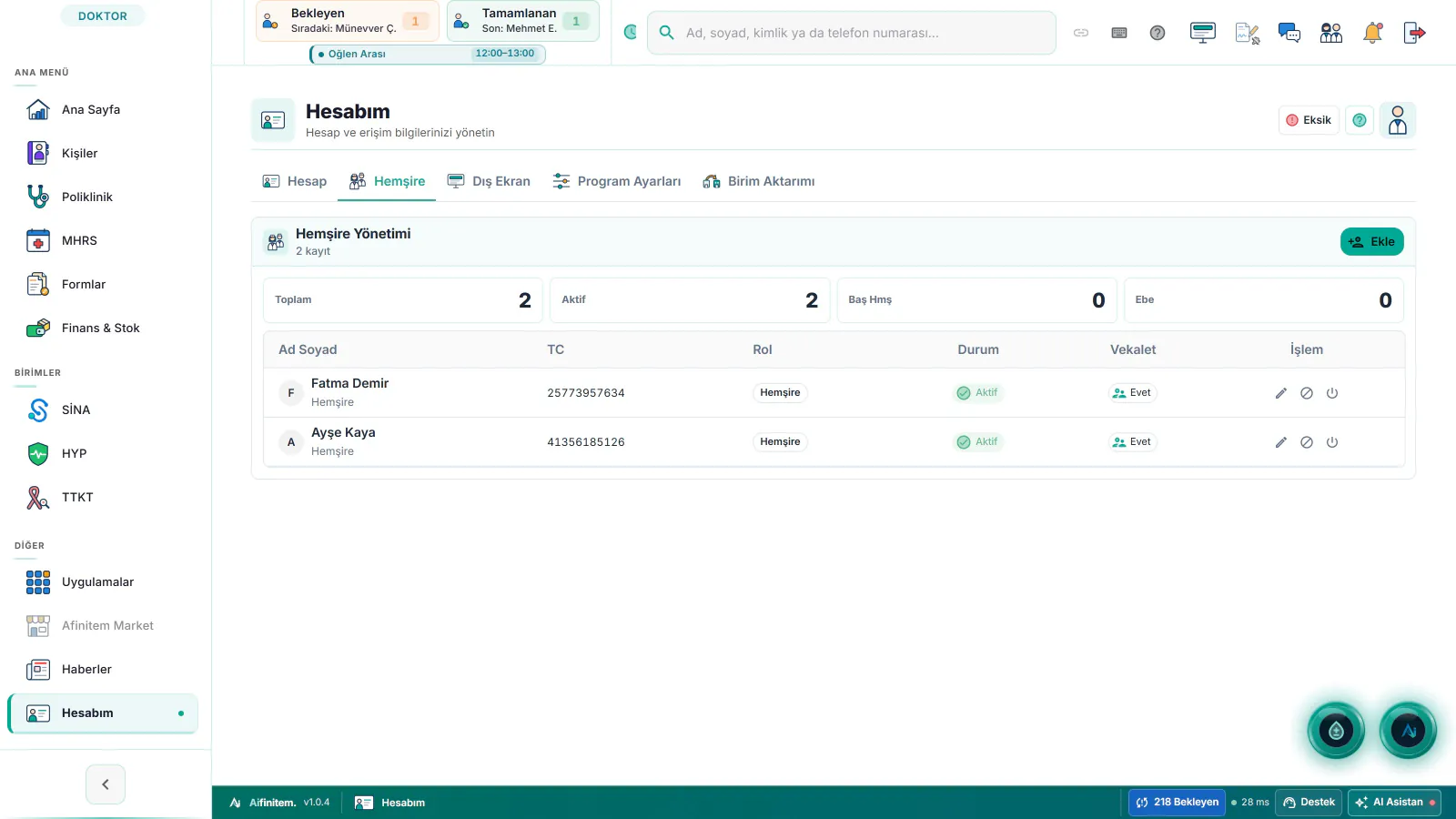
Nurses and head nurses sign in with separate sessions; the physician grants the nurse permissions per panel and examination field.
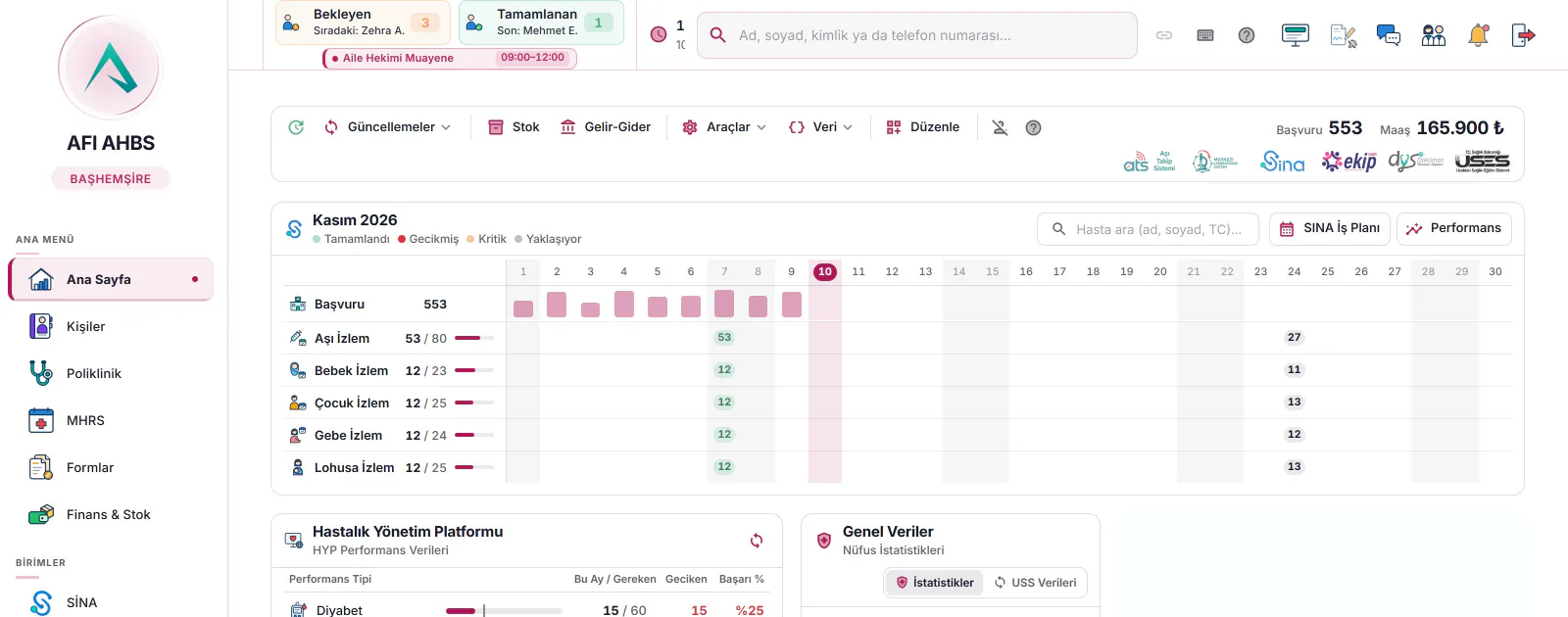 (open full size)
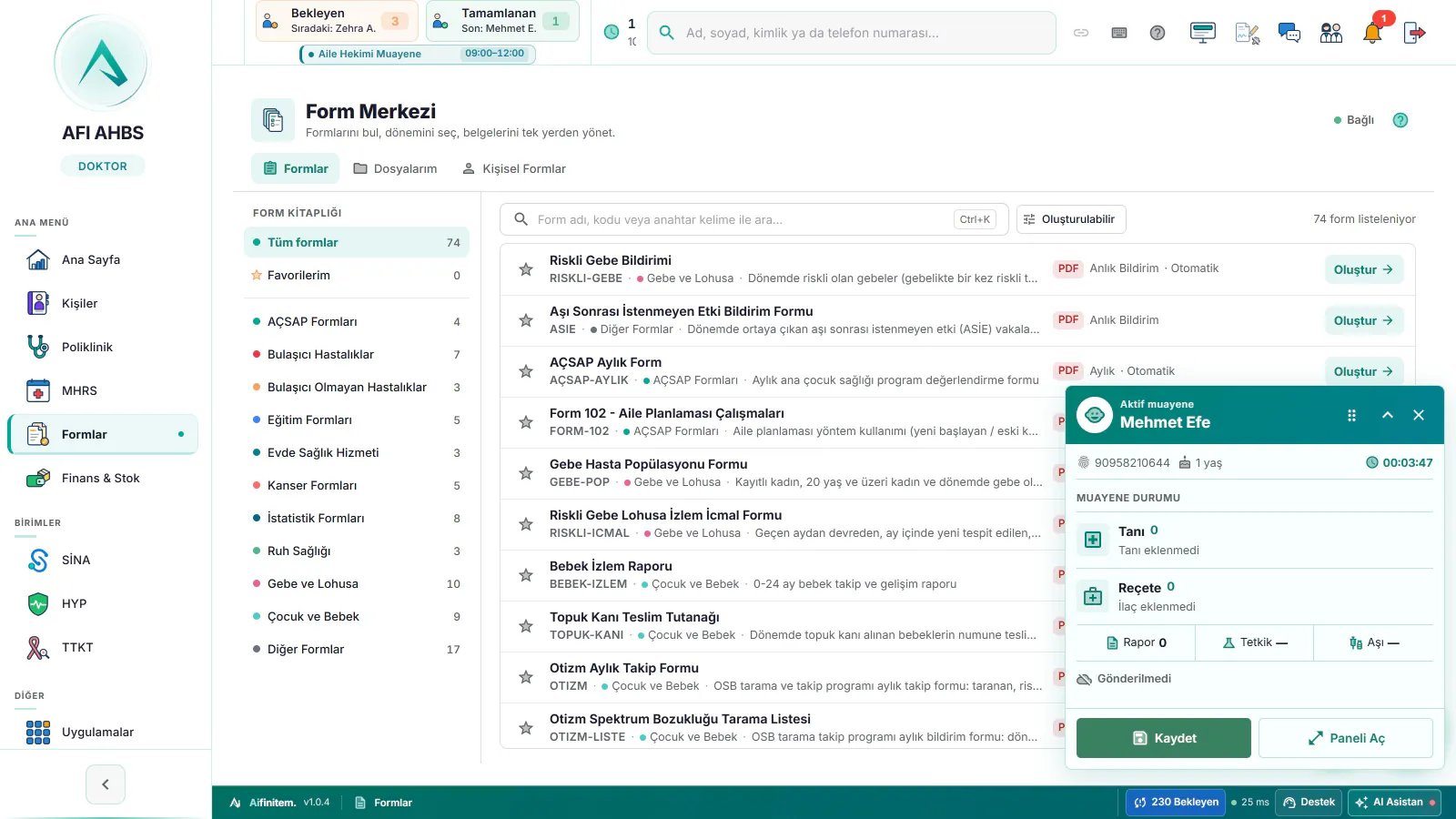 (open full size)
Themes
Light and dark themes; role themes (physician, nurse, head nurse) and a personal theme.
Phone
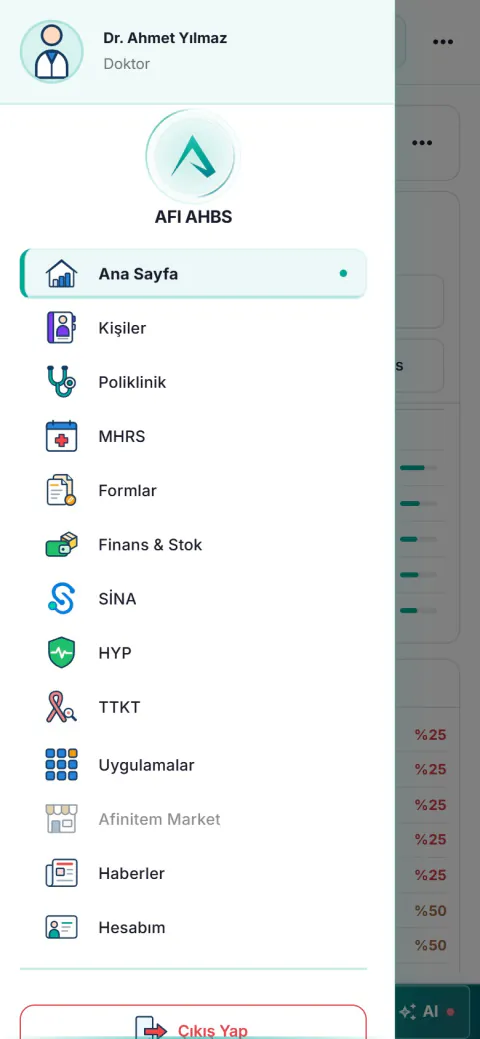
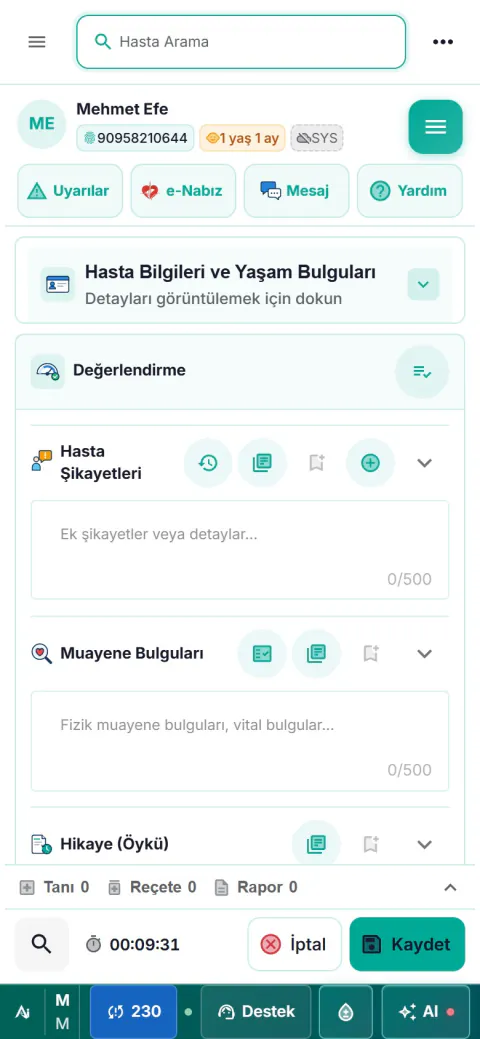
On a phone, the same application switches to a touch layout; the examination bottom bar holds the summary, quick search and save.
 (open full size)
 (open full size)
 (open full size)
 (open full size)
 (open full size)
Tablet
 (open full size)
 (open full size)
DICOM viewer, clinical calculators, tests
Examination tools and PACS
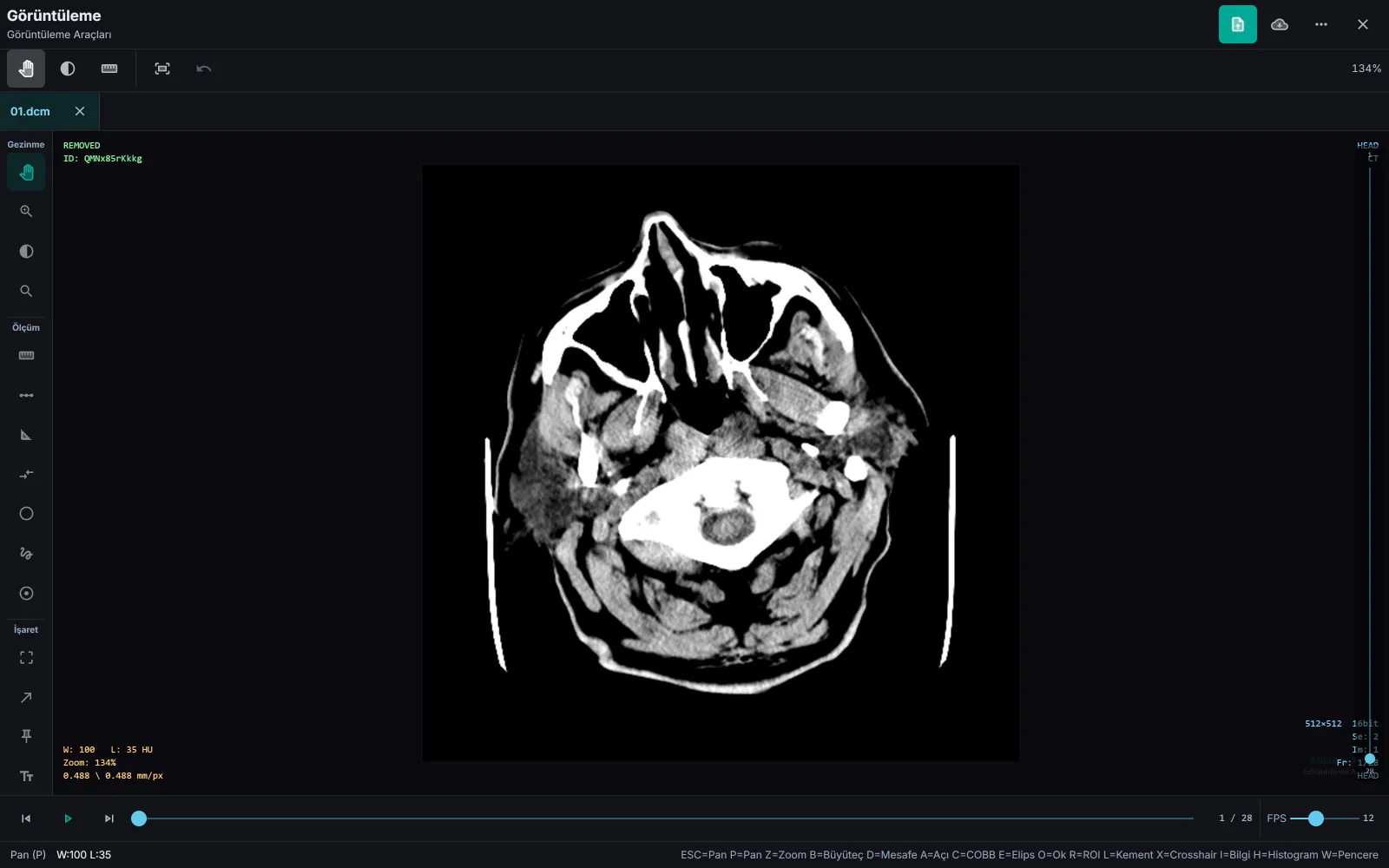
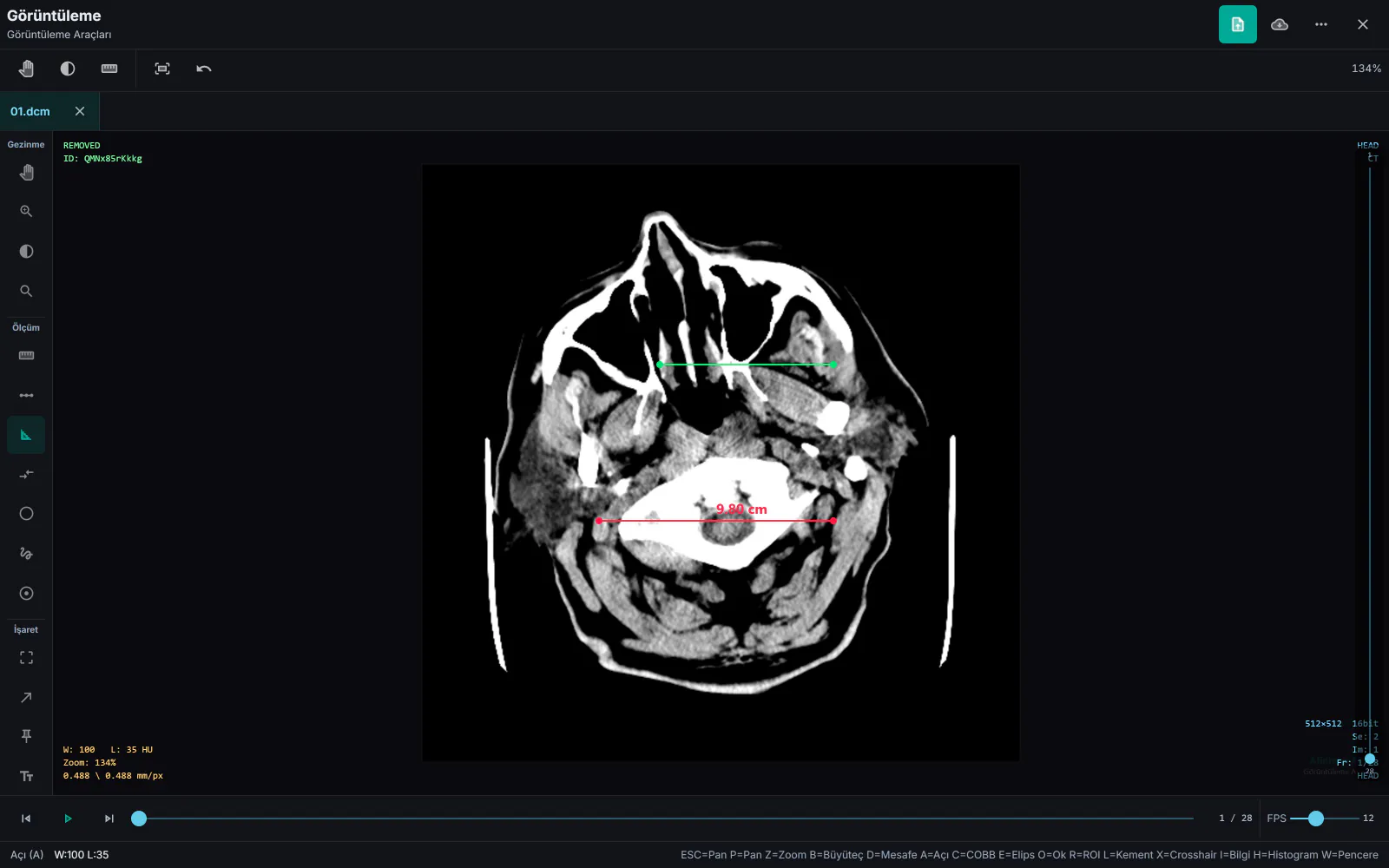
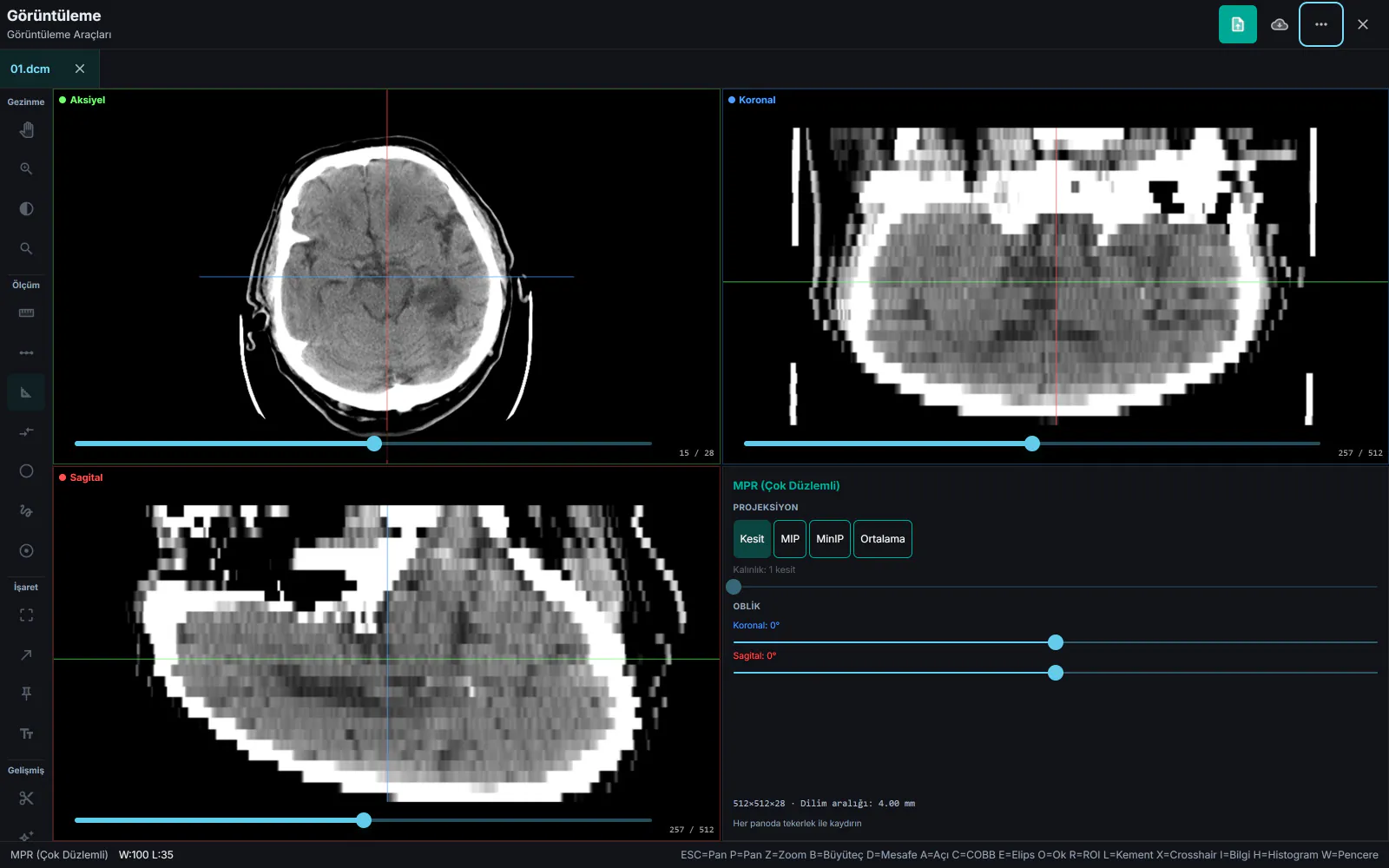
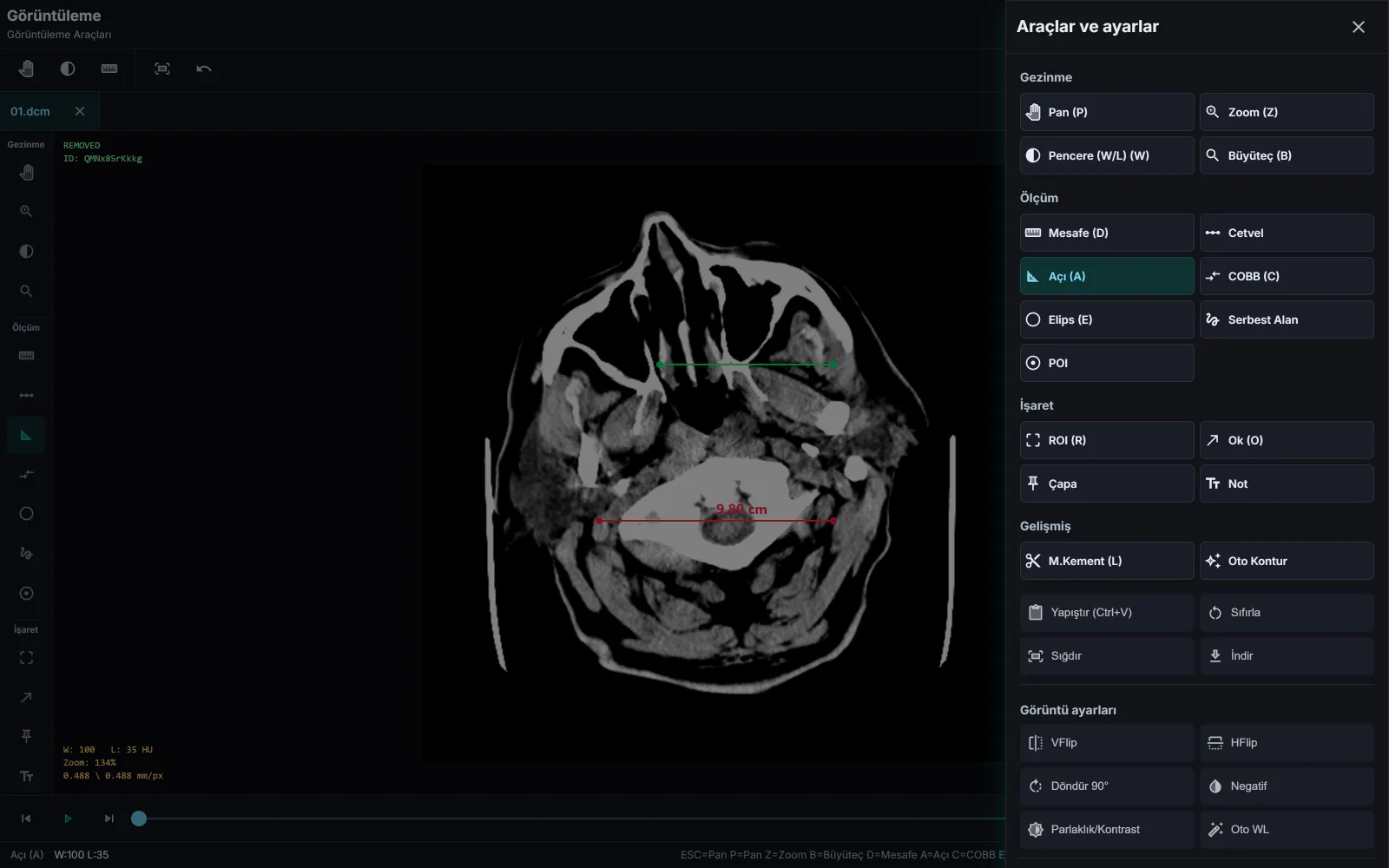
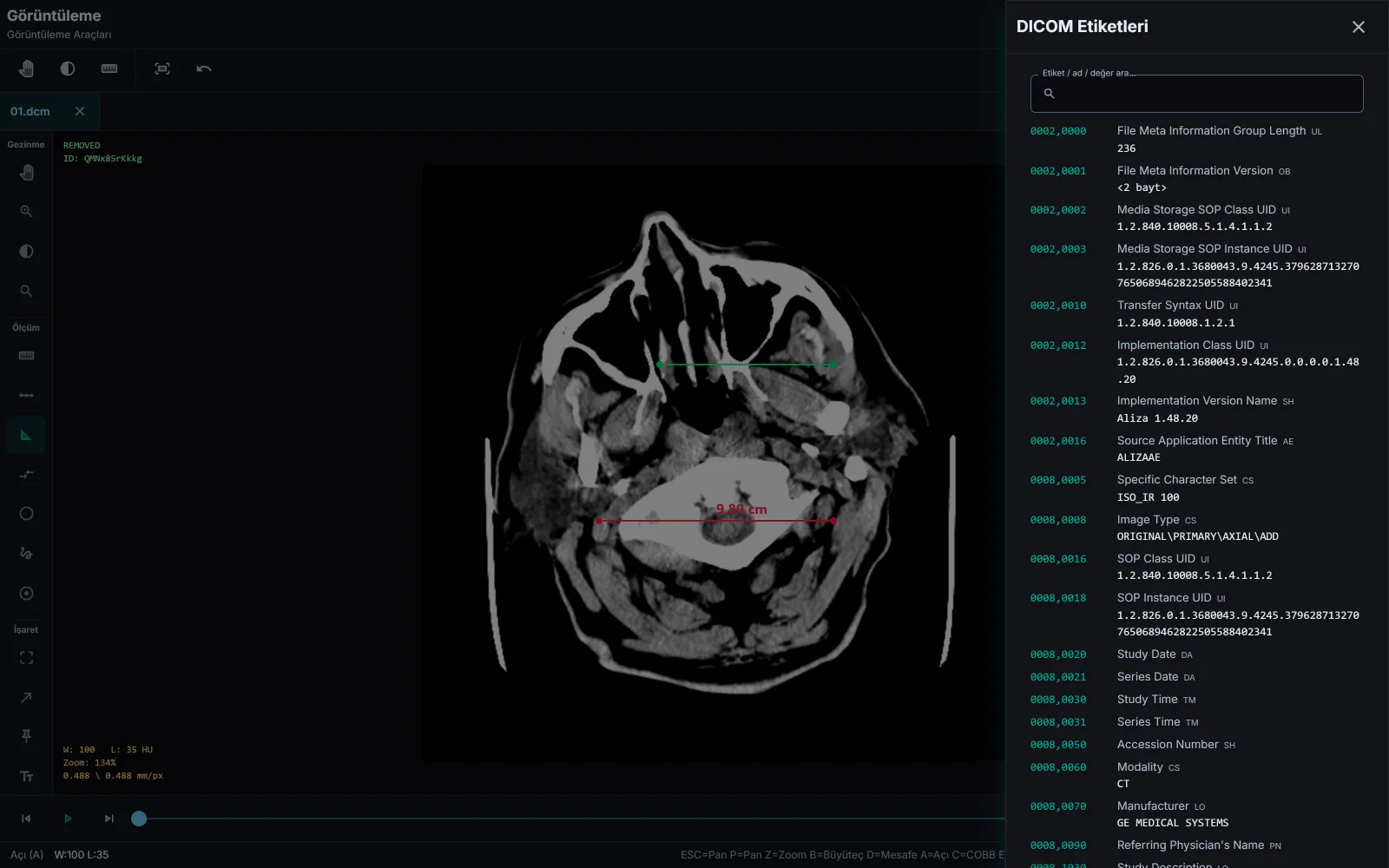
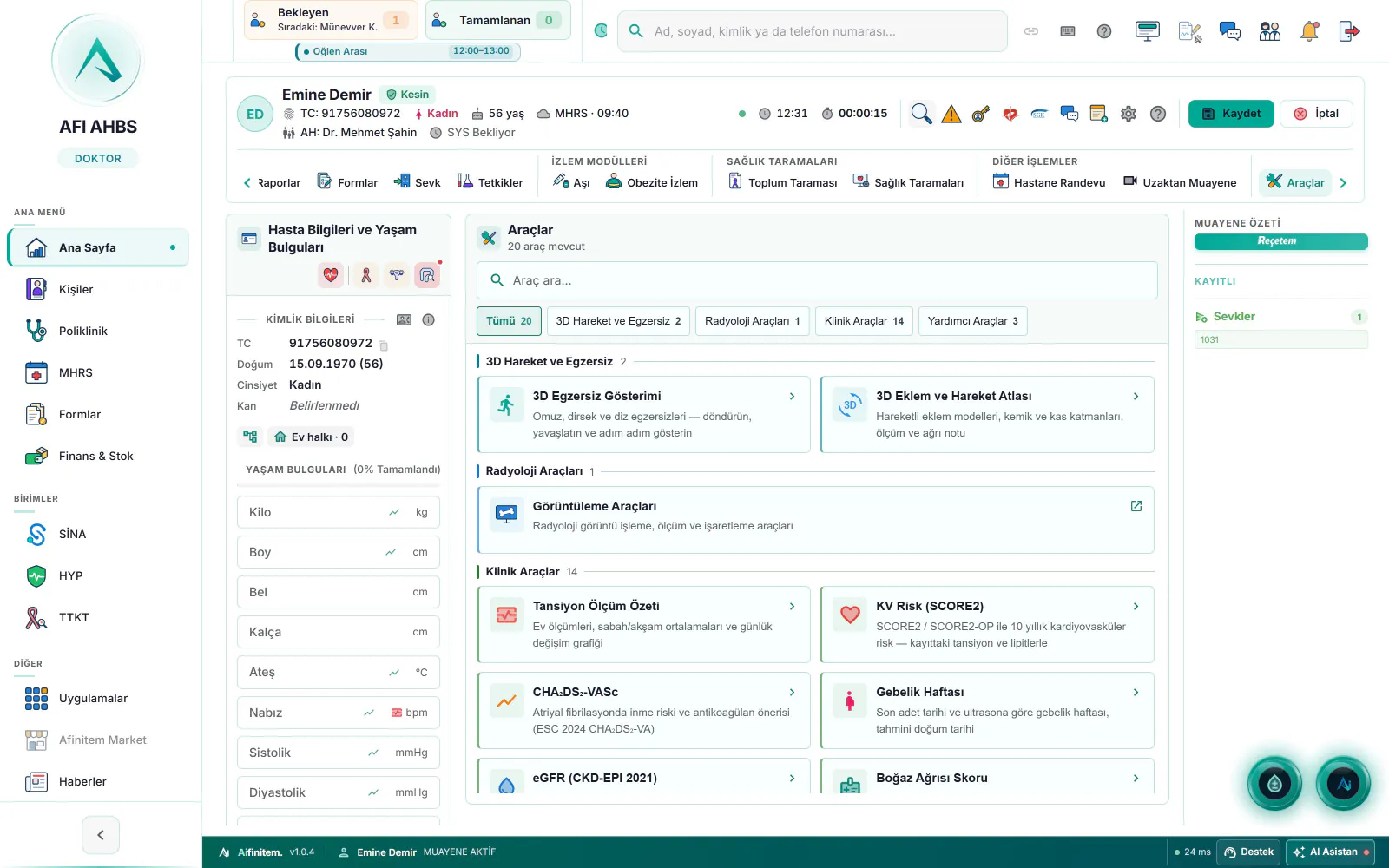
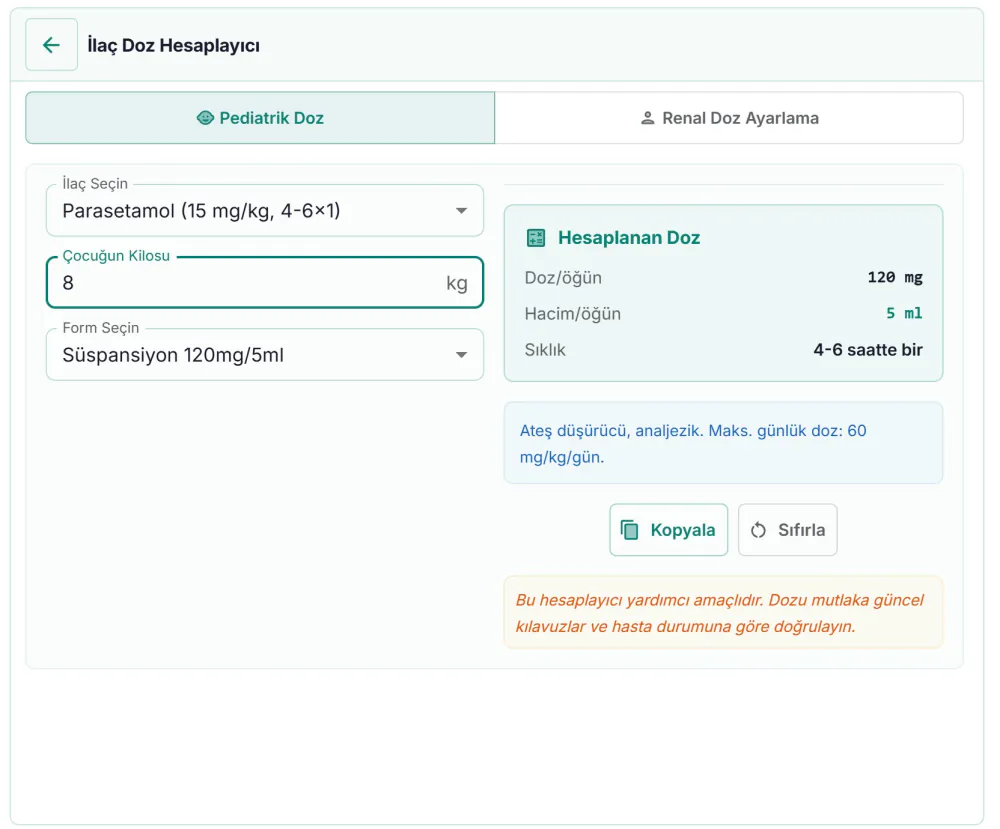
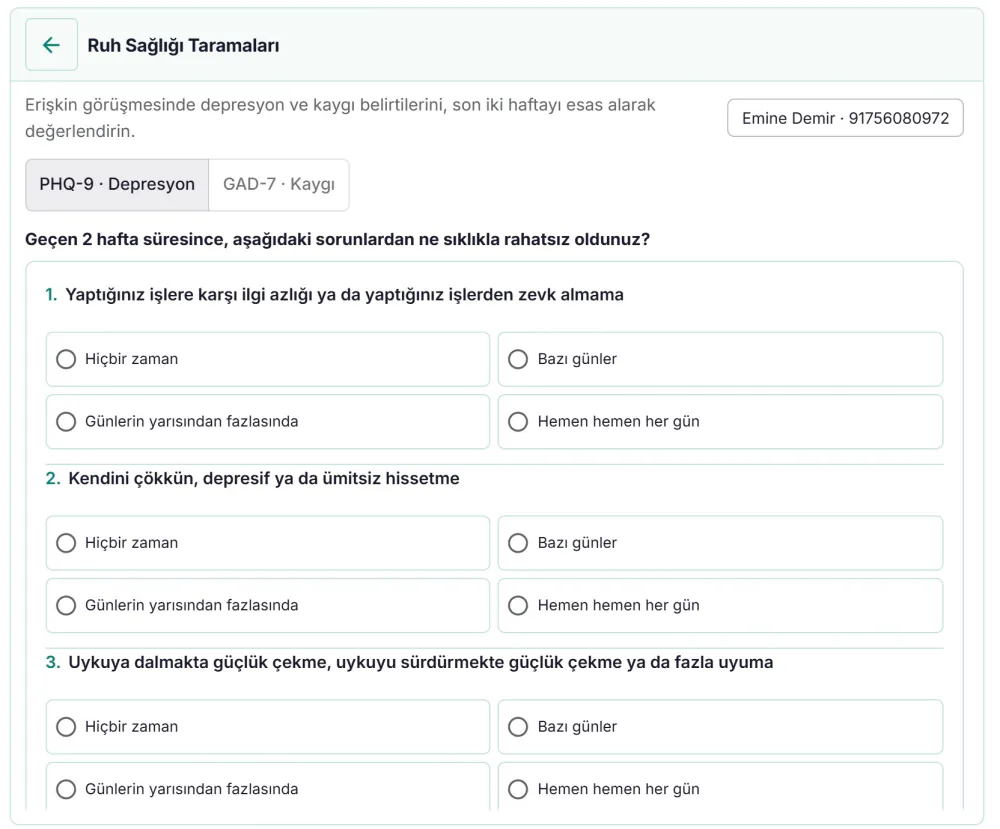
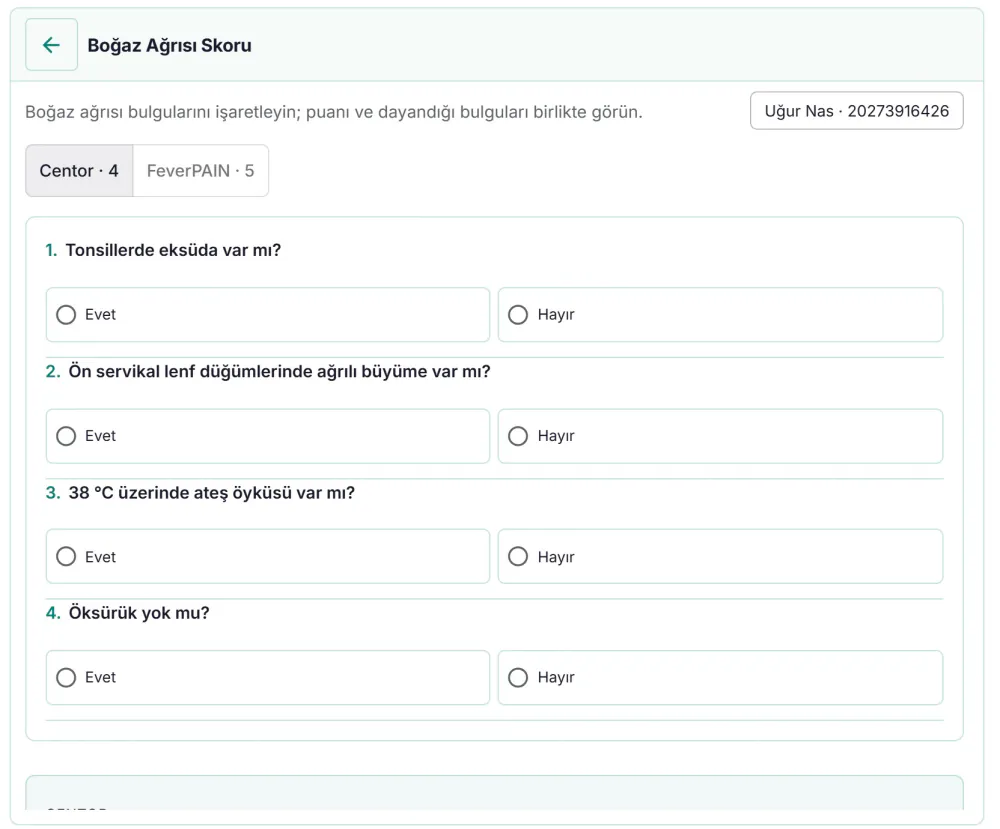
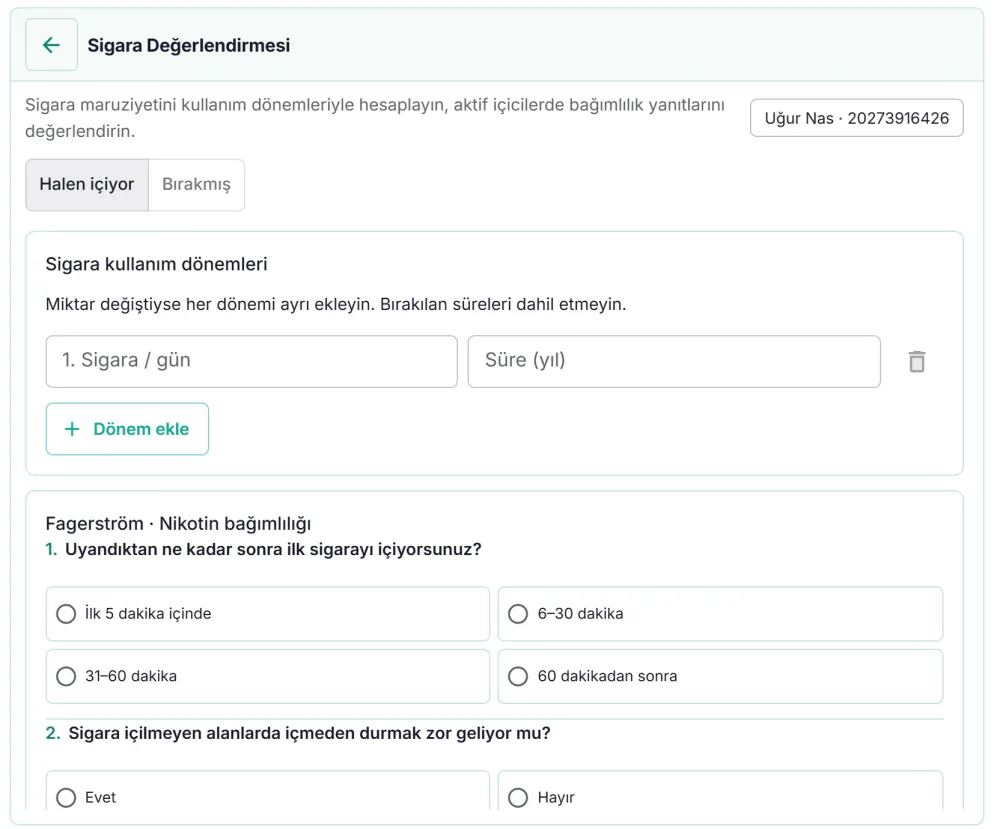
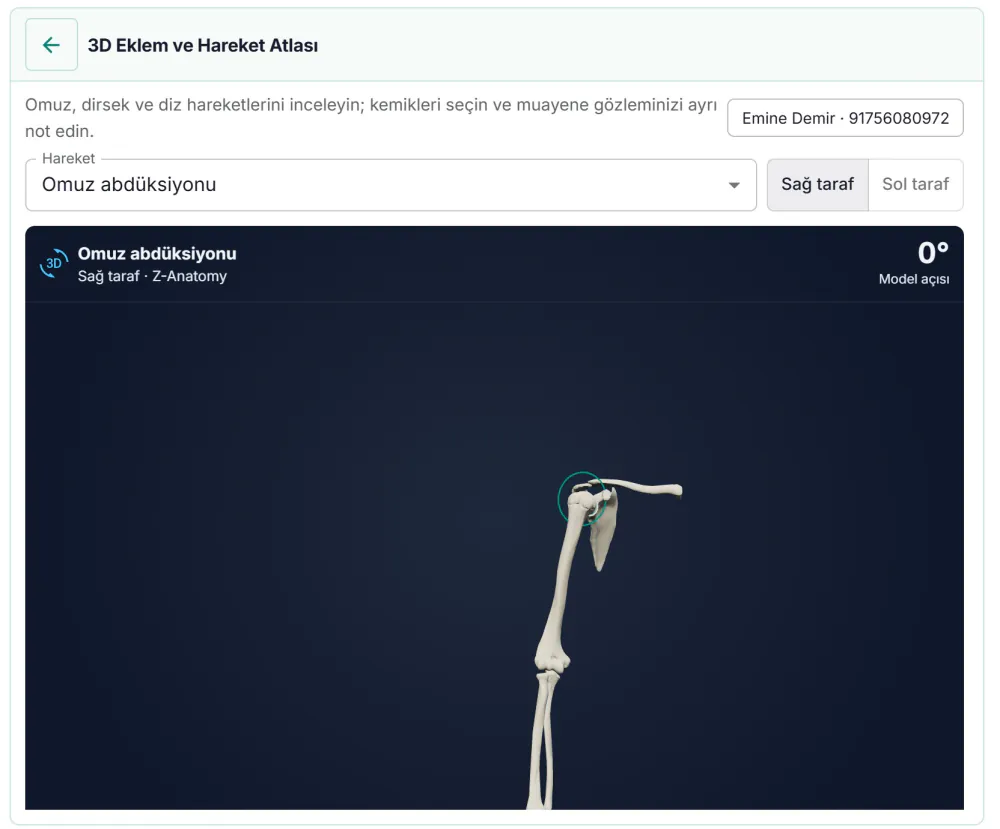
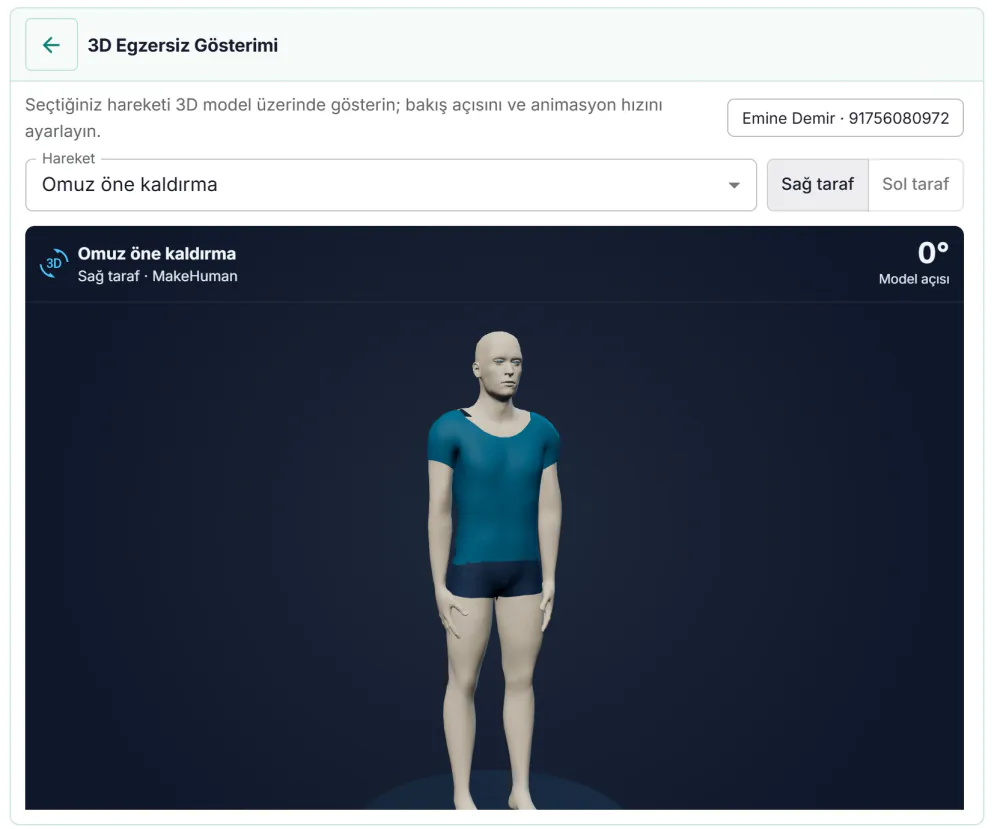
20 tools opened from within the examination: a browser-based DICOM viewer, clinical calculators pre-filled with values from the record, vision and hearing tests, and a 3D joint and exercise atlas. Tools can be moved to a separate window or a second screen.
- DICOM viewer: window/level, measurement, MPR, tags
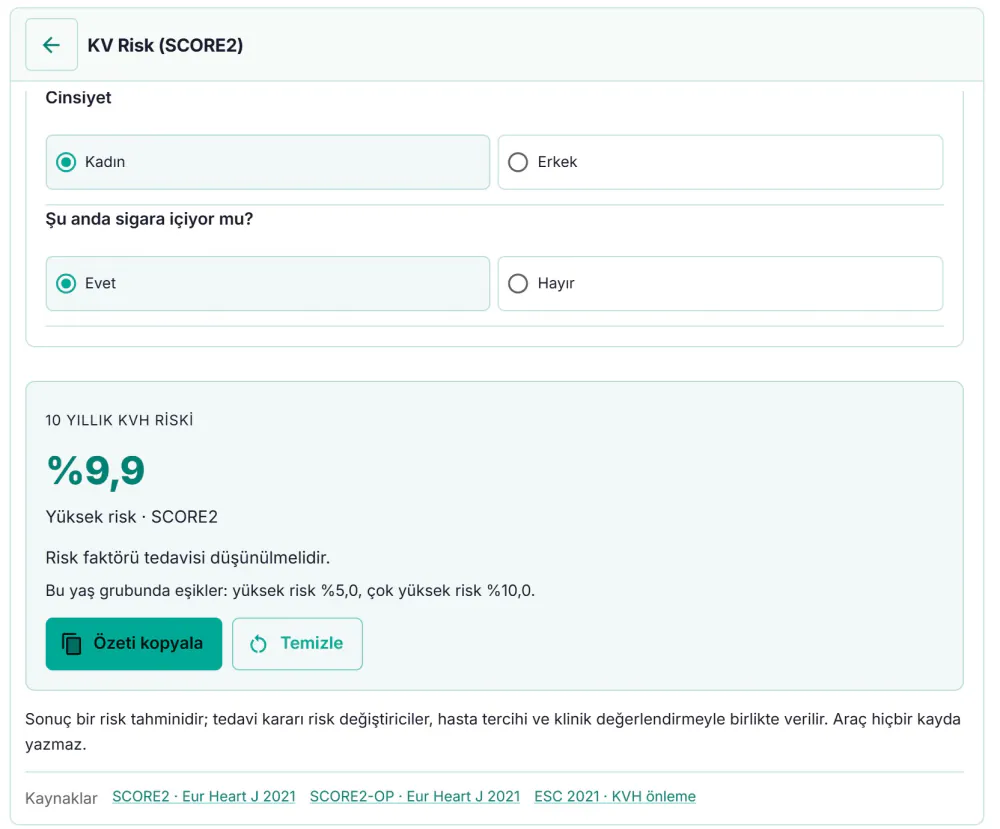
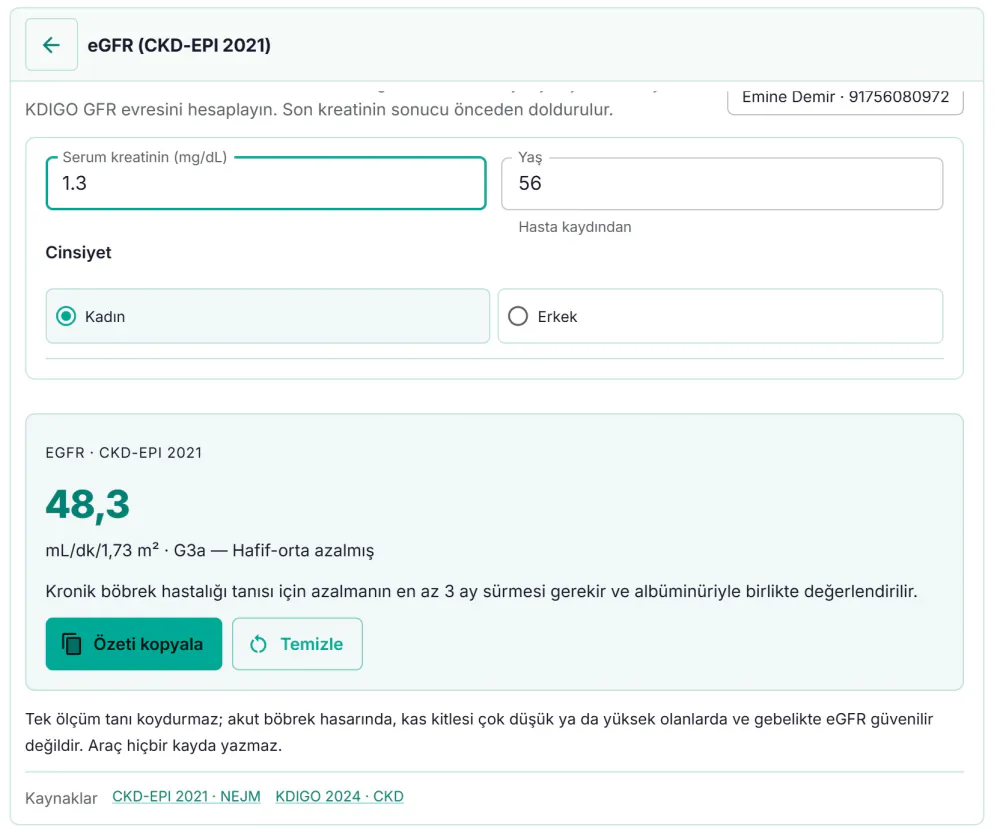
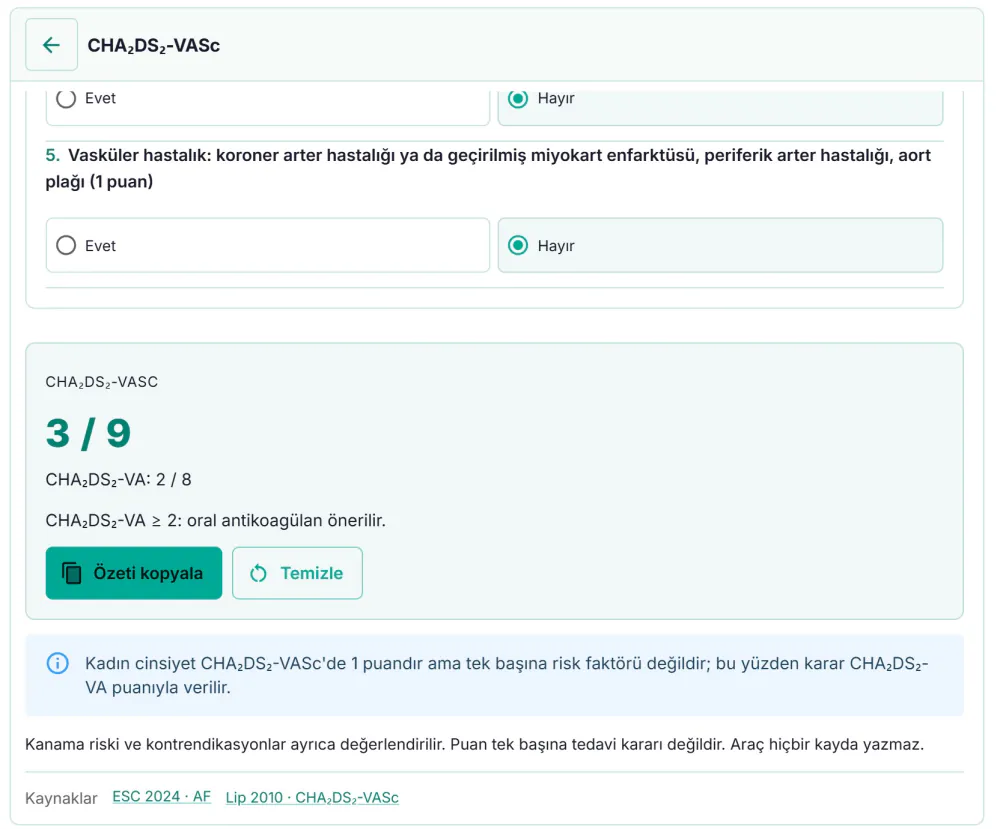
- SCORE2, eGFR (CKD-EPI 2021), CHA₂DS₂-VASc
- PHQ-9 / GAD-7, Centor / FeverPAIN, Fagerström
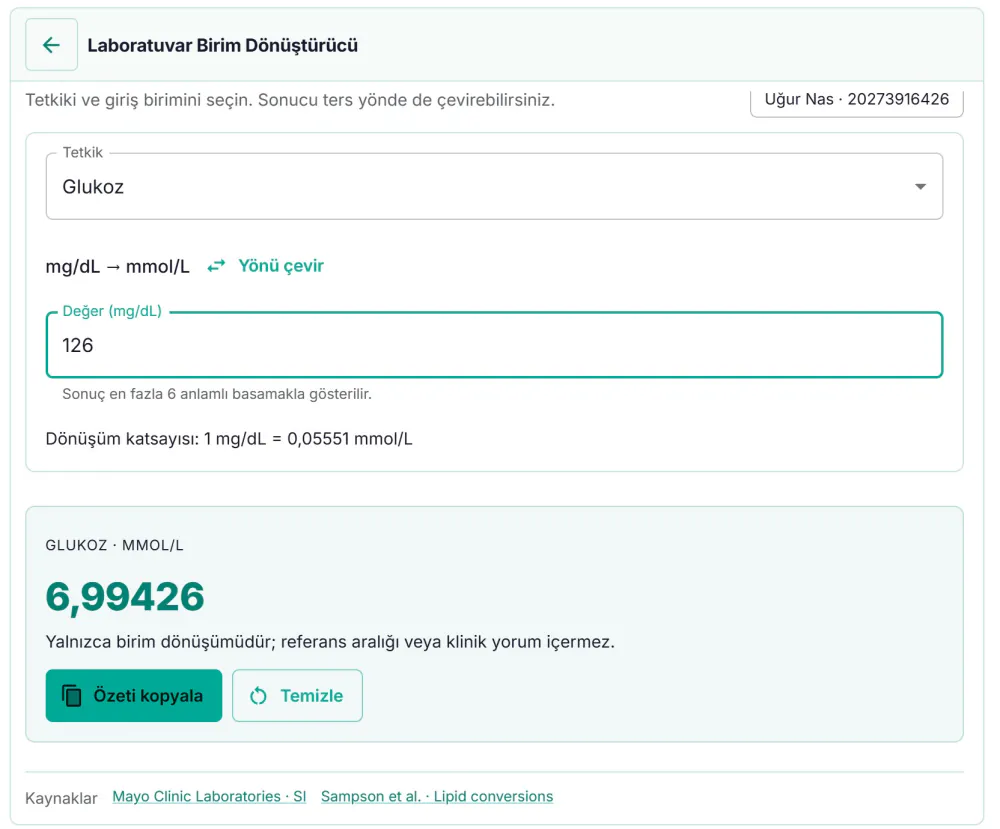
- Pediatric drug dosing and laboratory unit converter
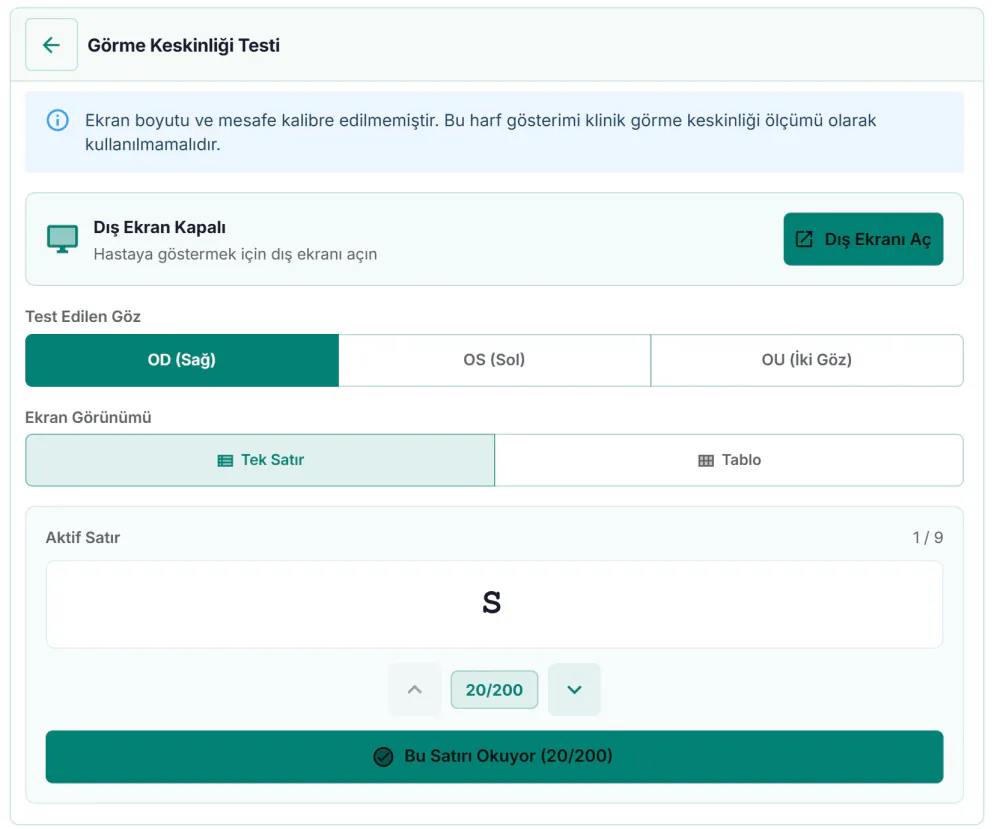
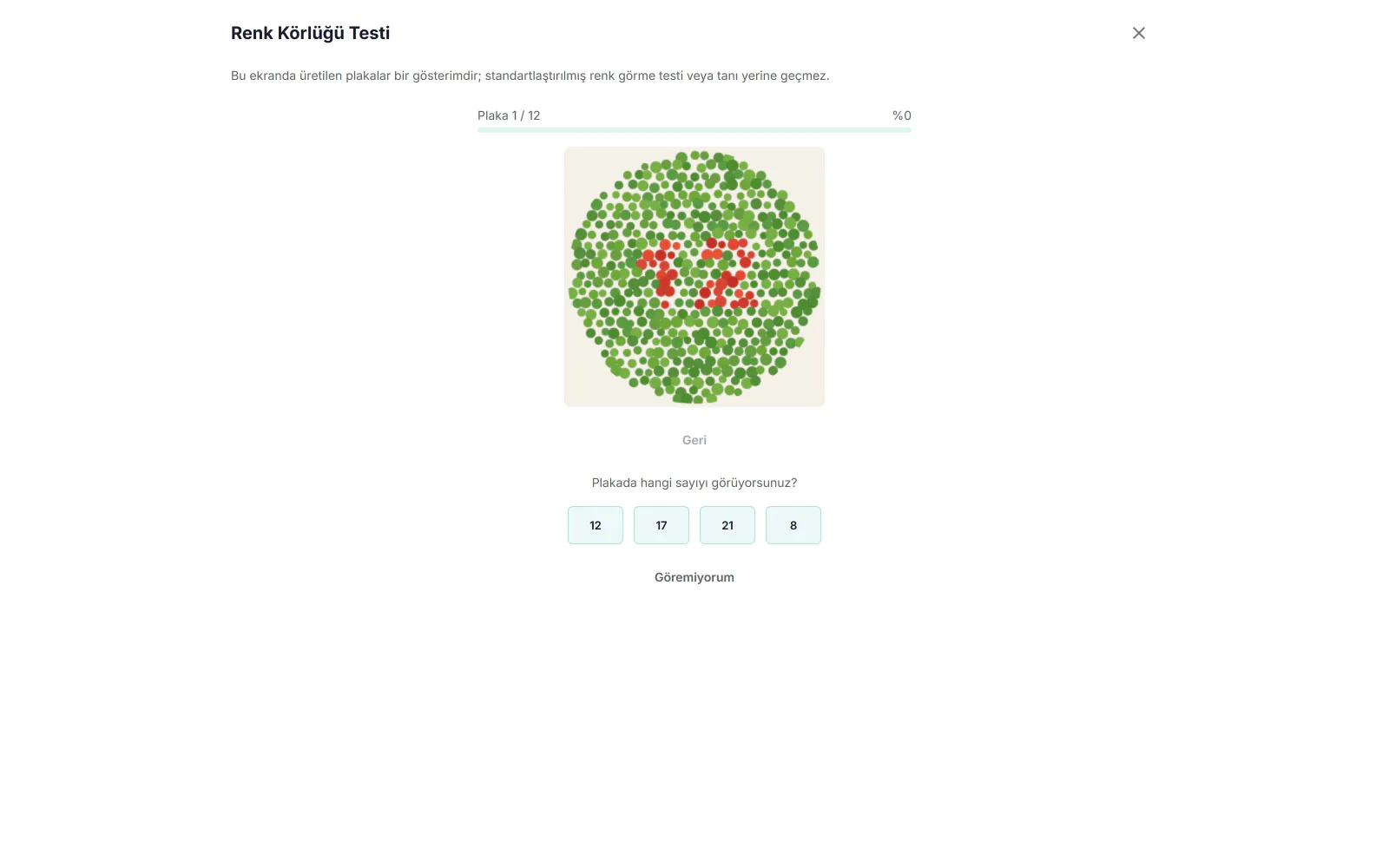
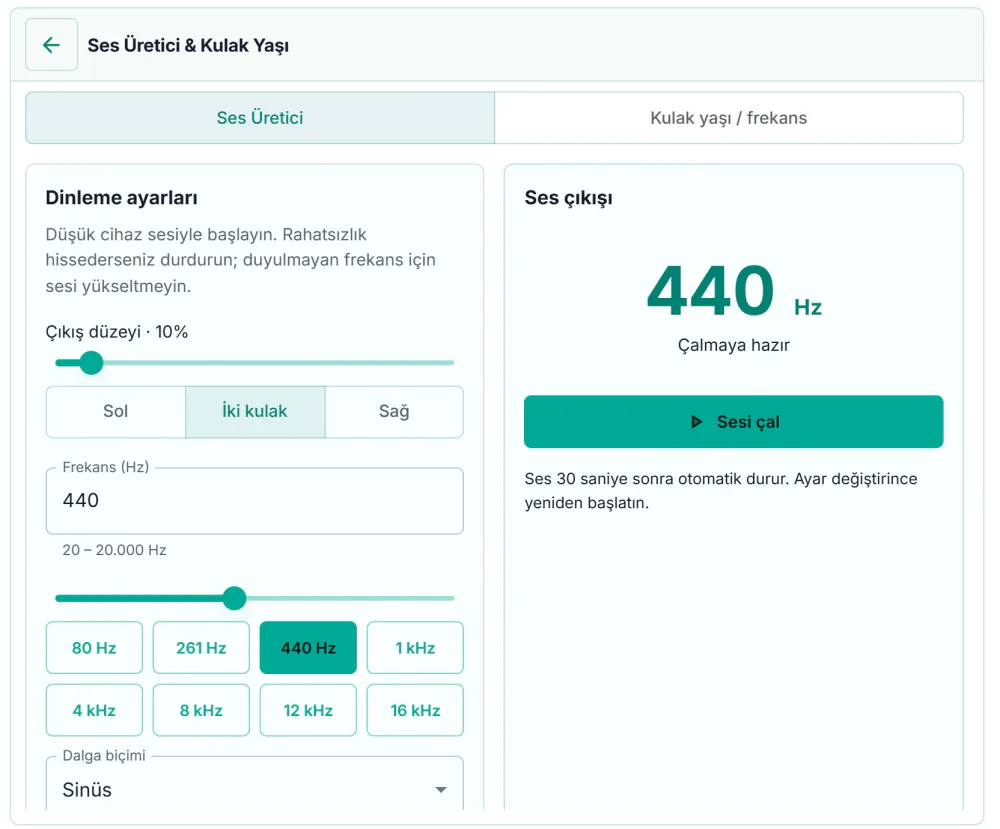
- Visual acuity, color blindness, tone generator / hearing age
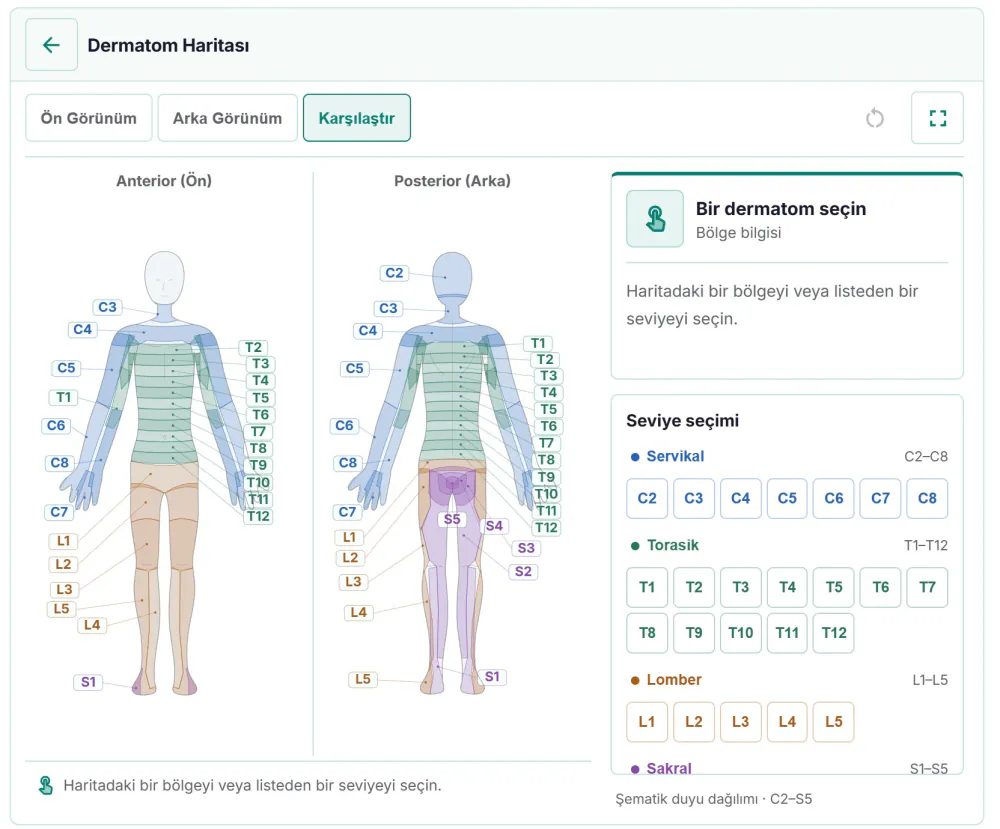
- 3D joint-motion atlas, exercise model, dermatome map
 (open full size)
PACS / DICOM: measurement and MPR
Images open in the browser; no separate client installation is needed. The series shown is an anonymised sample CT series.
 (open full size)
 (open full size)
PACS / DICOM: tools and tags
 (open full size)
 (open full size)
Tool catalog
3D motion, radiology, clinical and utility tools; with search and filters.
 (open full size)
Clinical calculators
Age, blood pressure and diagnoses from the record are pre-filled in the calculator.
 (open full size)
 (open full size)
 (open full size)
 (open full size)
Assessment scales
 (open full size)
 (open full size)
 (open full size)
 (open full size)
3D atlas and dermatomes
 (open full size)
 (open full size)
 (open full size)
Vision and hearing tests
 (open full size)
 (open full size)
 (open full size)
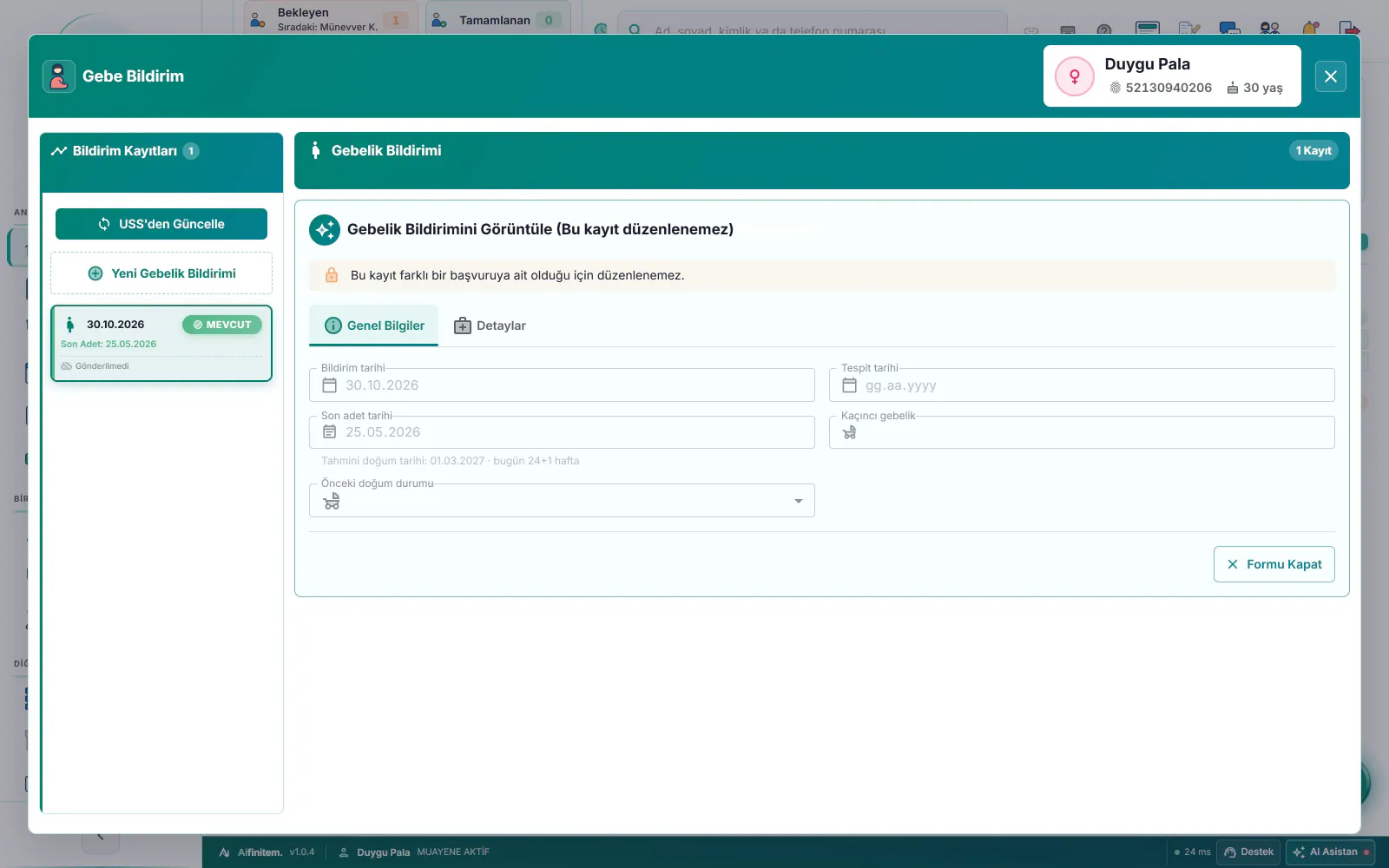
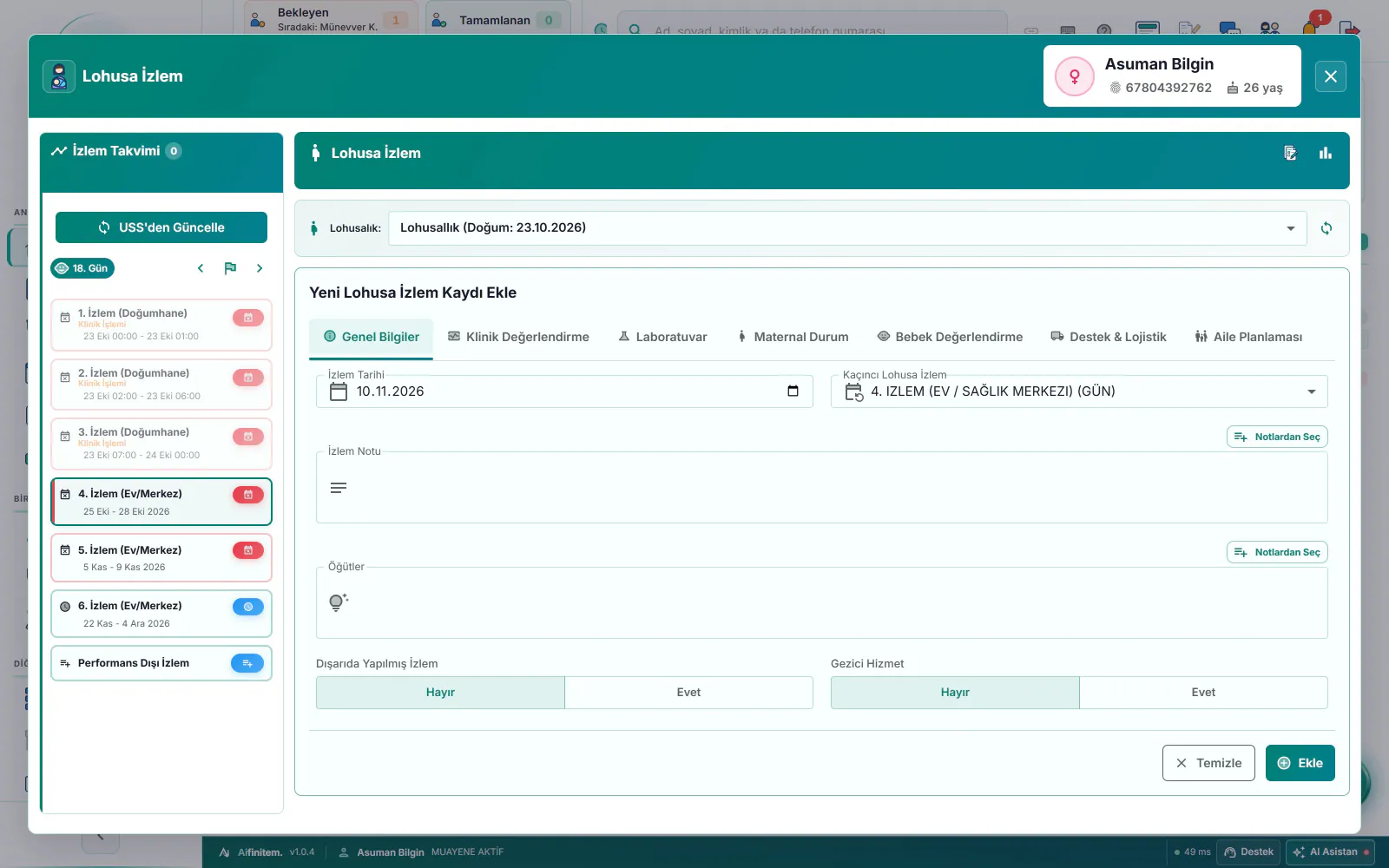
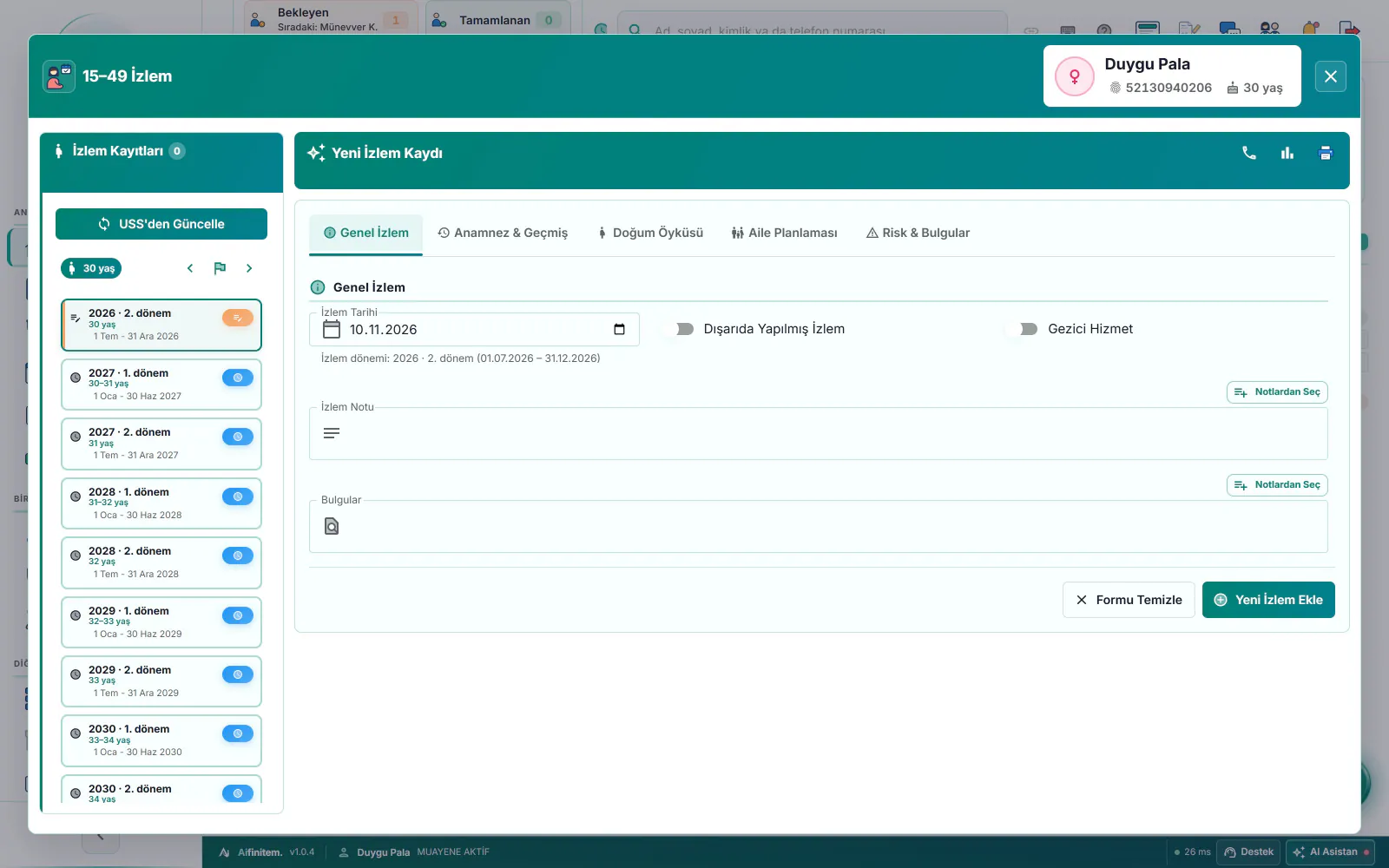
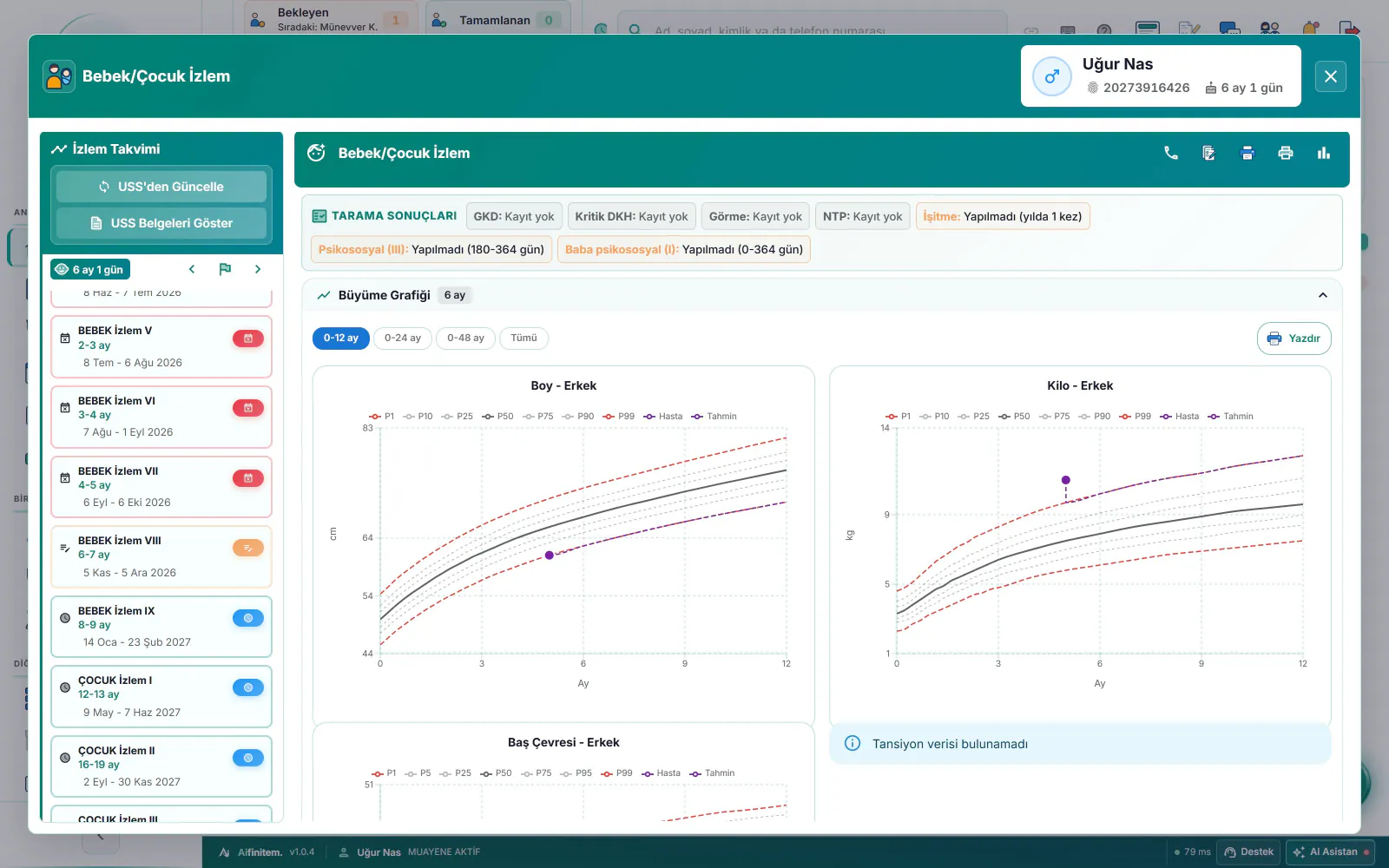
Pregnancy, postpartum, infant-child, women, chronic disease
Follow-ups and screenings
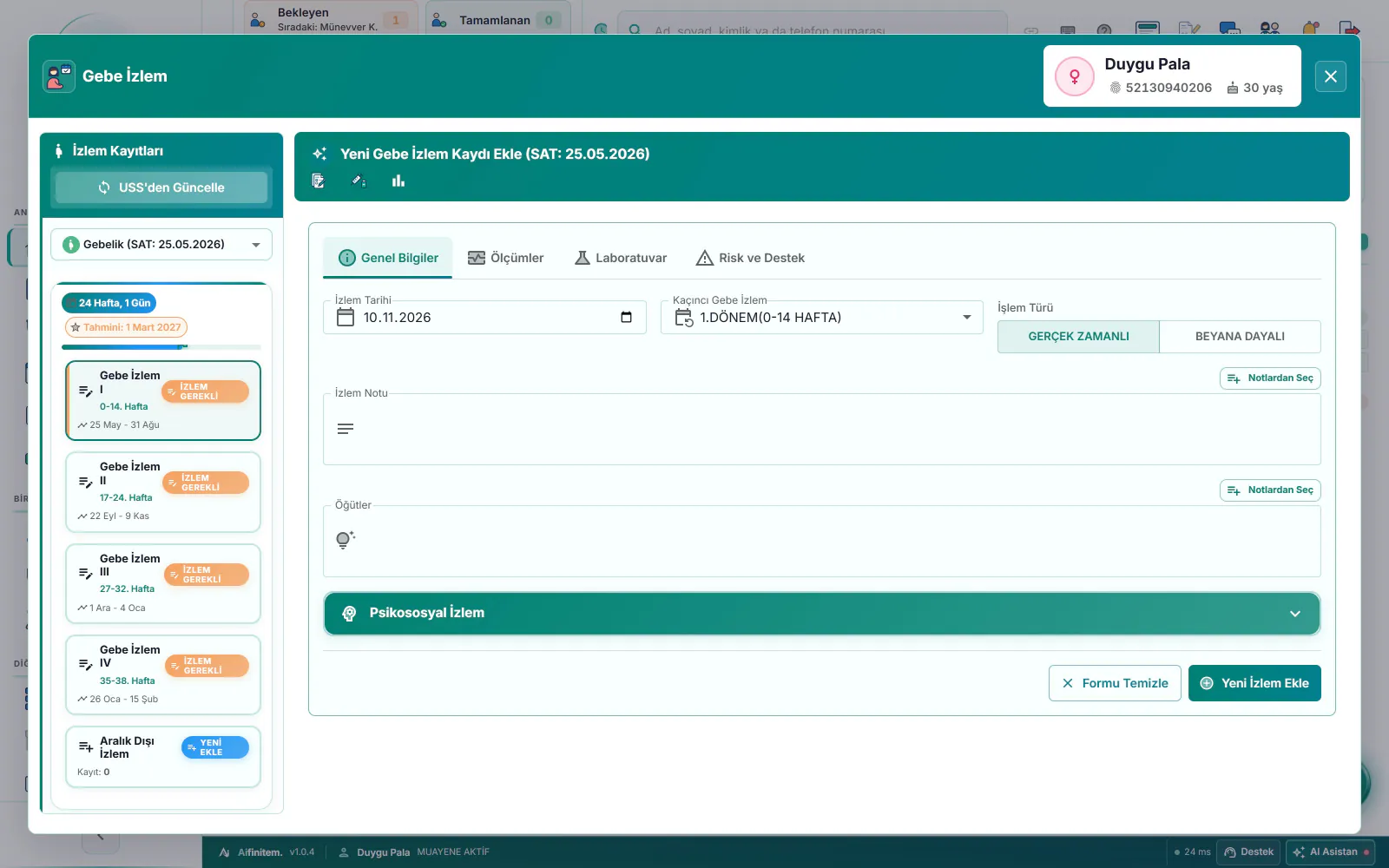
Recording screens for the Ministry's follow-up and screening programs. The period calendar shows in which period each follow-up should be carried out; records are synchronised with SağlıkNet and USS.
- Pregnancy notification, pregnancy follow-up, pregnancy outcome
- Postpartum follow-up: delivery room and home/center follow-ups
- Infant-child follow-up and percentile charts
- Follow-up of women aged 15–49, family planning
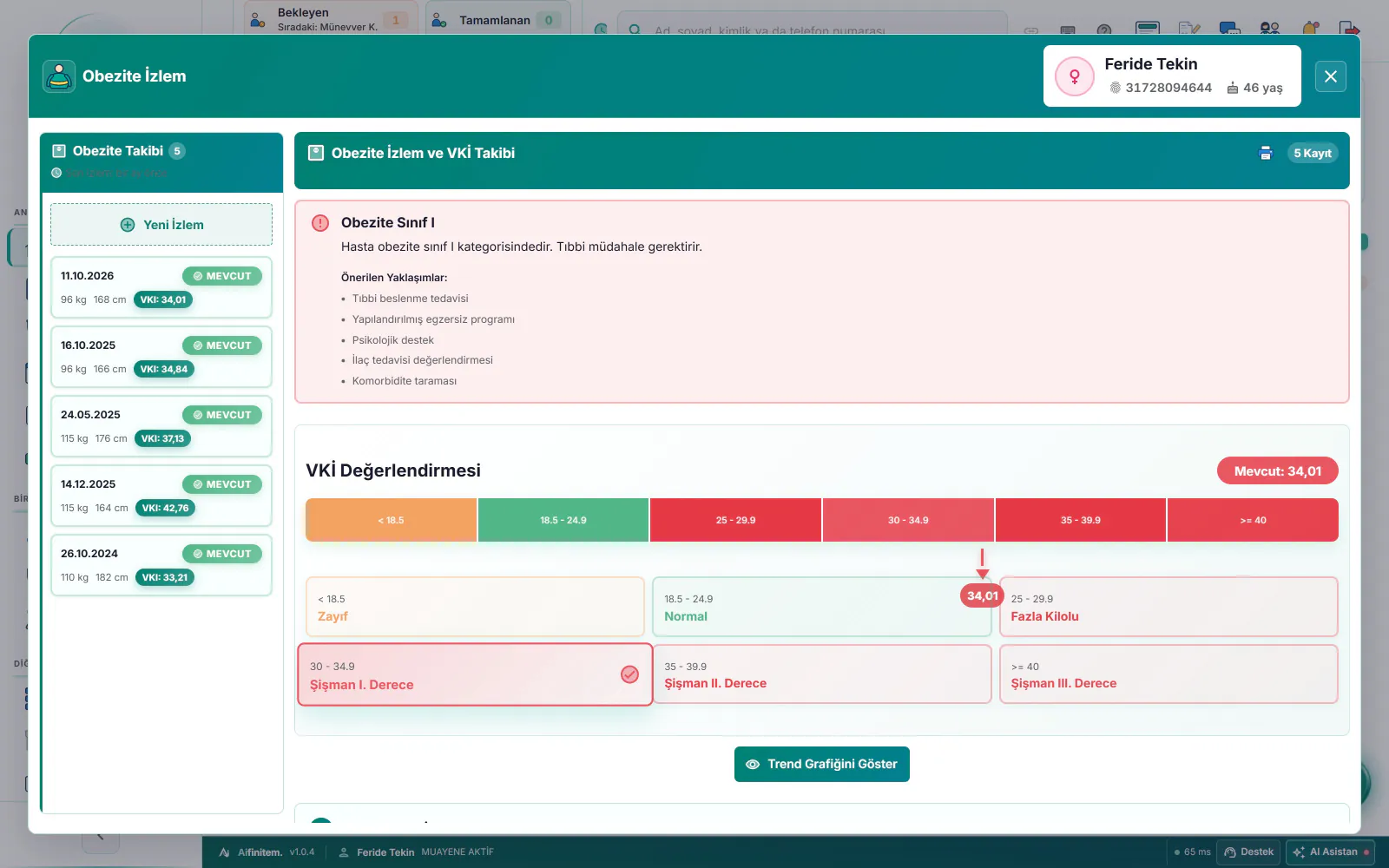
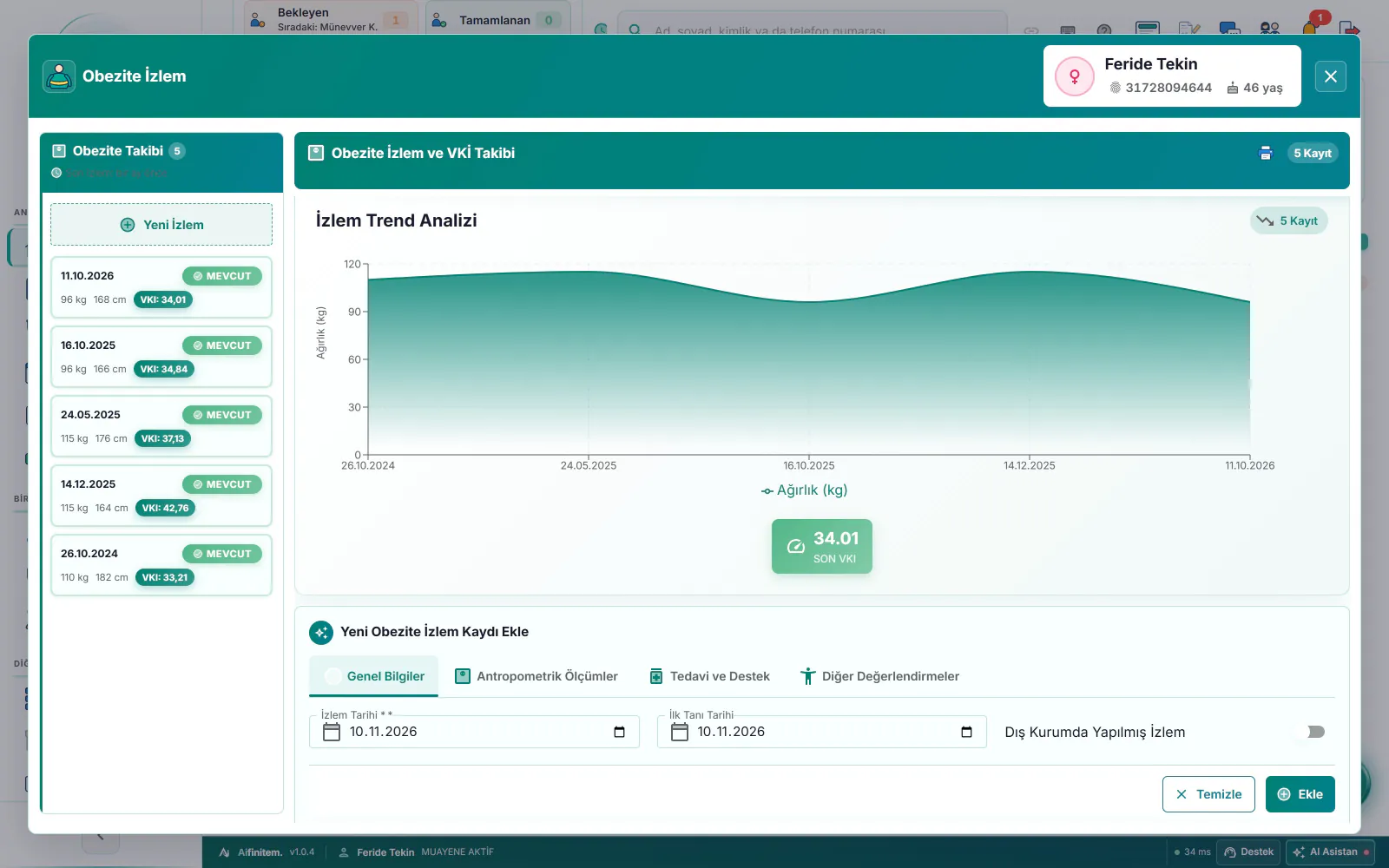
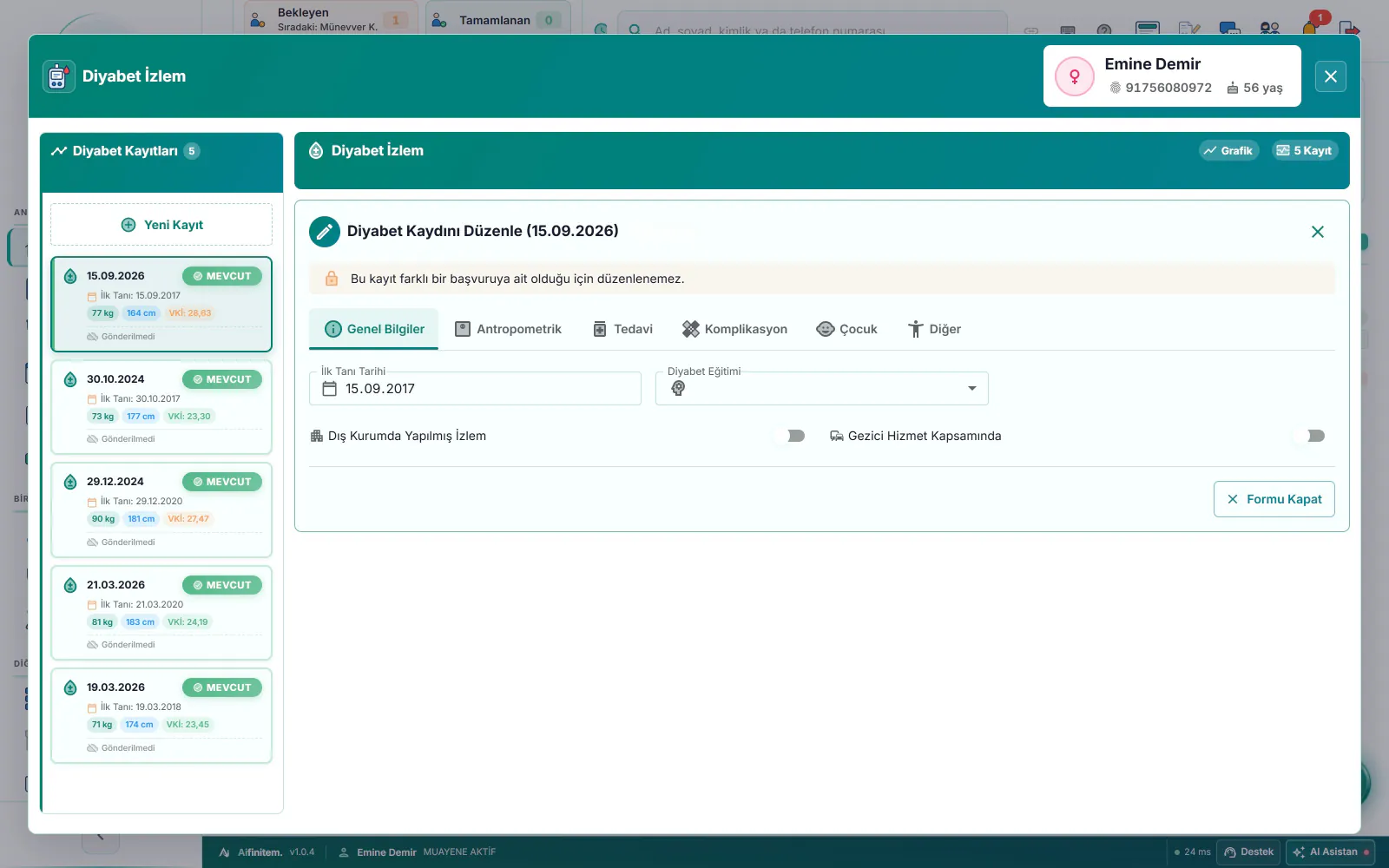
- Obesity and diabetes follow-up, trend charts
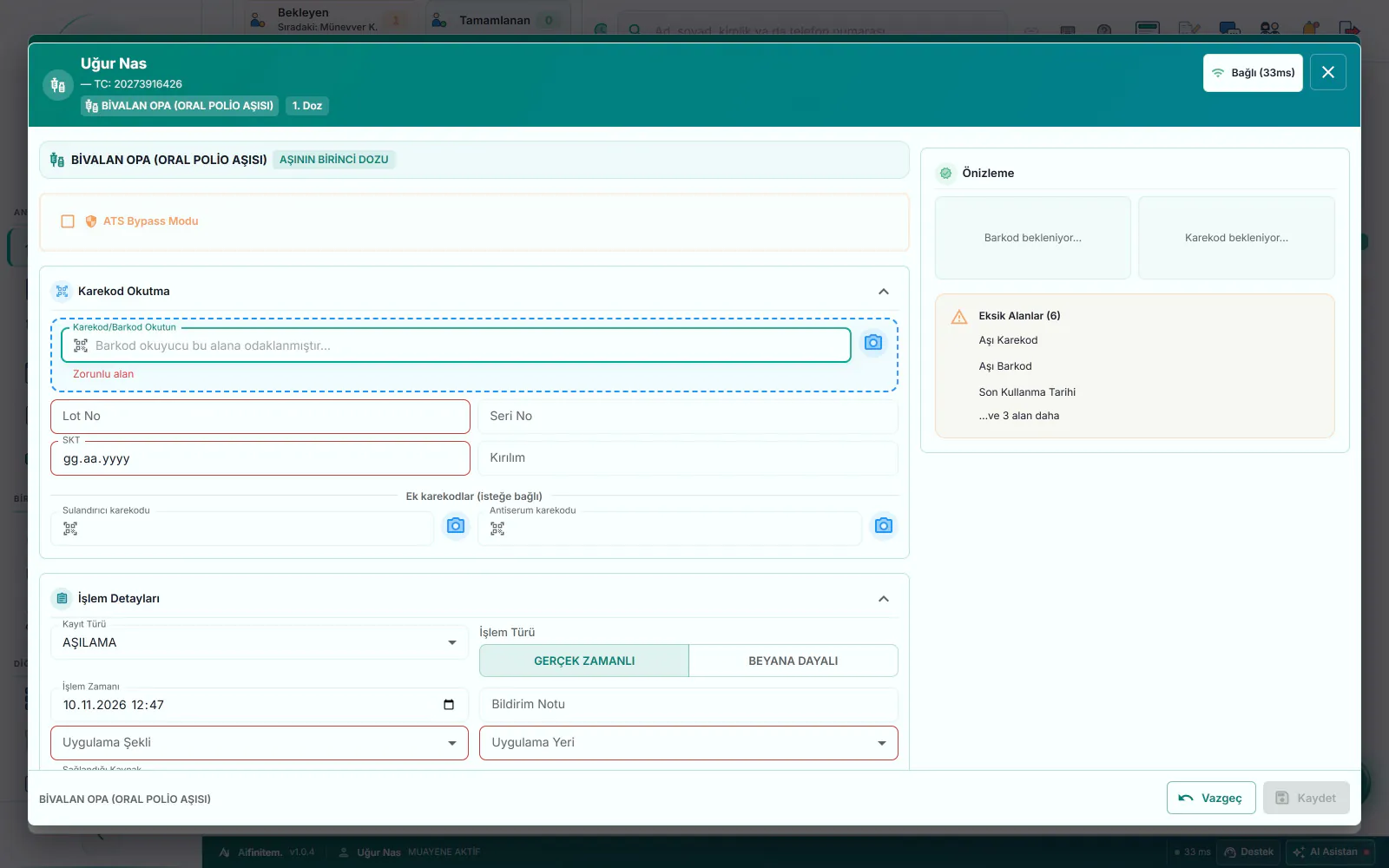
- Vaccine administration: 2D barcode, lot, expiry date
- Hemoglobinopathy, hearing, SMA and cancer screenings (KETEM)
 (open full size)
Pregnancy and postpartum
 (open full size)
 (open full size)
Women and infant-child
 (open full size)
 (open full size)
Vaccination and obesity
 (open full size)
 (open full size)
Chronic disease
 (open full size)
 (open full size)
Health screenings
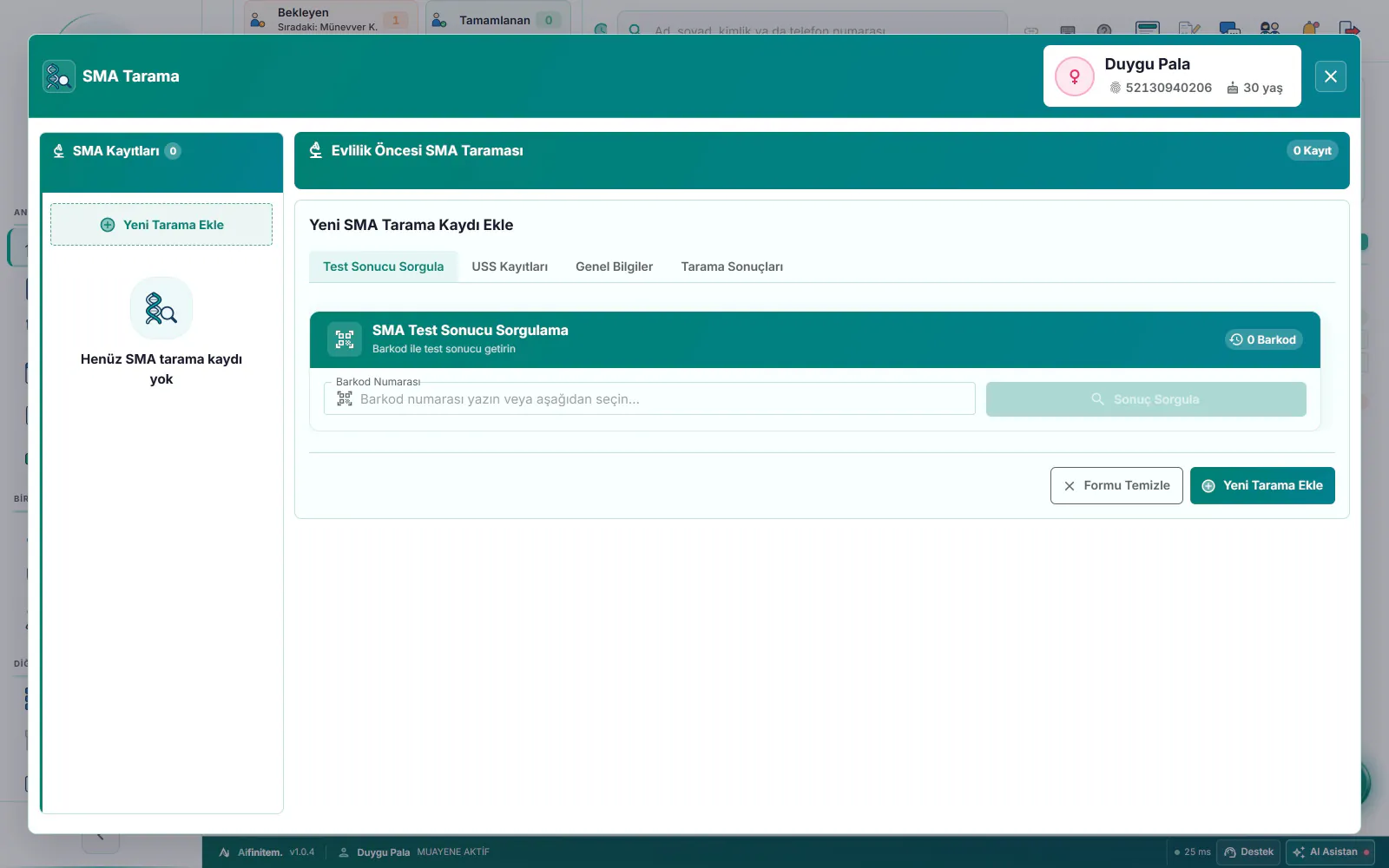
General, mother-child, chronic disease and mental health screenings in a single center; 25 forms.
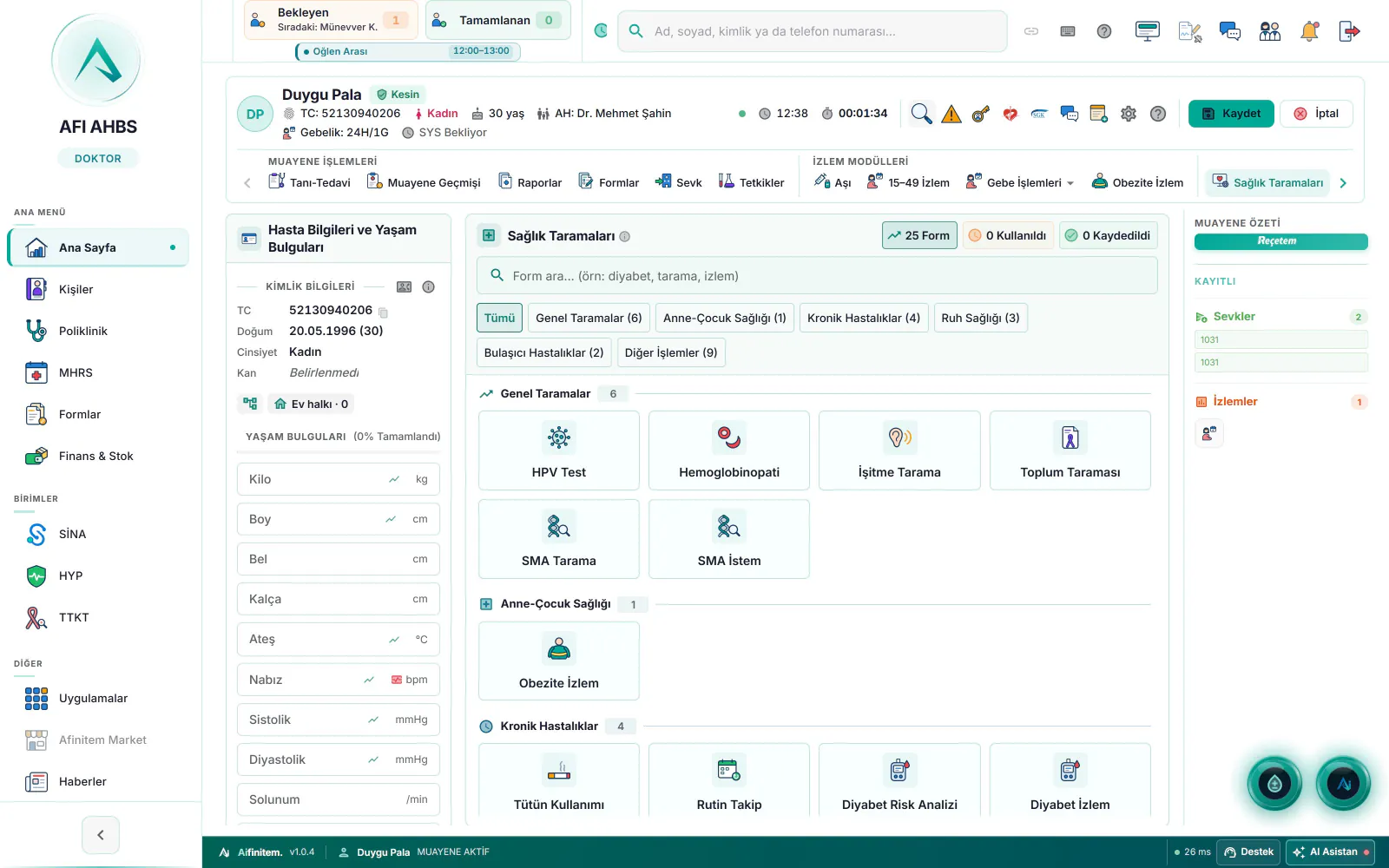 (open full size)
Screening records
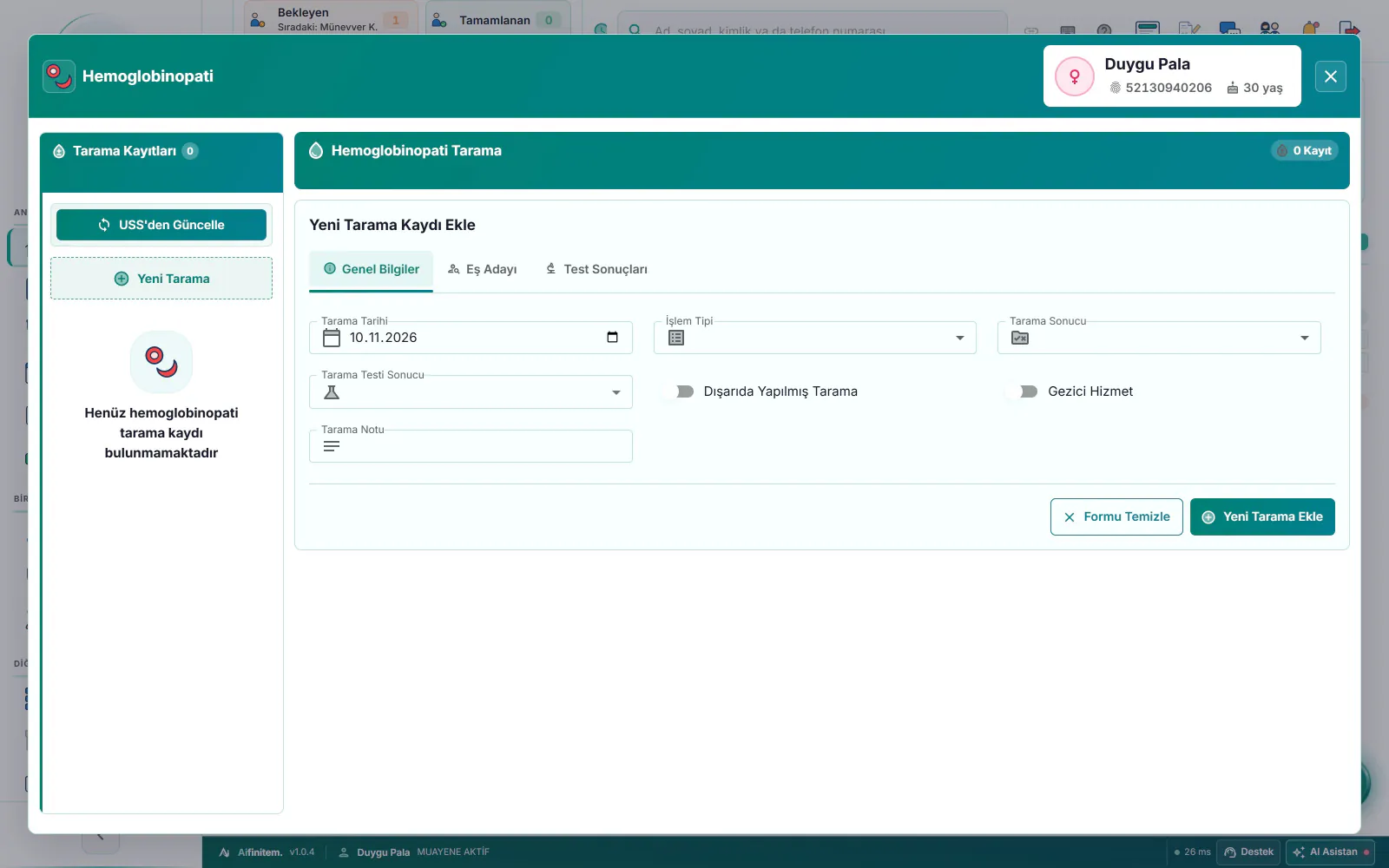 (open full size)
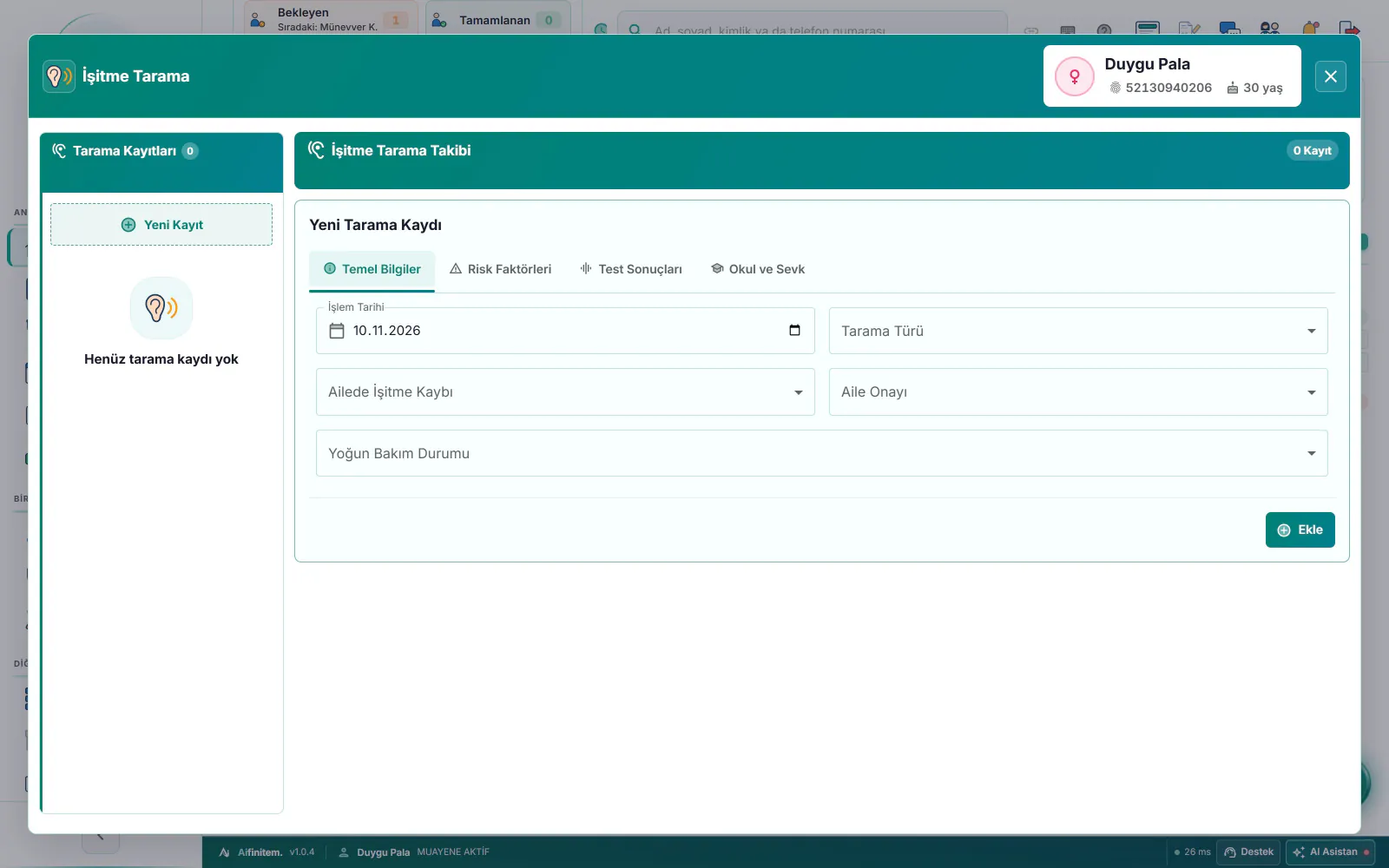 (open full size)
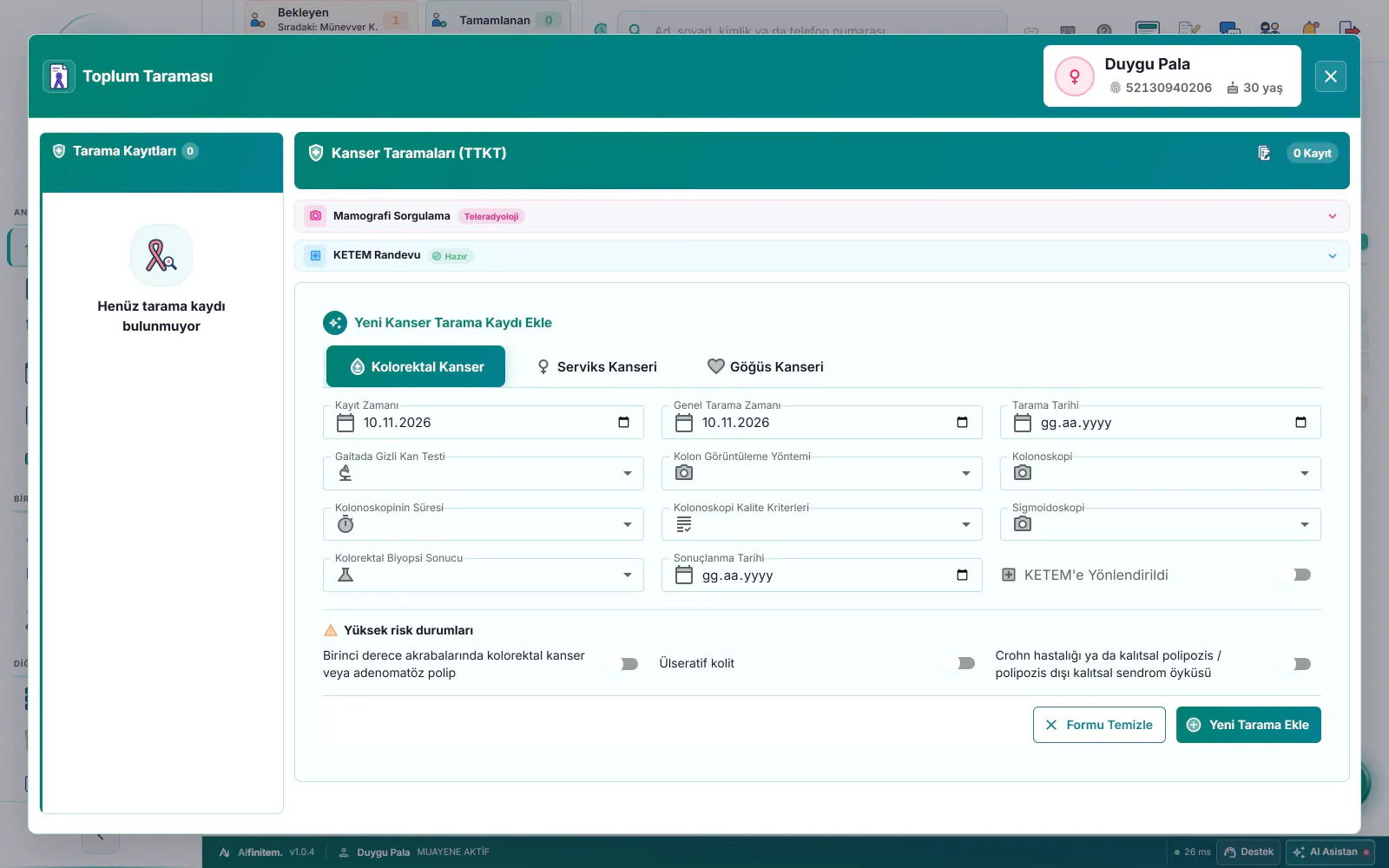 (open full size)
 (open full size)
Unit population in a single source
People, family and household
People registered to the unit; demographics, households, the population table and family relationships are monitored from the same screen. The person card shows the patient's summary without opening an examination.
- Population pyramid, period and registration type filters
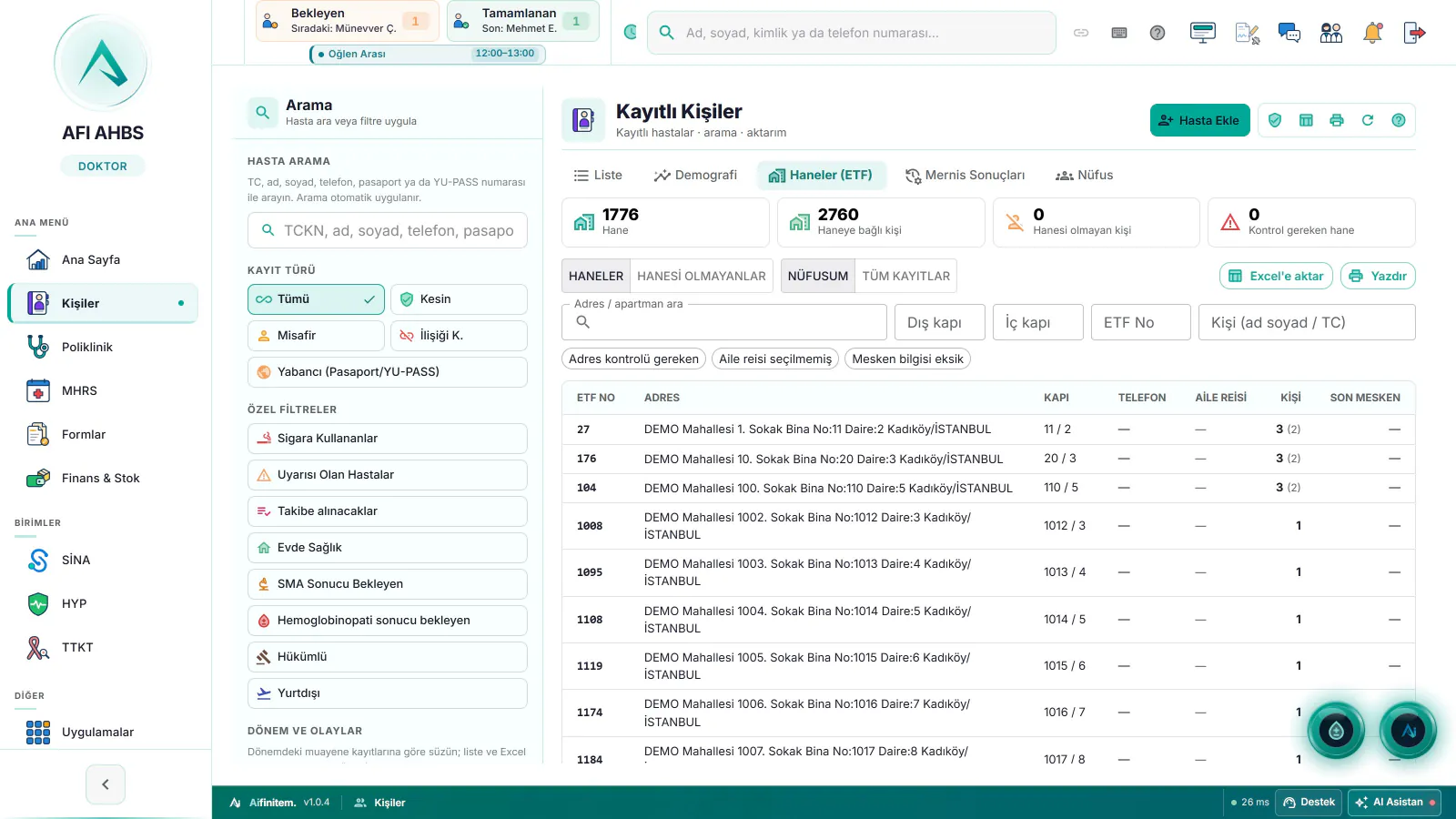
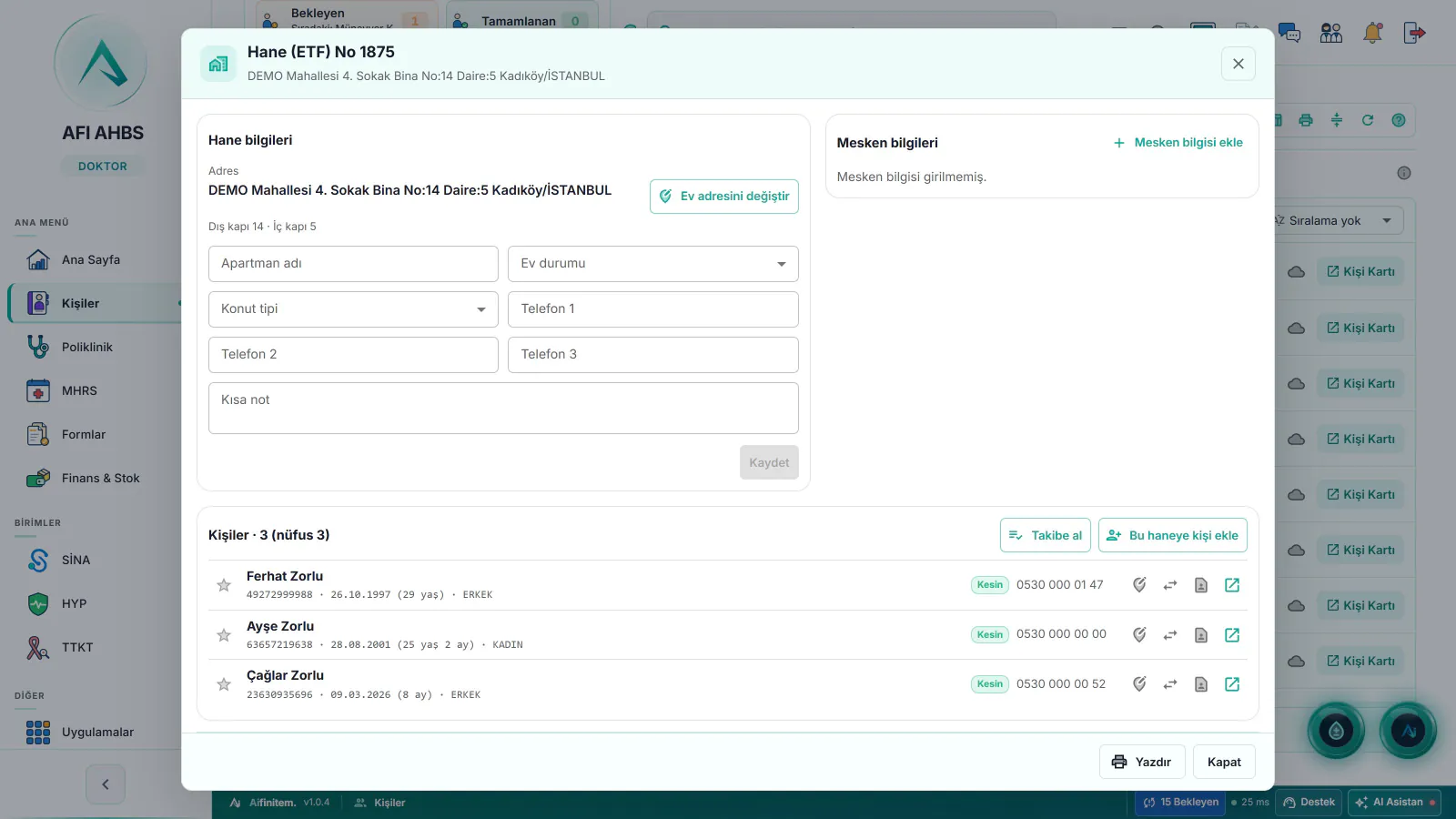
- Households (ETF) and address-based household list
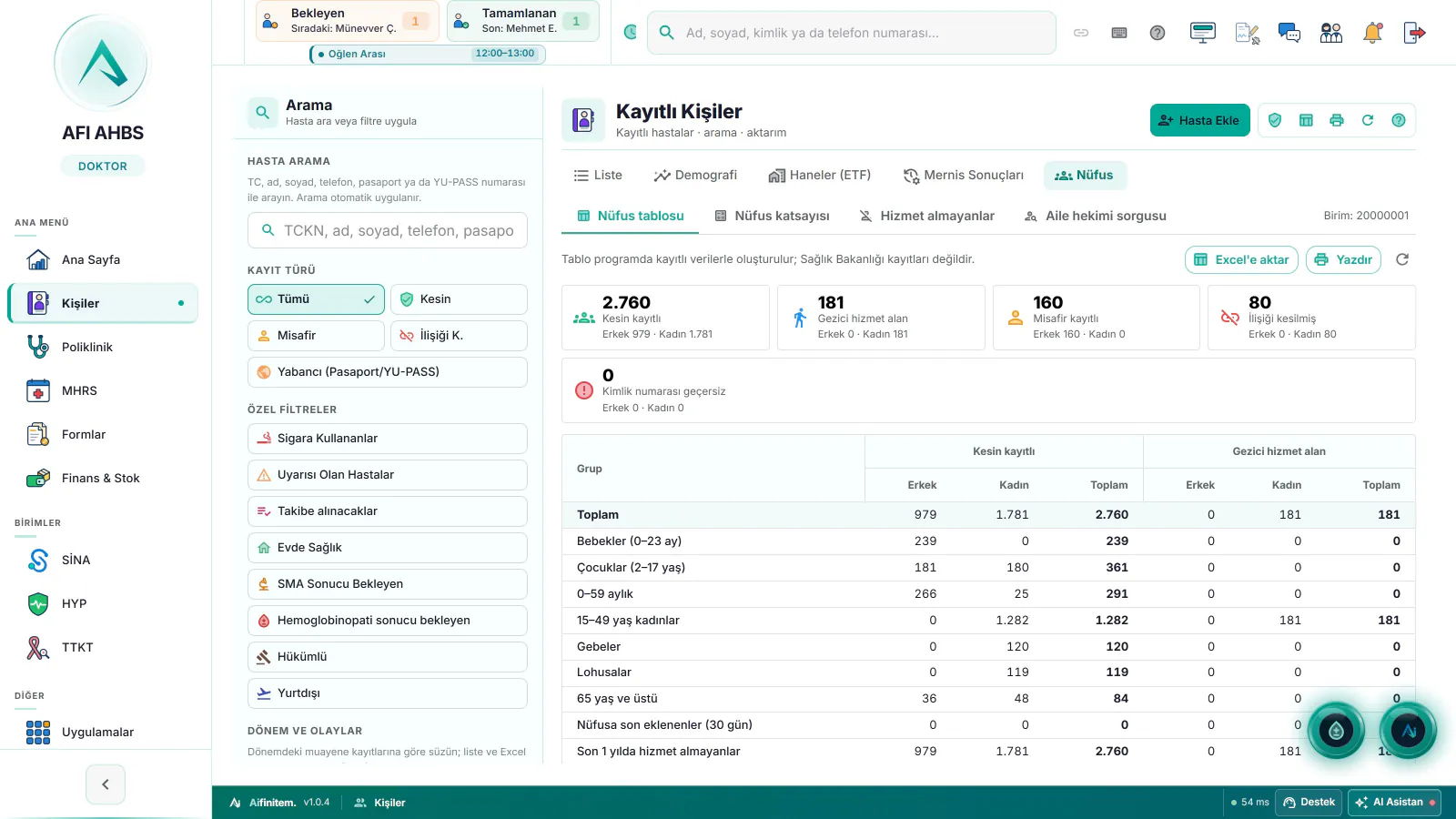
- Table of permanently registered and mobile-service population
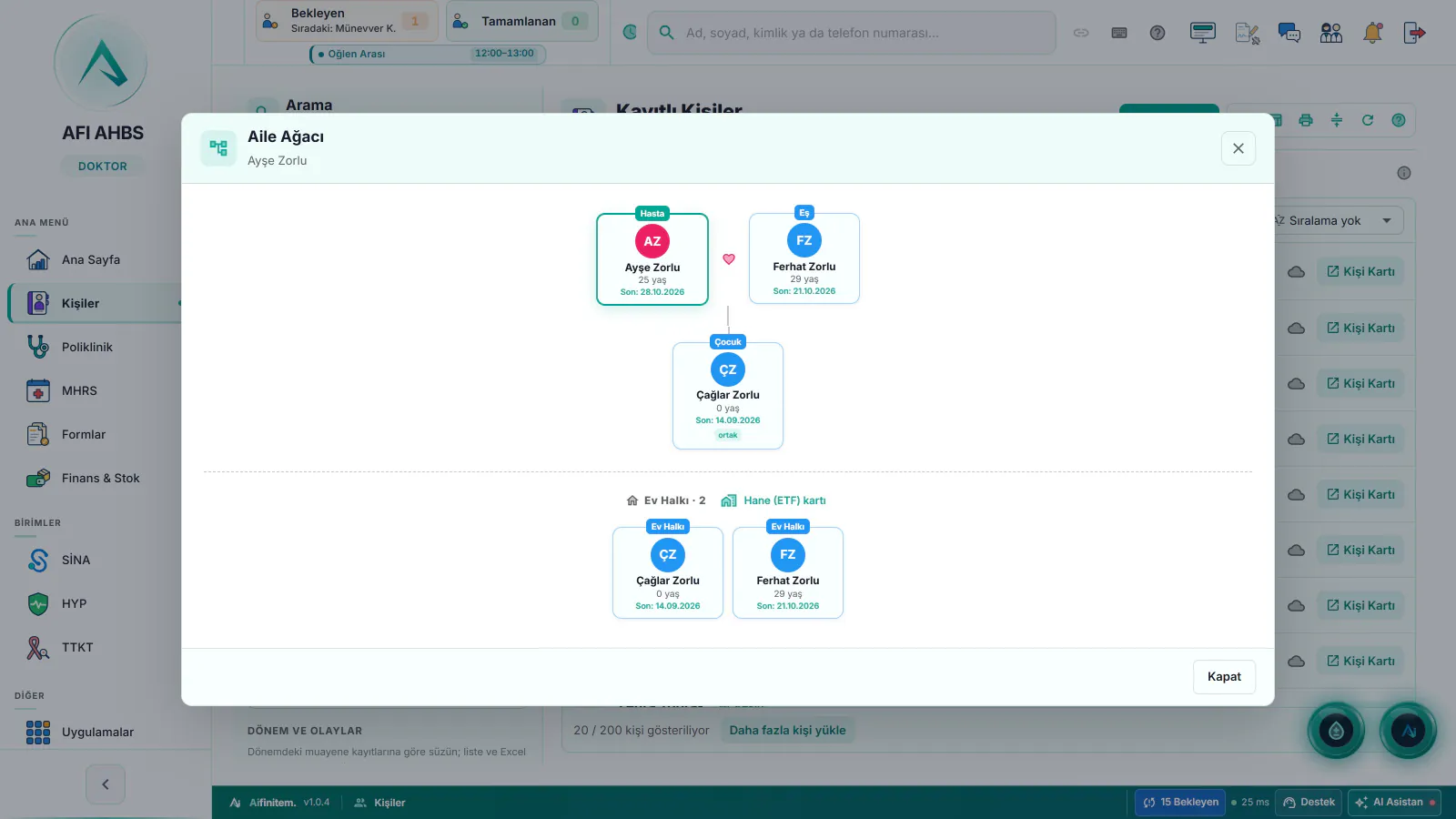
- Family tree: mother, father, spouse and child links
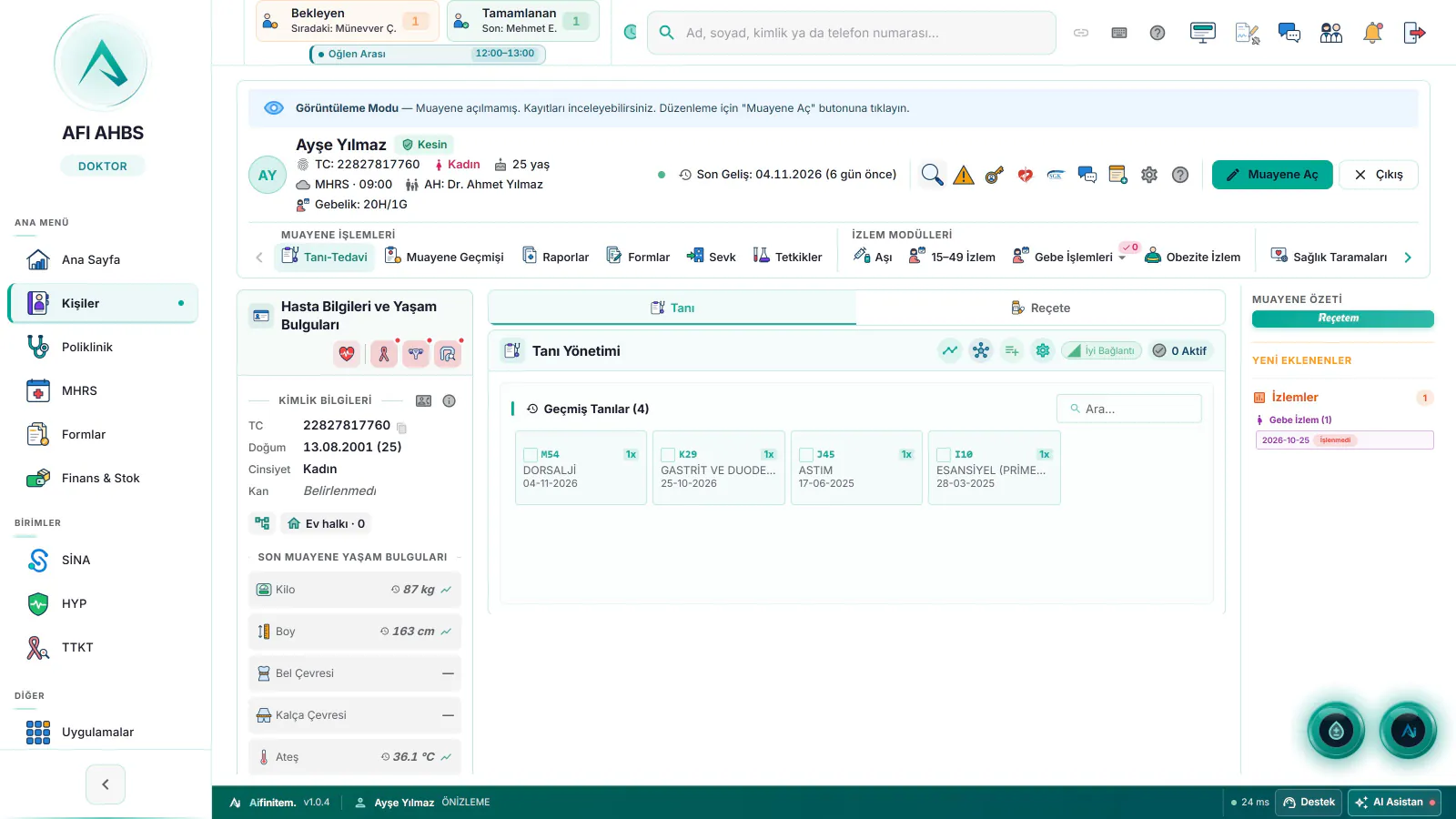
- Person card: viewing without opening an examination
- Mernis results and TC ID verification
 (open full size)
Households and population
 (open full size)
 (open full size)
Family tree and household card
 (open full size)
 (open full size)
Person card
A record opened from the people list or from a family link is in view mode; moving to an examination takes one click.
 (open full size)
Artificial intelligence, remote consultation, personalization
Productivity and communication
Tools that cut down the physician's daily workload: a screen-aware AI assistant, video remote consultation, command palette, keyboard shortcuts, notifications, delegation between physicians and offline work.
- AI assistant: natural-language queries, screen-aware suggestions
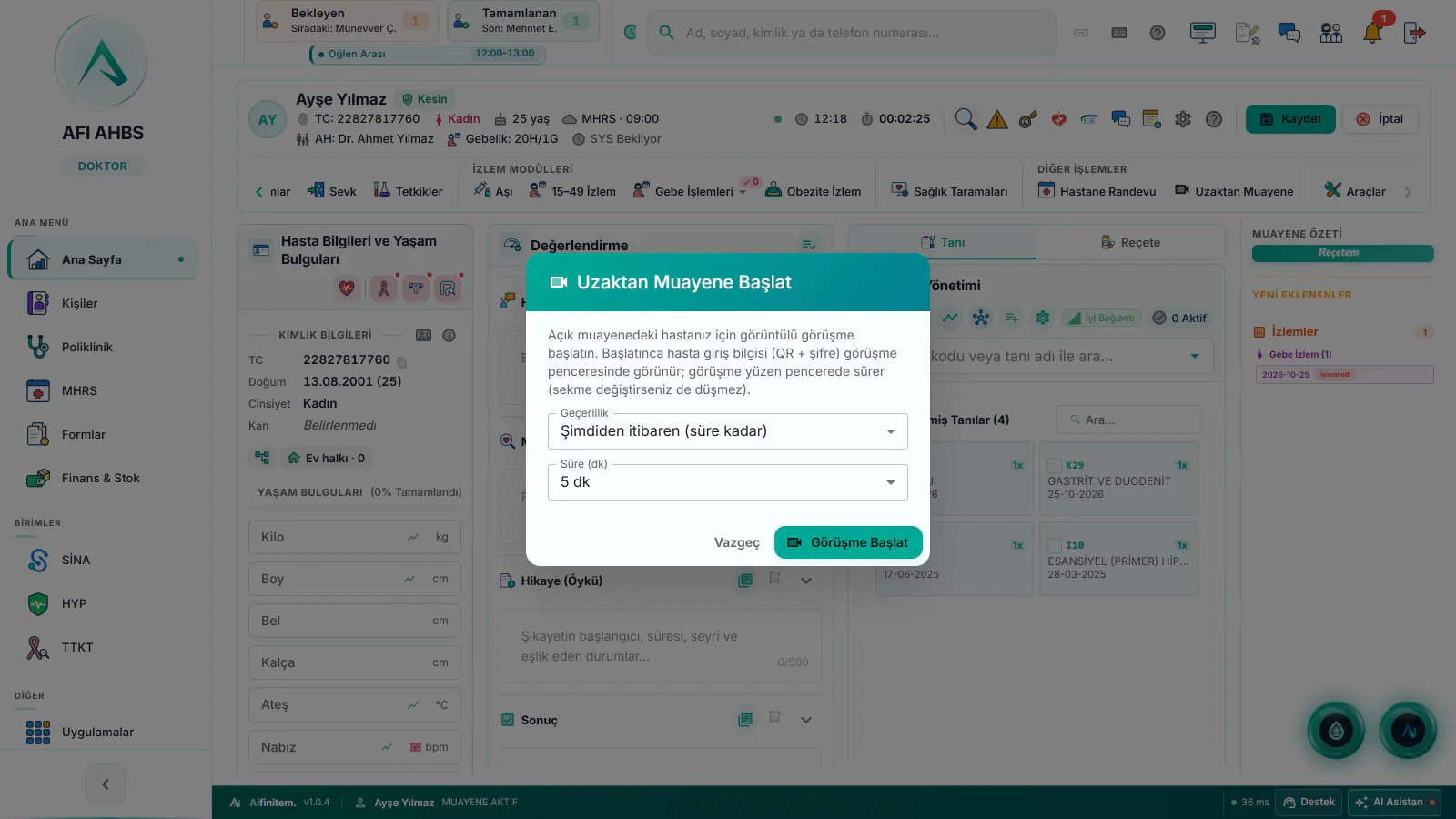
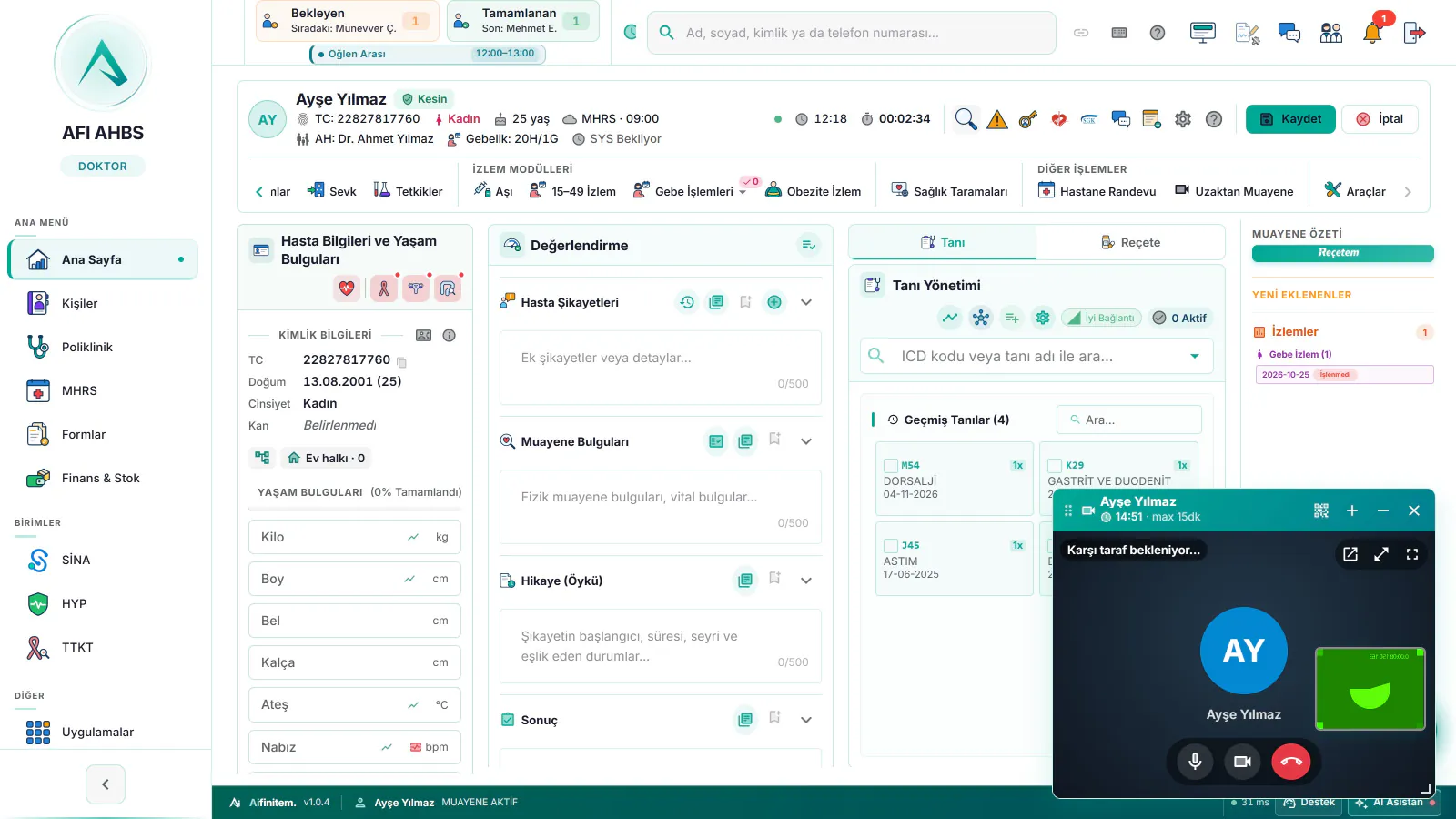
- Remote consultation (WebRTC), patient sign-in via QR
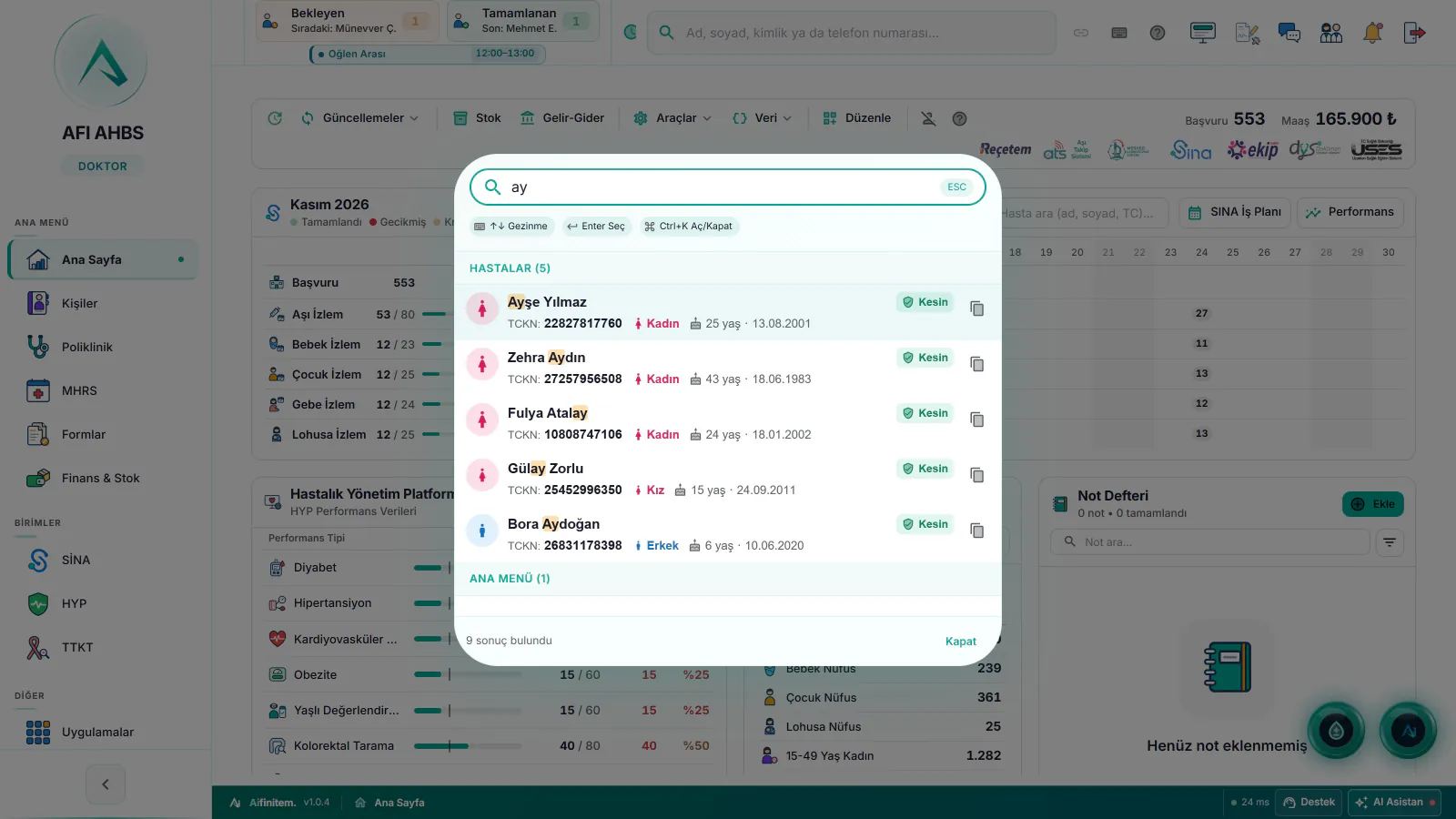
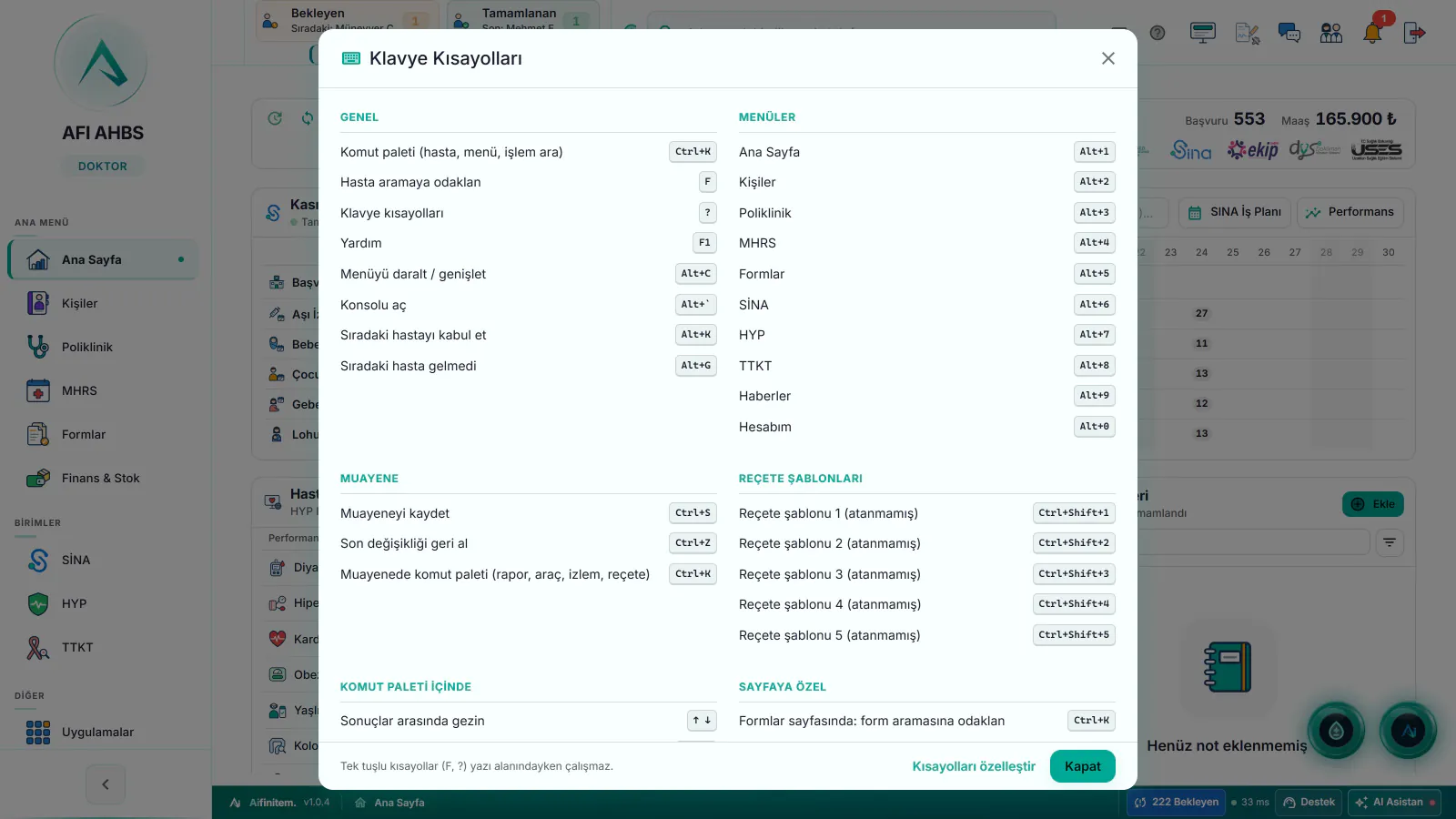
- Command palette (Ctrl+K) and keyboard shortcuts
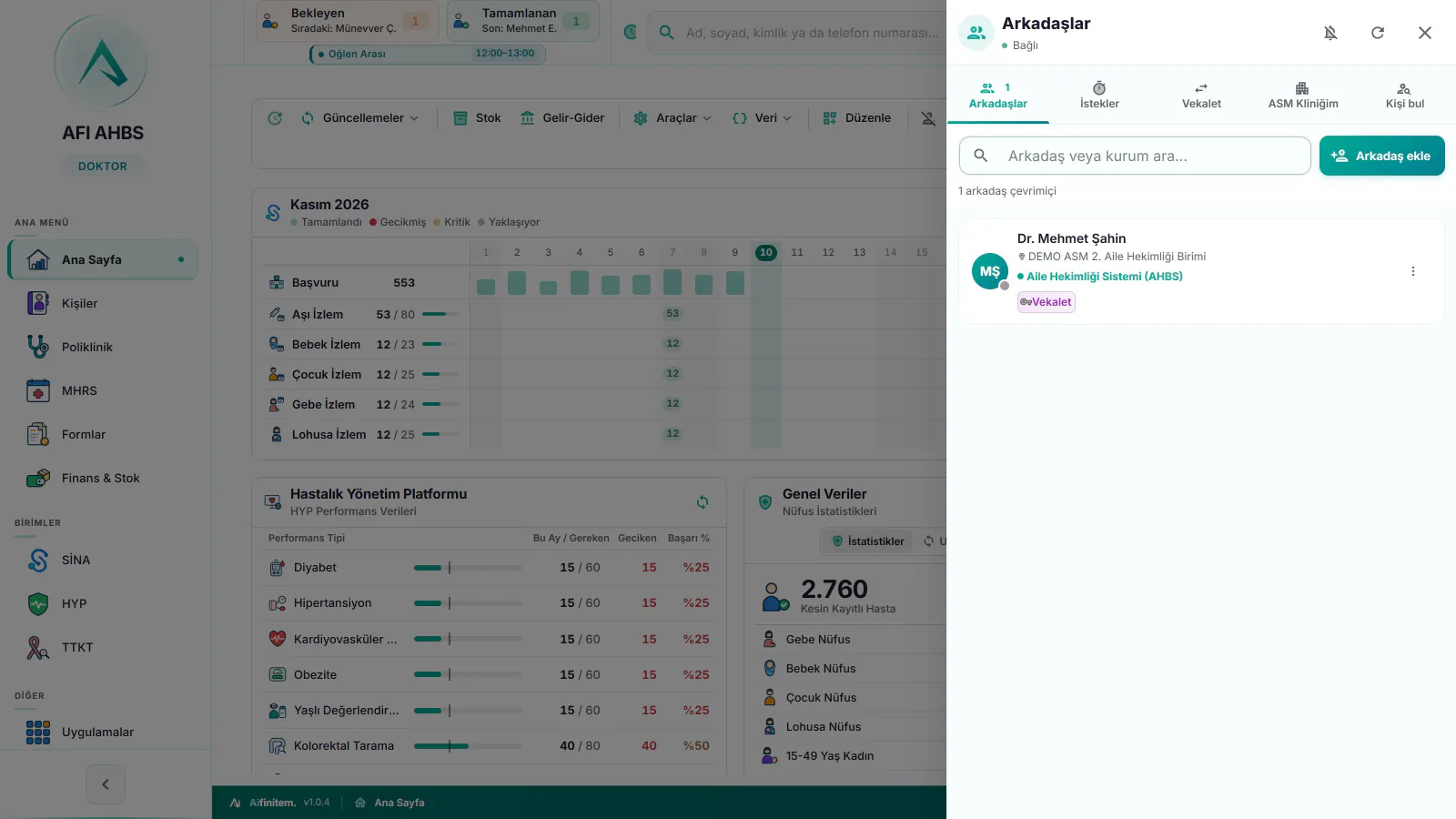
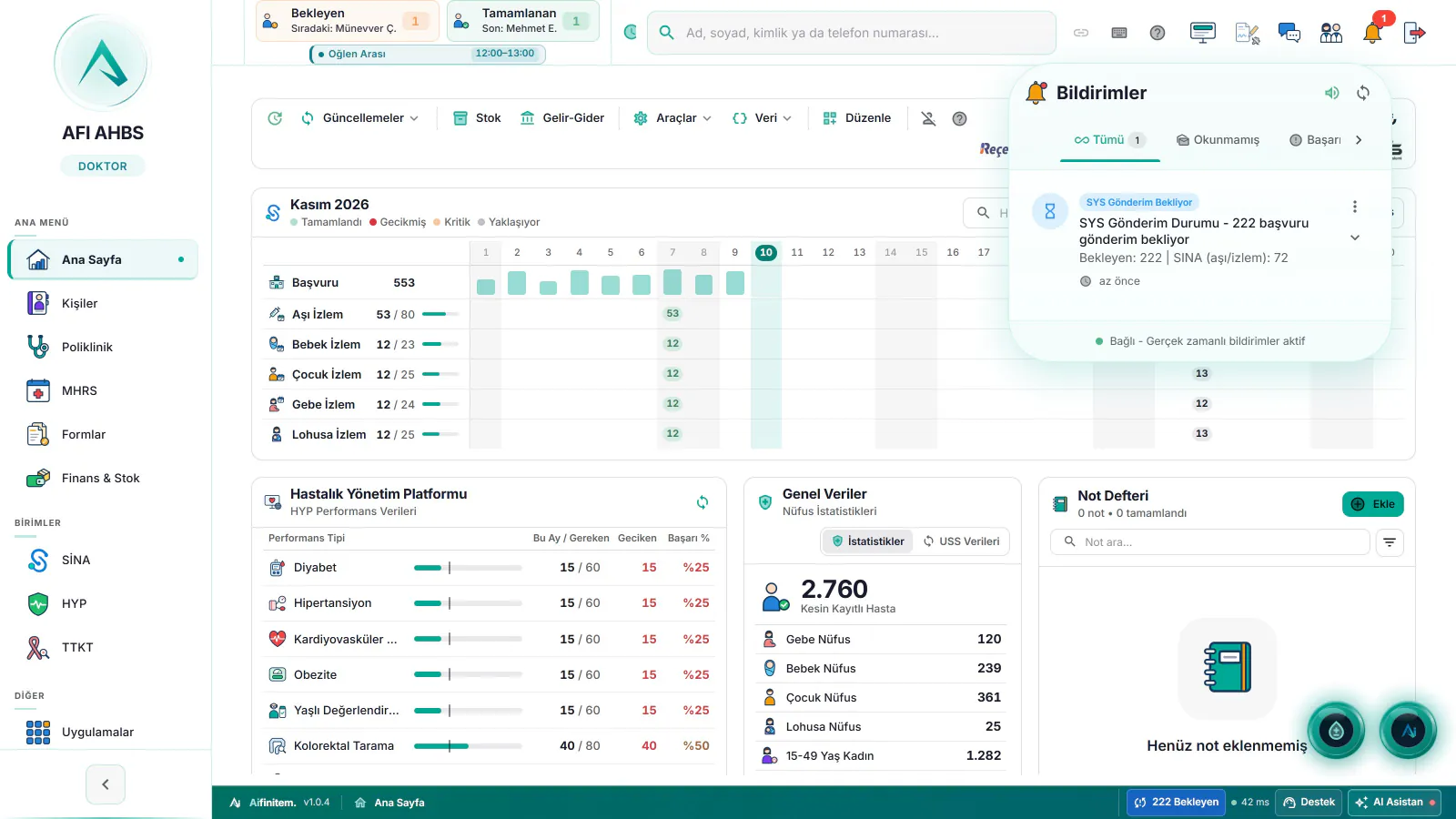
- Friends and delegation; notifications
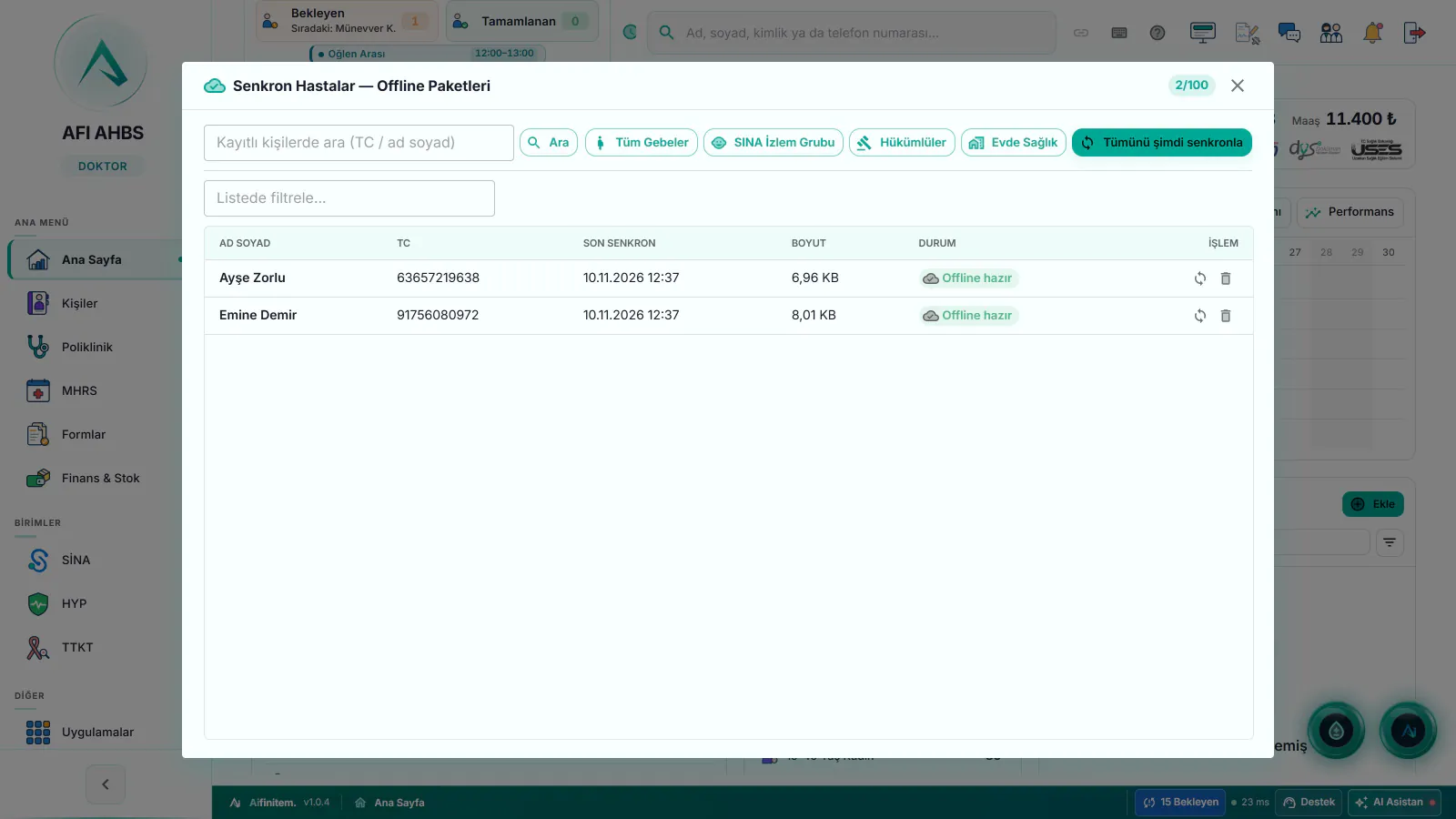
- Offline packages: encrypted on-device patient sync
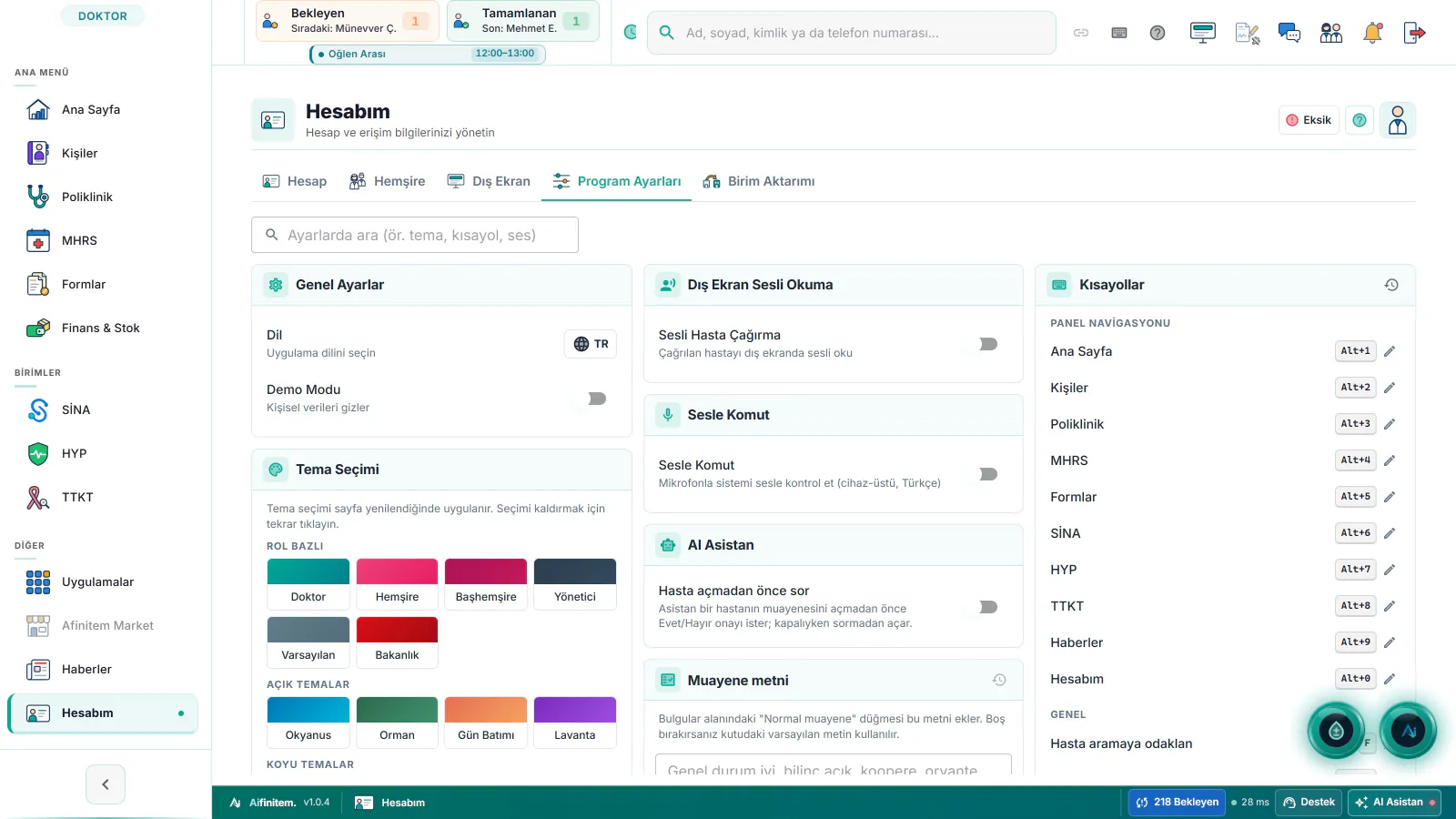
- Program settings: theme, voice calling, voice commands
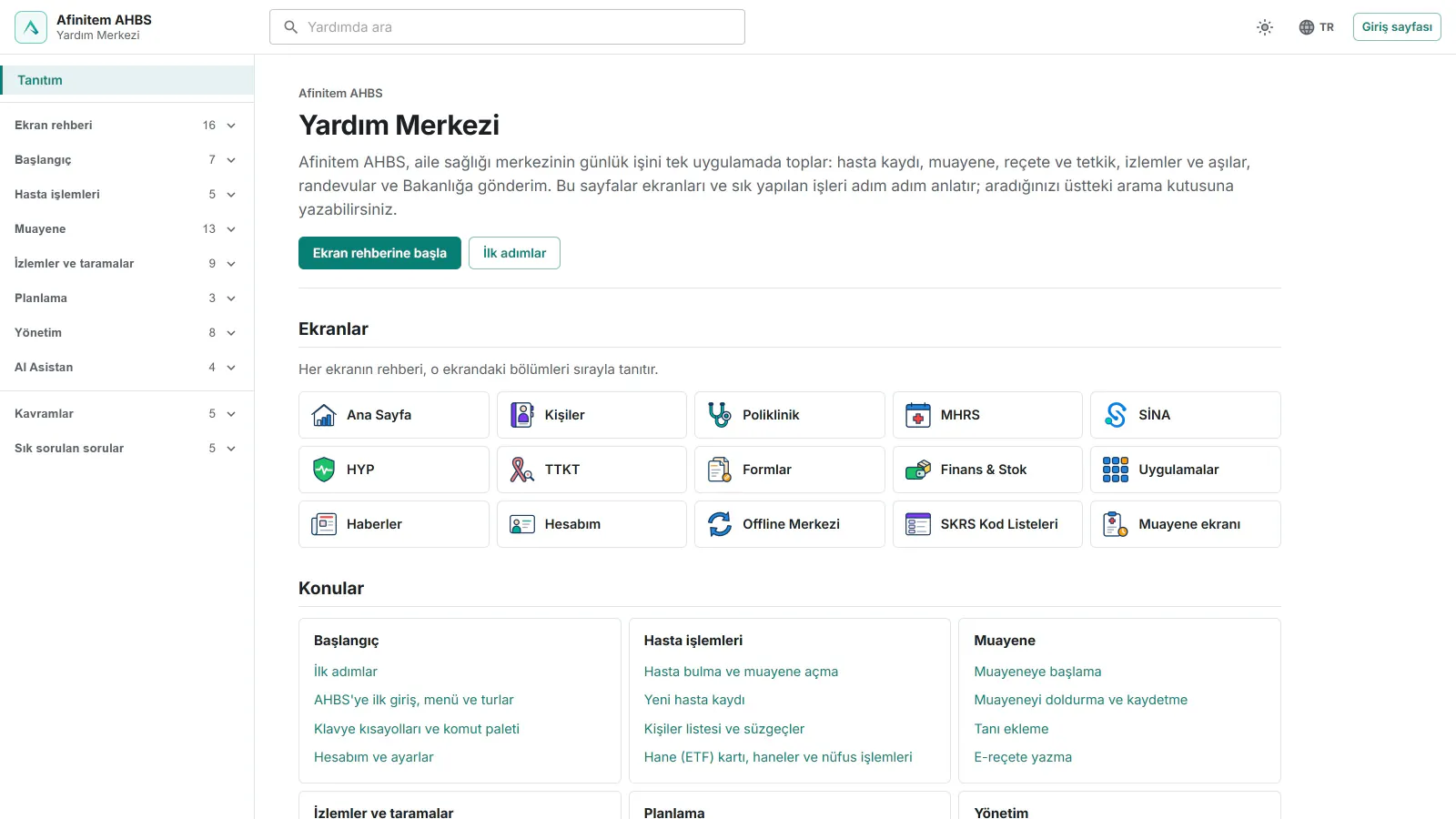
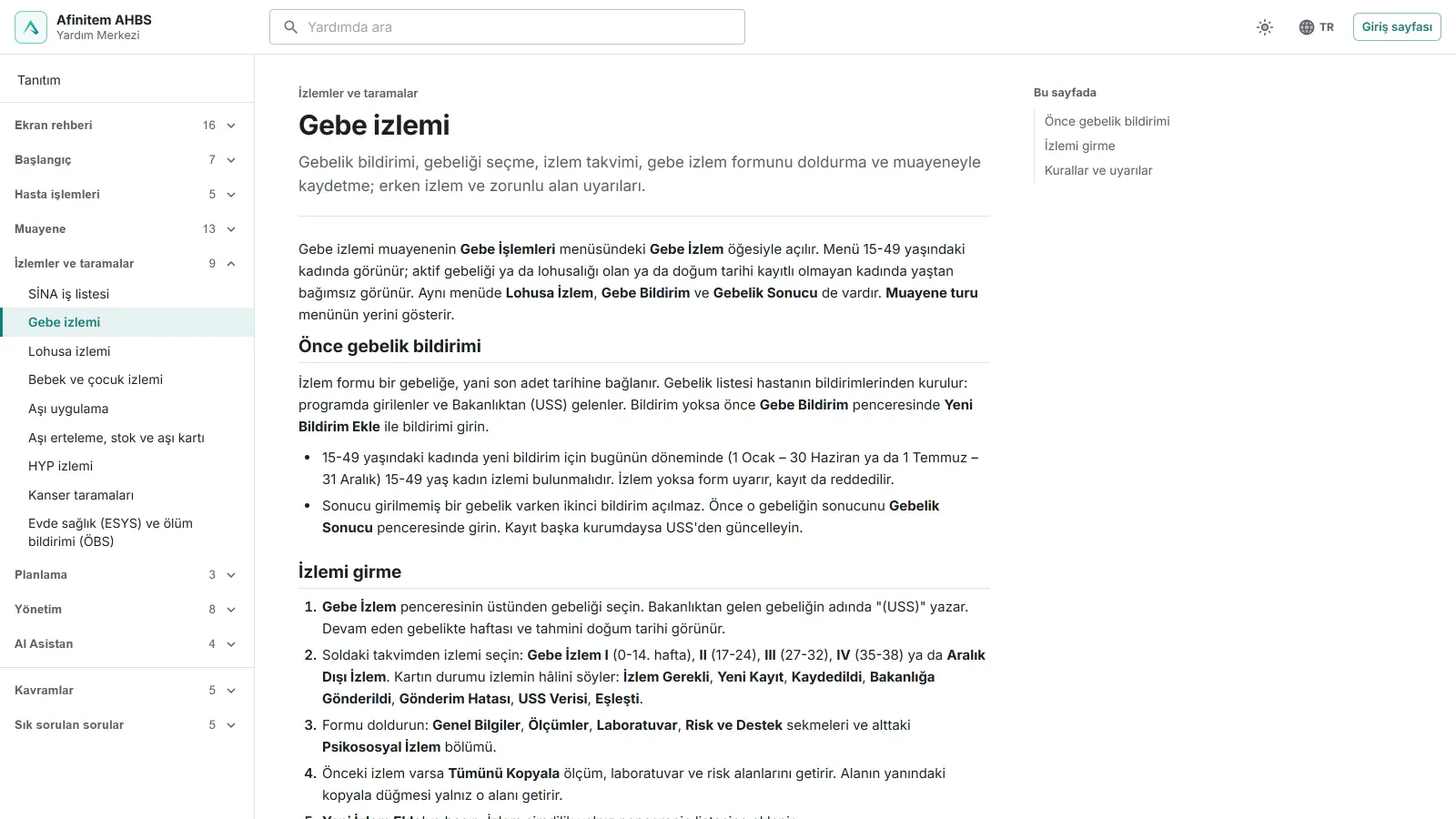
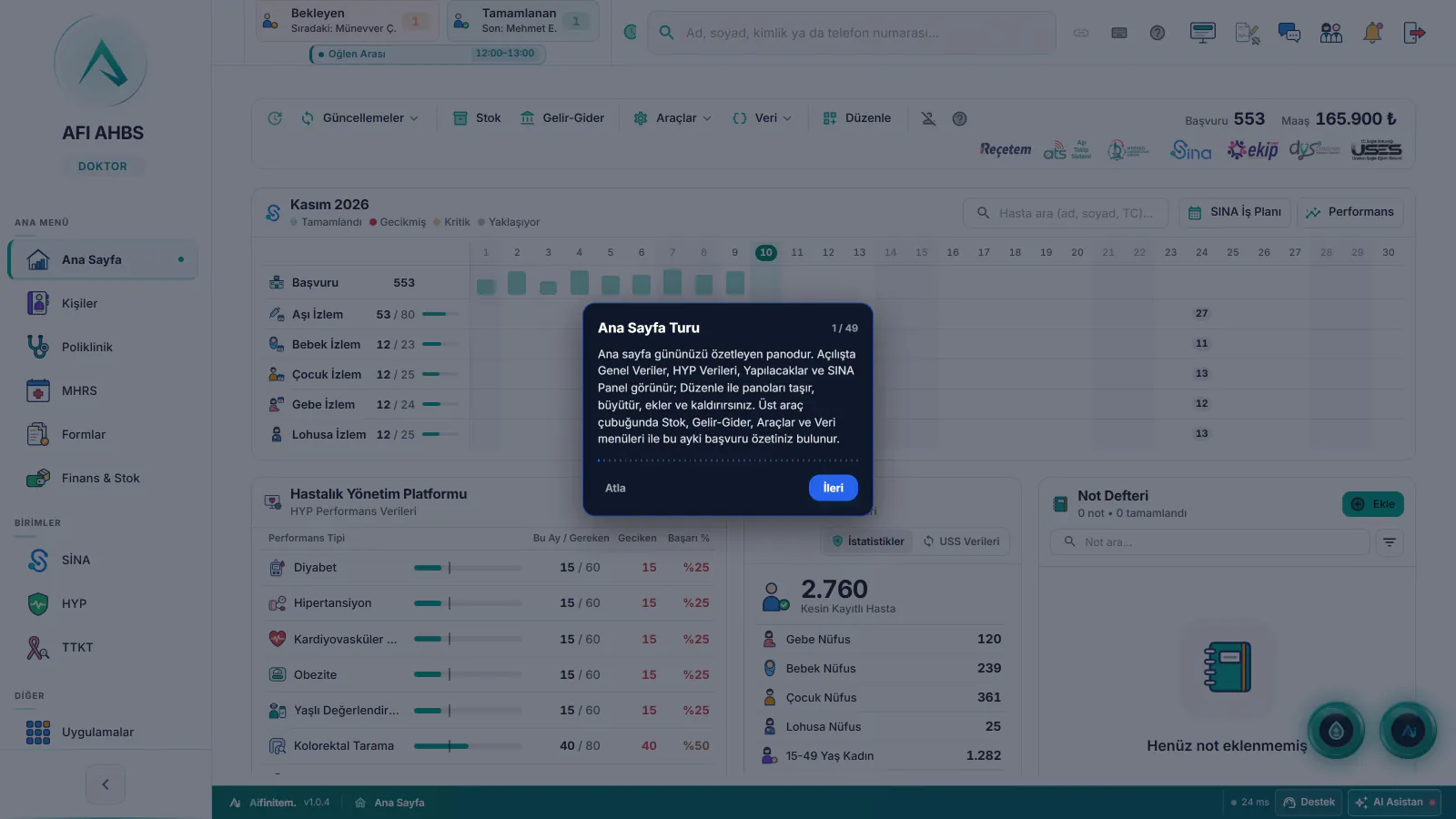
- In-app help center and screen tours
- Six languages, Arabic right-to-left
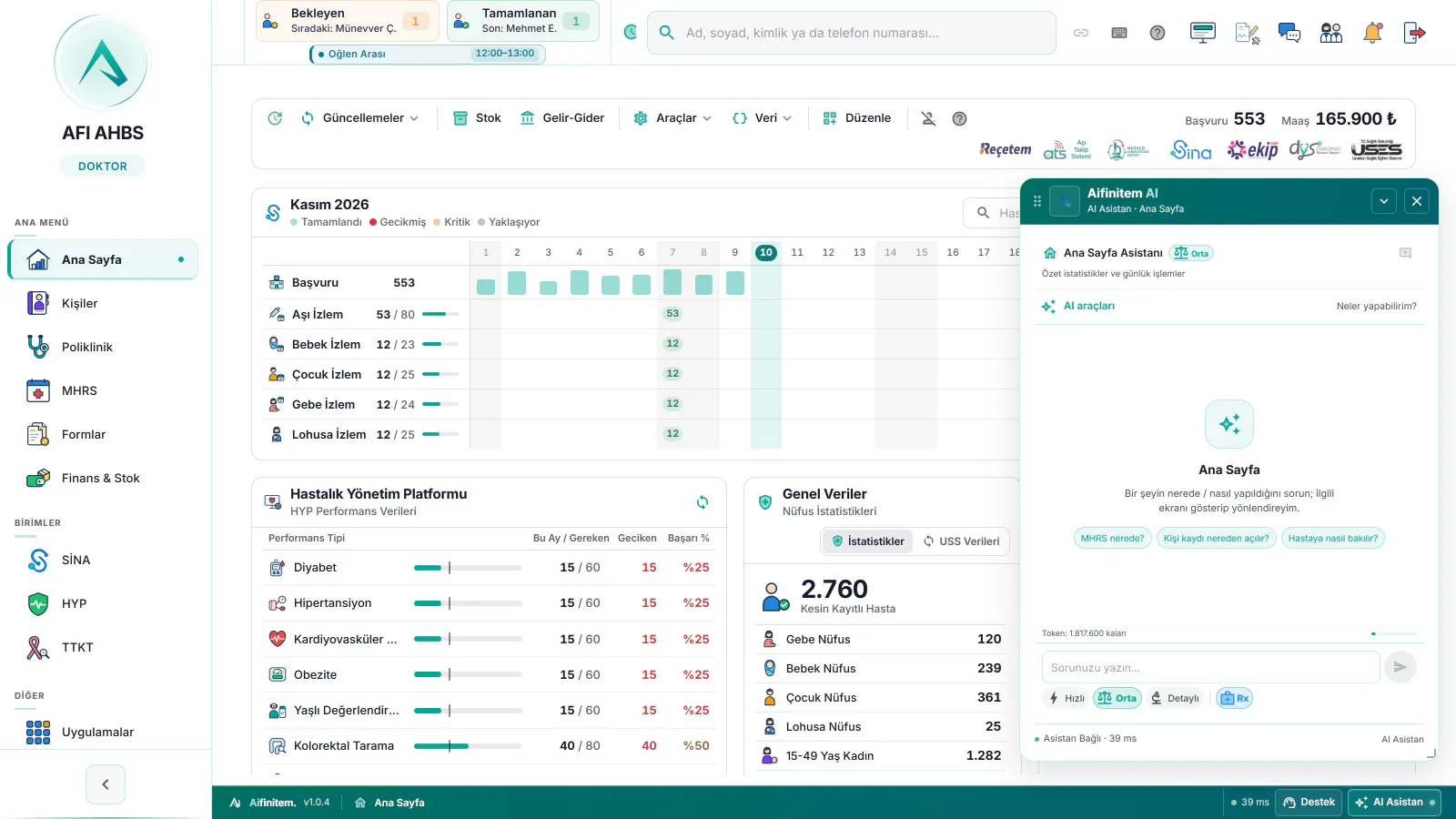
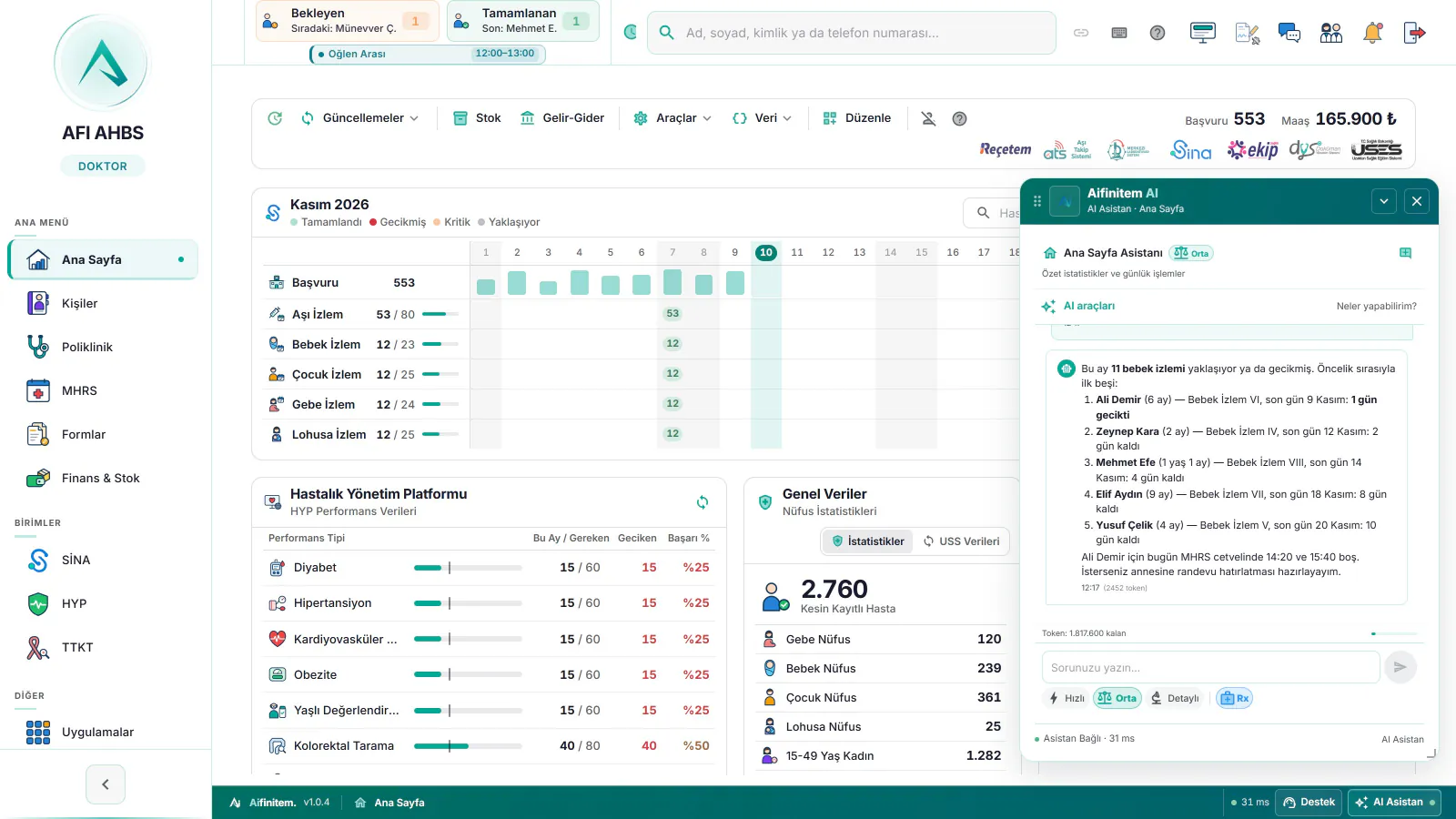
AI assistant
The assistant knows which screen is open; it accesses patient, follow-up and prescription data with the physician's permissions. The response shown in the images is an example.
 (open full size)
 (open full size)
Remote consultation
 (open full size)
 (open full size)
Command palette and shortcuts
 (open full size)
 (open full size)
Delegation and notifications
 (open full size)
 (open full size)
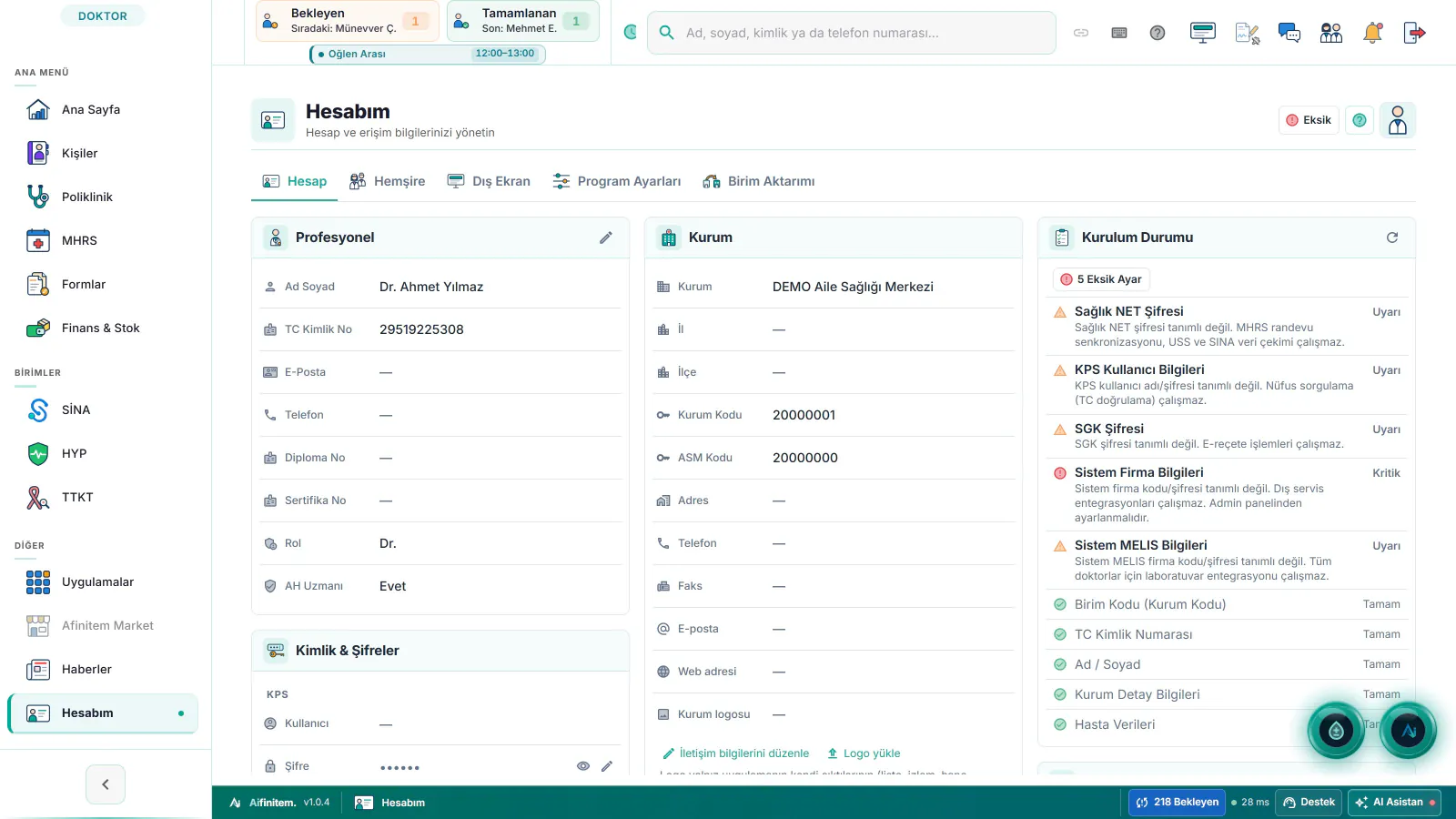
My account
 (open full size)
 (open full size)
Nurses and external display
 (open full size)
 (open full size)
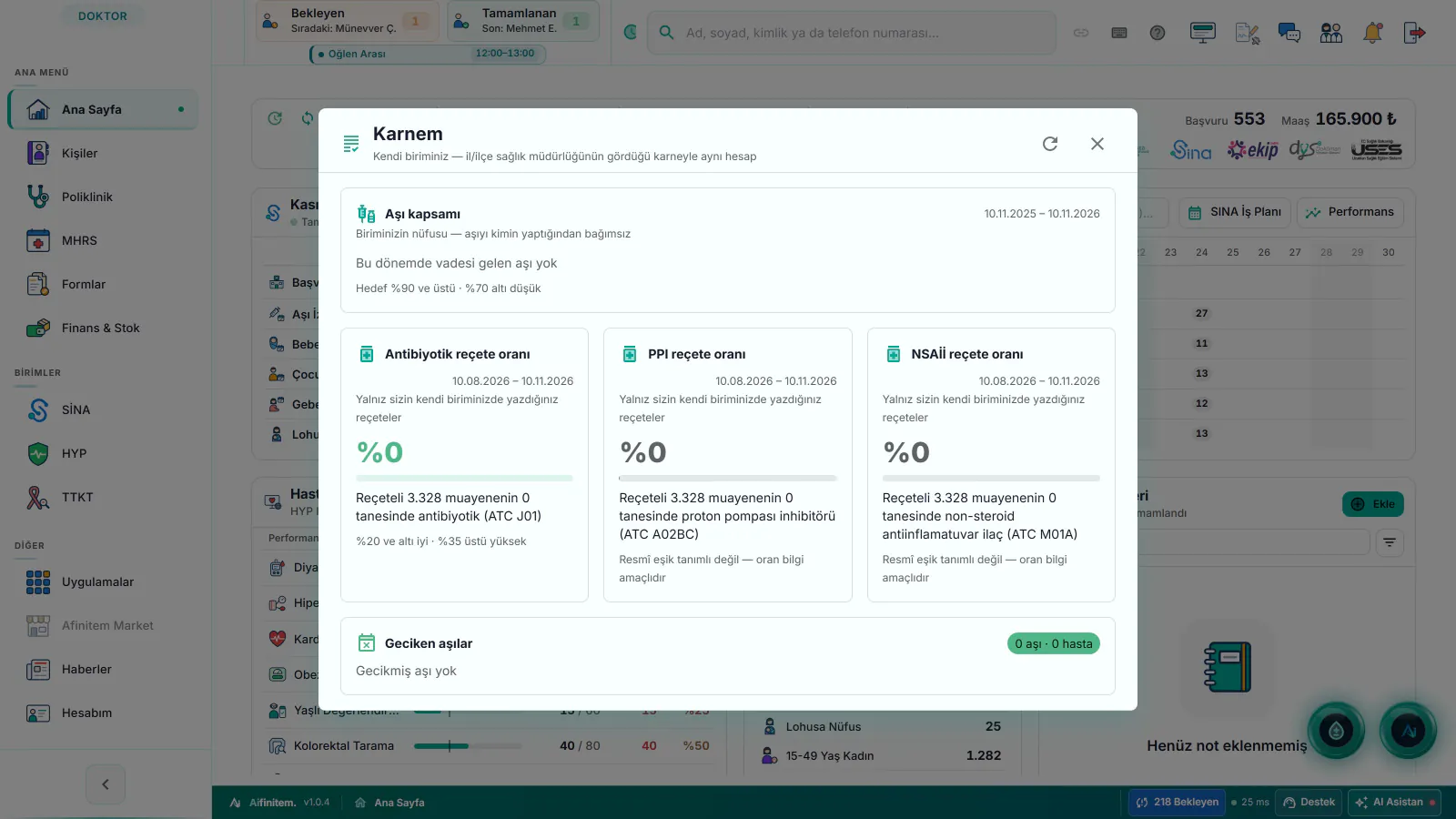
My scorecard and offline work
 (open full size)
 (open full size)
Help center
 (open full size)
 (open full size)
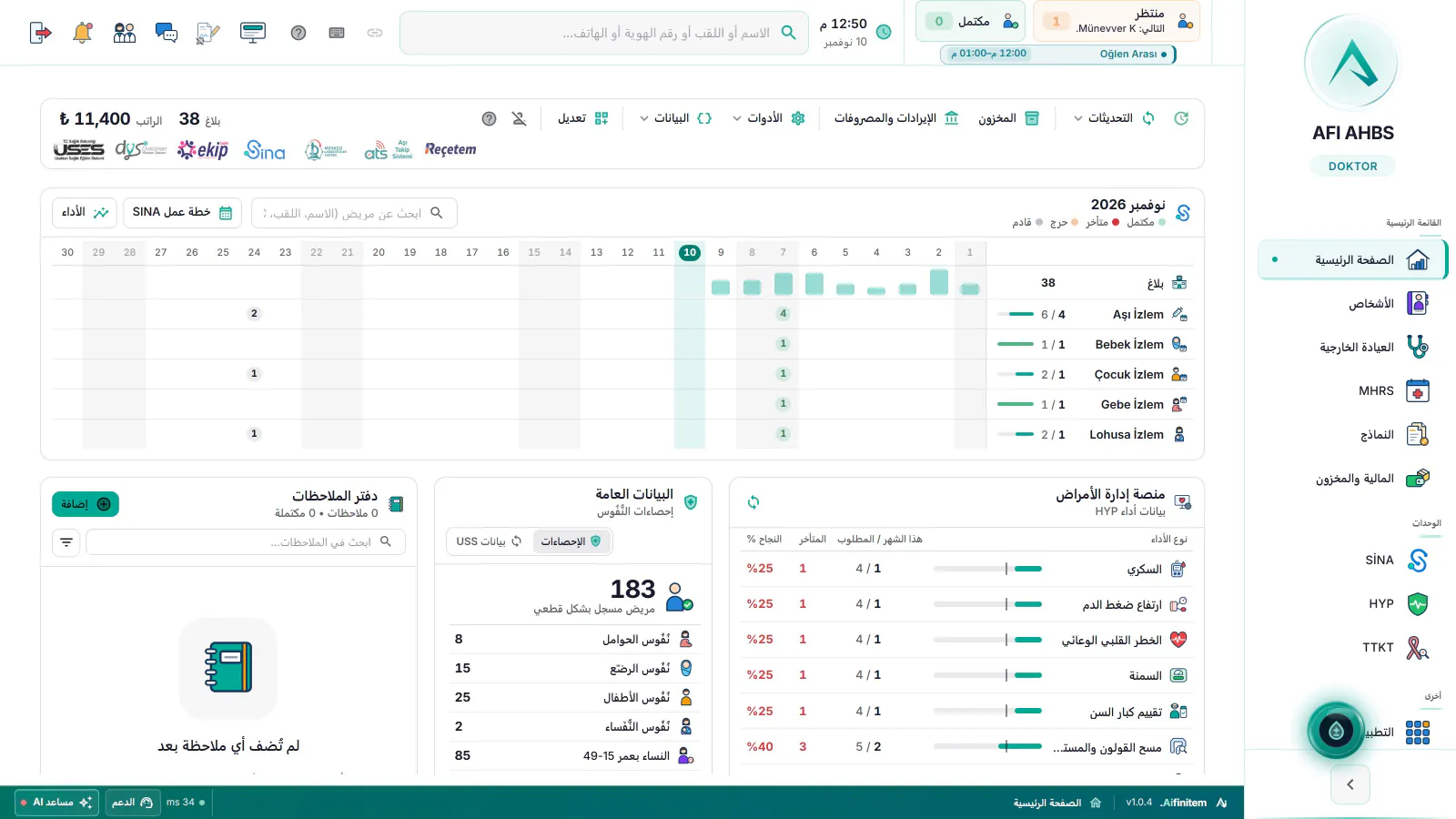
Screen tour and languages
 (open full size)
 (open full size)
The patient's own health record
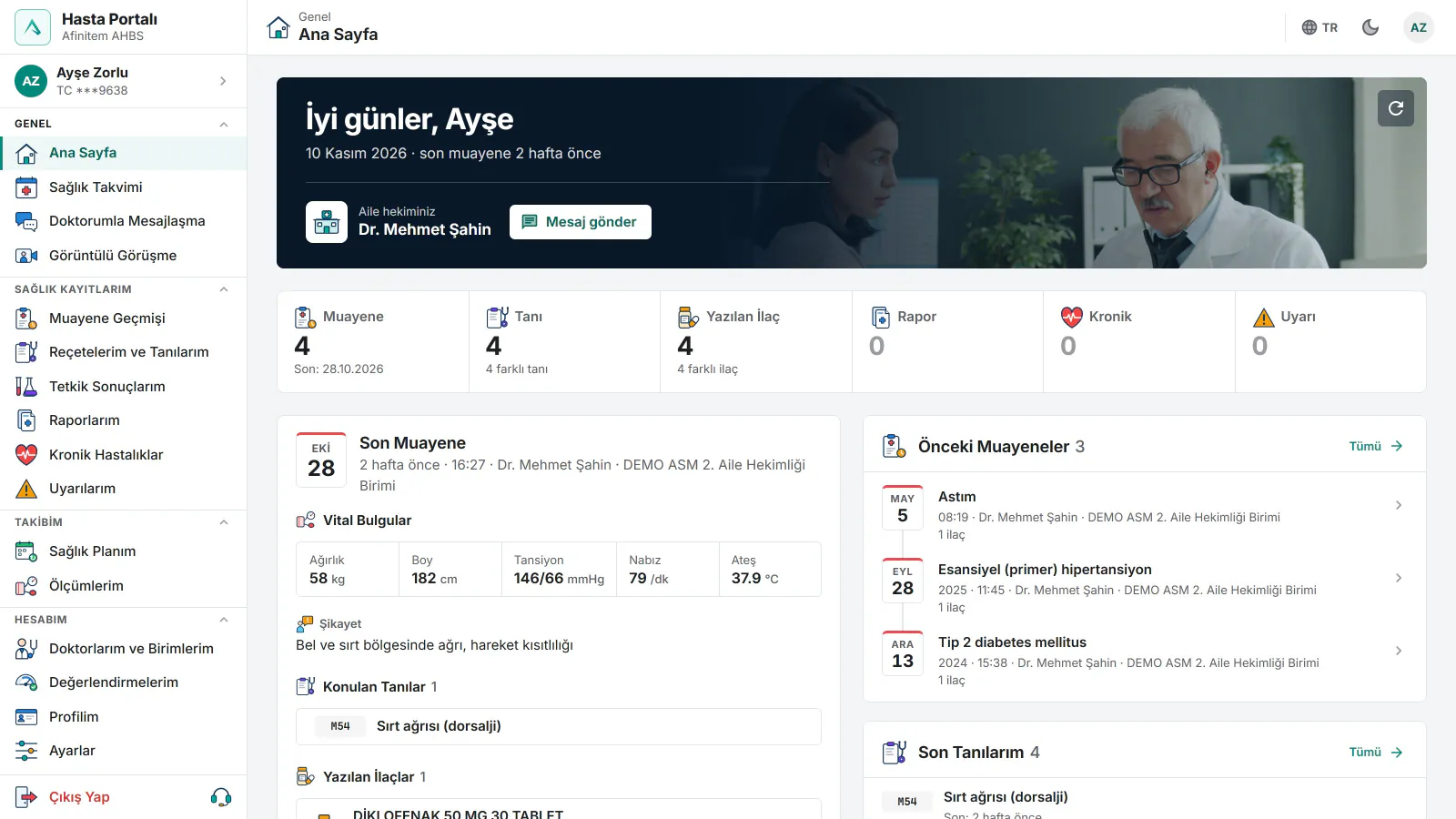
Patient portal
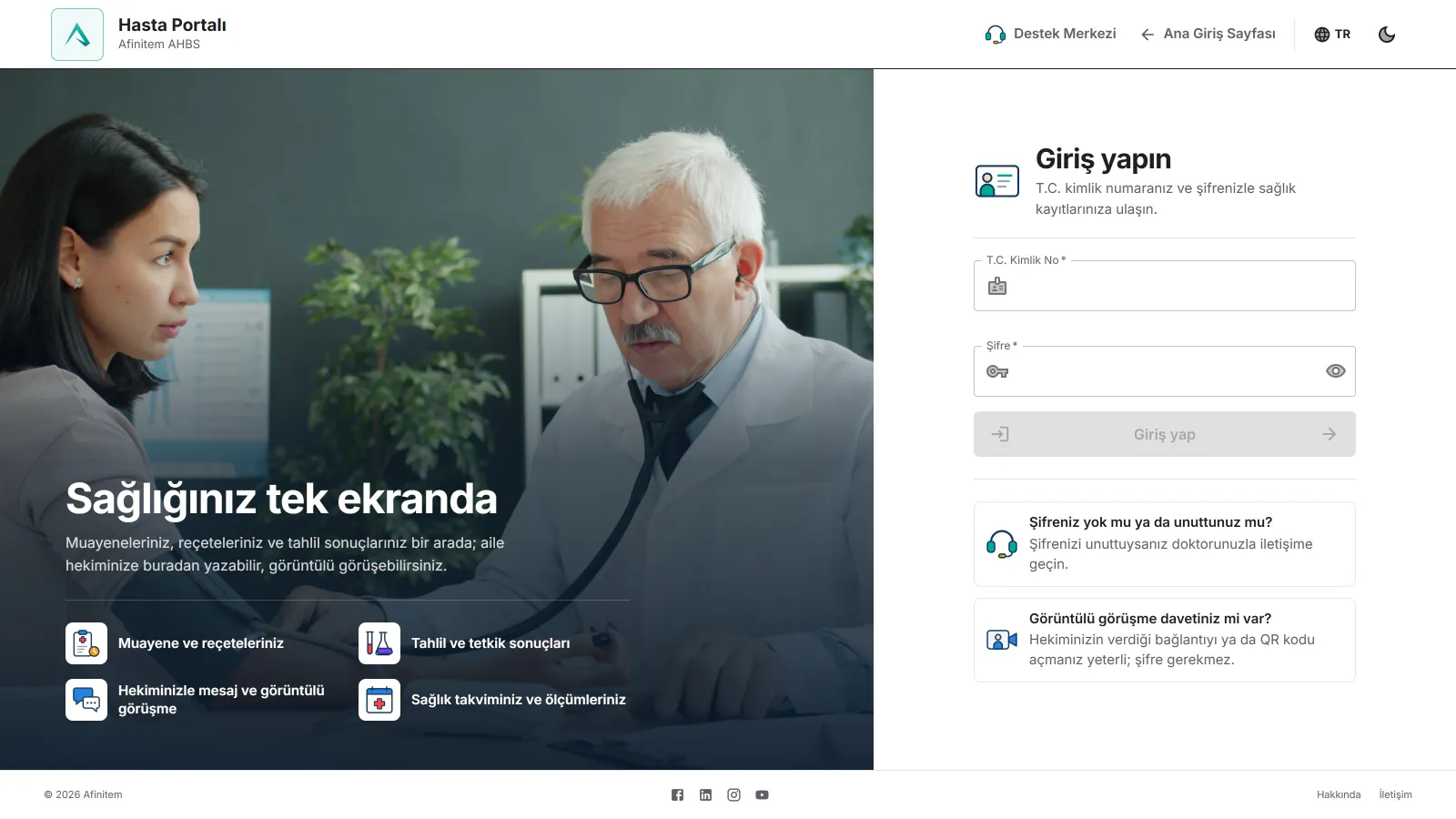
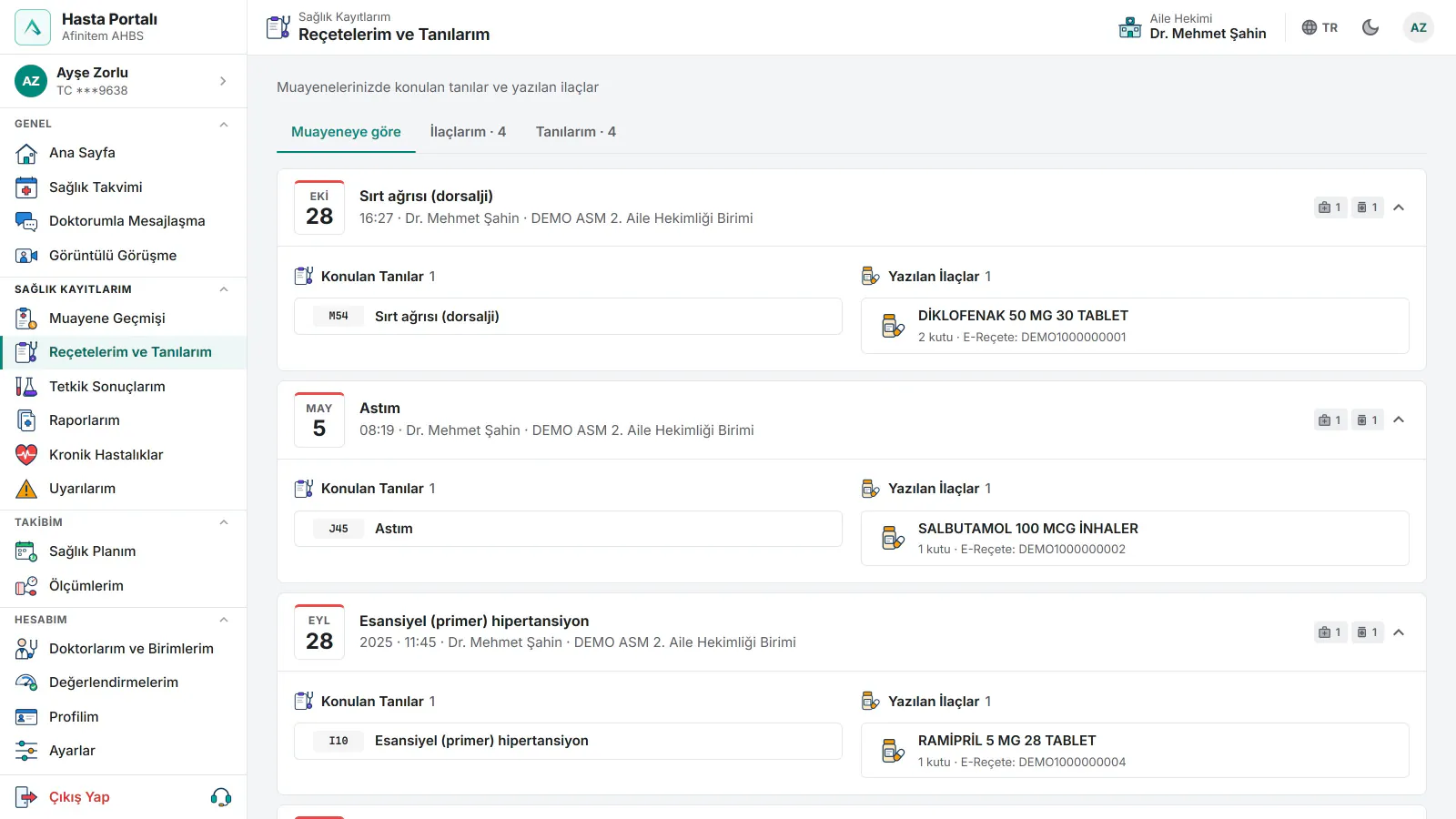
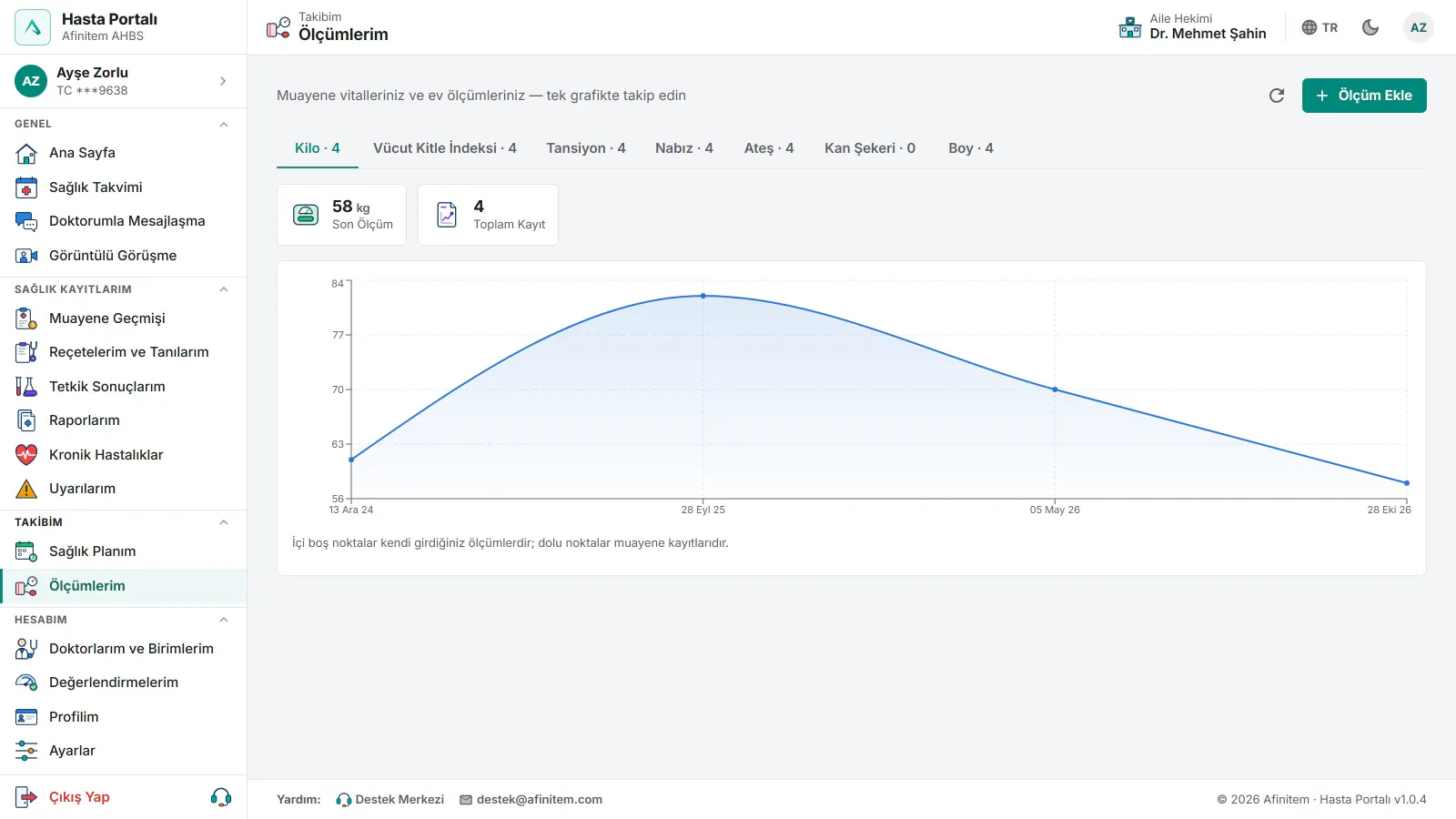
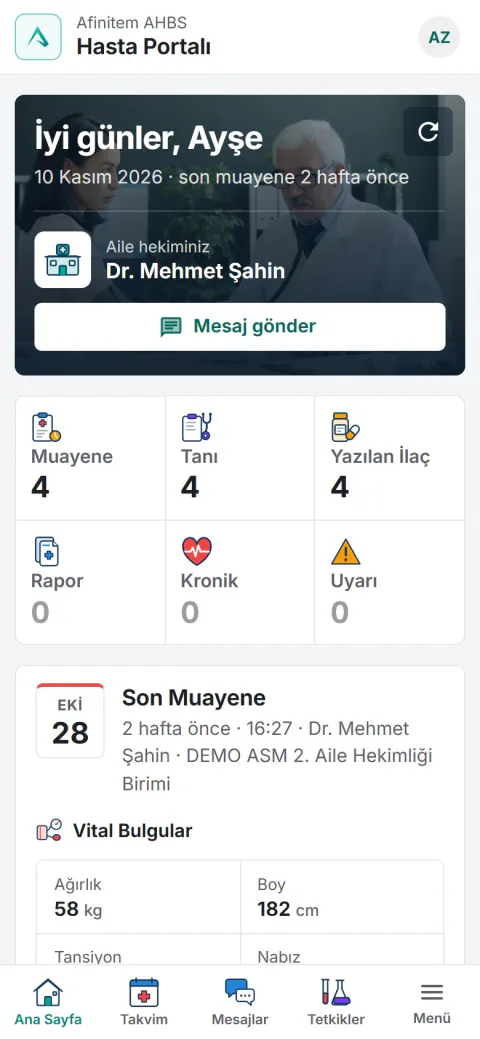
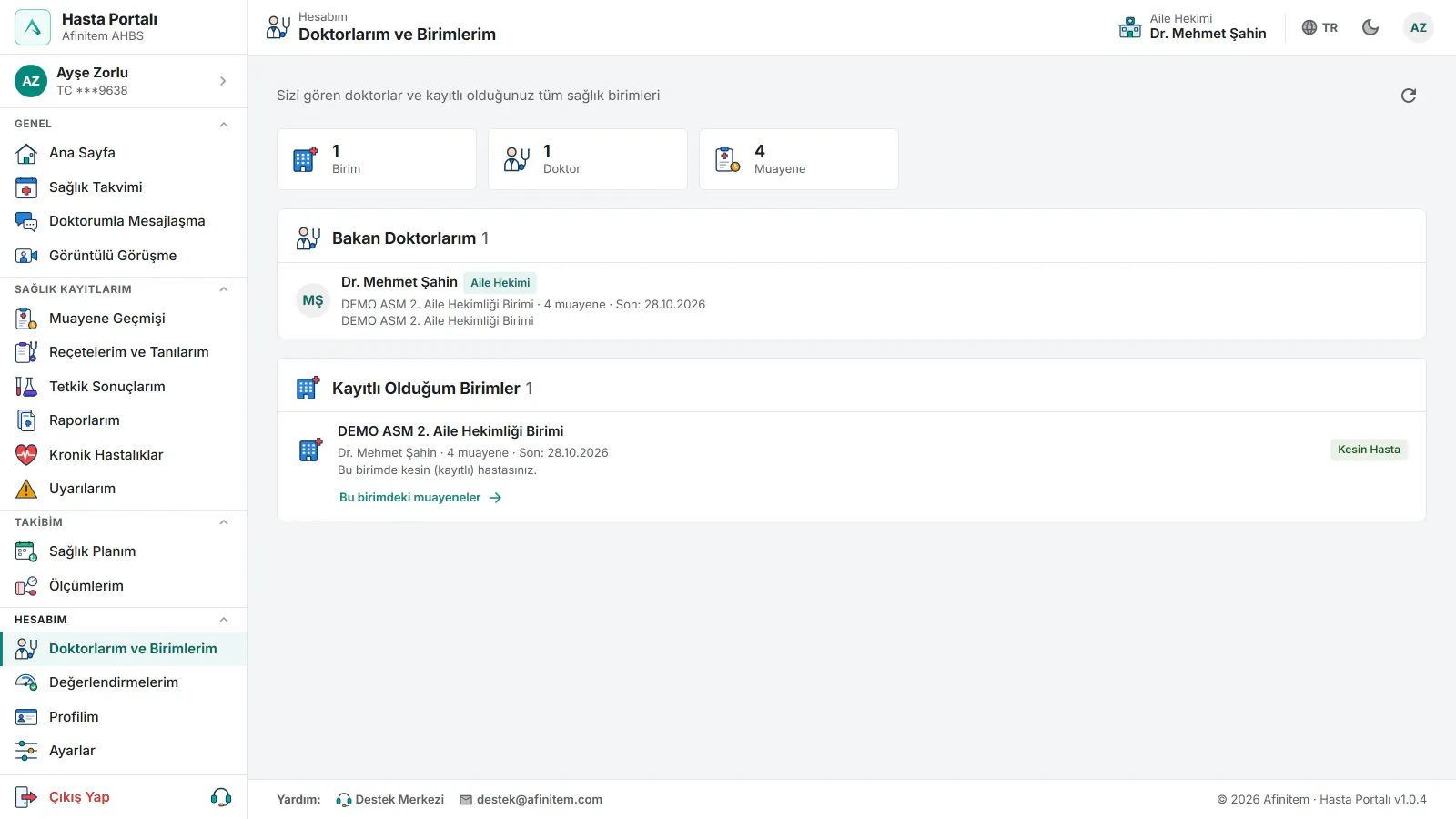
With an account opened by their family physician, patients see their examination history, diagnoses, prescriptions and tests; they enter their measurements, message their physician and join video calls. The messaging policy is under the physician's control.
- Dashboard: family physician, last examination, vital signs
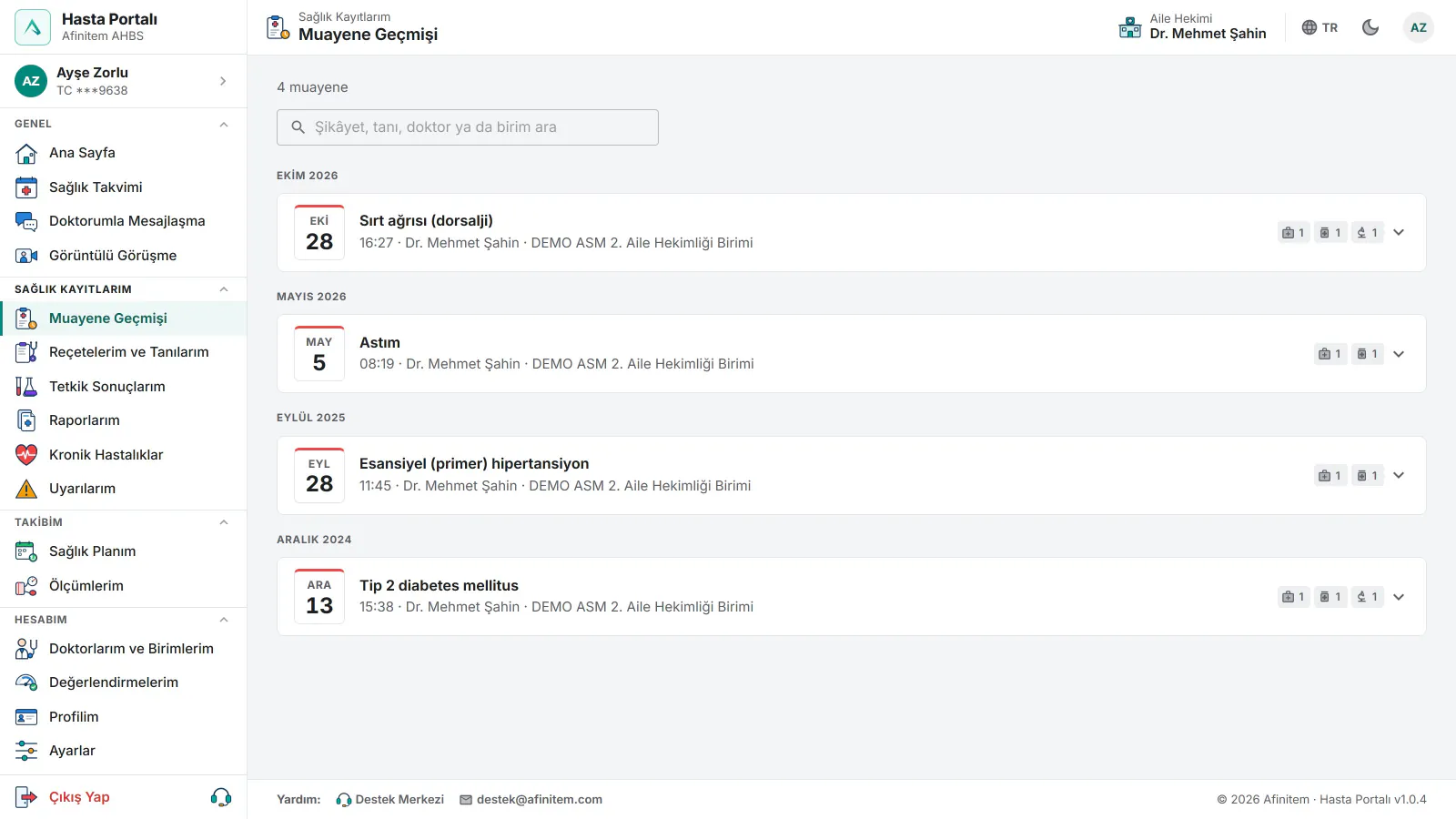
- Examination history, diagnoses and prescriptions
- My measurements: weight, blood pressure, pulse and temperature charts
- My health plan: medication, diet, reminders
- Video calls, password-free sign-in via an invitation link
- Bottom navigation layout for phones
 (open full size)
Sign-in and examination history
 (open full size)
 (open full size)
Prescriptions and measurements
 (open full size)
 (open full size)
Phone and my physicians
 (open full size)
 (open full size)
Province, district and system administration
Administration panel
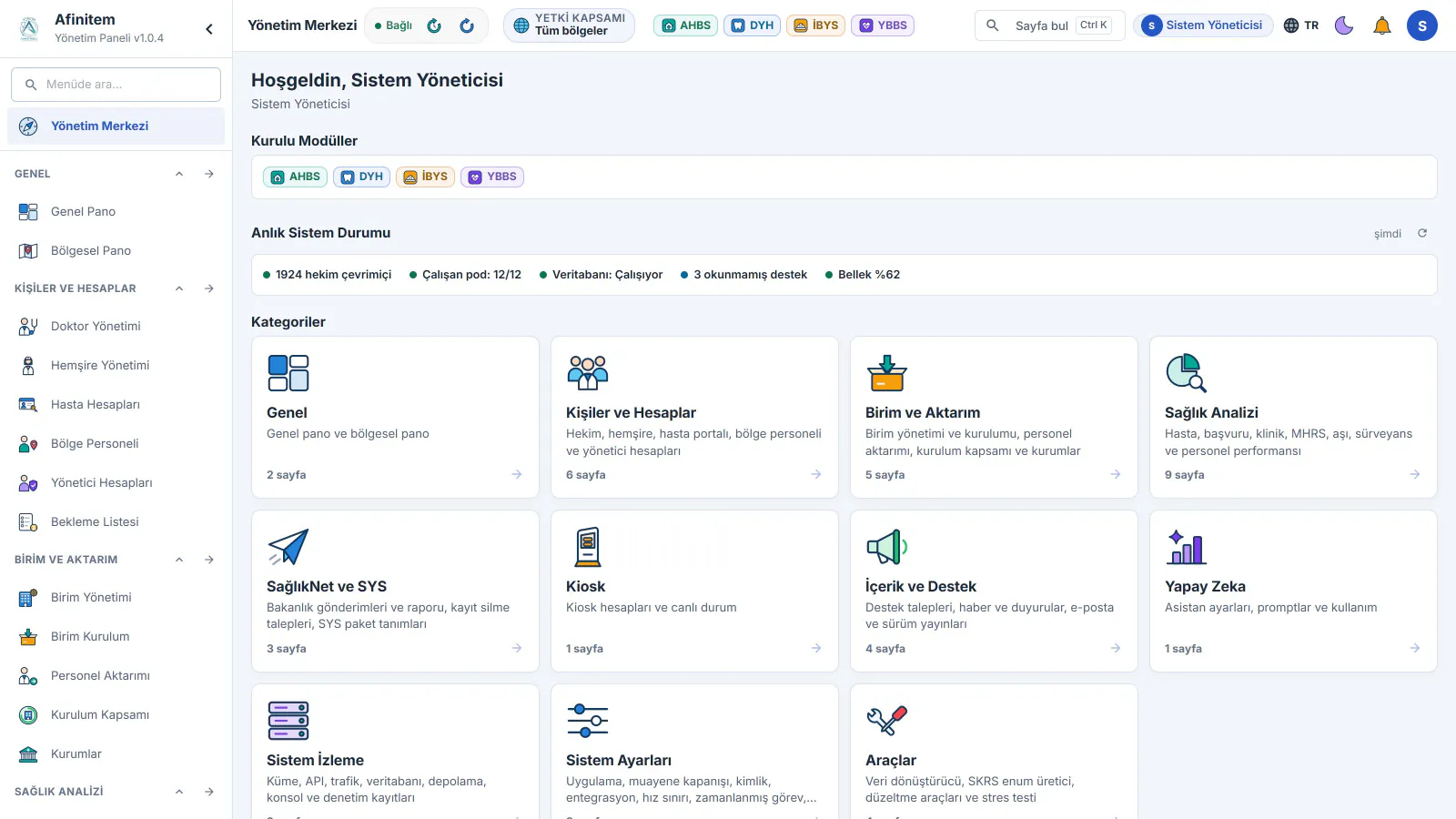
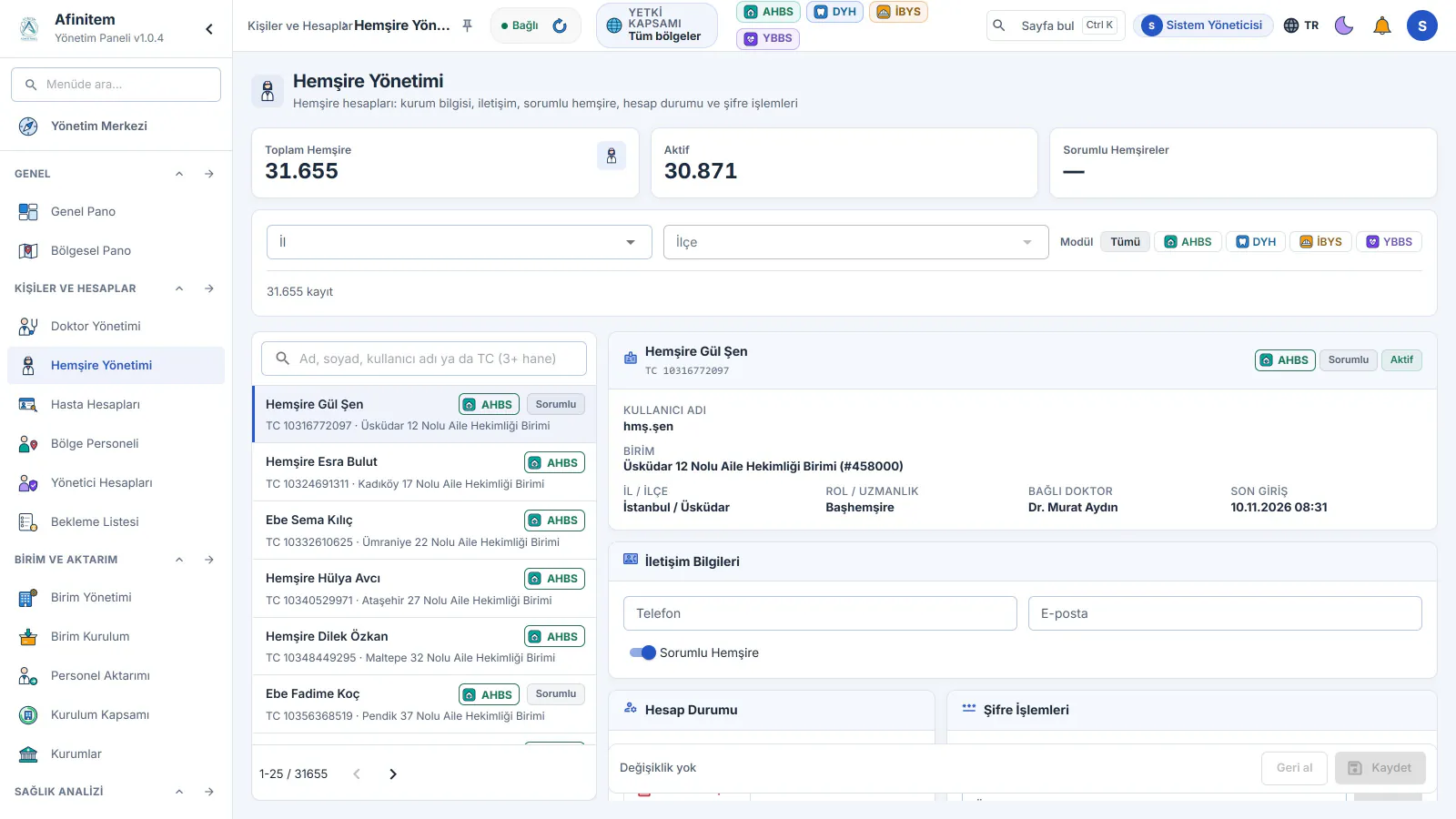
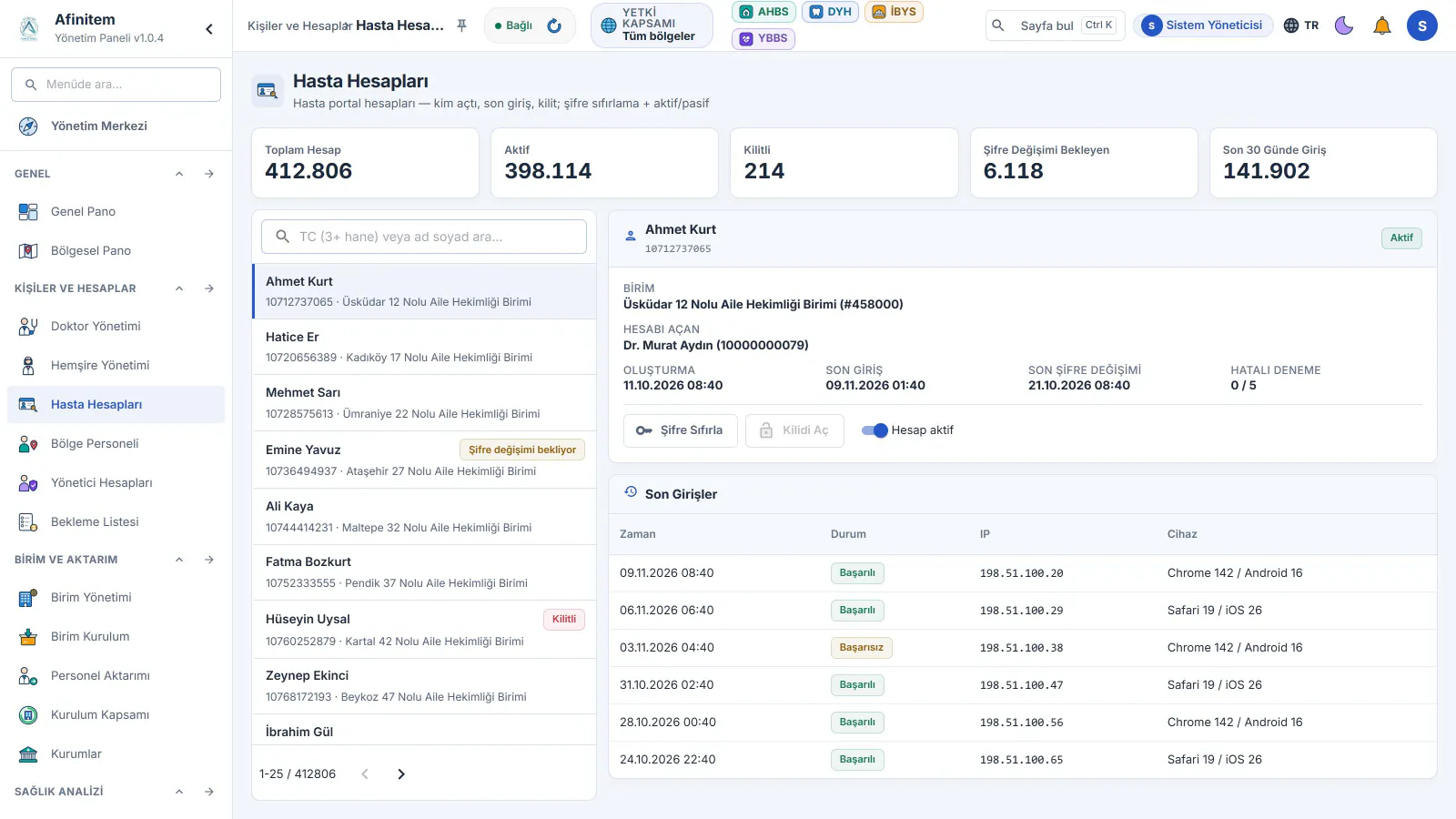
An administration panel with a separate sign-in for health directorates and system administrators. Each user sees only the pages they are authorized for, according to their role, region and module scope; pages are grouped under 11 categories.
- Role × permission × region × module authorization matrix
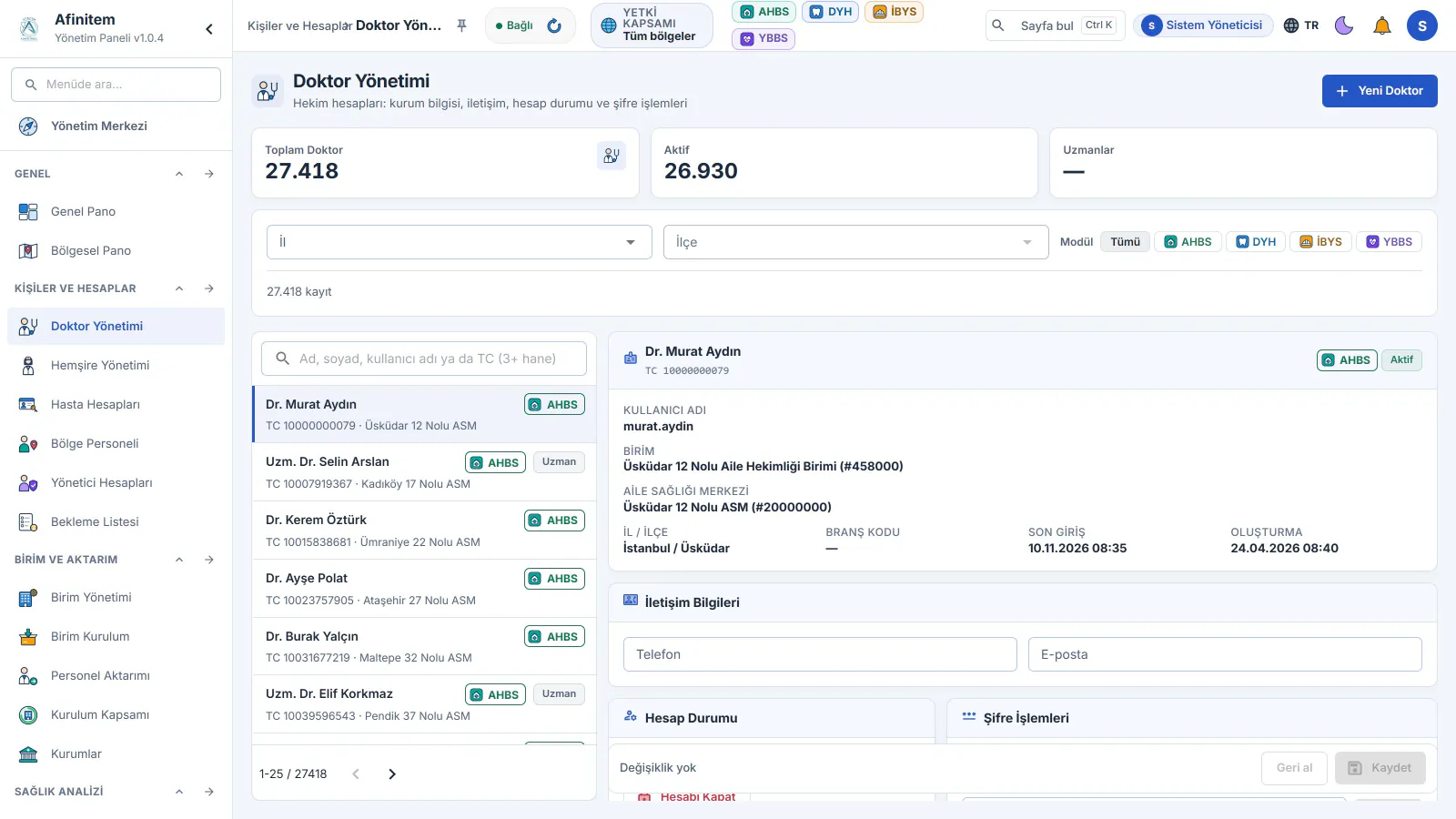
- Physician, nurse, patient account and administrator management
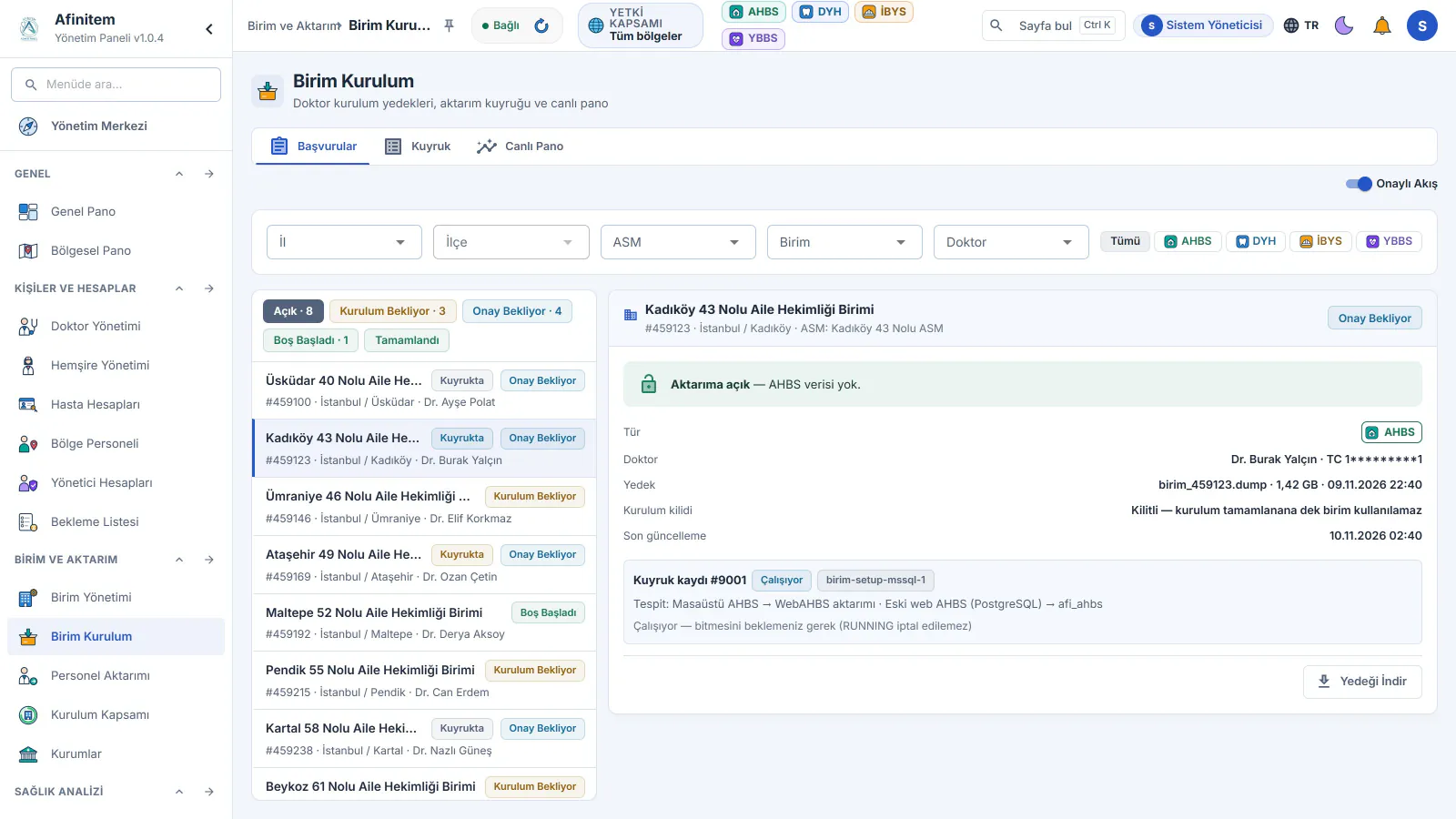
- Unit setup, module assignment and staff transfer
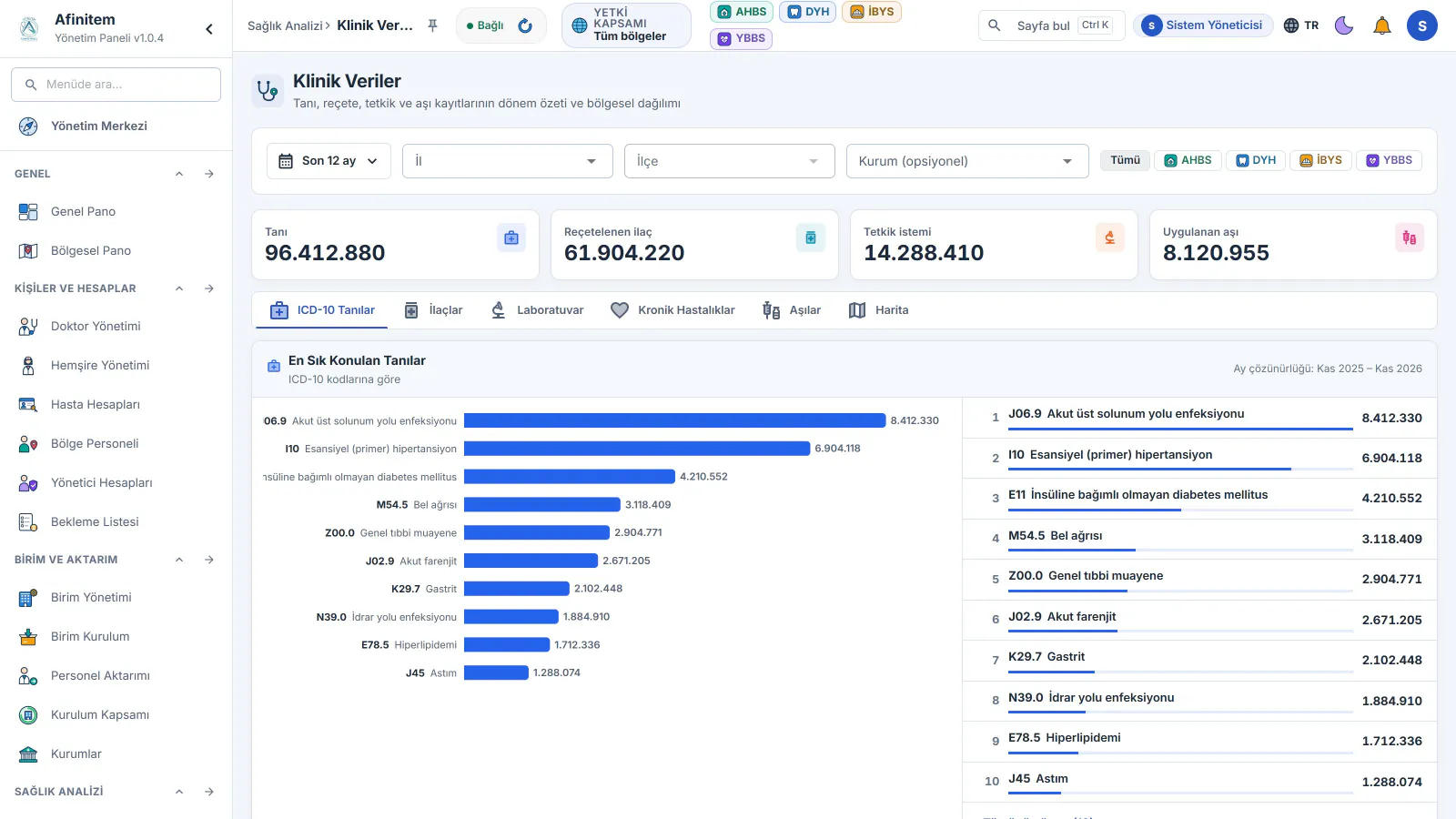
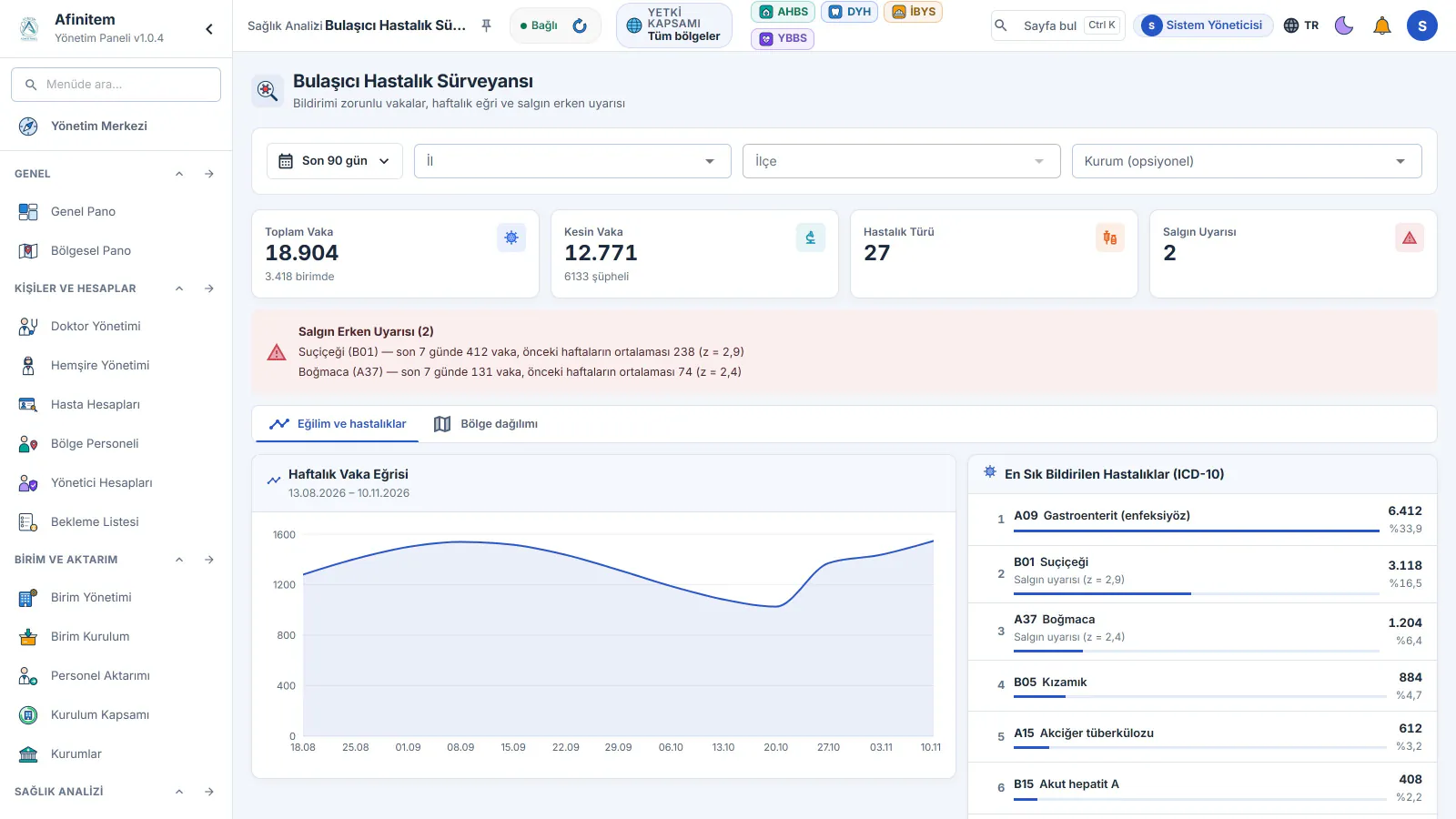
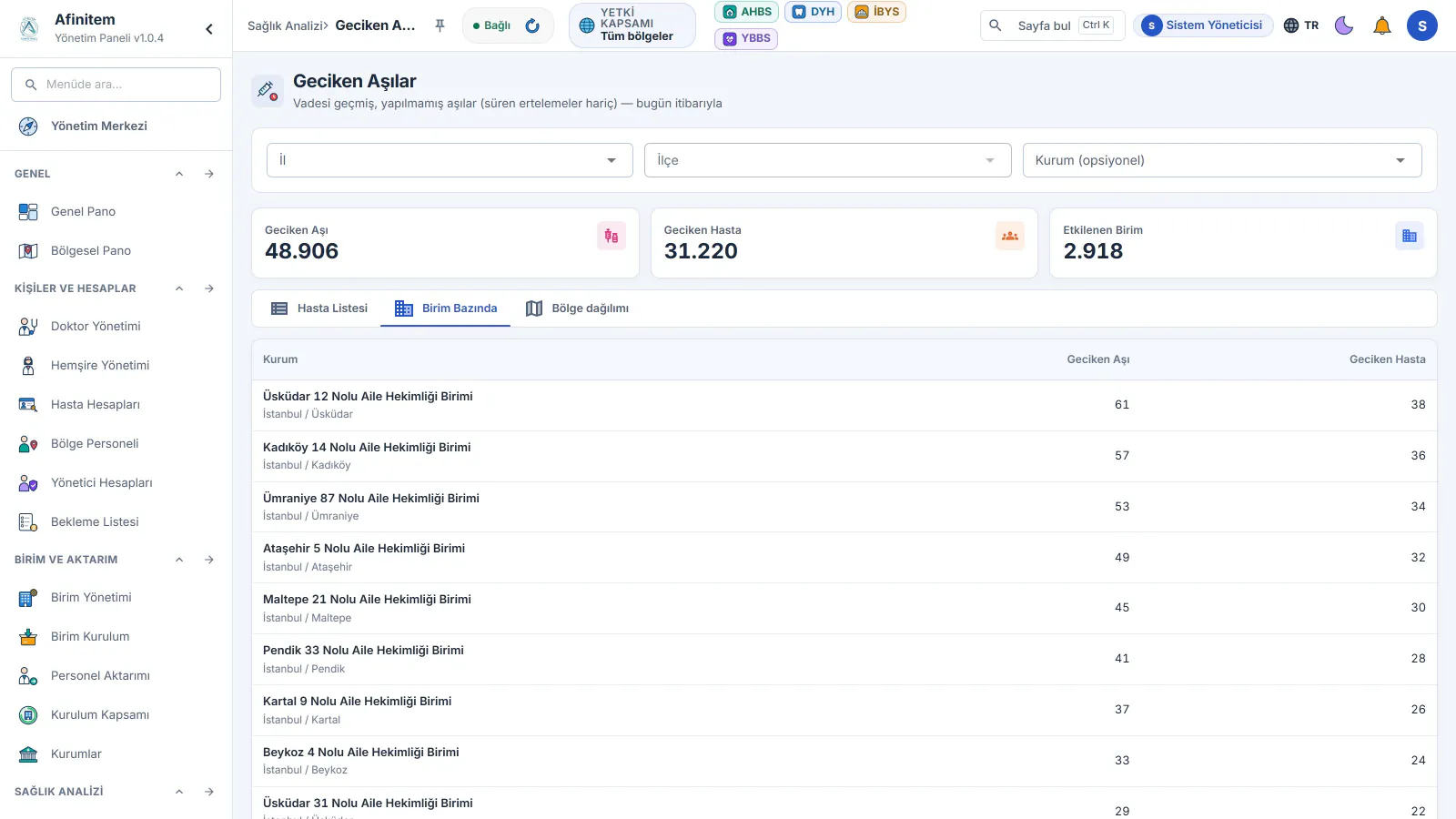
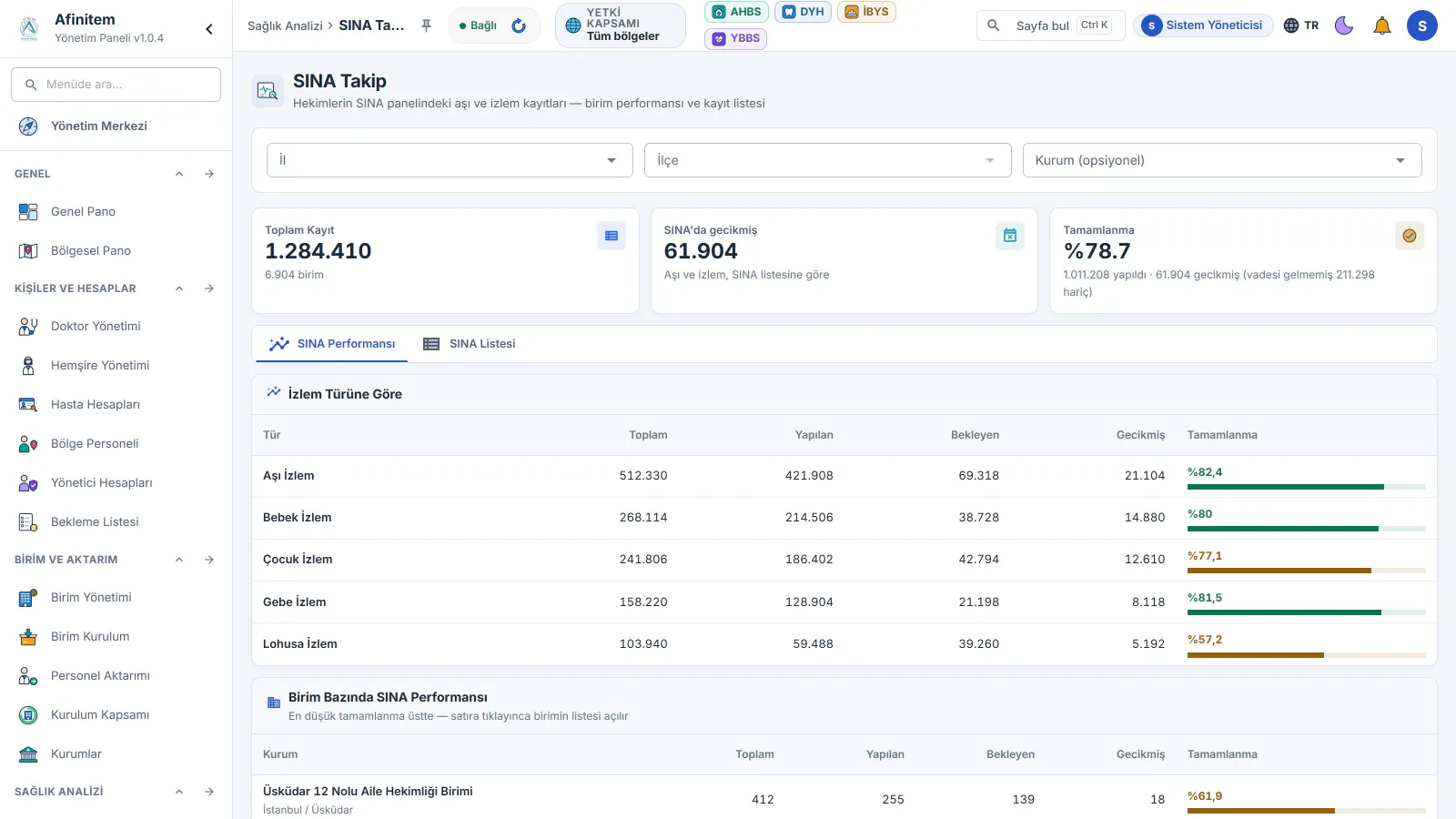
- Clinical analytics, surveillance, vaccination and SİNA tracking
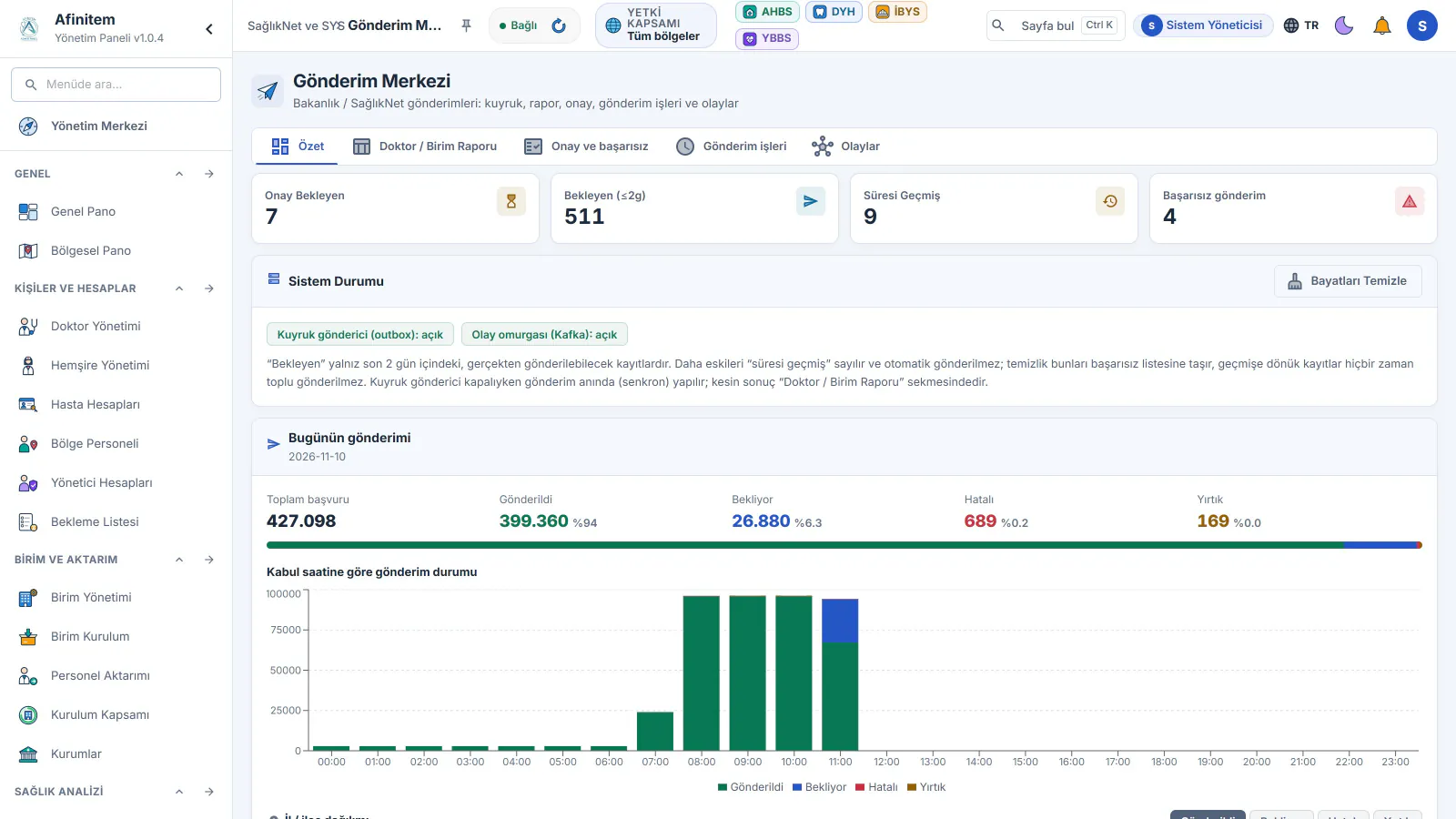
- SağlıkNet submission center and SYS package engine
- Kiosk center, content and support requests
- Two-step verification and IP restriction
 (open full size)
General dashboard
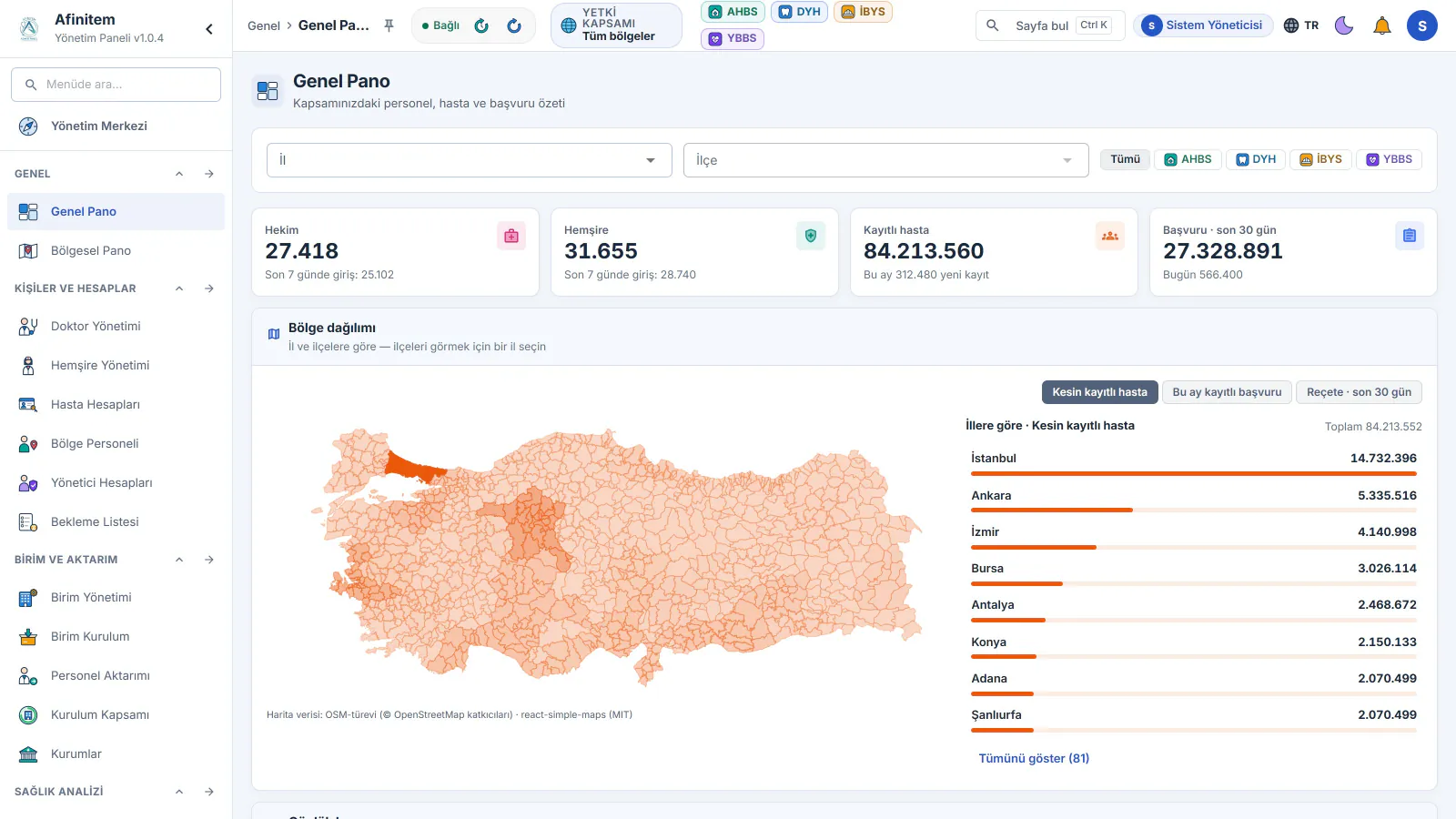
Physician, nurse, registered patient and visit indicators; a distribution map by province. A regional administrator sees only their own province.
 (open full size)
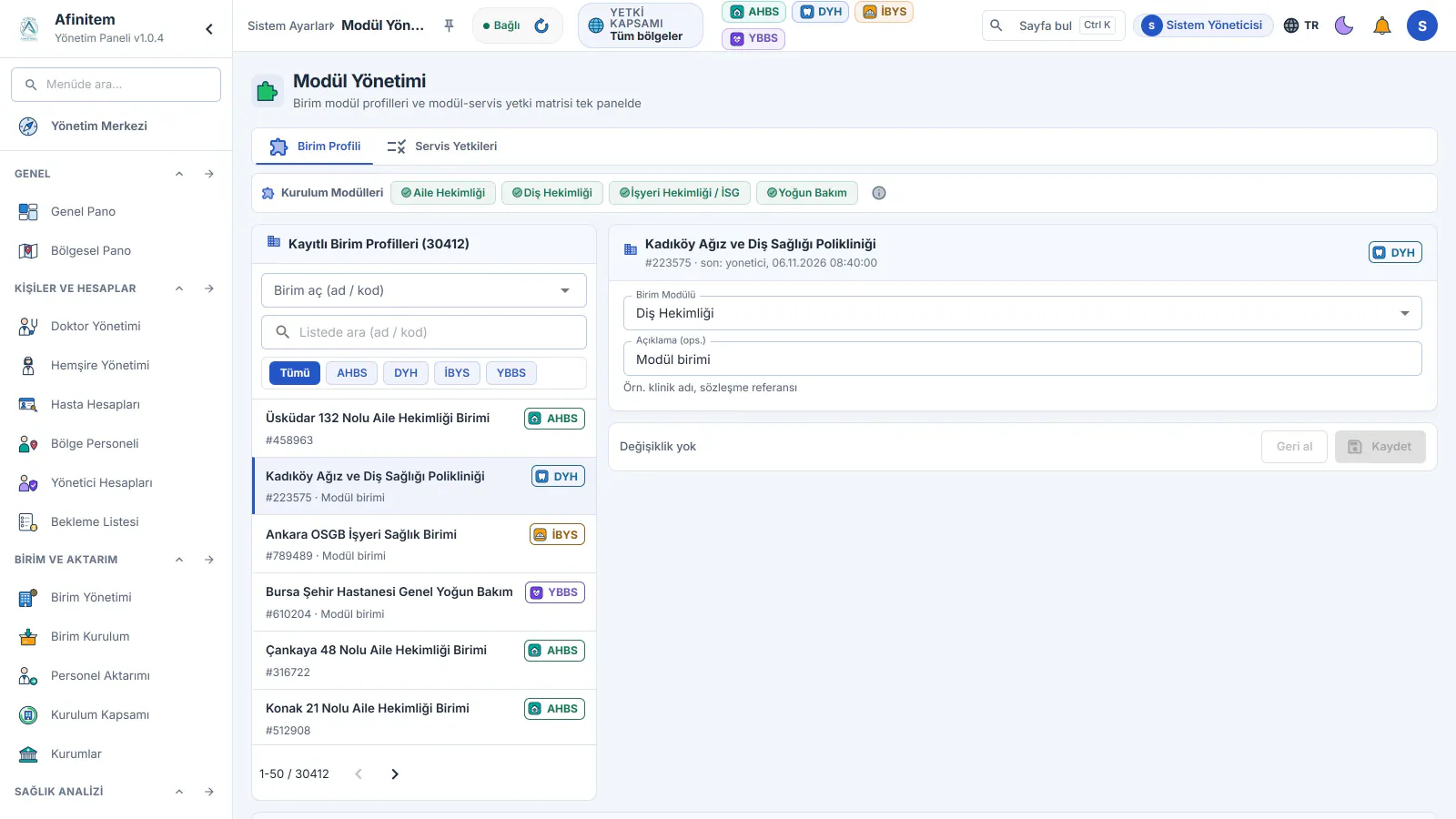
Module management and Ministry submission
 (open full size)
 (open full size)
Kiosk and API monitoring
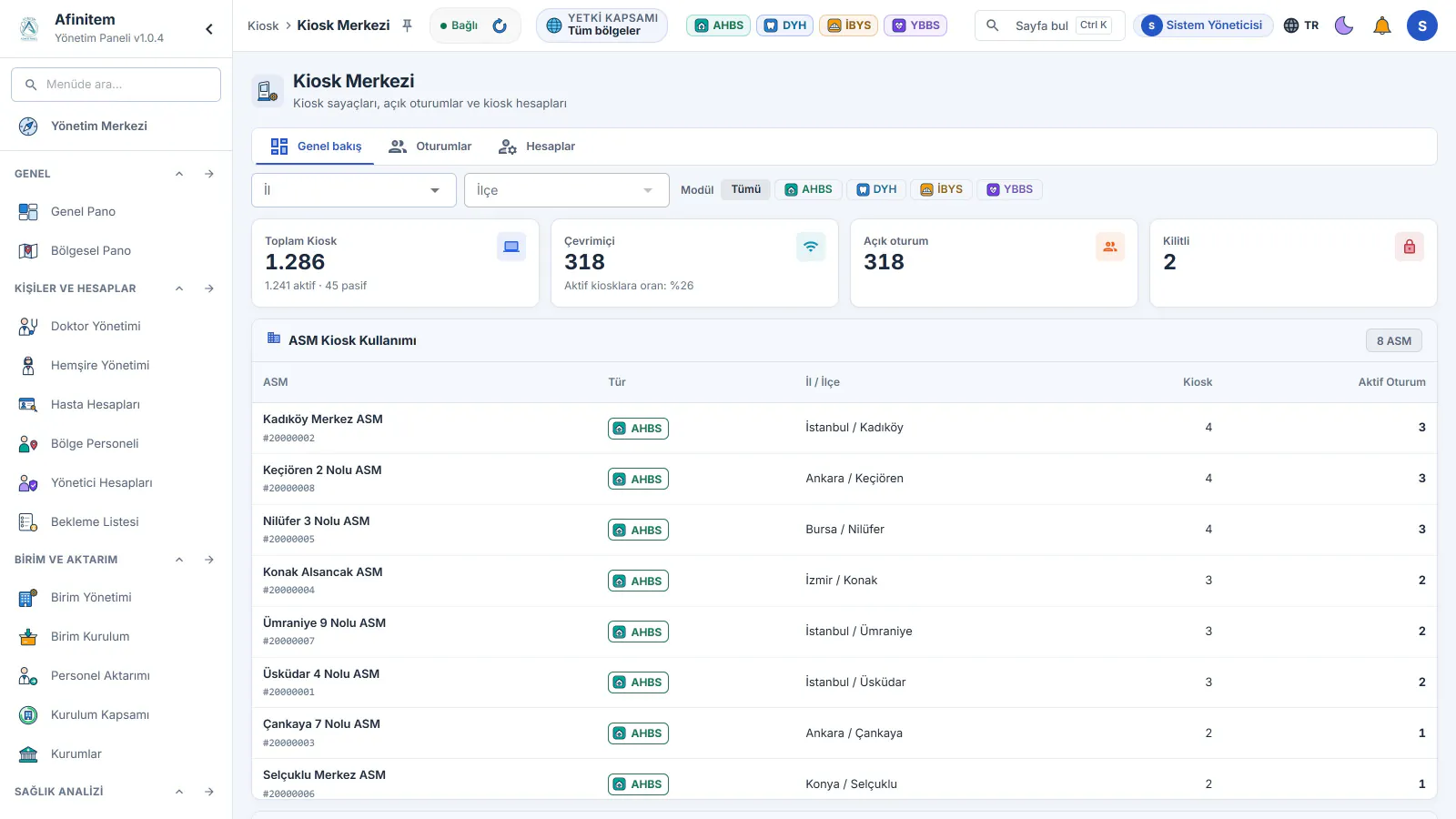 (open full size)
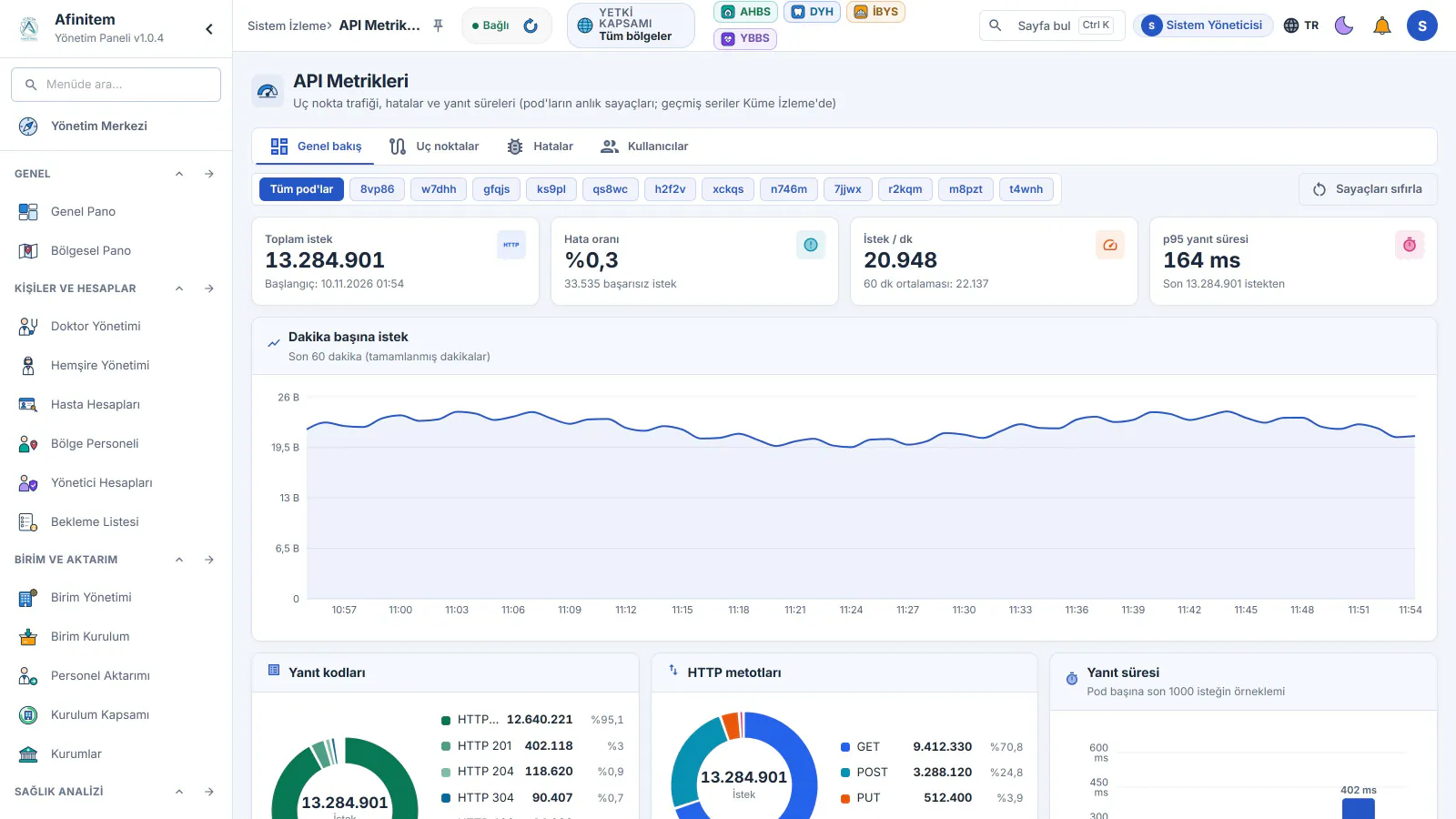 (open full size)
Database health
Size, table and row counts and connections per database; largest tables, indexes, queries and migration status.
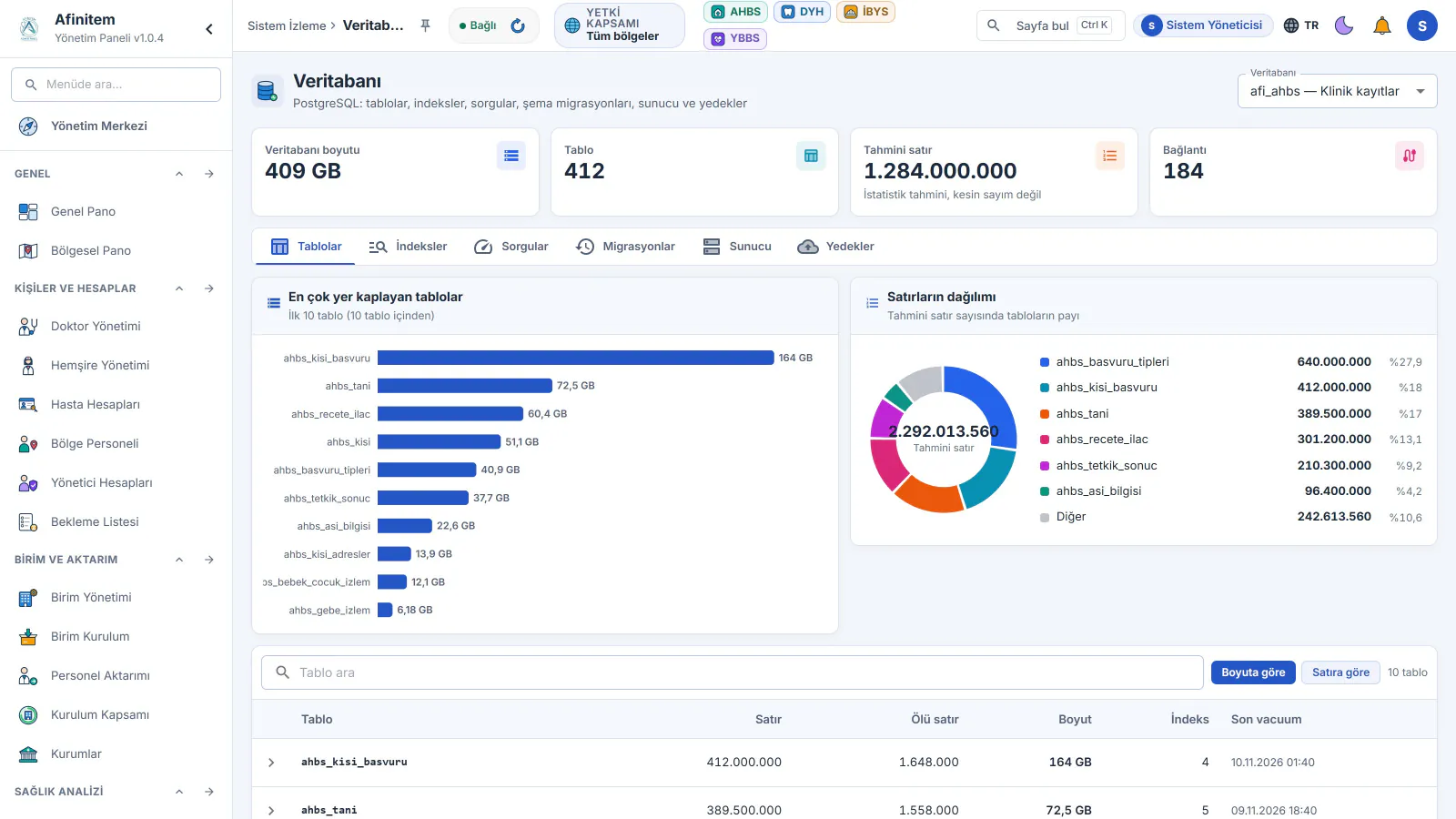 (open full size)
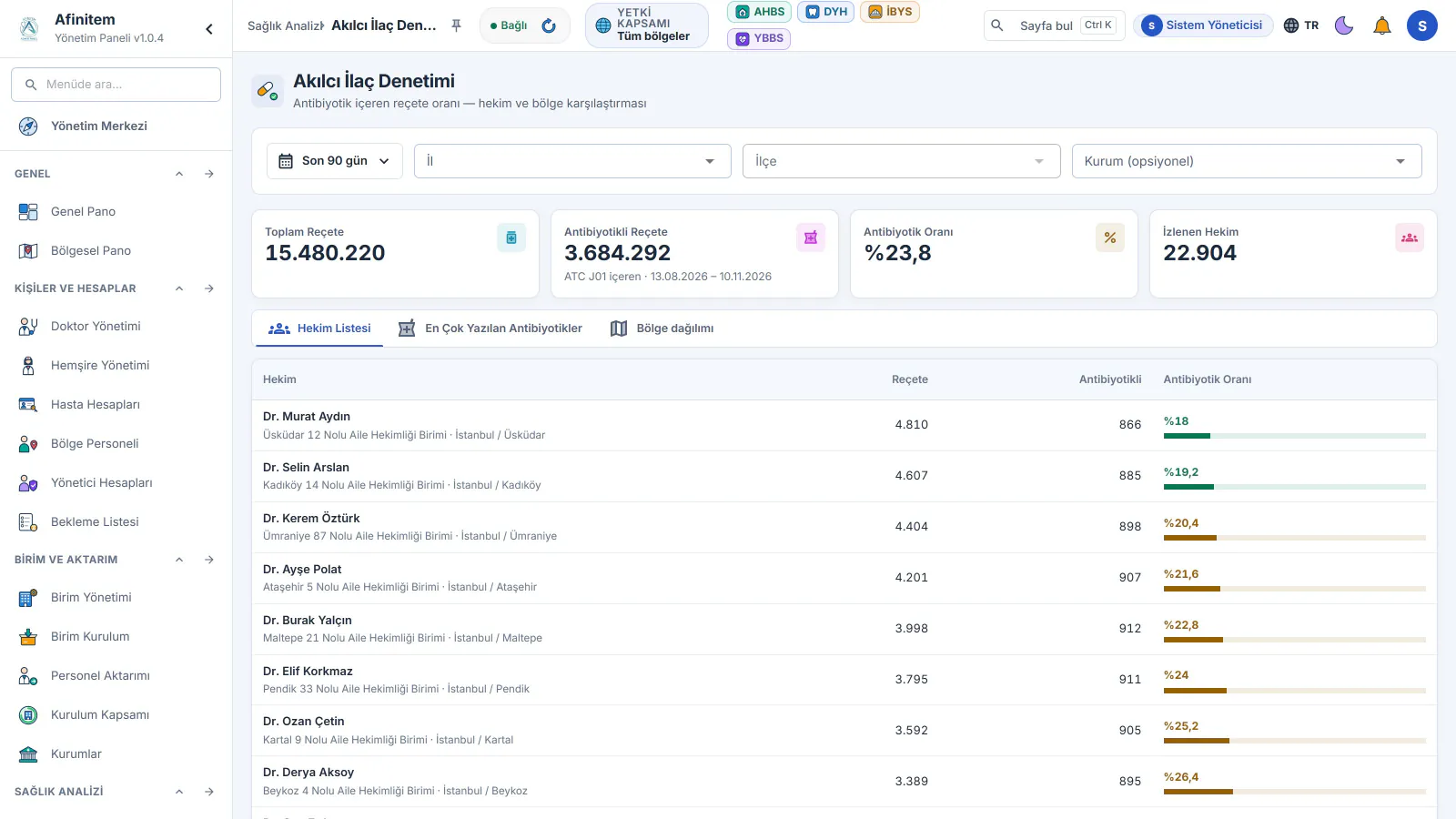
Health analytics
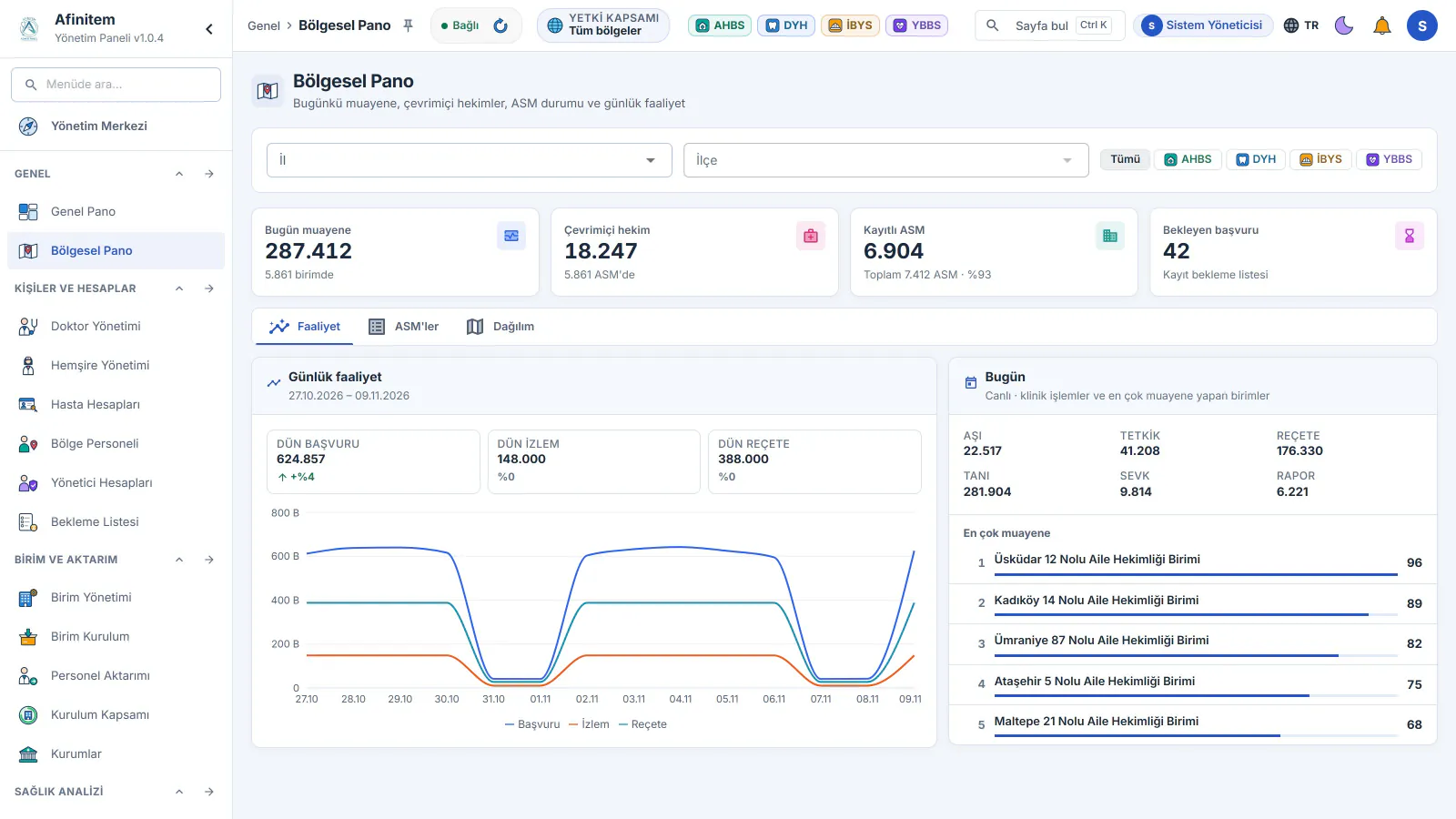 (open full size)
 (open full size)
 (open full size)
 (open full size)
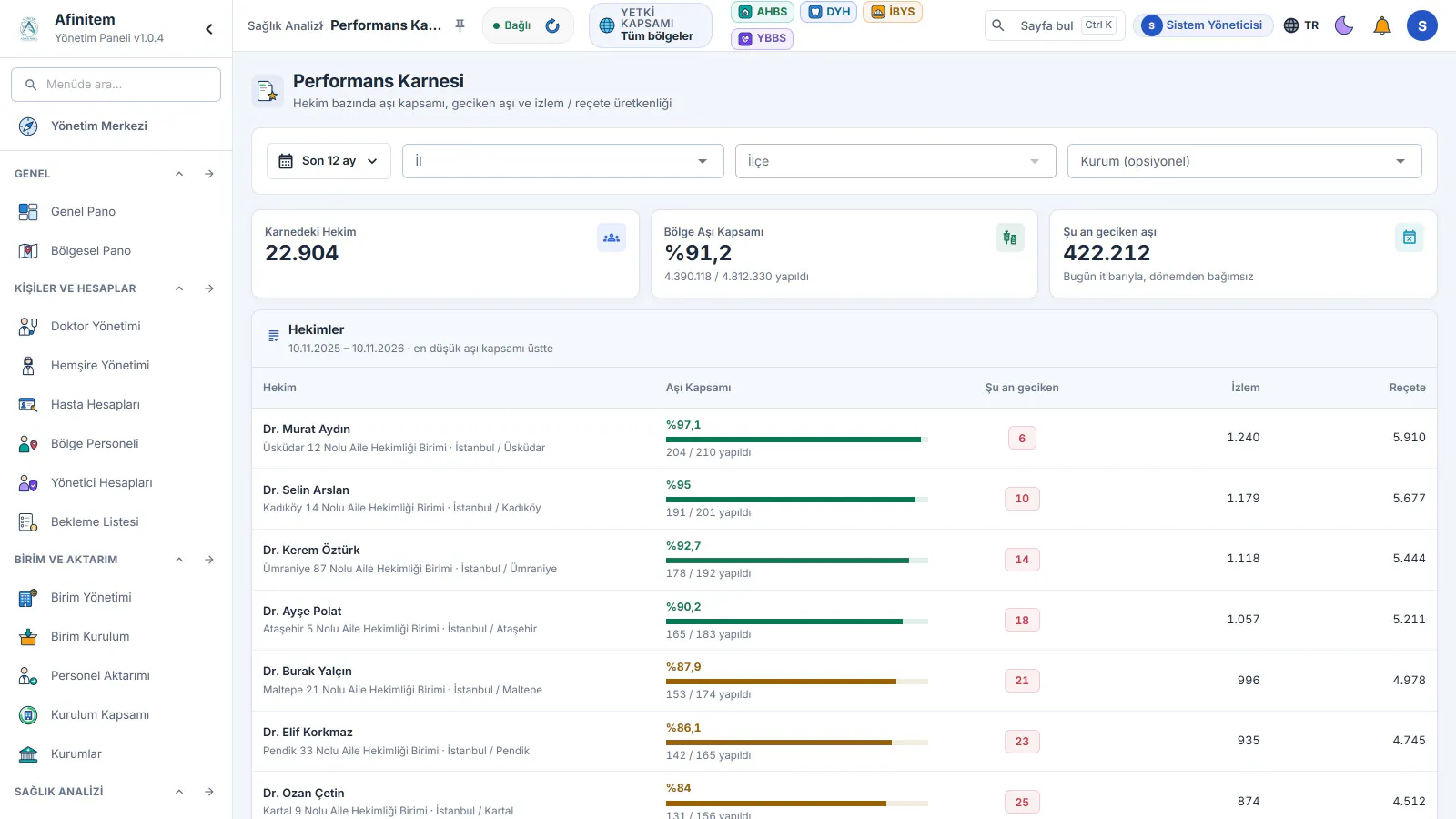
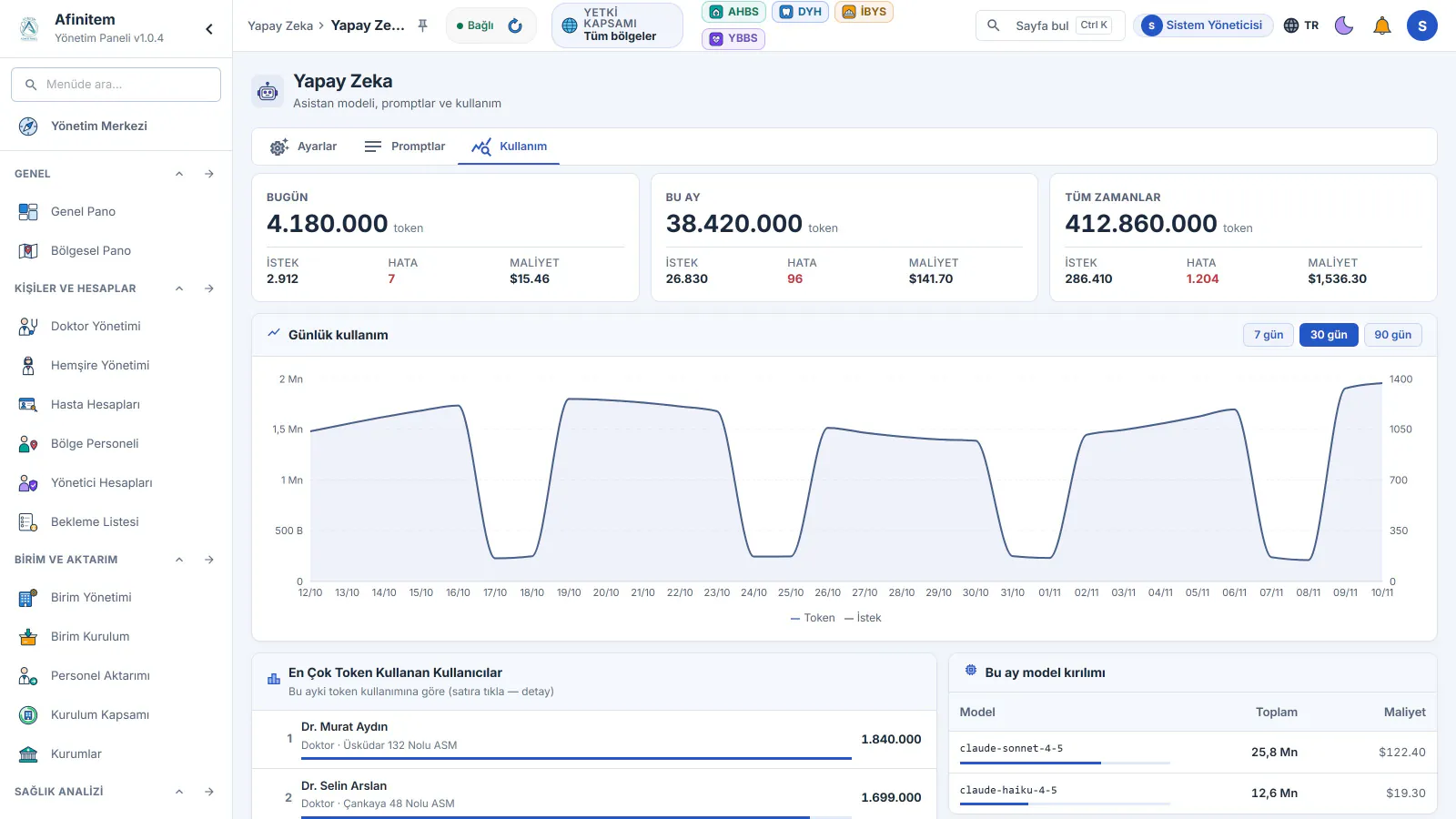
Performance tracking
 (open full size)
 (open full size)
 (open full size)
 (open full size)
People and accounts
 (open full size)
 (open full size)
 (open full size)
 (open full size)
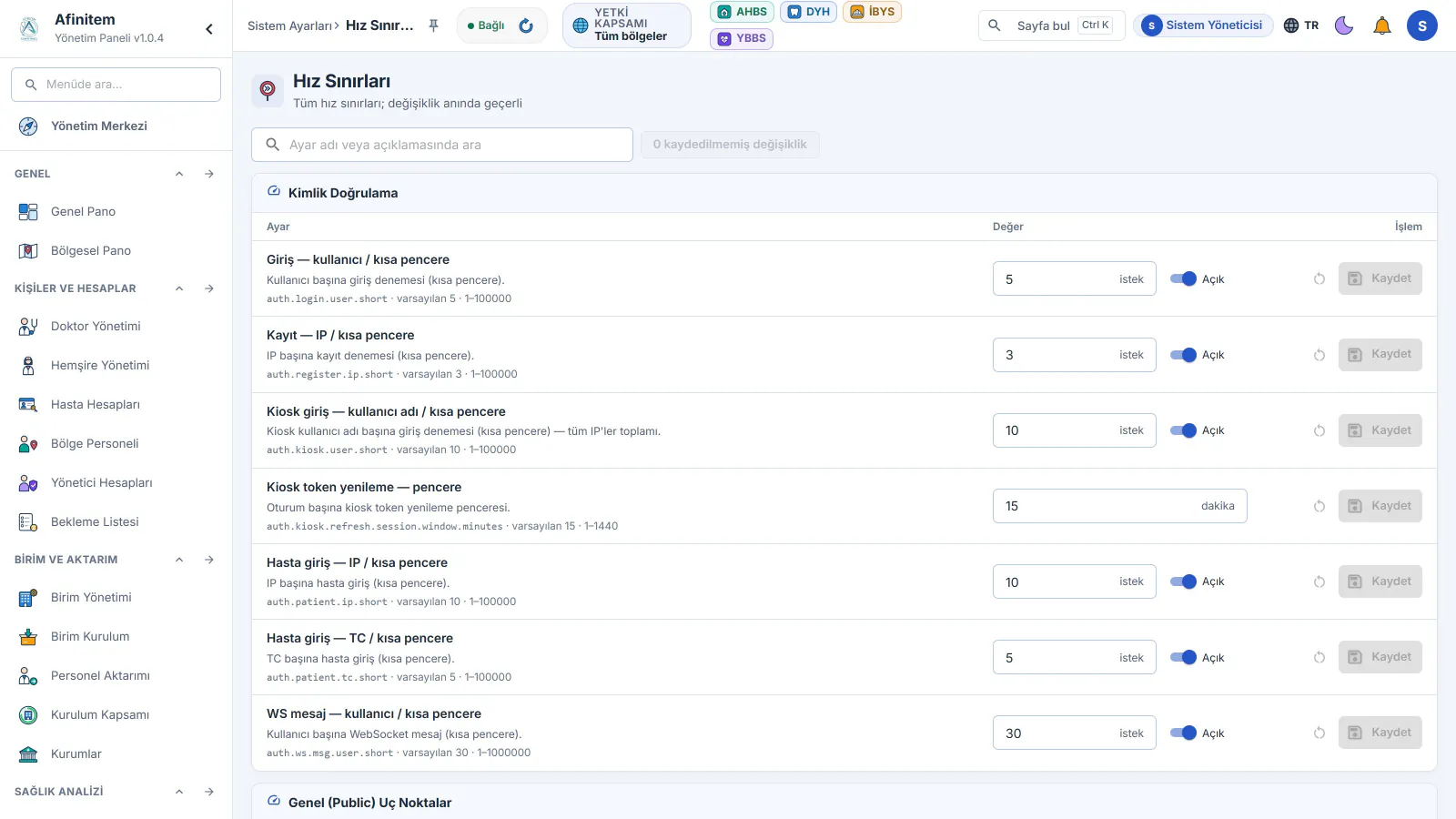
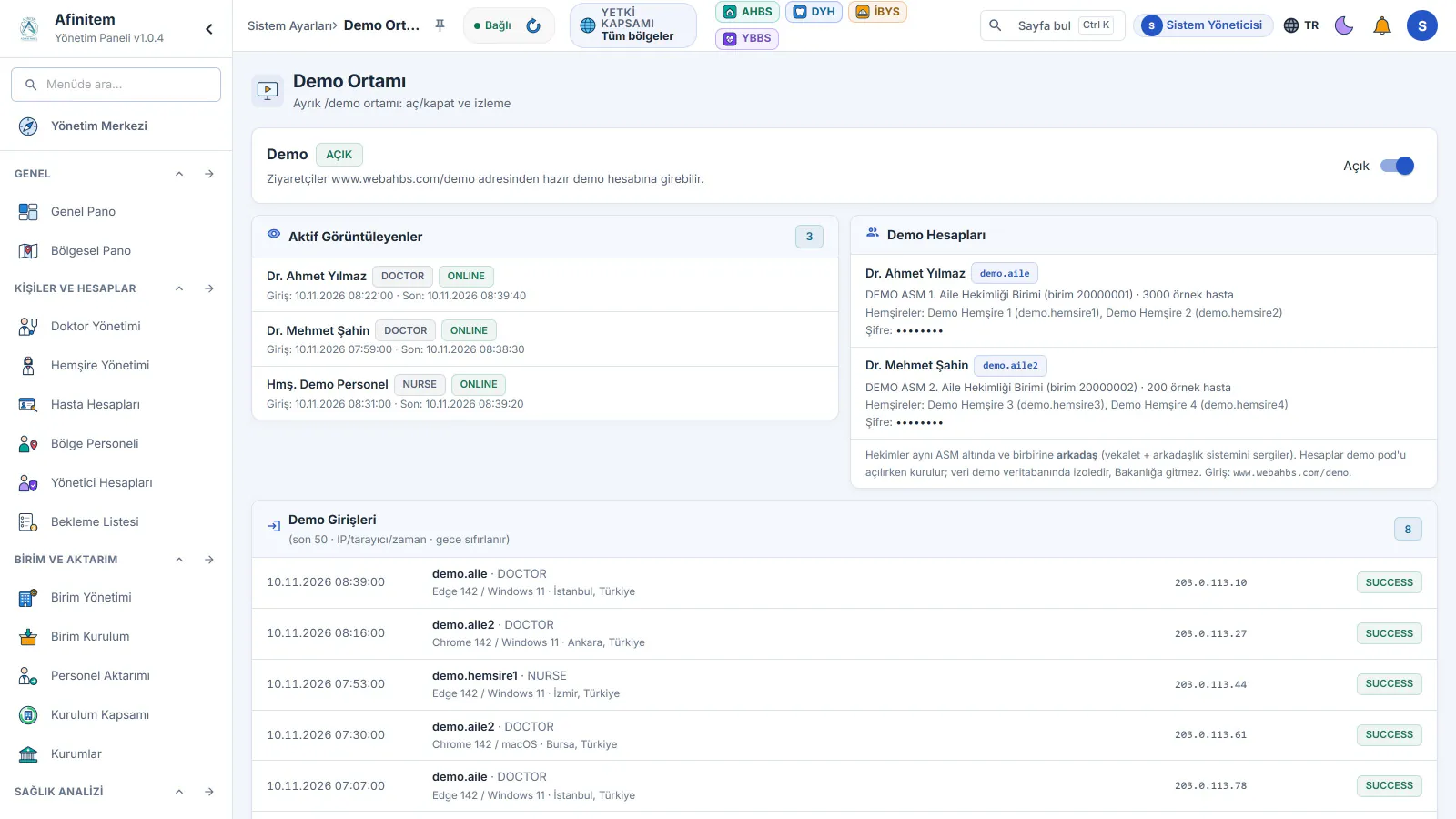
Rate limits and demo environment
 (open full size)
 (open full size)
Regional and module pools, horizontal scaling
Scaling
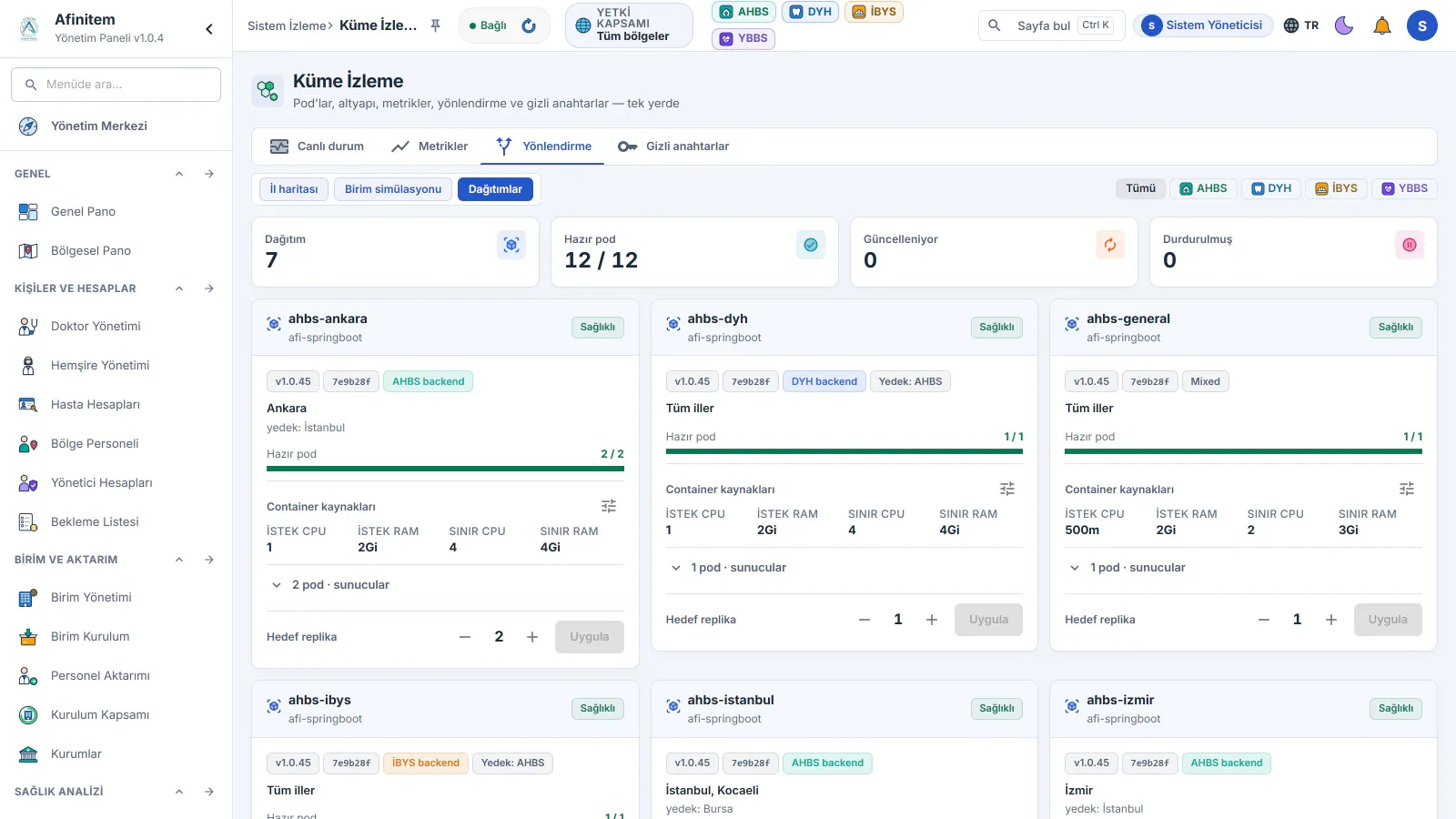
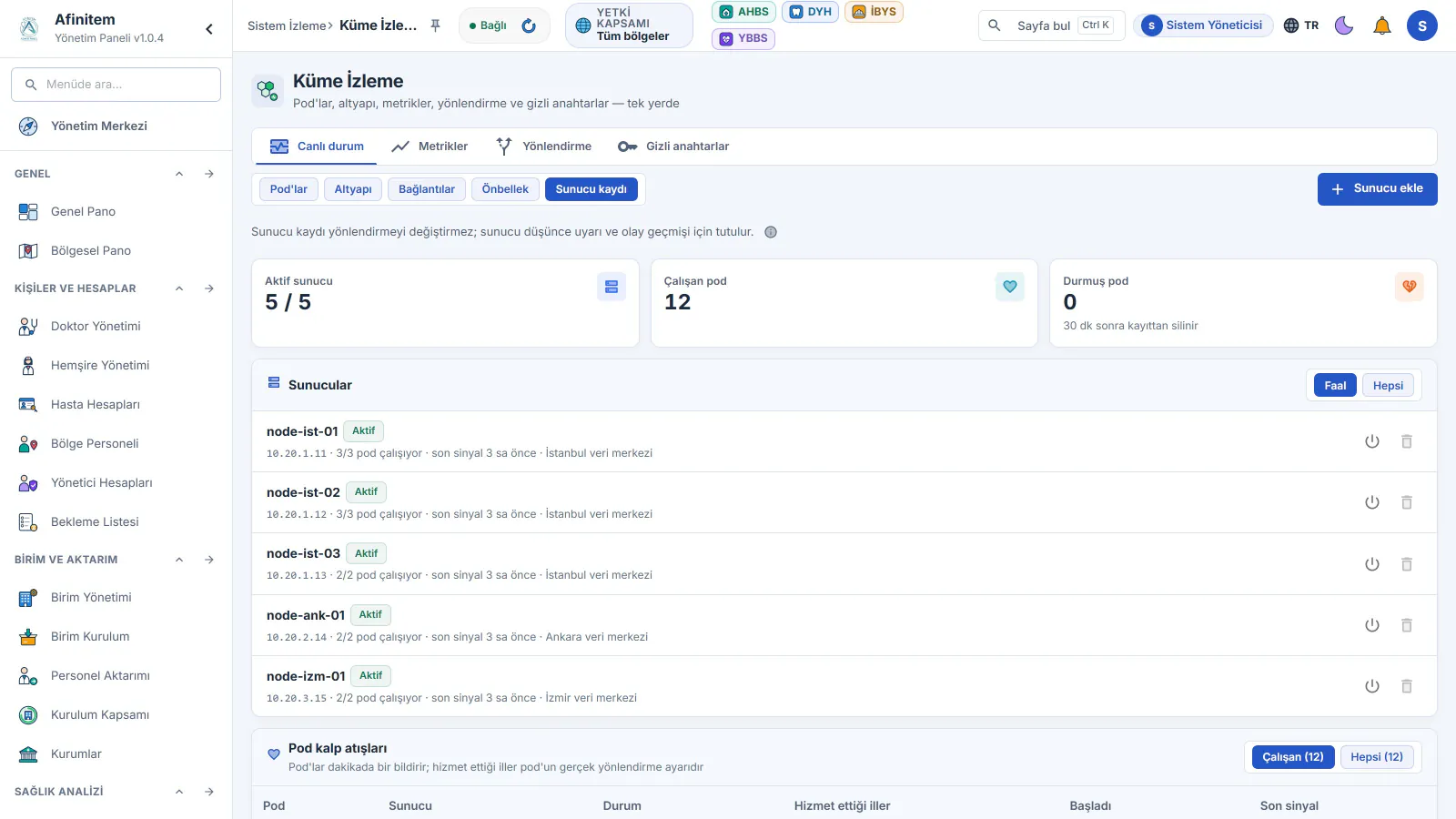
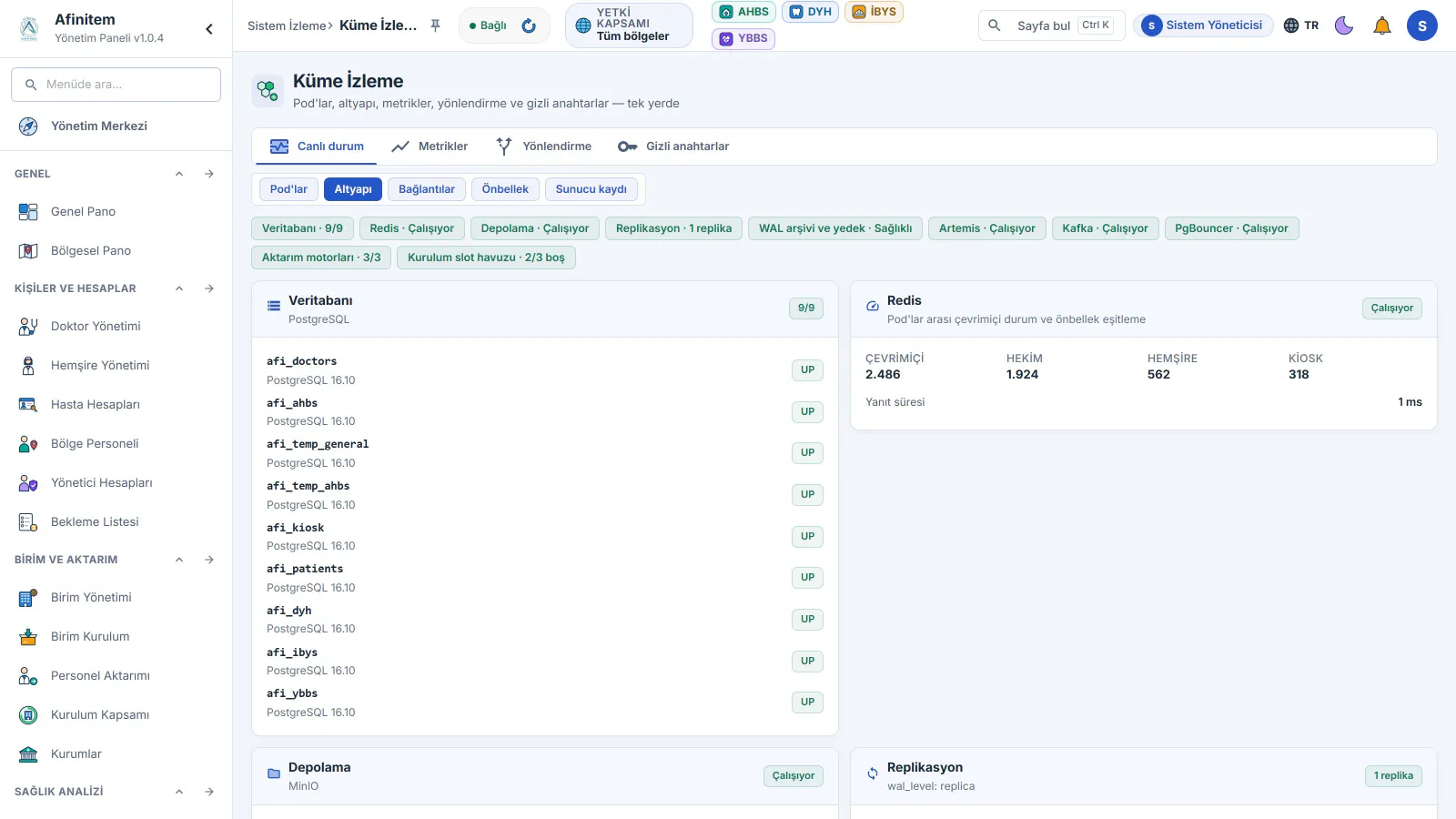
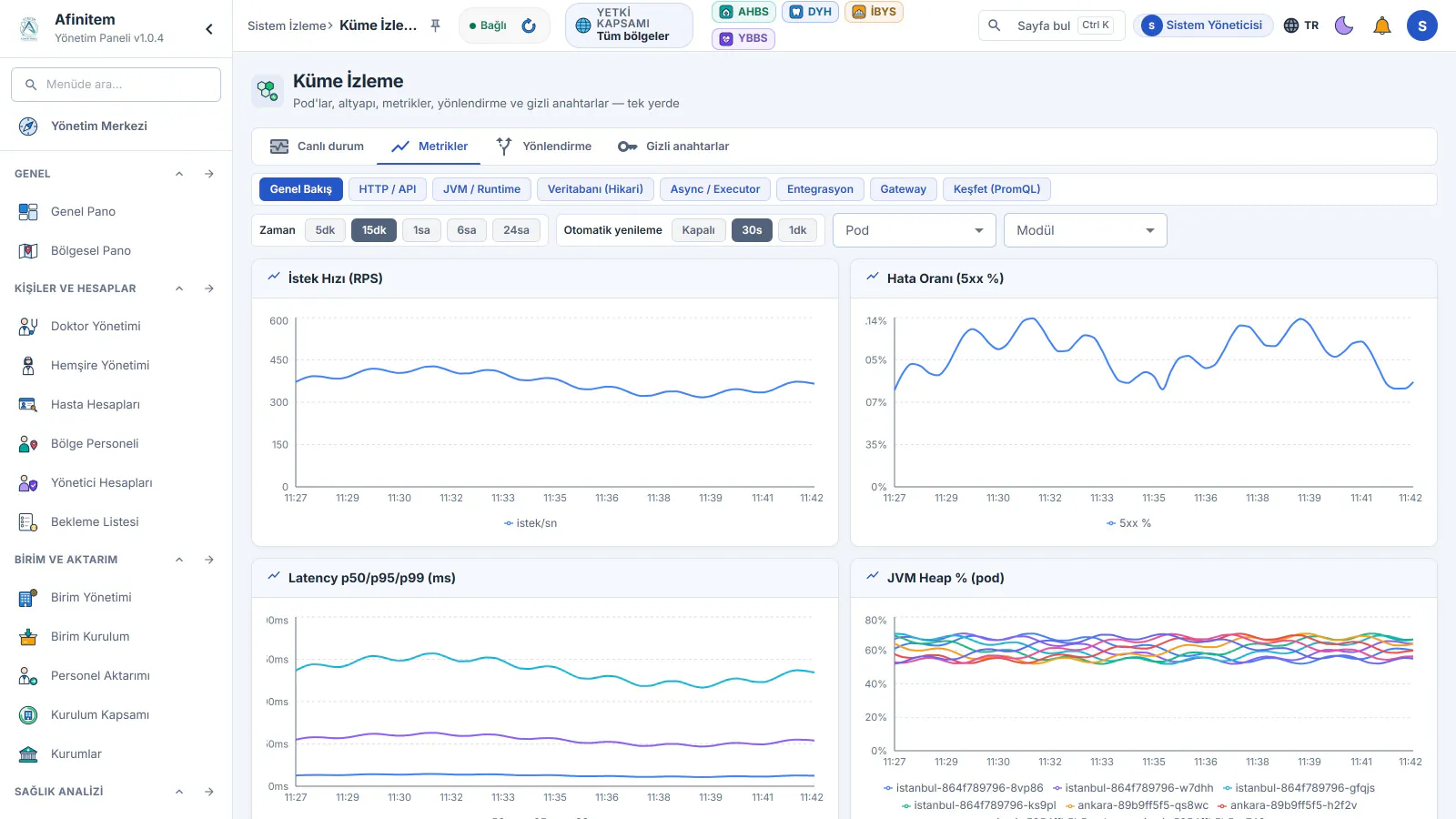
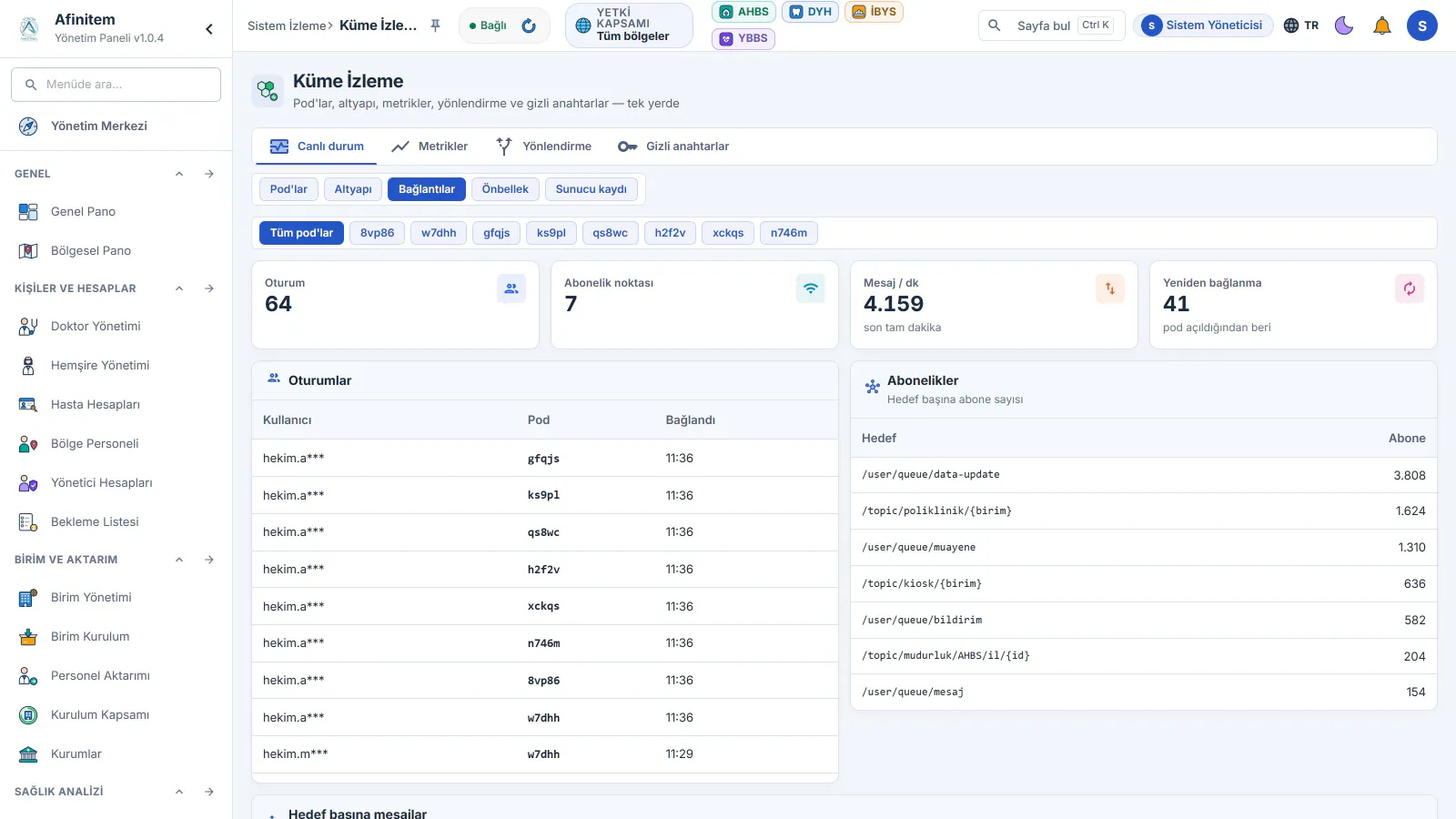
AHBS runs on Kubernetes on the institution's own servers. Application pods are split into regional and module pools; pools grow automatically with load, and new servers are added to the cluster from the administration panel. The full state of the cluster is monitored on the Cluster Monitoring screen.
- Consistent per-unit routing
- Automatic horizontal scaling per pool (HPA)
- Replica and CPU/memory settings per deployment
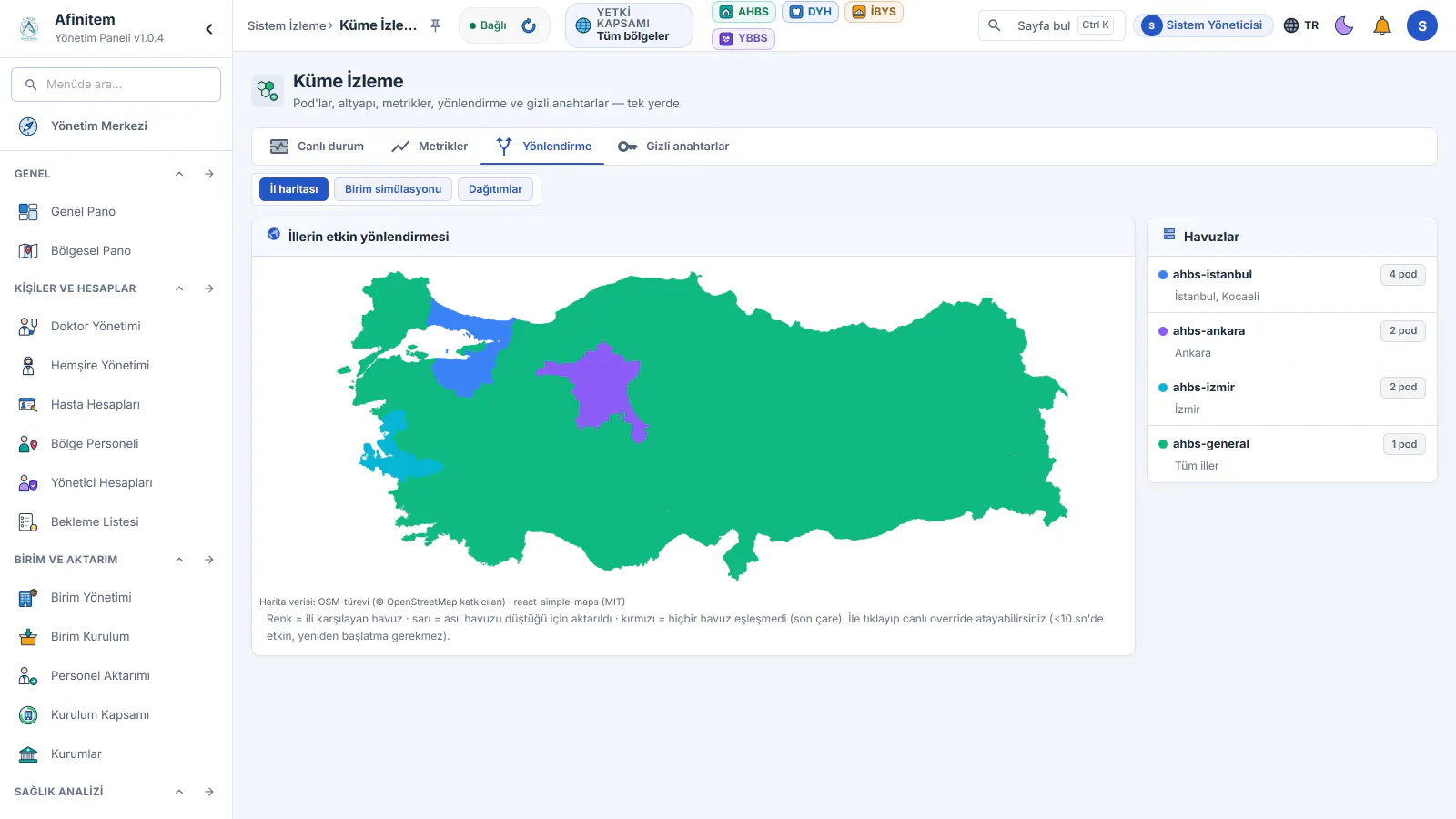
- Province → pool mapping and routing simulation
- Server registry: adding and deactivating nodes
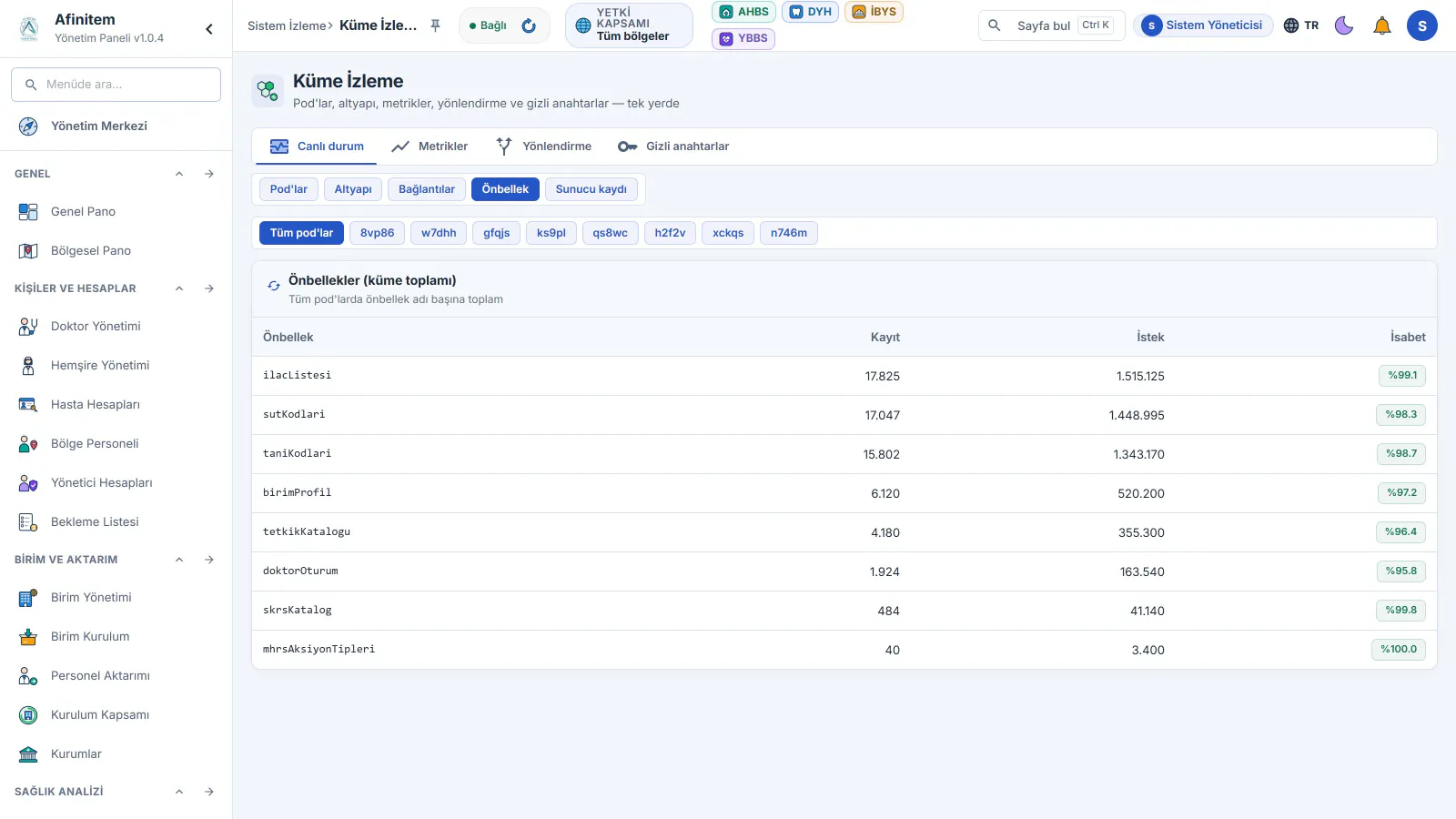
- Pod, connection, cache and metrics monitoring
 (open full size)
Scaling architecture
Application pods are split into regional and module pools; each pool grows and shrinks with load within its own limits. The ranges are an example configuration and are adjusted for each deployment.
-
Clients
- Web (PWA)
- Android
- Kiosk
- Patient portal
- Chrome extension
-
Gateway
- Single entry point · TLS
- Per-unit routing
- Region and module gate
- Request limit
-
Regional pools (AHBS)
- Istanbul 2–8
- Ankara 1–4
- Izmir 1–4
- General pool: other provinces
-
Module pools
- DYH 1–4
- İBYS 1–3
- YBBS 1–3
- Separate database
-
Shared services
- PostgreSQL 16: primary + read replica · PgBouncer
- Redis: cache · locks
- Kafka: event backbone
- Artemis: WebSocket broker
- MinIO: file storage
- Keycloak: identity · OIDC
- Eureka: service discovery
- Prometheus: metrics
Horizontal scaling (HPA): 70% CPU target · lower/upper limit per pool · gradual scale-down as load drops
Kubernetes (k3s) on the institution's own servers; nodes are registered and deactivated from the panel.
How it scales
- Per-unit routing
- A family medicine unit's requests and nightly jobs always land on the same pod; the cache stays warm.
- Horizontal scaling
- Pools grow automatically between lower and upper limits based on CPU usage.
- Region and module gate
- Pods carry province and module attributes; a request that lands in the wrong pool is rejected.
- Singleton jobs
- Scheduled jobs run once across the cluster (leader election).
- Adding servers
- A new node is registered from the administration panel; province-pool mapping and routing simulation are on the same screen.
- Design target
- ~35,000 concurrent physicians, 70–100 thousand concurrent WebSocket connections.
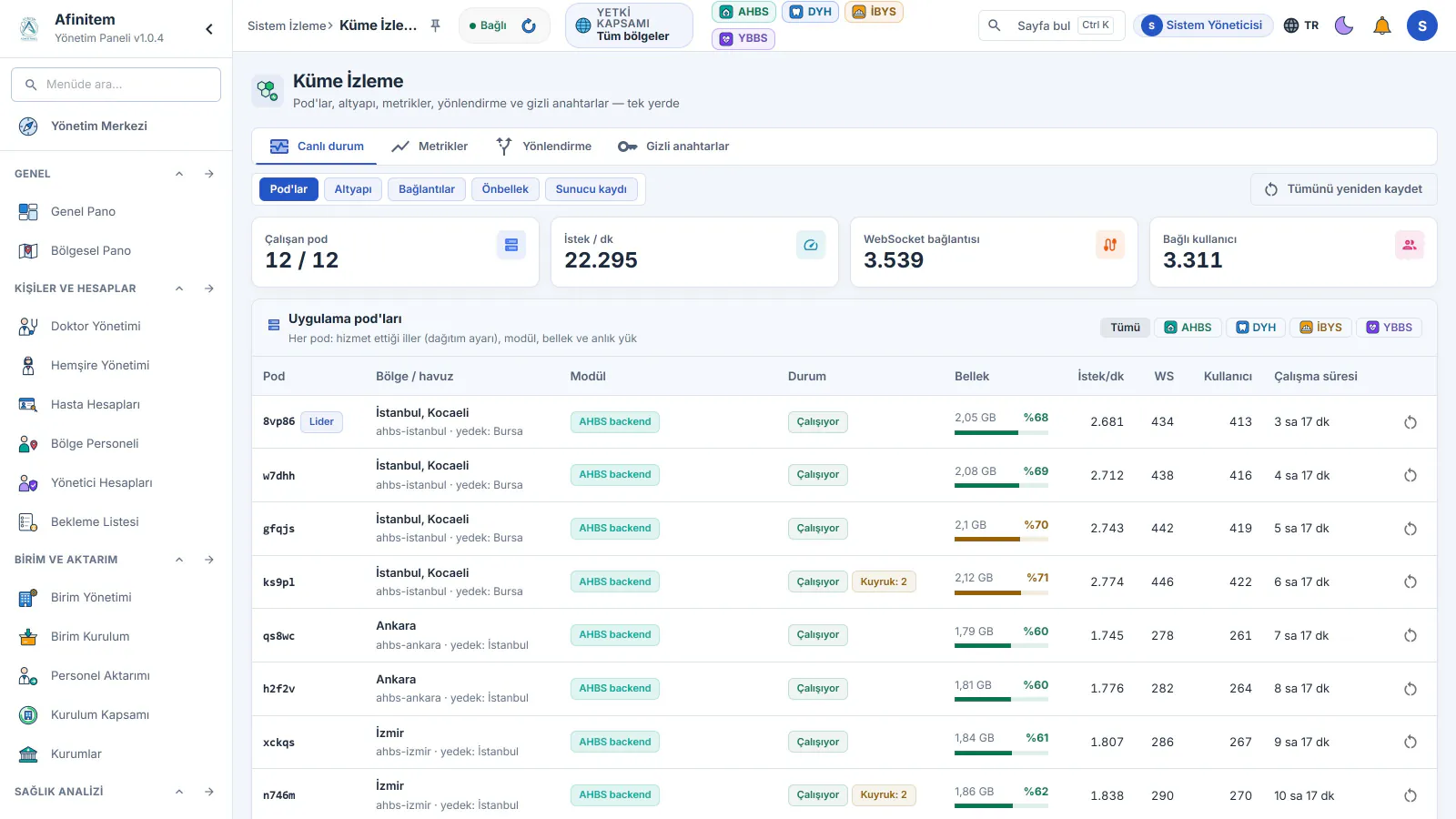
Pods
For each application pod: the province it serves and its backup region, module, memory, requests per minute, WebSocket connections and leader status.
 (open full size)
Routing and servers
 (open full size)
 (open full size)
Cluster monitoring
 (open full size)
 (open full size)
 (open full size)
 (open full size)
Ministry of Health and SGK systems
Integrations
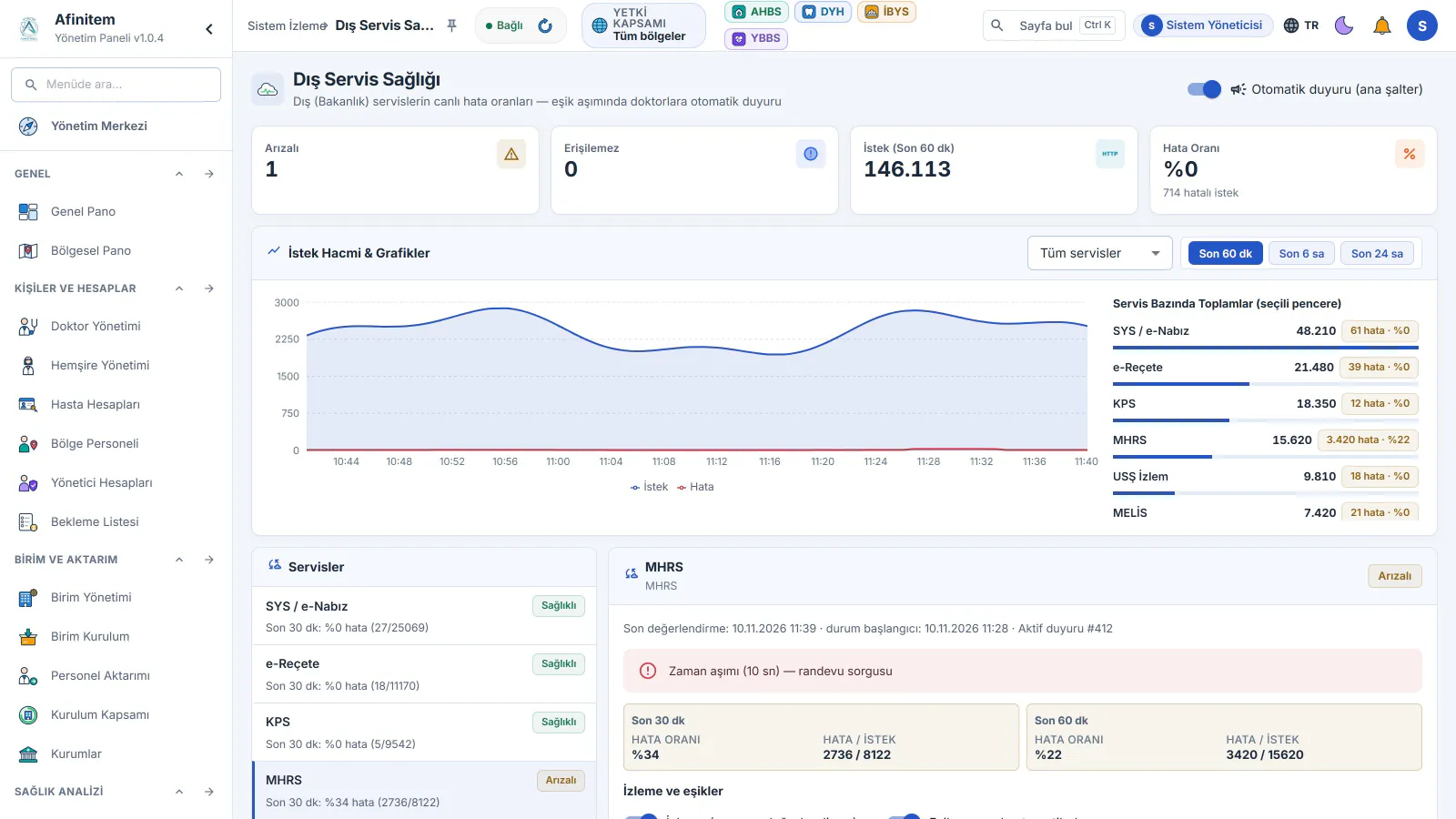
AHBS communicates directly with 17 external systems. Examination, follow-up, vaccination, prescription and report notifications are made within the physician's workflow; submissions are tracked from the queue, and errors and delays are visible per service in the administration panel.
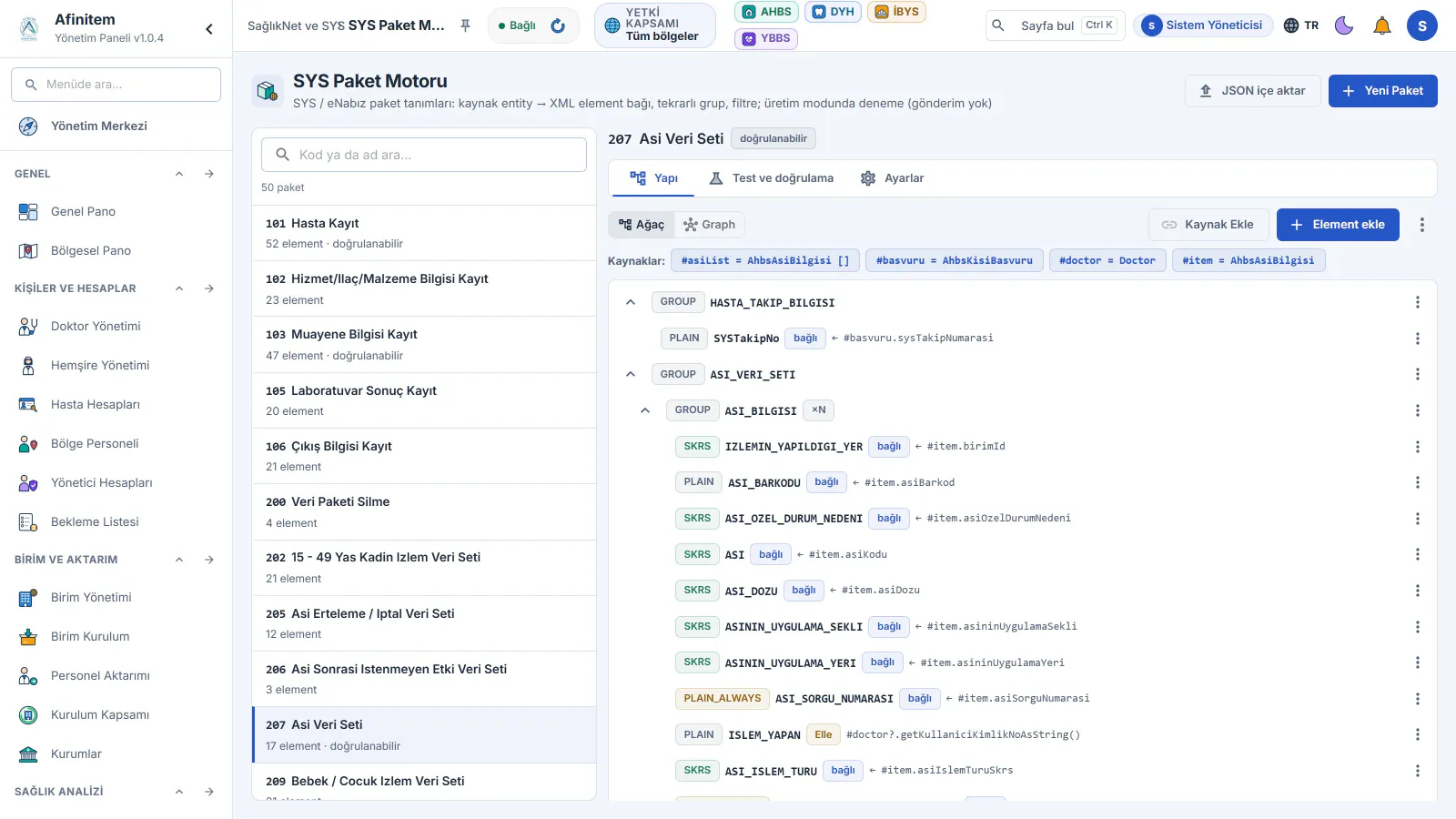
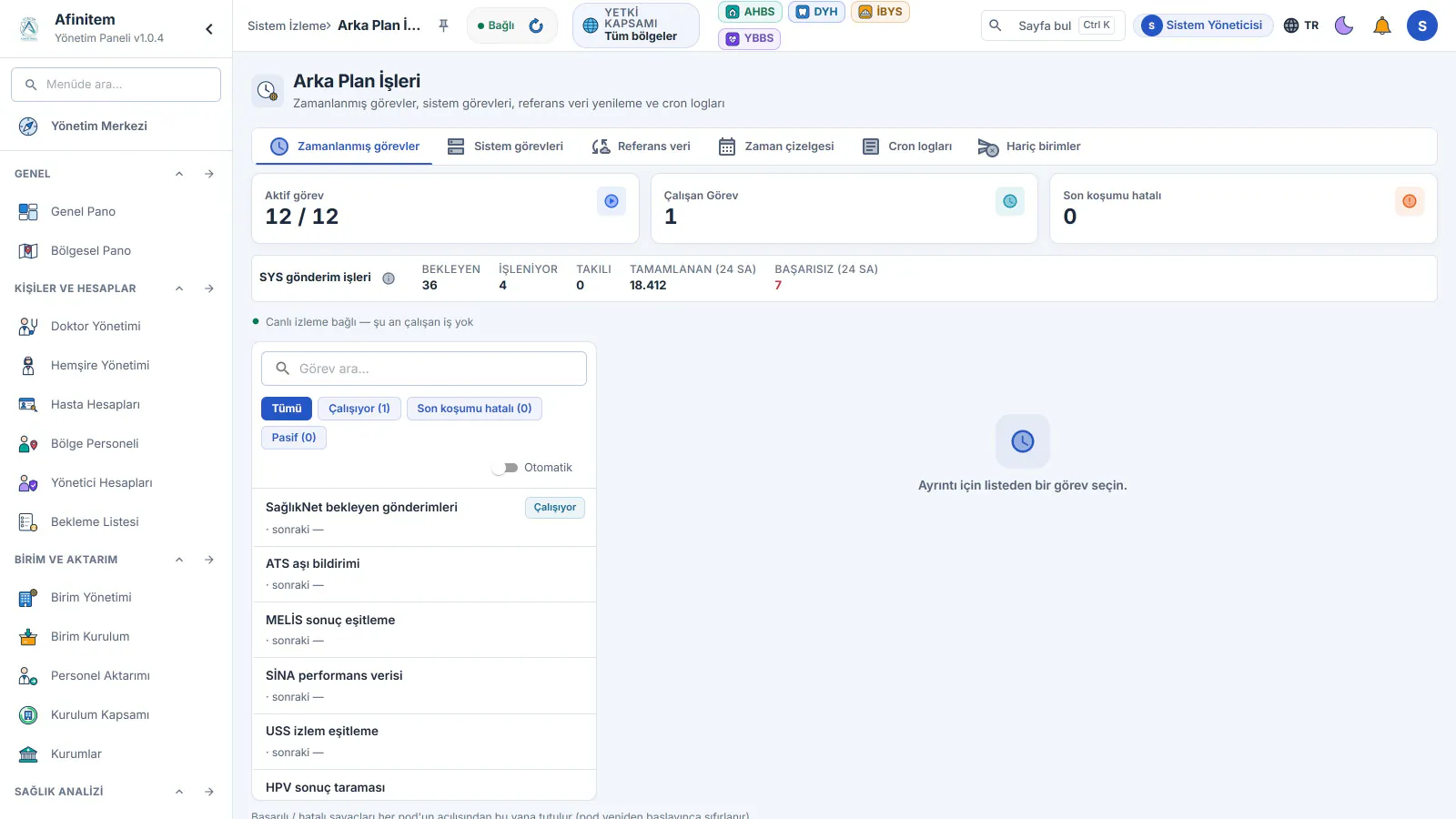
- SağlıkNet / SYS: configuration-driven package engine
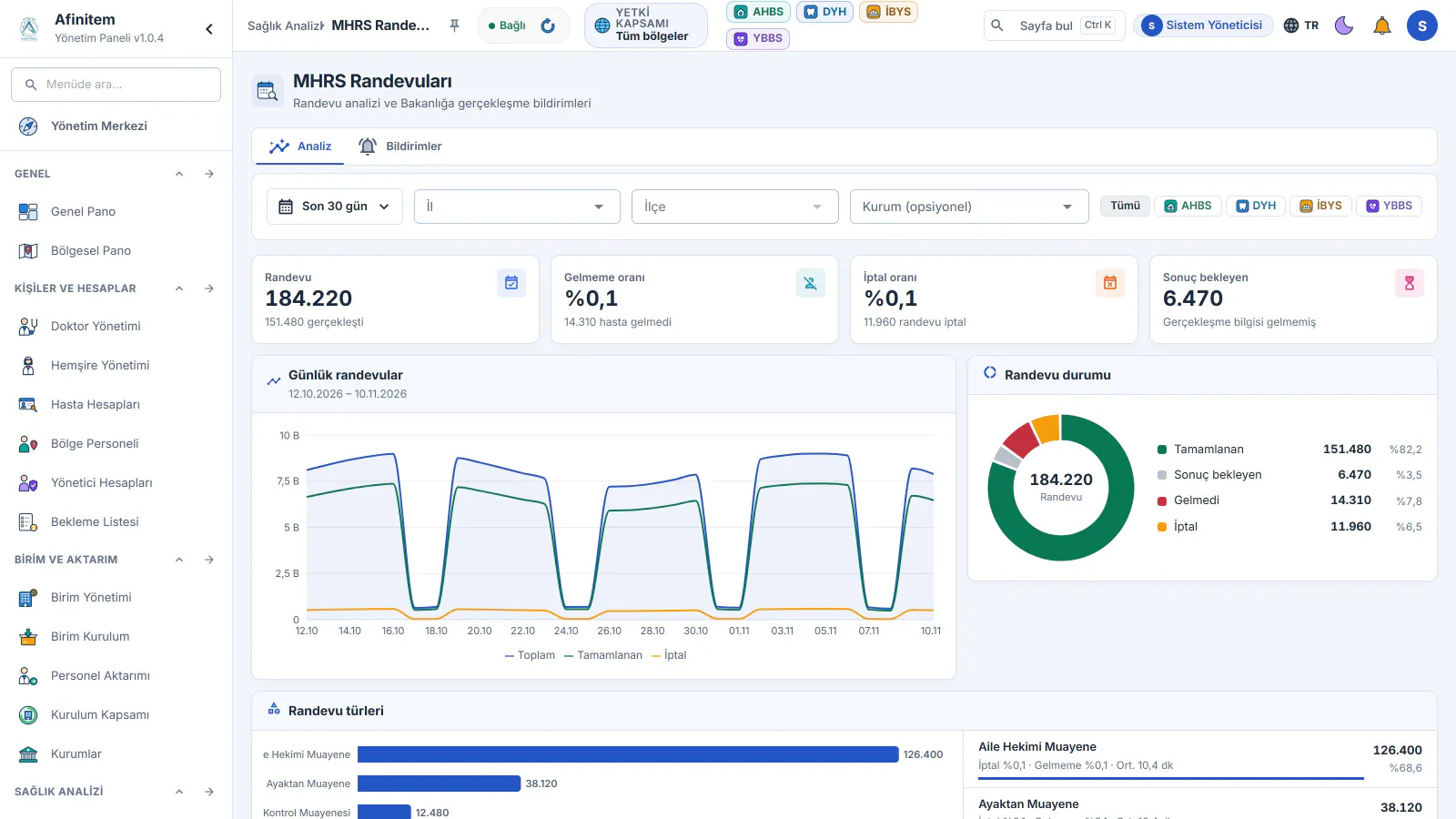
- MHRS, KPS, e-Nabız, ESYS
- e-Prescription (SGK Medula, Reçetem), e-Report
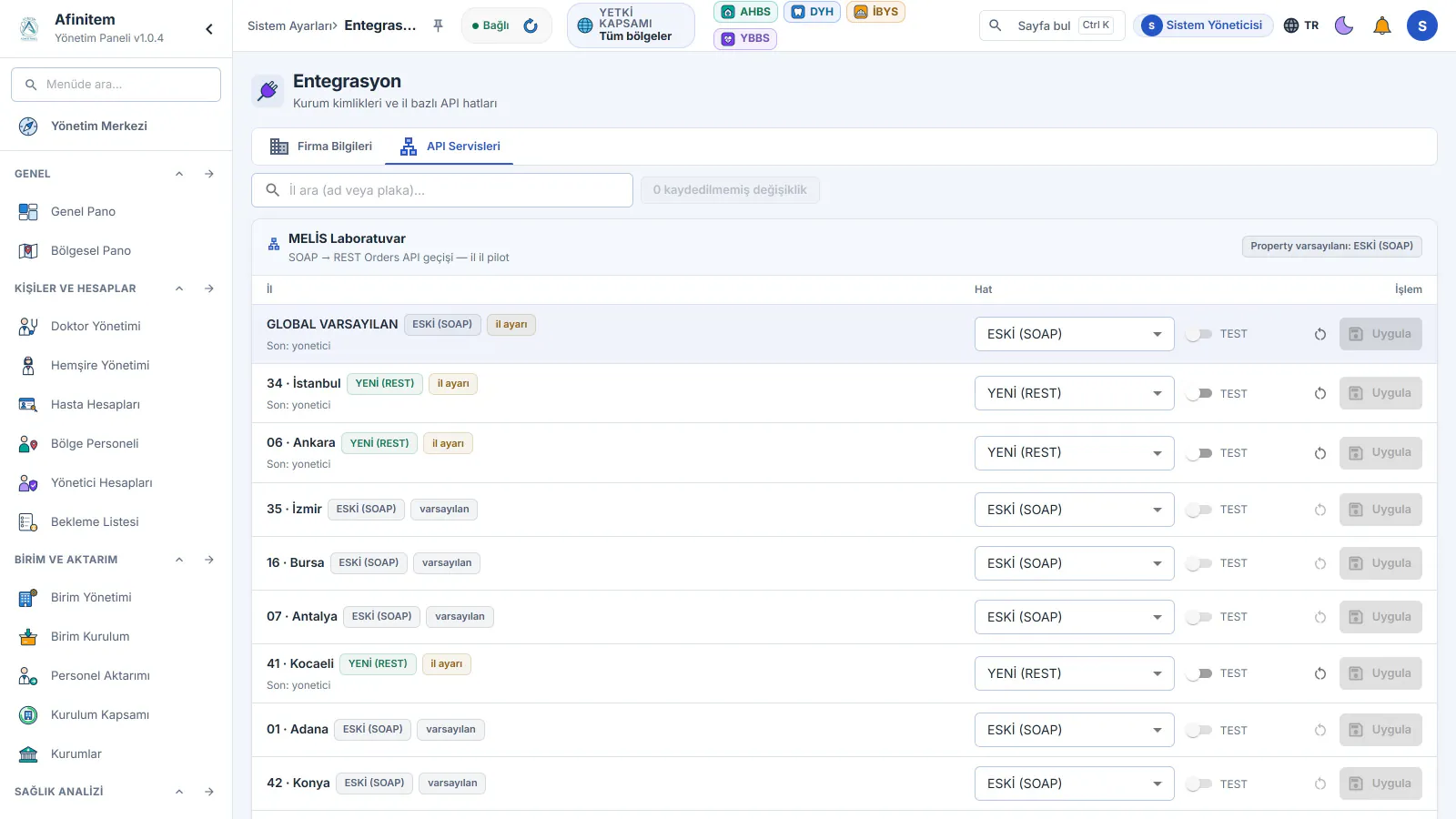
- MELİS (per-province SOAP/REST channel selection), Teleradiology, KETEM
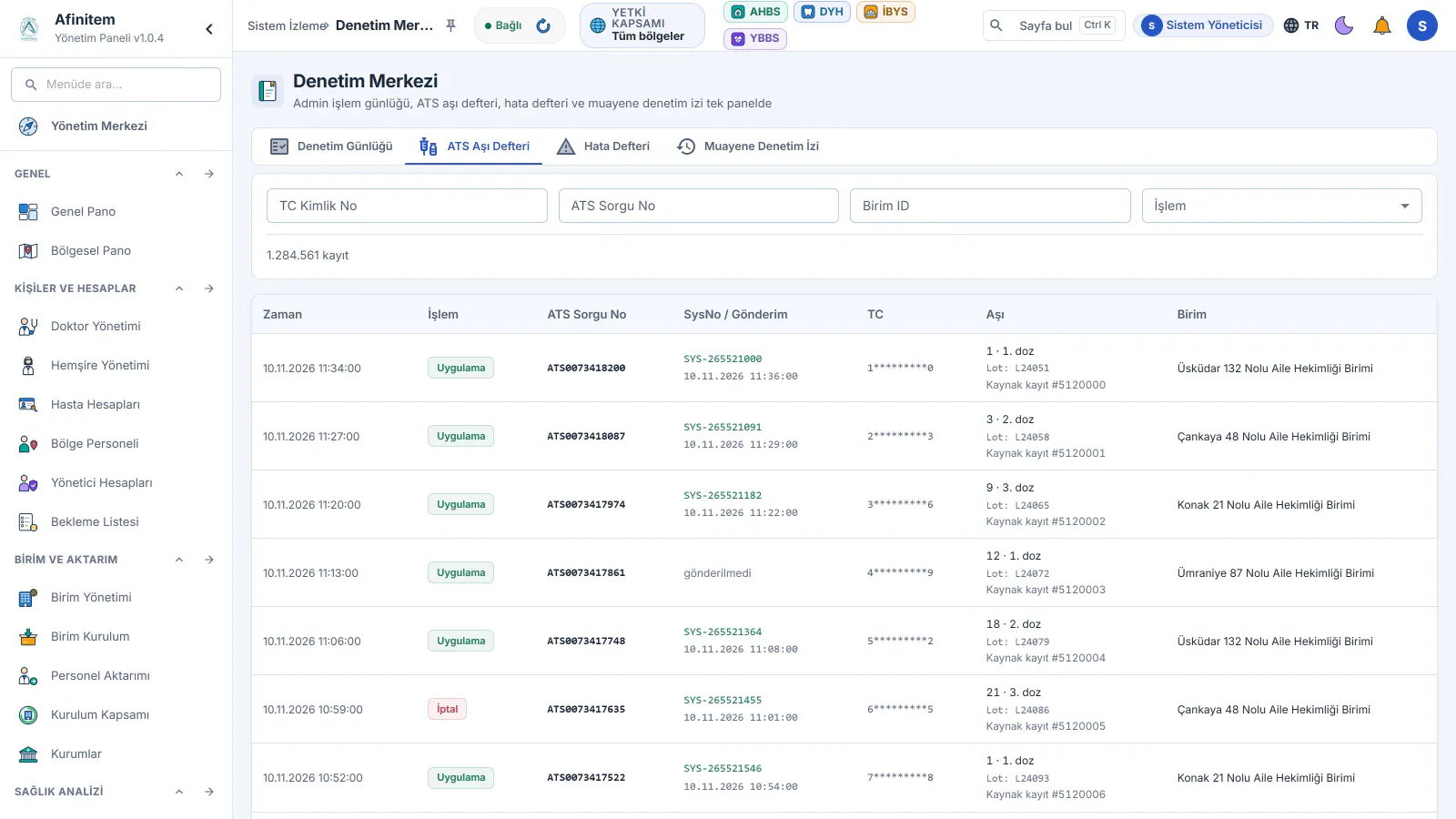
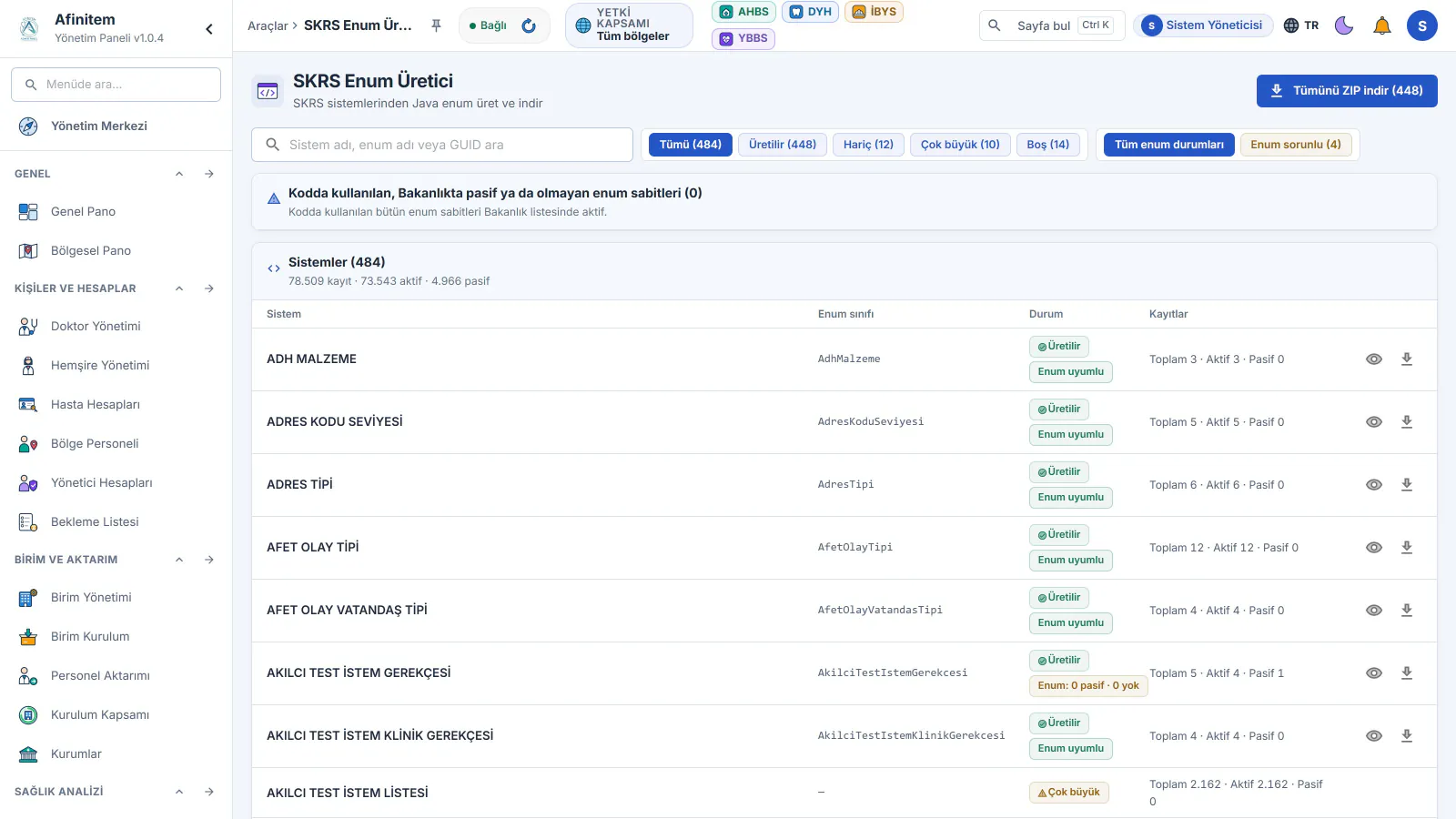
- USS, SİNA, HPV, ATS, HSBS, OBS, SKRS
- External service health: automatic announcement to physicians when a threshold is exceeded
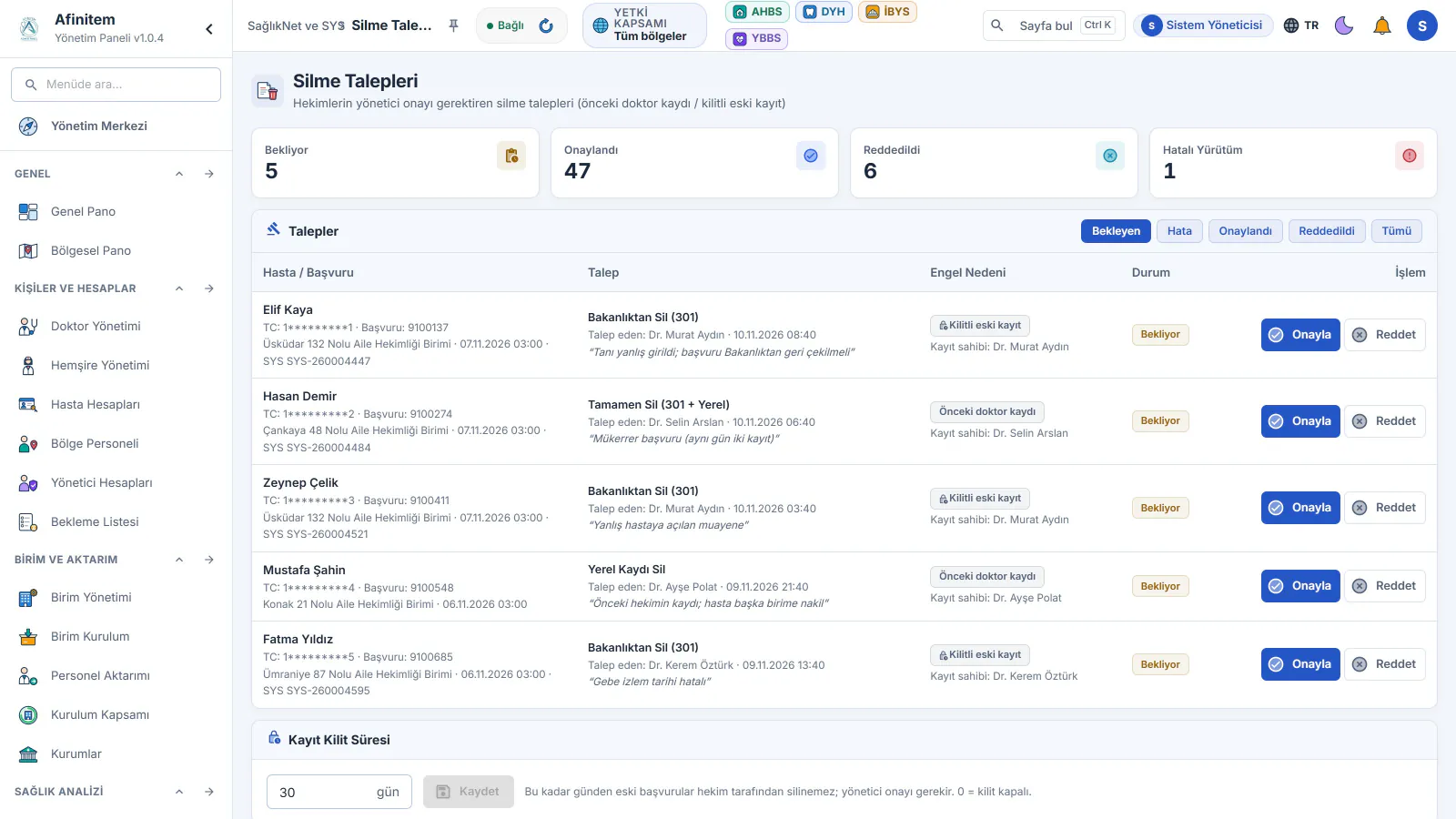
- Deletion requests and administrator approval
 (open full size)
Integration map
AHBS communicates directly with Ministry of Health and SGK systems; notifications are made within the physician's workflow, without opening an extra screen.
Clinical reporting
- SağlıkNet / SYS Examination, follow-up, 44 packages
- USS Pregnancy, infant, women's follow-up
- SİNA Performance
- HPV Samples, results
- ATS Vaccination notification, stock
Appointments and identity
- MHRS Schedule, appointments
- KPS v2 Identity, civil registry
- e-Nabız Patient record
- ESYS Home healthcare, SSO
AHBS
Integration layer
- SOAP / REST clients
- Configuration-driven SYS package engine
- Queue and event backbone
- External service health monitoring
- Retry, deletion and tracking number lookup
- Block on writing to production from the development environment
Local components
- AfiSigner E-signature
- Chrome extension Bridge
- Kiosk Queue, anamnesis
Medication and reports
- e-Prescription SGK Medula, Reçetem
- e-Report SGK + Ministry
Tests and imaging
- MELİS Test orders, results
- Teleradiology Orders, images, reports
- KETEM Cancer appointments
Registry and reference
- SKRS Code systems
- HSBS Stock notification
- OBS Death notification
SYS package engine and channel selection
 (open full size)
 (open full size)
Submission jobs and deletion requests
 (open full size)
 (open full size)
MHRS and ATS
 (open full size)
 (open full size)
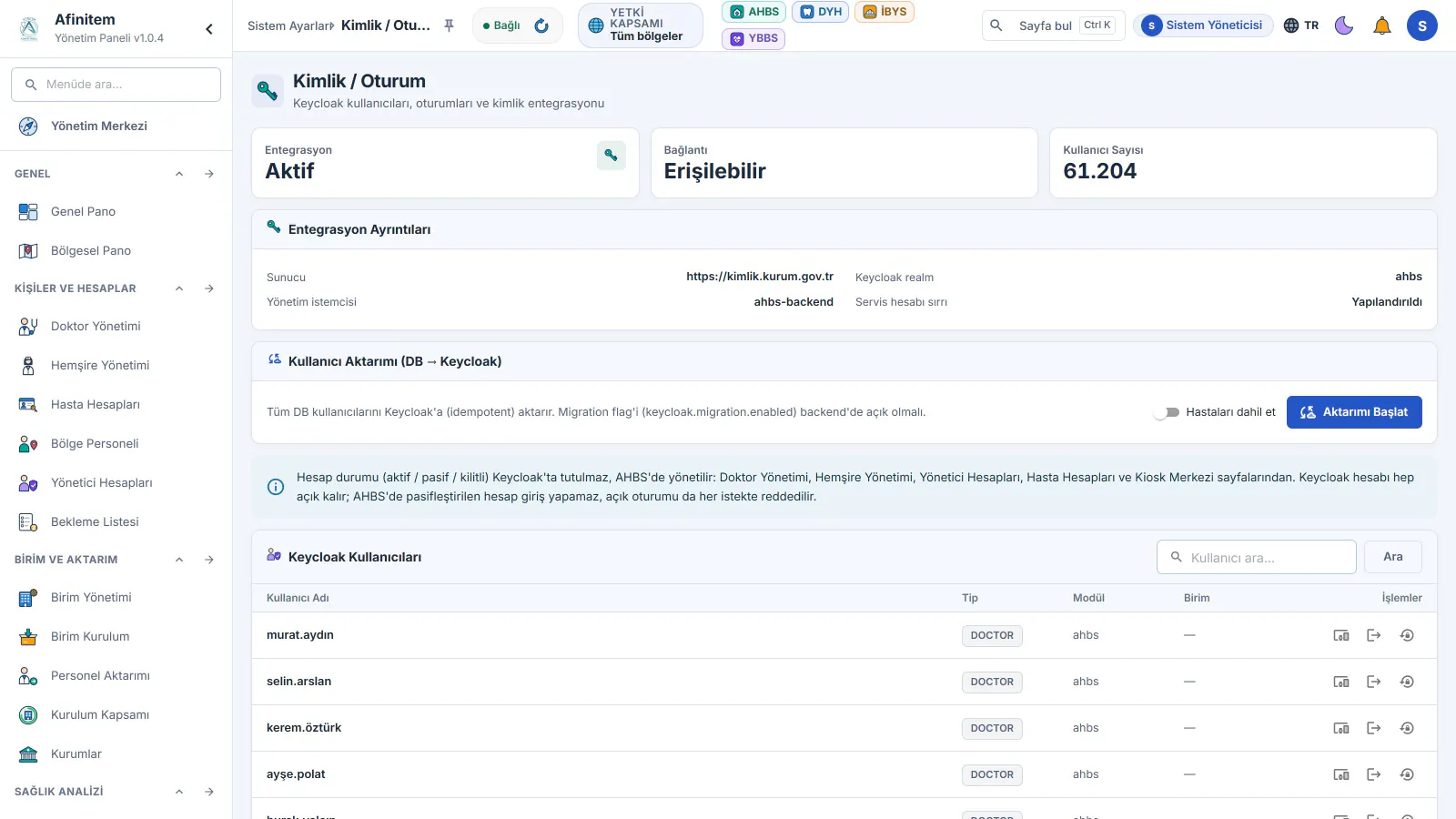
SKRS and identity
 (open full size)
 (open full size)
KPS, e-Prescription and e-Report bridge
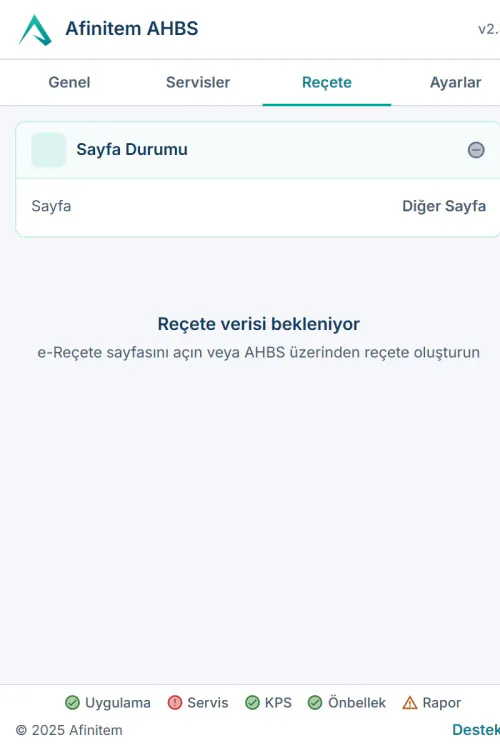
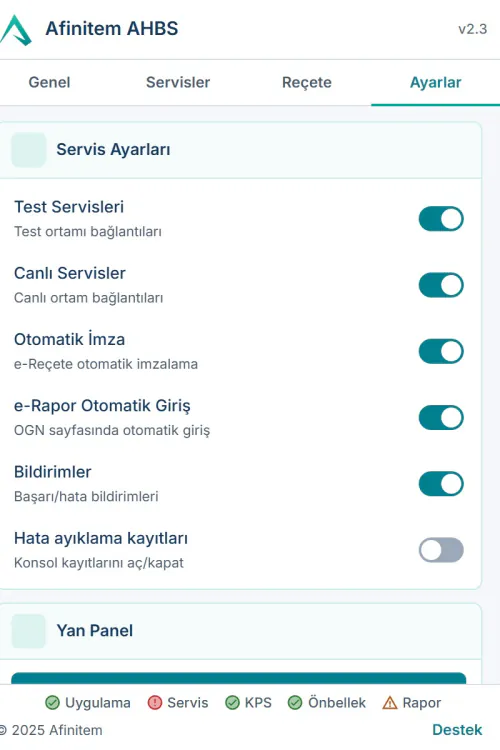
Chrome extension
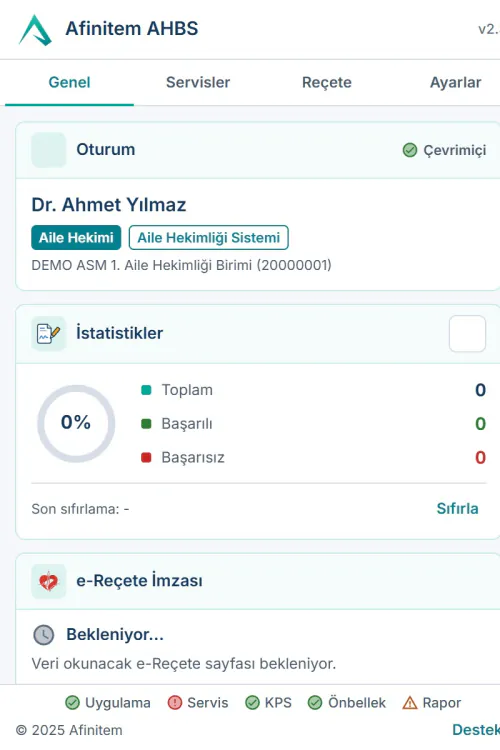
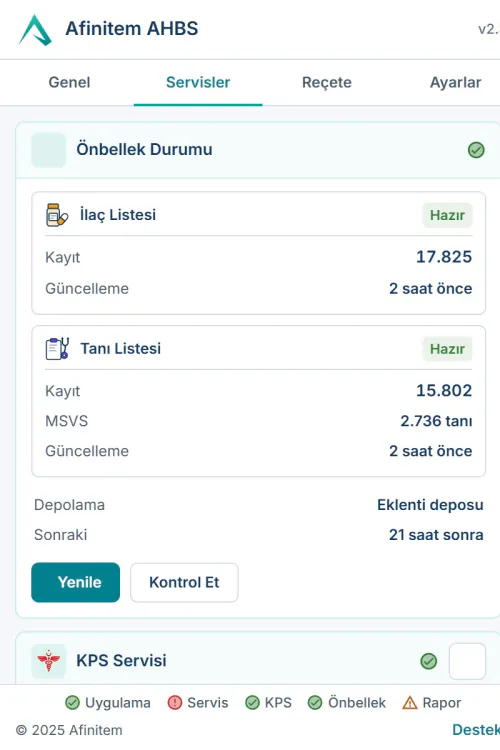
Bridges AHBS and Ministry and SGK pages in the physician's browser: identity lookup, e-Prescription signing, automatic e-Report entry and a side panel.
- Recognizes the AHBS session and module
- Keeps drug and diagnosis lists in a local cache
- KPS identity lookup
- Reading data from the e-Prescription page and signing
- e-Report (OGN) automatic entry
- Interface in six languages
Extension tabs
 (open full size)
 (open full size)
 (open full size)
 (open full size)
Modules that work with AHBS
Modules and tools from the same product family; details on their own pages.
The clinical screens were captured in Afinitem's isolated demo environment. Patient, physician and unit records in this environment are synthetic; they do not belong to real people, and no record is sent to Ministry of Health systems. Figures on the screens are examples; they do not indicate the performance or capacity of any deployment.
Web-Based & Mobile Ready
Secure access from any device with no installation; updates roll out automatically.
Official System Integrations
Fully integrated with e-Nabiz, Medula, e-Prescription and related government systems.
KVKK/GDPR-Compliant Security
Patient data is stored encrypted; role-based authorization and audit trails come as standard.

See this product up close
Let our team prepare a demo tailored to you.