

Data Technologies
AfiDB Converter
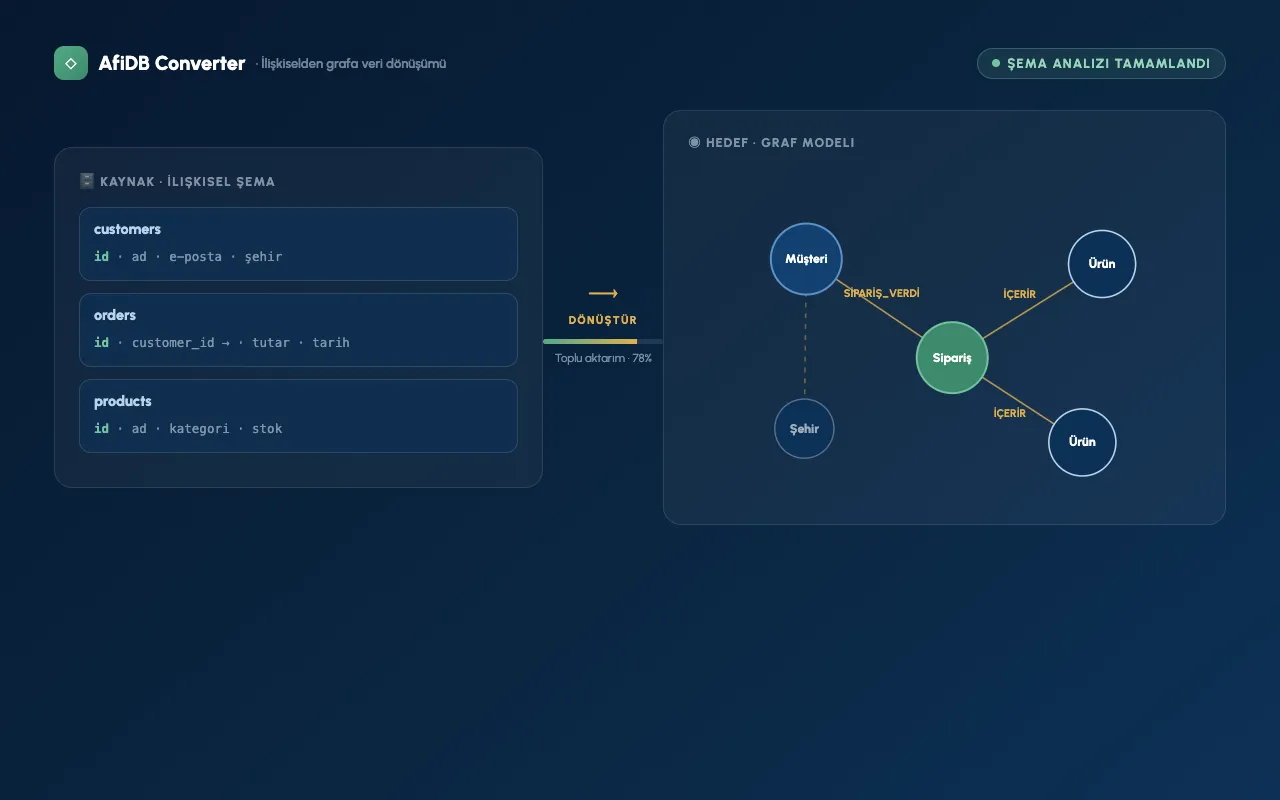
Data conversion tool that transforms relational and document databases into graph databases and migrates legacy system data to a new schema through visual mapping; schema analysis, graph modeling and bulk migration in one product.
Data Technologies
AfiDB Converter
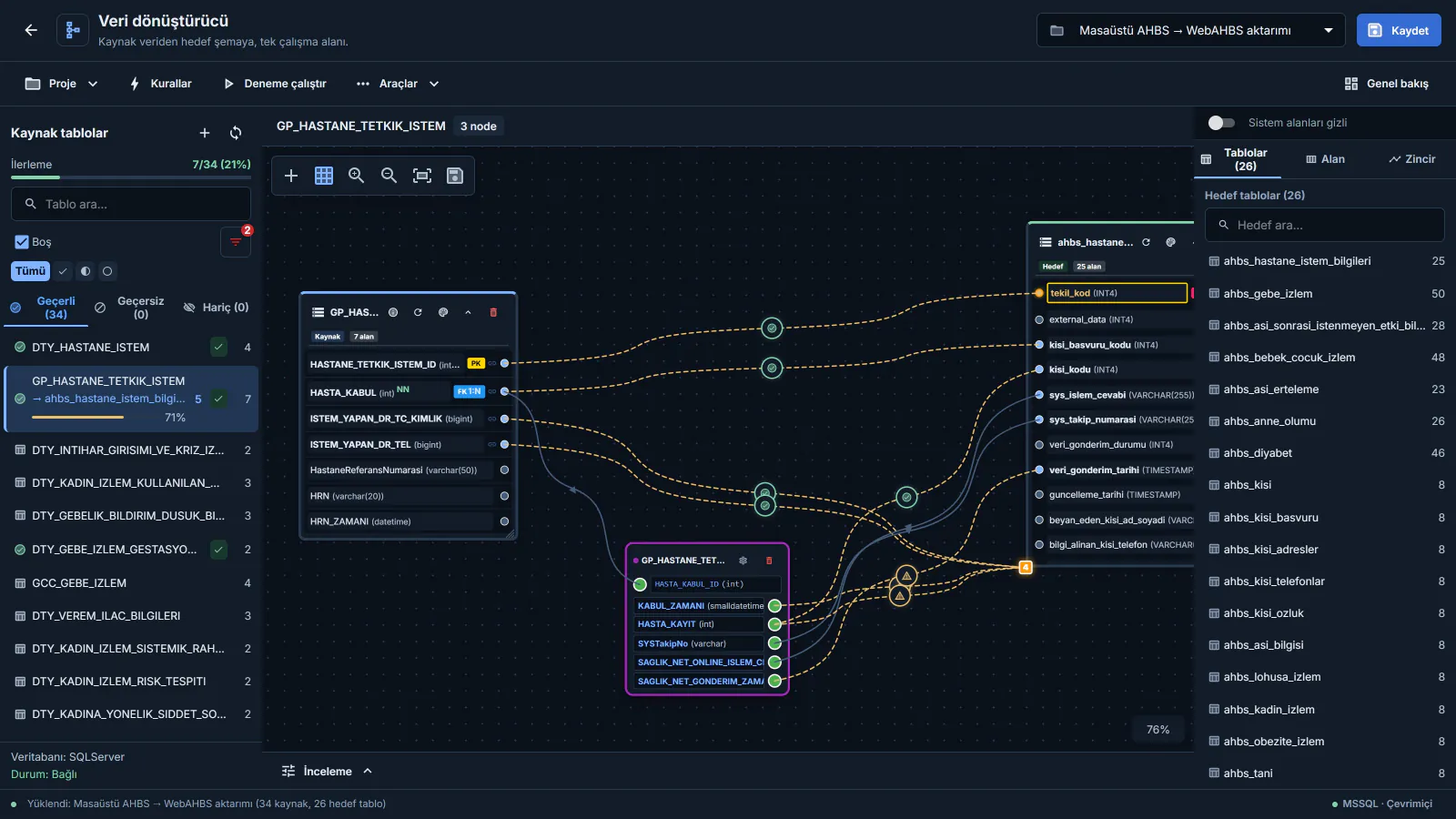
AfiDB Converter transforms relational and document databases into graph databases, bringing schema analysis, graph modeling and bulk data migration together in a single tool. The same visual mapping tool migrates the data of units coming from other family medicine software into the AHBS schema: source tables, converter nodes and target tables are connected on a canvas, and the migration is first validated with a dry run.
AfiDB Converter
Key Features
-
Multi-Source Support
Reads data from SQL and NoSQL sources and prepares it for conversion.
-
Automatic Schema Analysis
Analyzes the existing schema and derives a graph model with node and relationship suggestions.
-
Graph Modeling
Entities and relationships are modeled to best fit the graph database structure.
-
Bulk Data Migration
Large datasets are migrated safely with validation and error reports.
-
Visual Schema Designer
Tables are dragged onto a canvas and field connections are drawn visually, with automatic match suggestions and one-click bridging.
-
8 Converter Node Types
Flexible per-field transformation rules with Transformer, Lookup, Splitter, Merger, Validator, Filter, Aggregator and Custom nodes.
-
Dry-Run Testing
Tested with real data without writing anywhere; type-compatibility badges and error reports expose risks in advance.
-
Reusable Templates
A transformation template prepared once is saved; any data with the same source structure is migrated within minutes.
AfiDB Converter
Modules and screens
The system's modules and workflows, with screens from the product visual catalog.
Data migration from legacy systems
Data converter
A visual mapping tool that migrates the data of units coming from other family medicine software into the AHBS schema. Source tables, converter nodes and target tables are connected on a canvas; the migration is first validated with a dry run.
- Sources from MSSQL, Firebird and PostgreSQL backups
- Table and field mapping; type mismatch warning
- Converter and merger nodes
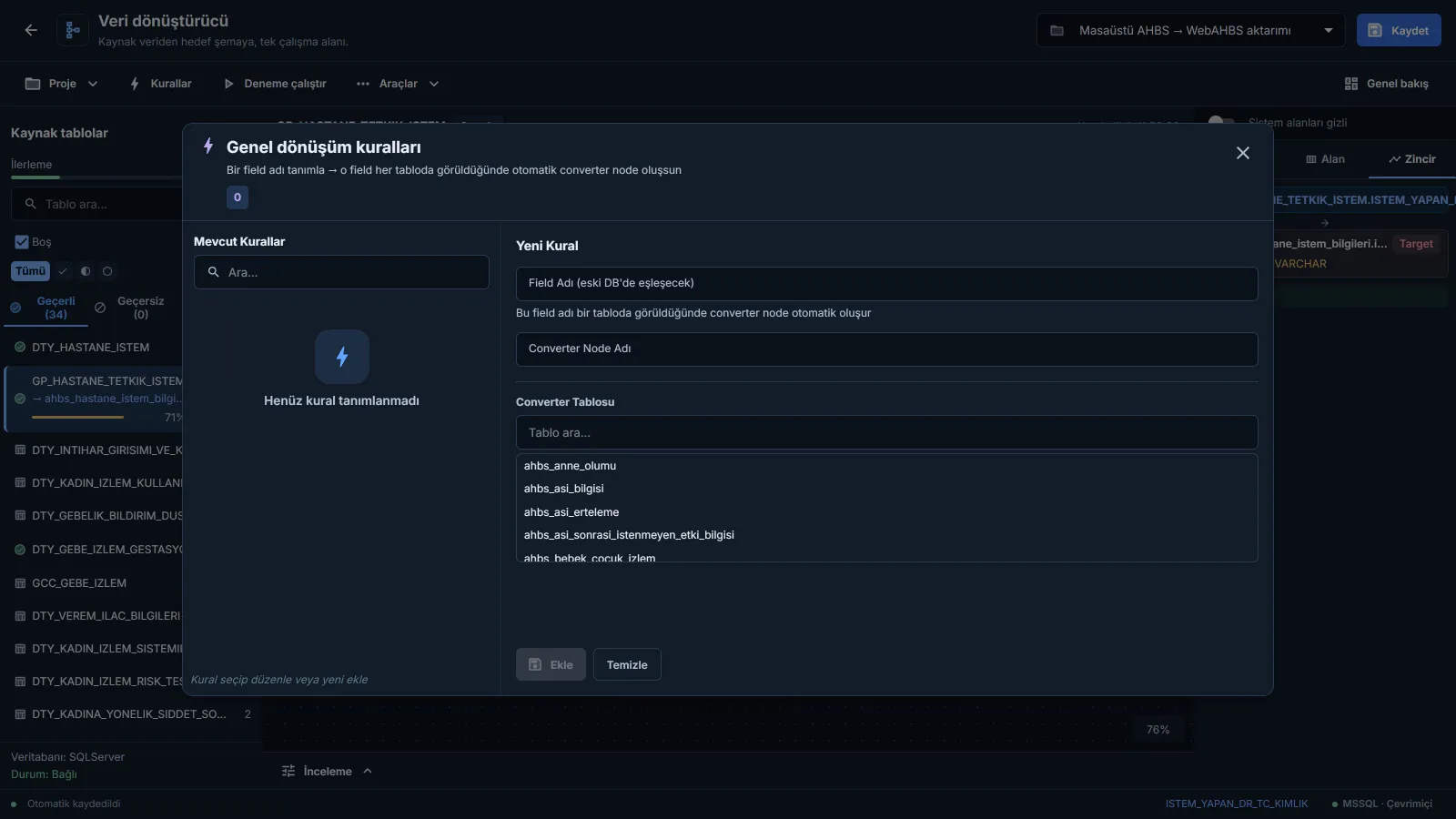
- General transformation rules by field name
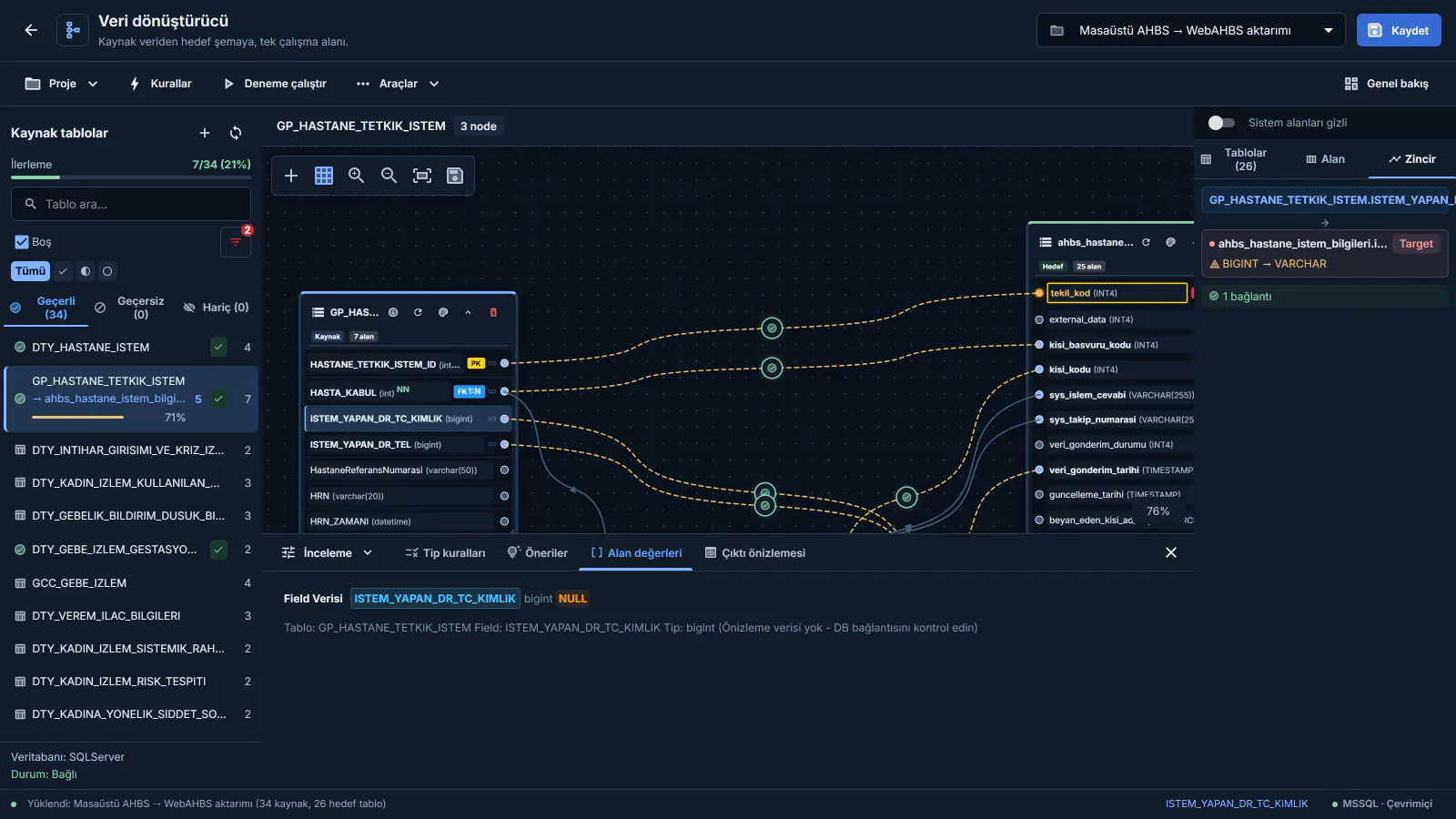
- Field chain: tracing from source to target
- Dry run and progress tracking
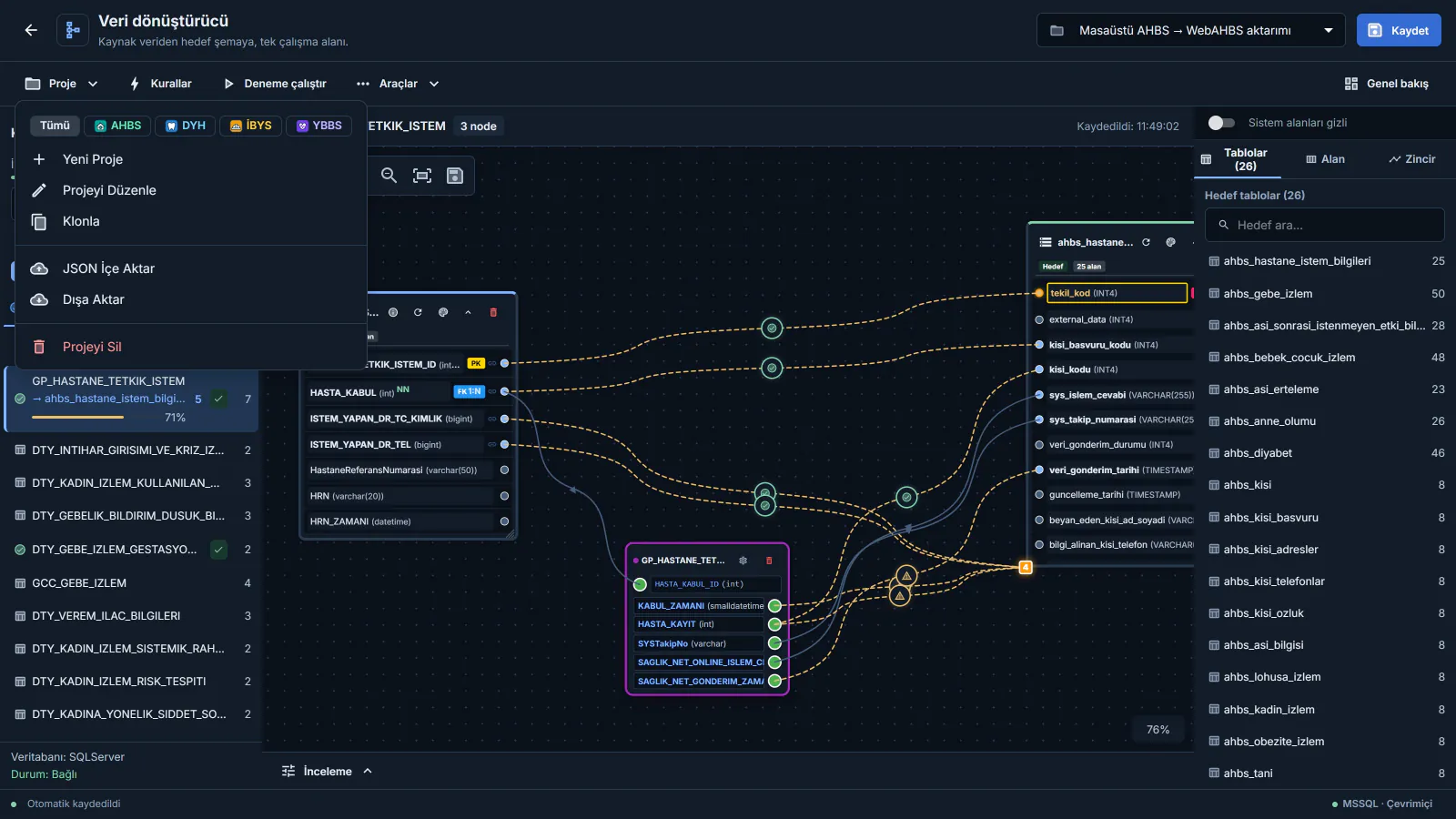
- Project cloning, JSON import/export
Mapping canvas
Source tables and progress on the left, the canvas in the middle, target AHBS tables on the right. Dashed lines show connections that pass through a converter node; triangle markers indicate type mismatches.
 (open full size)
Field chain and project actions
 (open full size)
 (open full size)
General transformation rules
Converter nodes are defined automatically across all tables by field name; the same transformation is not rebuilt for each table.
 (open full size)
The clinical screens were captured in Afinitem's isolated demo environment. Patient, physician and unit records in this environment are synthetic; they do not belong to real people, and no record is sent to Ministry of Health systems. Figures on the screens are examples; they do not indicate the performance or capacity of any deployment.